NEW in Laravel 13: TEAMS in Starter Kits! (I Tried it)

Chapters9
Shows selecting the Livewire starter kit with teams support and basic defaults enabled, including optional Laravel Boost configuration.
Laravel 13 starter kits now support Teams, showing auto team creation, invitations, and role-based access—plus a premium deep-dive on CRUDs and repositories.
Summary
Wendel and the Laravel Daily crew walk through adding Teams to Laravel 13 starter kits using the Livewire option. They demonstrate automatic team creation on user registration, per-team data scoping, and a multi-role model (owner, admin, member) with invitations and team management in Settings. The walkthrough covers database structure (teams, team_members, team_invitations), the invitation flow via a Livewire single-file component, and how registration, sign-in, and invitation acceptance tie together. They also touch on integration details like Fortify-related middleware, Laravel Boost practices, and a quick note on routing for invitation acceptance. A teaser for a premium, longer version with CRUD examples and a repository is included. Overall, the video shows how Teams unlock multi-tenant-like collaboration within starter kits, with some UX quirks that could be improved later.
Key Takeaways
- Automatic team creation occurs on user registration and assigns the user to an appropriate team slug based on the invite flow.
- Database schema includes tables: teams, team_members (with roles like owner/admin/member), and team_invitations with accepted_at timestamps.
- Invitations are sent via Laravel's queue system (Q jobs) and processed with a dedicated Livewire component for acceptance.
- Roles define permissions: owners have full control, admins can rename/invite/cancel, members have read-only access with data scoping by team.
- Invitation URL flow can be confusing: invitations lead to an initial login/register process rather than a clean, isolated signup for the invited user.
- Deleting a team is possible for non-owner/eligible cases, but users cannot delete their own team from the UI as shown.
- Laravel Daily offers a premium version with additional CRUD demonstrations and repository access for deeper learning.
Who Is This For?
Essential viewing for Laravel developers curious about integrating Teams into starter kits, especially those using Livewire and Fortify. It’s the practical look at setup, database structure, and invitation flows you’d want before building a multi-tenant feel into a starter project.
Notable Quotes
""So if you choose single file livewire components, teams option will be enabled.""
—Intro into how the Starter Kit selection enables Teams when using Livewire single-file components.
""There’s nothing really to see here except for this current team ID which is a foreign key to the database table called teams.""
—Explains the database relationship showing automatic team assignment on user creation.
""Owners have full control. I’m the owner because I created the team. Admin can rename the team and invite or cancel invitations. Member just read only access.""
—Summarizes the three roles and their permissions within a team.
""The URL is not the dashboard. The URL is invitations/accept which makes the flow a bit confusing for the user.""
—Highlights a UX quirk in the invitation acceptance flow.
""During the registration the new team is automatically created but also in accept invitation we validate the invitation by email.""
—Shows how both registration and invitation acceptance tie into team assignment.
Questions This Video Answers
- How do Laravel 13 starter kits implement multi-team support with Livewire?
- What is the exact database schema for Teams in Laravel starter kits (teams, team_members, team_invitations)?
- How does the invitation flow work in Laravel starter kits and what are the UX caveats?
- Can I customize team assignment during user registration in Laravel Fortify + Livewire starter kits?
- What does the premium Laravel Daily version add in terms of CRUD demos for teams?
Laravel 13Laravel Starter KitsLaravel LivewireLaravel FortifyTeamsTeam InvitationsDatabase schemaMulti-tenant features Laravel BoostCode walkthrough
Full Transcript
Hello guys, great news from Wendel from the Coral Laraveville team. Now starter kits have teams functionality and in this video I will show it exactly how it works. I tested it out and I've made two videos for YouTube 10-minute long but then extra. I've made a premium version which is a bit longer 14 minutes long which additionally contains the functionality of cruds a few cruds on top of starter kits. So if you want the premium version, this is available for premium members of Laravel Daily, but here on YouTube, it will still be in-depth look of how starter kits work with the team's functionality released just this week.
So let's dive in. So let's start a new project with Laravel new teams and I will choose LiveWire starter kit because it's different for the teams. If you choose single file livewire components, teams option will be enabled. If you choose no here then you will not see this choice to add team support. So in the source of Laravel installer it looks like this option liveware class components. If you choose that you will not get the teams but we actually get the teams and we choose yes for team support and proceed with all the other defaults.
I will also install Laravel boost just in case. This is my kind of personal habit even if I don't need it right away. Recently Laravel boost came up with a skill called Laravel best practices. So it is useful in most projects anyway. Then boost configuration where I will add Laravel 45s skills. This may be important because the feature of teams is based on Laravel fortify partially. So those skills for AI may be useful. Then I will choose the agents by default. And that's it. Installation is done. Now how does it work? What has it changed compared to regular starter kit?
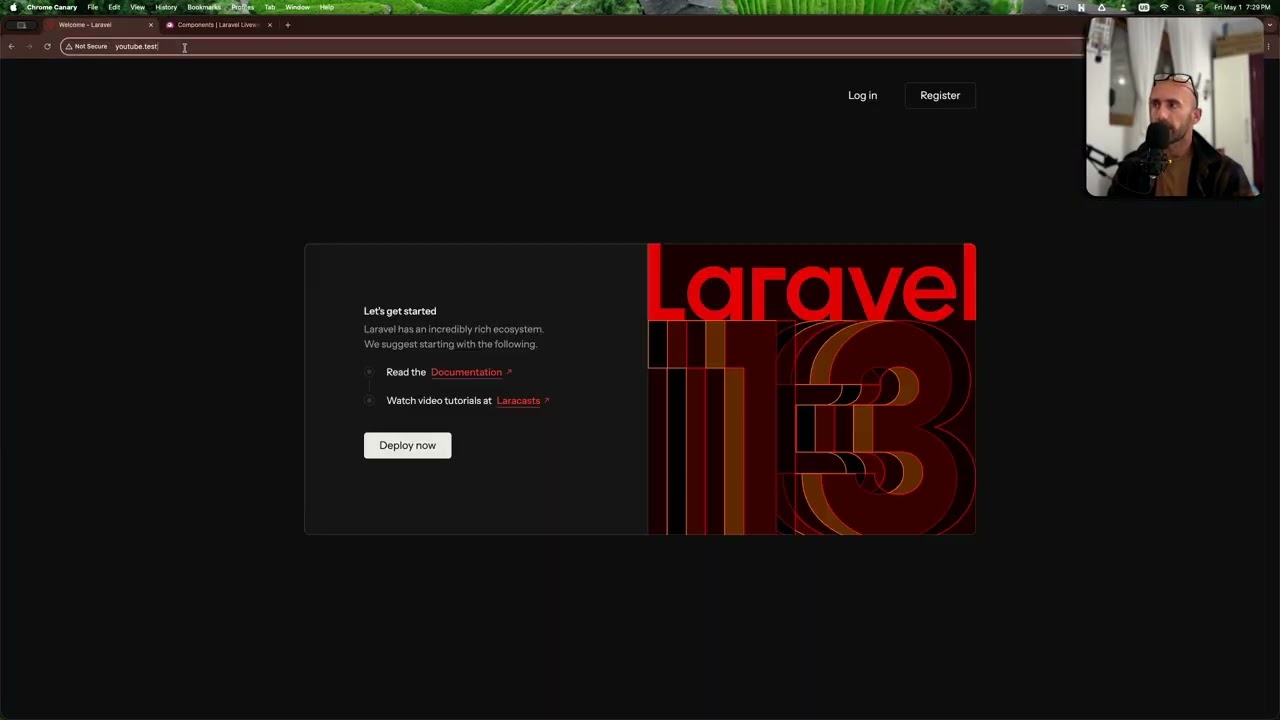
So this is the homepage and if we click to register and no teams here yet but I will use fake filler chrome extension to register to create an account and inside you can see this I will zoom that in my names team where I can choose between the teams or create a new team. Now let's take a look at the database briefly and look at the users table. There's nothing really to see here except for this current team ID which is a foreign key to the database table called teams. So each new user has a team automatically created for them with automatically created slug and we will get to that in a minute.
Also we have database table members with foreign key relationships many to many which is role owner and there are two more roles as well. And finally, there are team invitations which we'll get to a bit later in this video. But so that you would understand the database structure. Now out of curiosity, let's create a new team. How does it work? Team two, for example. Create a team. And then I can choose between the first team and the second team. And see how the URL is changing. So teams team two and then teams the slug of the first team.
and look at the page I landed on settings. There's a new menu item in the settings called teams. So I can go to dashboard then I will create some cruds and some functionality. But I can at any point go to settings and then teams to manage all of my teams or create a new team and let's try to manage that one. Let's change that to team three. Save. Does it work? Yes, the slug has been changed. And also we can invite the member and delete the team. So let's try to do exactly that and see how it works.
We invite the member and here you see the rows. So there's admin and there is member. What is the difference? According to the official tweet by Wendell, owners have full control. I'm the owner because I created the team. And then admin can rename the team and invite or cancel invitations. And member just read only access. they can just choose the team and then scope the models or scope the data by that team but they cannot control anything. So let's try both in action. Email address admin admin com for example for admin and we send the invitation and then also let's invite member member com with member invitation.
How would that work? Now in the database I have Q jobs for sending the notifications the email and I will run PHP artisan Q work and it should process. I have mail trap set up to send the emails and there we go. We have two emails one for admin admin com and another is for member. So this is the link for invitations for accepting the invitation. I will open that link in the incognito window. So that would be a new session and then I got redirected to login form here. So what are my credentials? At first it confused me but then I remembered from the past projects that it's very debatable what should happen here.
Do you register a new user? Do you have some kind of totally separate form or stuff like that. So in this case what starter kits did is this in routes web. We have route live wire for invitations acceptance protected by middleware o which means to accept the invitation you have to be already a user of that system. So let me register here. I assume it should be the same email. We create an account and we have our own team but also as you can see there's team three. So I'm assigned automatically after registration probably by email.
So I can choose my own team but also I'm assigned to team three automatically. Okay, let's take a look at the database. So, we have team invitations to team ID with different roles and accepted at is here. And if we take a look at team members, my user number three is team ID, new team owner, but team three admin user. Let's dive a little in the code to see what actually happened. So, create new user is an action in app actions fortify. Create new user is responsible for registration. And here we have create team which is another action which is also publicly available not in vendor.
And then in addition to user create we have this create team handle and let's see what's inside create team. We have DB transaction team memberships create and return the team. So this part is responsible only for new team. So in which place I was assigned to the team I was invited on. We will take a look at the code when accepting the invitation for simple member. So for now let's go to settings and let's see if the admin is capable of editing the team. That's how it should work. Now let's log out and I will click on the second invitation accept invitation as a simple member.
So again open in incognito window again redirected to login and let's see the status of the database. So currently in the users there's no user that I have also there's no team members again no user is just the invitation for now not accepted yet. And again this is interesting if I go to sign up and sign up with some other email not the membermember.com would it create account and assign the team? No, but actually look at the URL. The URL is not the dashboard. The URL is invitations than that and accept. So this is where it gets a little bit confusing in terms of user experience and maybe they will improve it in the future or you can customize it yourself.
So it would be clear for users invited that they go to sign up. So let's repeat that again. Open in incognito window then you go sign up and then you enter the same email again. And now if I create an account, we have the dashboard with both teams, but we are redirected from the invitation. Look at the code. So in the starter kit, there's liveware component page to accept the invitation. You saw that URL just a minute ago in Vue.js and ReactJS starter kits that would be respectively react and view. But this is livewire single file component.
And here we have accept invitation. And this is where the magic happens. So during the registration the new team is automatically created but also in accept invitation we validate the invitation by email. So if the email is the same then we proceed and if we do proceed then we have the invitation processed with assigning the membership invitation accepted and then switching the team to the team I was invited on. So basically the user may not even see that they have their own team automatically created. So this is the invitation process. A bit confusing but probably it's early days and it will be improved.
The important part is the access. Remember we're not admin, not owner, just a member. So if we go to members team and go to settings of our team, we are the owner right of that team of members team and we can edit that. But here as you can see we can only view team. So we can view the members. That is also actually questionable. Should we see that? But generally if we switch to team 3 and go to settings and teams. Oh actually settings teams page is global listing all the teams. But if I go to the team I don't have any editing abilities.
I just see the list of members. And finally let's test the functionality of deleting the team. So as that new members team let's see if I can delete. No actually I cannot delete my own team. There is no delete button at the bottom. So this is interesting. Probably it makes sense to not be able to delete my own team. But for example, if we create team 4. We probably will be able to delete that. And yeah, this is at the bottom. I will zoom out. Permanently delete your team. Delete team. Probably some confirmation here. Yep.
Team 4. Delete the team. And then we are redirected back to the team list. Makes sense. So yeah, that's all the demonstration about starter kits for free on YouTube. But then there's extra four minutes where I demonstrate the cruds on top of starter kit teams and scoping by the teams with repository included. So that is for premium members of Laravelville Daily. The link will be in the description below and in this way I support my own work to still continue here on YouTube with free videos if I have enough financial support from you guys for premium memberships.
I appreciate your support a lot and I promise to shoot not only courses but premium videos here and there on deeper topics.
More from Laravel Daily








Get daily recaps from
Laravel Daily
AI-powered summaries delivered to your inbox. Save hours every week while staying fully informed.