The Good, the Bad, and the Ugly Side of Linux

Chapters15
The Linux Challenge 2026 unfolds as a multi-part series, reflecting on highs and lows from the first week, the decision to try more distros, and a tease for a sponsor integration with Threat Locker.
Linus Tech Tips dives into the chaos and candid reality of Linux on hardware and daily use, testing Pop OS, Basite, SteamOS, and Ubuntu with blunt honesty and humor.
Summary
Linus Tech Tips’ Linus walks through the chaotic reality of the Linux Challenge 2026 edition, sharing personal wins and costly stumbles across multiple distros. He recounts picking Pop! OS again and facing a backlash, then tentatively revisits other DROs (Linux desktop environments) to see what actually works day-to-day. The video covers practical missteps—from mounting SMB shares in Basite to dealing with immutable OS restrictions on Basite and SteamOS—while highlighting the emotional and community dynamics around Linux experimentation. Linus also dives into gaming hurdles, noting Proton’s limitations with NTFS drives and the need for a Proton GE fork for Poppy Playtime’s cutscenes. He contrasts desktop experience details on Kubuntu, Mint, and SteamOS with broader frustrations in Linux documentation and support. Across hardware swaps (NVIDIA vs. Radeon), he underscores that Linux remains workable but imperfect, requiring troubleshooting and a no-blame mindset toward software and vendors. The piece ends with a nod to the open-source community and a teaser for future parts, while reiterating Threat Locker as a sponsor to illustrate the modern AI-enabled workplace reality. Linus’ takeaway is a balanced, user-centric view: celebrate progress, acknowledge gaps, and keep the dialogue open for better onboarding and documentation.
Key Takeaways
- Proton optimization matters: Poppy Playtime’s missing H.264/H.265 codecs required Proton GE, illustrating how community forks fill gaps when official support lags.
- NTFS drives can be workable but unstable for games on Linux; avoid NTFS for gaming until better native tooling is standard across distros.
- Basite’s immutable design and beta labeling complicate traditional software installs, demanding workarounds and a rethink of user expectations.
- Switching desktop environments (Cinnamon to KDE Plasma on Basilte) is doable and quick but introduces cleanup steps (e.g., multiple sound icons) that users will encounter.
- Ubuntu-based Kubuntu on day one had a rough start (black screen), but eventual stability shows how Linux can rebound after rough beginnings.
- SteamOS integration on a home theater PC revealed surprisingly strong hardware compatibility (e.g., IR receiver support) out of the box.
- The Linux experience benefits from honest, fear-free discourse about bugs and friction, rather than gatekeeping or blame, to encourage broader adoption.
Who Is This For?
Essential viewing for Linux newcomers who want a realistic, hands-on take from Linus Tech Tips on distro choices, hardware compatibility, and software hurdles. Also valuable for seasoned users who crave a candid assessment of day-to-day usability and community dynamics.
Notable Quotes
"The point I’m trying to make here is that enjoying the Linux experience requires a no blame mindset."
—Linus argues against blaming developers or users for Linux incompatibilities, promoting a constructive approach.
"Proton doesn’t seem to like NTFS, and in my experience, gaming off an NTFS drive is rough right now."
—Highlights a practical gaming caveat with Windows-formatted drives and Linux compatibility.
"It’s not anybody’s fault. Everyone is doing their best."
—Emphasizes the community-wide effort behind Linux and the need for empathy in troubleshooting.
"Basite’s installer options depend on the GPU brand, and the Steam OS fullscreen experience is a choice you make."
—Shows how distro installers can create different user experiences based on hardware and preferences.
"Poppy Playtime’s pre-rendered cutscenes weren’t working because the codecs aren’t licensed for Linux, solved by a community fork."
—Concrete example of codec licensing gaps and community-driven fixes.
Questions This Video Answers
- How realistic is Linux for everyday computing in 2026 according to Linus Tech Tips?
- Why does Proton GE solve Poppy Playtime video issues on Linux?
- What are the main usability hurdles when trying Basite or Kubuntu for a first Linux experience?
- Is NTFS viability for Linux gaming getting better, and what are the best practices?
- How should new Linux users approach troubleshooting without blaming developers or communities?
Full Transcript
The Linux Challenge 2026 edition was supposed to be a three-part series. The setup, a taskoff challenge episode testing day-to-day usability, and a conclusion. But then the first week was full of so many unexpected highs and lows. We knew there had to be another video, especially after the Linux community exploded after I picked Pop OS again. And while Luke and I seem to have been praised for our choices, I can tell you guys firsthand that it has not been a smooth ride for me. Meanwhile, things were going so great for me, I decided to dip my toes even further, attempting some more complex tasks that I didn't expect to go super well, just to see what would happen.
And I ended up trying some other dros, which addressed some of my issues with Pop OS, but uh also ended up being frustrating in their own ways. But what is even more frustrating is that they aren't letting me be the one. It's a segue to our sponsor, Threat Locker. Threat Locker helps organizations stay in control as AI becomes part of the workplace because it's important to limit what AI tools can do and what they can access. Threat Locker zero trust controls help reduce these risks. Learn more at our link down below. I feel like I've got to start this by explaining my brain deadad choice of Papo.
It was amazing how many people got angry at me for picking the same DRO that screwed me over last time. But if you guys remember, I actually used Mangaro last time after I was assured that the bug that I encountered when I was setting up Pop OS was a one-time fluke. And then I got piled on for being so quick to abandon it. So this is me putting aside my past experience after seeing so many people listicles and chat bots that still recommend it. That willingness to try again is a good thing for Linux. I mean if everybody bailed after one bad experience, there would be no distros left to try.
Nothing is perfect. And unfortunately that goes especially for Pop OS. System 76 has spent the last couple of years hard at work on a new desktop environment, Cosmic, and it's been a challenge. Lionus, Cosmic is basically in beta. Don't you know that it's not ready yet? No, I didn't. For one thing, where does it say that? The thing that I downloaded was called LTS or long-term support. That's like the opposite of beta. I would have had to journey to a random blog post from back in September of 2025 to discover that Cosmic is now in public beta.
Number two, maybe this is a hot take, but maybe if System 76, a commercial entity, not a random open source contributor, knows that it's not ready for prime time, instead of blaming me, we should probably blame the company that shipped it. And you know what? Yeah, I could have come across some of the Linux YouTube channels that have highlighted these issues. But a key element of the Linux challenge is highlighting that unless you know to ask the question, is this DRO's desktop environment in beta, it can be hard for new Penguin Curious users to find the right answers.
So, as we keep going, it's important to think of the Linux challenge not as an attack on Linux, but as more of a pen test for how friendly it is to newbies. My Basite adventure started a bit better than Lionus at first. But if you remember in part one, I mounted my SMB share. I was shocked at how easy it was to find cuz normally on Windows I would have to type in the address bar and find it versus on Basite I just clicked on network and it found it right away. But I didn't realize that that wasn't mounting it.
That was just creating a shortcut. This means my read and write permissions were all over the place and I couldn't save some files to my network drive if I clicked on that shortcut. To solve this, I had to do some Googling and I found out that I needed to modify my FS tab file to point the network location to the Mnt folder on my drive. So, I did that. But then I noticed that I had two, both of which were still behaving like a shortcut. I tried at least a dozen different options in order to mount the share correctly.
None of which ultimately succeeded or should have even been necessary if you ask me. Opening context menus on icons, shortcuts, or applications is a great tool. And it seems like a big oversight on the Bazite team to not include a quick mount option that just works. Instead, I want to fab myself in the head. Meanwhile, I was having a grand old time on Cashy. And since I felt more comfortable than the other two guys, I decided to get a little bit daring. I uninstalled my entire Cinnamon desktop environment on purpose to see if I would run into any challenges.
It took about 20 minutes max before I was up and running with KDE Plasma. And my only issue was that I had to clean up some small things left over from Cinnamon. Uh like a an additional sound icon that was in the bottom tray because I had two sound icons and they could conflict and stuff. And that was honestly also really easy to do. So, no big deal. As for my gaming adventures, my first real challenge in this Linux challenge was probably my own fault. I had read some stuff online saying that I could do it, but I think I was trying to be a little bit more optimistic than realistic.
I had a Windows game drive previously that I just kind of left alone and tried to use on Linux, which means that it was formatted in NTFS. Um, I just added it to my Steam library and Linux and tried to go. All my games showed up perfect and everything seemed fine at first. Some games even ran okay, but I started to notice some glitches and even some games that I had freshly installed on that drive just wouldn't work. It would just you click play and it just wouldn't launch sometimes. It turns out that while Linux can still use NTFS and there's been some ongoing development to make it even smoother, even since we started this challenge, I can say in my experience, it was uh kind of rough, especially when used with Proton.
Proton doesn't seem to like it. So, in my opinion, if you want to play games off of an NTFS drive, just don't. At least not right now. My gaming experiences were mostly smooth with two major exceptions, though. One of which I'm actually going to save for the conclusion cuz it's kind of a spicy one. So, make sure you get subscribed for that. But the other was actually the first game that I tried to fully play on Linux. Poppy Playtime Chapter 5. I wanted to stream it, but I was getting no audio and no picture, which is not ideal for a stream.
Oh no. Are we not going to be able to play? But then it suddenly just popped in and started working fine. I played it for a little while and then the same thing happened again. Look, all the friends are here. Isn't this amazing? Oh, well, it turns out that the pre-rendered cutscenes weren't working. Proton, which is the compatibility layer that allows non-native Linux titles to work on Linux, is missing proprietary licenses for H.264 and H.265 video codecs. What was the solution? A community fork called Proton GE, which thankfully was in the Basite store. That's a pretty simple fix, but it's also one that highlights how unrealistic some Linux evangelists can be about the experience.
No, in many cases, it doesn't just work out of the box. And users who don't treat fixing their operating system as a hobby will be looking for someone to blame for this hassle. So, is it Linux, Valve, Mob Entertainment, the user, maybe all, or hear me out, none? It's easy to jump on the blame bandwagon and hate on some developers for not prioritizing Linux, but ask yourself this. If 50% of your customers were on Windows and the other 48% are on Xbox and PlayStation, would you be stoked on hiring a fourth group of employees whose job it is to deal with the other 2%?
Especially knowing that those 2% are not running one OS, but are probably running different flavors of OS. I mean, maybe you would, but it's more important to remember that just like the users, many companies don't treat fixing operating systems like a hobby. Okay, so then we blame Valve. No, obviously not. It's super cool that they have put so much support into Proton, but the fact that they've paid so much already is not a good argument that they should just obviously pay even more for these commercial video codecs. The point I'm trying to make here is that enjoying the Linux experience requires a no blame mindset.
Some stuff's going to work and some stuff won't. It's not anybody's fault. Everyone is doing their best. So with that in mind, throw out what I said earlier cuz I'm not mad at system 76. In fact, I left Pop OS on my main desktop just for the ls and it mostly worked for most things. With that said, when it came time to install Linux on my other systems, I did opt for something different. Starting with Basite on my home theater PC. It's just too bad the Linux curse followed me there as well. Um, Basite has different versions of their installer depending on the brand of your GPU and whether or not you want the Steam OS full screen experience.
Well, I've got an Nvidia GPU and yeah, I want that experience. That's kind of the point of it on a home the PC. So, I picked this one. And um, let's put it this way. The Basite team feels that I should have known the one that I selected would result in a completely unusable experience. But to me, that's actually not that obvious. Coming from the Windows Google normie world where a stable service like Gmail was labeled beta for 5 years, it's not that unreasonable to think that you can daily drive a beta and have a mostly functioning experience.
In Linux, that's an expectation that needs to be completely thrown out the window. Here, beta seems to mean this is broken and if you're not a developer, you should probably just download the LTS, which might also be beta. Clearly, we've got to reach a middle ground here. And Basite seems to agree because they have updated the messaging on their site. Anyway, that happened later. So to get my system up and running, I ended up doing what many Linux people do and switching to a Radeon card, which was completely painless. Why run Bazite when I could just run Steam OS on the Steam machine that we built on this channel like a couple months ago?
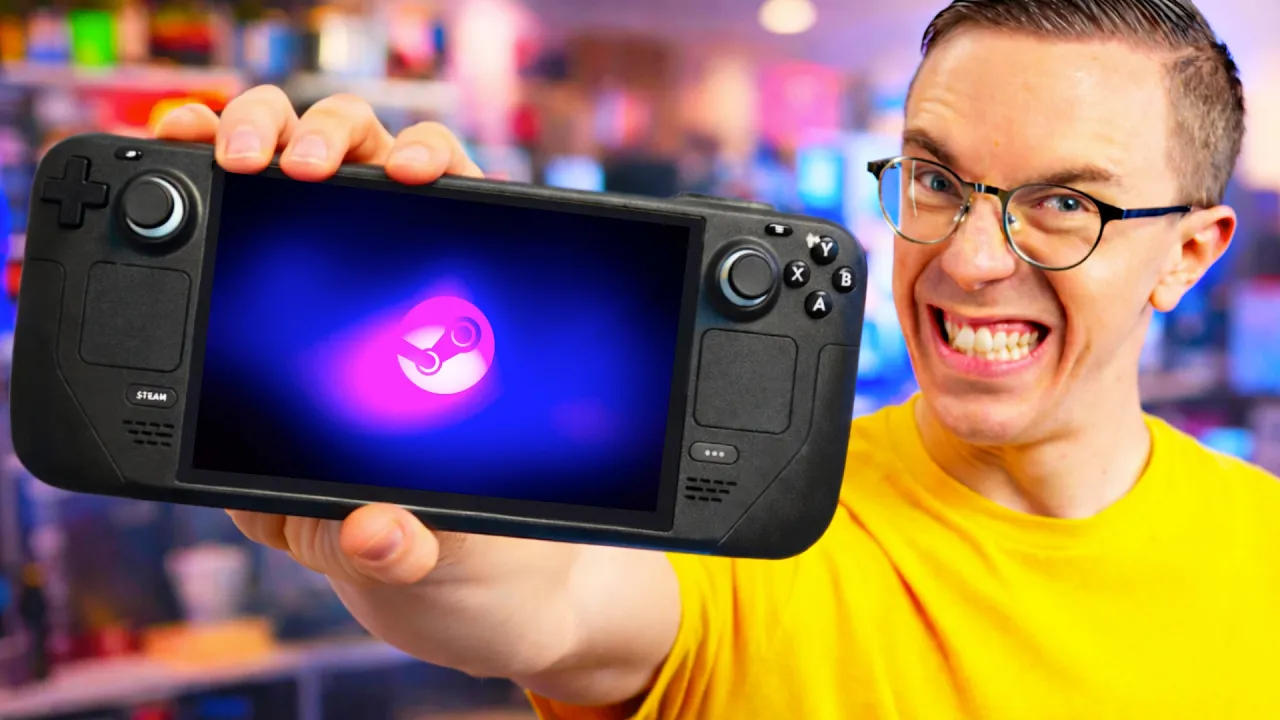
I can't believe I forgot about this thing. I've been meaning to install it. I actually ended up throwing Steam OS on my home theater PC. Nice. Okay. Is it a bit of a hack to just switch out your hardware? Yes, but also no, because a lot of Linux gamers would go out of their way to choose compatible hardware in the first place. So, I'm pretending I did that. First, I want to see how well this integrates with my system here. Let's hit power toggle for the PC. No way. Did Valve seriously bake in support for this old Microsoft IR receiver, which was child's play to get working, and it's been kind of awesome from the couch.
Nothing further to report there. As for my laptop, I decided it was finally time to practice what I preach and go for good oldfashioned trustworthy Ubuntu. Sort of Kubuntu is actually Ubuntu, but with the KDE desktop environment, which I find quite comfortable to navigate, sort of. I mean, first I have to get to the desktop and day one was kind of terrible. After completing setup, it just black screened and it sat there for hours and I was like, come on, man. This is ridiculous. Then I came down in the morning and it was like Santa had visited because it was magically sitting at the login screen and it's been downright pretty solid ever since with a bit of a learning curve.
For example, I did run into issues getting some applications to work due to downloading the wrong package. Debian packages, snap packages, and flat packs will all work on Kubuntu. But I figured, okay, well, Debian makes the most sense since Kubuntu is based on Debian. But then after I installed OBS, I realized I had no option to select the display that I wanted to screen capture. The solution, use the flatp pack installer apparently. Okay, but where? The top result, as far as I can tell, doesn't convey that it's a flatp pack. Oh, right. I need to enable flatp pack search.
Except that wasn't the solution either because Whand, which Kubuntu uses as part of its desktop environment, has a privacy thing built in that no likey screen capture. Now, it can be worked around, but threads like this one are a great example of how troubleshooting can often be a guess and check experience because there are like five different solutions in here, and I actually can no longer remember which one worked. Of course, though, it's important to point out that every problem that we're having with Linux can also be a problem with Windows. But the fact that Microsoft is also bad doesn't mean that we shouldn't be honest about issues or like level of tinkering required with Linux.
My laptop, for example, running Mint and a very simple use case of basically just loading a browser hasn't required any tinkering this whole time and hasn't really had any problems. my desktop running Cache OS. I've intentionally tried to like put myself in harm's way and ran into some really complex scenarios that have been fun to diagnose and work through, but there are things that are quite simple on Windows and very easy to do that are more complicated on Linux, and that's okay. But trying to hide that fact in order to recruit more Windows users to join the community, I think does more harm than good, especially when they are unfortunately fairly often met with hostility from the community when they then run into these problems and are unequipped to deal with.
I think there are some obviously extremely bright lights in the Linux community that bring a lot of hope and joy and fun to the whole experience of learning Linux. But there is a lot of negative communication on forums, on Reddit, elsewhere. It's very off-putting for new Linux community members, which we're going to be seeing a lot more of soon, uh to receive that type of energy. The the biggest thing that didn't work for me was just software compatibility. But with some time and effort, I did manage to find either an alternative way uh to get the Windows native version working for my admittedly somewhat basic software suite.
I didn't I use Adobe Premiere for editing. And one of the many fun ways that Adobe is kind of ass is that it just doesn't work on Linux. Now, I tried messing around with bottles a bit, which allows you to run Windows software on Linux, but that was obviously still a no-go, which then sent me looking for alternatives. Da Vinci Resolve has a Linux build, though it's only officially supported on Rocky Linux of all things. Still, Rocky Linux is a lot closer to Basite than Windows is. So maybe, and yeah, after 2 hours of trying, I got her up and running, but not the way I thought.
See, I just tried installing it like a Windows application. Download and run. But Basite, as I learned, is an immutable operating system similar to Steam OS. This means core operating system files and permissions are locked down in such a way that the user either can't screw them up or they can but then they'll reset themselves after a reboot. Unfortunately, this same lockdown applies to some software installers, which then means that they can't alter the files that they need to. The solution was for me to beat my head against a wall until I found this 6-inute video about a simple command to run.
Hey, software installed. But then I ran into the same problem as Poppy Playtime. Depending on the file that I was trying to play or export, it wouldn't work. Freaking curse you video codecs. So I then tried Kaden Live, which is fine for basic editing, but if I want to be a power user, it's just not quite there yet. And for stills, neither is You know what? I'm going to be the one to say it. sucks. With that said, I still want to emphasize the gratitude that I feel and you, Elijah, I know you feel it too, toward the open source community, whether it's applications or drivers or Linux in general.
The fact that people are stepping up against the corporate overlords who are limiting our choices, feasting on our wallets, and then spying on us for good measure is amazing and it's admirable. However, context matters. And when we're evaluating the experience of switching to Linux, we're doing so from a user perspective. And so we do have to point out things that might not be ideal. Just try to understand that it comes from a place of love and appreciation, not from a place of hate. Everybody involved in the Linux challenge today is rooting for Linux to succeed.
And it's actually been really exciting to see so many social media posts of people who have joined the challenge alongside us, even though we didn't ask anybody to. But as exciting as all of that is, part of succeeding in this is taking off the blinders and being honest about the areas where things need to improve. And it's actually been pretty cool to see that some of our observations are already resulting in clearer documentation that's going to help pave the path for future users. Now, I know we're releasing part two like way past the one month point already, huh?
Elijah was busy fixing our environmental chamber among other things. But we do still have more videos lined up for the series. And as you guys can see, even though we're past the month, uh there will be some surprises in the future parts. Part three is going to have us do some fun challenges. And then part four is going to be the conclusion where we sit down on the couch together and talk about our final thoughts. Oh, and we'll probably also talk about our segue to our sponsor, Threat Locker. Threat Locker helps organizations stay in control as AI becomes part of the workplace.
Companies everywhere are adopting AI tools to move faster. But it's pretty critical to control what those tools can do, what they can access, and where they can send data. Threat Locker gives your organization zero trust controls to help to limit AI's reach inside your environment, including what applications can run and what resources they can interact with. So, if your organization is taking advantage of AI, you want to do so without opening the door to unnecessary risk. And you can start by using a zerorust approach to cyber security and checking out threat locker using our link in the description below.
If you guys enjoyed this video, go check out part one. We talked through the choices that we made and the installation process. It's over a month old at this point, which I know we said we were only going to do a one-mon challenge, but maybe that gives you a little hint as to what our conclusion might
More from Linus Tech Tips




Get daily recaps from
Linus Tech Tips
AI-powered summaries delivered to your inbox. Save hours every week while staying fully informed.