Live Code: Landing Page Live Code (UI Design Daily)

Chapters8
Host greets viewers, explains they are coding a landing page by hand for fun after a UI design focus, and sets expectations for how long they will stream.
A candid live-code session where the host builds a landing-page UI with Astro, Bun, and Tailwind, while debugging content collections and component structure in real time.
Summary
In this live coding session on Coding in Public, the host dives into building a landing page from scratch while streaming. They start by selecting a project scaffold with Bun and Astro, then switch to Tailwind for styling and a quick pass at global colors. The stream covers practical steps like wiring up content collections in Astro (authors.json, projects.yaml) and creating a reusable ProjectCard component to render project data, including author avatars and code/clap icons. As they assemble the UI, they discuss accessibility benefits of ARIA-labeled regions and the decision to keep the design simple rather than a full design system. The host also demonstrates iterating on layout with CSS grid, responsive behavior, and a couple of interactive UI ideas such as a basic filter switch mock and a tool-icons strip. Throughout, they balance live-coding authenticity with debugging detours, noting the trade-offs between manual syntax work and AI-assisted tooling. The session ends with reflection on the evolving role of AI in coding and a casual invitation to viewers to share what they’re building today. This is very much a learning-by-doing stream, perfect for developers who want to see how to scaffold a small design-forward page in real time.
Key Takeaways
- Using Bun to scaffold an Astro project is feasible in a live session, then switching to Tailwind for styling helps keep visuals consistent without a full design system.
- Astro content collections enable type-safe data driving components like ProjectCard, including author data and images.
- The host demonstrates a practical approach to content modeling with YAML/JSON (authors.json, projects.yaml) and shows how to reference related data (author in a project) in Astro.
- Accessibility considerations are addressed by labeling sections (ARIA) so screen readers can understand the layout regions (main nav, sections, etc).
- The stream documents a workflow where components (ProjectCard, filters) are assembled incrementally, with real-time debugging of file paths, asset imports, and image handling in Astro.
- The host reflects on the tension between hand-writing syntax and using AI-assisted tools, noting both the strengths and trade-offs of each approach.
- Tailwind utilities are used for layout and styling, while the code remains readable and approachable for those who prefer “hand-written” CSS structure over auto-generated classes.
Who Is This For?
essential viewing for frontend developers who want to see a real-time workflow of building a small, design-focused landing page with Astro, Bun, and Tailwind, including content modeling and accessibility considerations.
Notable Quotes
""Let's switch to Bun x Astro ad, and we'll do tailwind. Do I need anything else? I don't think so.""
—Shows the initial tooling choices and quick scaffolding decisions.
""I'm going to just start from scratch. We'll do bun create astrap latest, sure landing page.""
—Highlights the hand-on setup phase with Bun and Astro.
""The benefit to these content collections is it's type safe plain text which is super nice.""
—Emphasizes the advantages of Astro content collections.
""Accessibility tree here, you see we've got regions now named these things.""
—Mentions ARIA labeling and semantic regions for accessibility.
""I think obviously you would have this as an interactive component, but because I have nothing else to like show here, I don't know how I would do that.""
—Notes the balance between interactive demos and live limitations.
Questions This Video Answers
- how to scaffold an Astro project with Bun and Tailwind in a live-coding session
- how do Astro content collections work with authors.json and projects.yaml
- how to implement a reusable ProjectCard component in Astro
- what are ARIA regions and why label them in a landing page
- how to set up a responsive grid in Tailwind for a card gallery
Astro Bun Tailwind CSS CSS Grid Accessibility (ARIA regions) Content collections (authors.json, projects.yaml) Astro Image ProjectCard component UI design daily Figma/planning assets
Full Transcript
Hello, hello. Hope you're doing okay today. Um, sorry it took me a bit to get set up. It's been a bit since I streamed and I had no plans on doing it when I woke up this morning, but um, I was just like, "Hey, I kind of feel like coding something." So, uh, hope you're doing okay today. Um, let me know if you have any issues uh, connecting or anything like that. I think I'm live as so far as I can tell. Uh, the trouble when you don't do this for a while. Um, but yeah, I'd love to get started here.
And the idea is just to have a really I don't know, maybe this is too old school now, but just like a nice time writing syntax by hand. Um hopefully you're still okay with things like that. Um but yeah, that's my plan today is just to code alongside with you and uh we'll see yeah how how long we go. I don't know if I'll get to do this whole landing page or not. I've done nothing besides just look for something in UI design daily and just figured I'd take a little coding break and just code some um because it's been a bit.
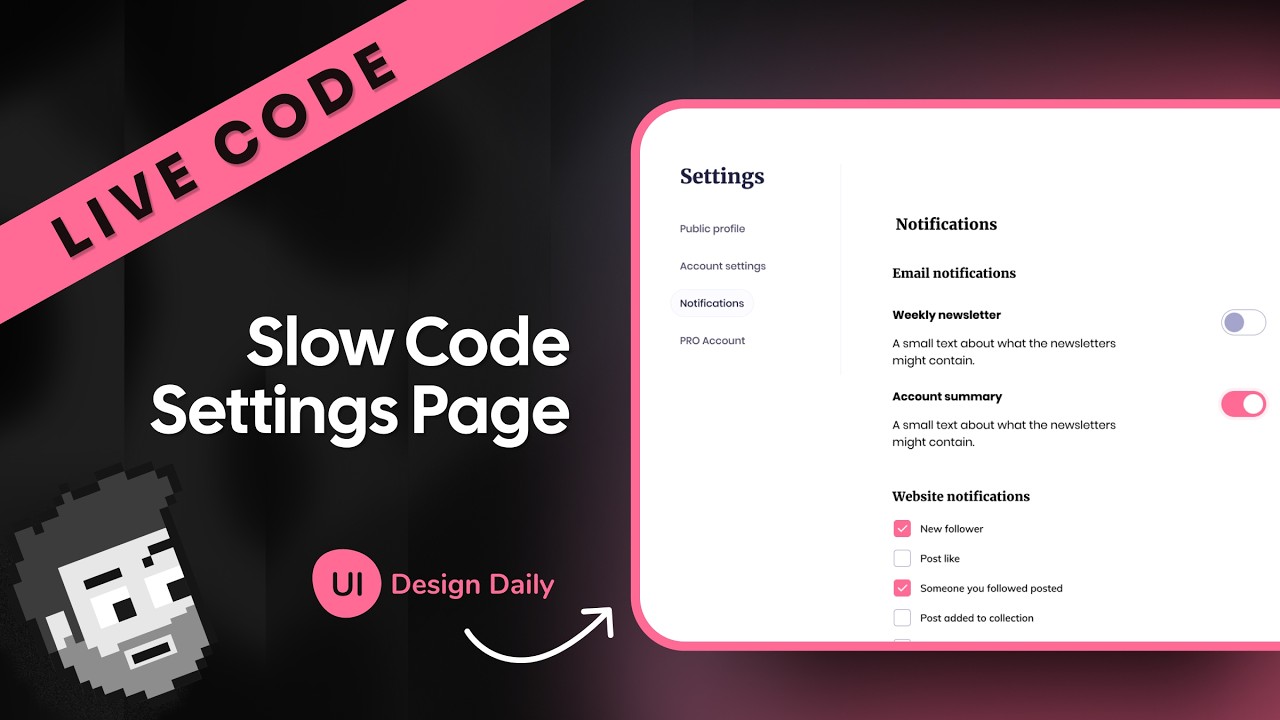
So, hope you're doing okay today. Um let me switch stuff over. Hey, good to see you this morning. Let me know where you're watching from. Uh a little rusty with the streaming, so forgive me as I get started here. Um but let's go ahead and uh jump right in. I've got um let me pull this up first, I guess. Uh, I've got this full page kind of design going on. Um, this is just from UI design daily. I've linked it down below. Uh, let me know if you have any trouble with uh, bit rate or anything like that.
I'm getting some random warnings in YouTube, but I think I'm okay. So, uh, yeah. So, I've got this uh, landing design uh, page. I don't know how much of this uh, landing page will do uh, because there's like a decent amount of stuff depending how serious we want to be. Uh, I've got it here in Figma. Uh, I don't know how like obsessed I'm going to be about getting this perfect or not. Um, but uh, yeah, we'll just kind of do what we feel like. And I don't know if you can even hear the music.
I was having trouble getting that going. Maybe. Can you hear some music? No. Okay. I think now it's randomly playing music. I don't know why. Uh, so let me know if it's too loud or too soft. Uh, and we'll try to adjust from there. Hey Dante, welcome from the Philippines. I have a friend who just flew there yesterday. Um, cool. Well, hopefully stuff's okay. I'm just going to presume that that's the case and we'll just go from there. All right, so let's get started. I am going to just start from scratch. We'll do bun create astrap latest um, sure landing page.
I don't know if it somehow read my mind or what, but we'll take it. And I think I'm just going to use tail one just to keep it simple. and not have to create like an entire design system as we go. Um, which obviously you should do, but this is just for the fun of it right now. Um, okay. So, let's CD into landing uh page. I guess I What is this? Landing. There we go. Into landing page. Okay, [laughter] that was way more difficult than it should have been. All right. And then I'll get this up uh and working.
I know my face is covering some of it. Sorry. All right. Let me see if I can connect these two like this, maybe. Okay. So, here we are. Here. Let's get rid of all the stuff for now. We're going to snooze this for like I don't know 50 minutes and that'll be my sign that I'm done if I don't finish, which I probably won't, but that's okay. All right. All right. So, over here, uh, let's do bun, uh, bun x astro ad, and we'll do tailwind. Do I need anything else? I don't think so. Sound is fine.
Okay, cool. All right, continue. Let me know what you're working on. If you have thoughts about um anything going on in the world these days, Bun Run dev, like I said, it's been a little bit since I've streamed or done anything. And I don't know, life has changed a lot for developers in some ways. In some ways, it's still the same kind of stuff. We're just a lot of people are using AI more to help accomplish those things. I don't know. I don't know that I want to talk about it, [laughter] but we can if you want.
Uh, we'll do bun I biome. Let's add that as well. And I know I could do biomeit, but biome.json. And I have a little starter thing I use. Okay. That way it won't yell at me. And now we can get into this properly. Okay. Uh, as far as how I want to do this, I guess let me pull it up here. Local host. Why is this not 1313? Throw back to Hugo days. Not sure why I started going there. Um, okay. Here we go. So, we've got this basic viewport. Obviously, like I need to get some colors in here and that kind of stuff.
I'm getting lost in the header today. Uh, I don't know that I understand. Maybe my face is in the way, in which case I can just kill the face. Let's try that. can we just do full screen? Do I have Okay, here we go. Let's just switch to this one. Um, and then maybe I have like this mirror magnet thing I used to use that I should just use and maybe that will help. Don't worry about Oh, there I am. I'm in the wrong place. So, let's position this better. How about bottom right? How does that work?
All right, now I'm frozen for no reason in particular. We're moving in the right direction. Okay, there we go. Okay, so now I'm back and as I come to hover, like it'll hide my face. So maybe that's what you want. Hopefully that's useful. Um although it keeps it keeps stalling out on me, so maybe I should just forget about this alto together. All right, no face. Sorry. All right, let's get back into it so we can code instead of worry about all this wellness app. Nice. Tell me more about it, Dante. Um, okay, let's uh while we're doing that, let's capture maybe some basic colors.
I'm guessing that um these are all fairly benign, but I'll come over here and let's go to our global CSS. Oh man, what is this thing? I always forget this. Um, let's see. Customize tail in colors. This is one of the bad things about using AI more is like a lot of these basic syntax things. You kind of know when you see them. I know I have to do inline. I just don't remember. Is it like at theme in line, I think. But let's just check. I should have just trusted my gut maybe. Yeah. Okay, that's it.
All right. So, let's do color. Uh, we'll just do background and then use this. Although I don't think it was that. So, what is this thing? Yeah. So, it was something else. Or maybe there are two colors. Yeah. I don't know. And this maybe is f. Okay. All right. Um, let's see what else we got here. I'm just going to paste a bunch of these colors in. We'll figure them out later. There's white, which I'm guessing is actual white. Why is this extension not working? Yeah, it's just white. Um, what is this blue color? All right, it seems like we have variables somewhere [snorts] or styles somewhere.
Where are my [snorts] variables? Where is it pulling these things from then? Selection colors. It's pulling from some iPad OS library, I guess. I don't know. All right. So, let's add this as our border. This is the not exciting part of setting up a project, but you got to do it or have somebody do it for you. It's fine. You'll be okay. Um, all right. That's good enough. Maybe let's grab this text color. Whatever this is, since this is being weird, let's just Oops. Grab it right here. And we'll do color uh foreground. I guess why I spelled that one out and not the other one, I don't know.
Uh but let's close that off. Come back over here. Okay, cool. Uh I think that's enough to get us started. Um and then I guess let's grab this like background color. I don't know if this is part of the design or not, but we'll just make it part of the design. We'll do color like uh I don't know, purple. Okay. So, let's get some basic stuff going here. Um, I'm going to come over here and add a class. And we'll just do background purple, which is my custom purple color, I guess. And then, uh, we'll have like the nav and everything else.
But, I guess let's throw a div in here with background and background on it. And this one we probably want to have like padding of four. And I think we had some kind of border radius on here. Um, but this should basically take up um, let's see. How do I want this to be? Yeah, let's just do Let's not worry about that right now. Um, this one will eventually have stuff in it. So, I guess we'll just do padding of four or something like that. Now, rounded, uh, medium, it doesn't really matter because I don't think that's part of the design.
Anyhow, uh, let's leave the nav bar and all this stuff alone for now. Let's just do this section, which obviously like typically you would have this as an interactive component, but because I have nothing else to like show here, I don't know how I would do that. So, for now, let's just make it look like what it does. Um, so let's make these little cart components. First of all, uh, they've got people's names. And so, let's think through this where we'll have an image for each of them. Then, we'll also have uh author name and author and then like whatever these are codes and collapse.
[laughter] I don't know what this is supposed to represent, but uh that's fine. Um maybe somebody who's performed it or something like worked on this project and people who have congratulated it. I don't know. Um but let's kind of grab these one at a time then. Um and what I want to do, Isn't there like a Figma plugin in Chrome that you can use now? I don't know. [snorts] Uh, let me just get rid of this because I would not normally copy this thing as a with rounded borders or whatever to start with. All right.
So, [snorts] let's create a little assets directory. Um, we could also make this like a content collection, I guess. So, maybe we should do that just to play with Astra a little bit. content.config.ts. And I don't even remember how to do Astro content collection because I usually again scaffold out the basic stuff with this with just tab completion. If you're joining us, we're just basically coding old school today where we write syntax. So hopefully you're cool with that. Can I not remove all line comments? Thought there was a thing for that. Okay, so let's do this.
We're going to pull in glove files. We're going to call this projects or something like that. Let's do projects. And here we're going to content projects. And let's pull in these as um do they need anything else besides from? No. So, let's just do YAML files if I can remember how to do YAML files. Um, then we'll have all the different things we need. Um, so maybe where's this project? Let me pull this up so we can just look at it right here. That didn't help us at all. Um, so we've got name. Maybe we'll also have authors.
How about that? Just to kind of play with with too. So, we'll say author define collection. And we'll have a loader here. And I guess just to mix it up, let's use the file loader. We had that in here earlier, I think. File. Okay. Um, and we're going to uh need the actual location of the file, which I guess would just be src content, and we'll have like authors dot JSON YAML. It doesn't really matter. Um, we'll do JSON just to mix it up. All right, we'll use this down here. Okay, cool. So then what we want is an author.
This should be Z.reference. So this allows you to reference not z.reference just reference uh because this comes from astro content and then we can just point it to any existing um collection uh in this case obviously the author. Uh so we're going to have an image I guess we'll do image src and then uh we can pass this as an actual image. So, if we grab our image from here, it's nice to know. I guess I still know some syntax. Uh, and then we'll point this as our image. Don't be too confident. I think I missed spoke.
Maybe it's not destructured. Image. Why is this thing autocompleting for me? Maybe I was right to start with. Isn't it like this? Ah, now I got to check. Uh, we'll check that in a second then. Um, [snorts] what else do I have? Uh, we're going to call this like uh code stars. I don't know what what this is. And this will just be a Z number um because I don't know what it is. And then let's copy this down. We'll also say like clap stars or something. Uh, since that's what it looks like. I guess that's it.
Okay. So, we can work with a little bit of basic content collections in here. Uh, now let me figure out whatever it is that I did wrong. Do I have to just Yeah, that was it. Okay. All right. So, cool. We've got projects and authors. So, I think that'll work. Let me restart the dev server. Um, but rundev. All right. And come back over here. [snorts] All right. Uh, let's go ahead and pull these in. Um so up top here uh we'll have projects equals await content collection collection get collections oh goodness get collection I couldn't remember the thing projects all right let's just make sure that something is happening here projects doesn't exist all right it's cuz I don't have anything in it turns out [laughter] you have to add stuff.
Uh so now let's actually add the stuff so that we can get the stuff in here. So I think we called this we said it was going to be projects [snorts] and so we'll say like project one uh dot what was this supposed to be? EML. All right. And now we have to add all those things. So we have uh an author, we have an image src. Instead of going by memory, let's just copy the rest of this here. Uh, we have these two things as well. Okay, cool. So, here I think both of these are just going to be 25 for everyone, which is fine.
And then this I actually want to point to the relative asset over here, which I need to now recopy uh that image wherever it's at. Um, I think you're there's like a way to Oh, no, that's with a different uh platform. I was going to say I think there's a way to actually copy some of this over, but directly from the whatever it is. And maybe let's just do this. Let's just put it in the same directory. And now over complicate stuff. We'll do the same thing with the peoples. Uh, so we'll just call this project one.
I probably wouldn't use a PNG here, but it's okay. Um, and so we'll say project one.png. All right. Now, we also need some authors. Um, I want to say that we made this a JSON file. And let's just check to make sure that's the case. Authors.json. Sweet. Um, I didn't define a um any kind of schema for this though, so I probably should. Uh, schema. And here we're going to do Zobject. And we're going to do author name or let's just do name because it's already an author. And this will be a Z dot string.
And then let's copy this down because we'll also have uh an image. And I guess let's just leave it name. We don't need first and last. We're only using it there. Um and this can be the same thing where we'll have an image like that. [snorts] I don't I'm curious like is coding stuff by hand like this going to be more like something that just people don't do anymore. I don't know. Um I think obviously it's it's hard to argue with the speed that coding assistants give you and I think it like in some ways you're foolish to not touch it at all.
But there's there's a real I don't know there's like a lot of thinking that goes on when you're writing syntax and thinking like this stuff maybe not so much. But even here I'm like structuring it out. How do I want this to be? And it's easy to kind of like yellow stuff even if you're experienced. So um otherwise so I don't know. I I think that's something that's yet to be determined. But it's obviously changing pretty rapidly uh for a lot of us and I don't know if there's a world in which you can avoid it either.
Um, maybe there is. And I don't know. Maybe I need to be braver that way. But at least for me right now, it seems like that's not really a a real possibility. U, can I open this in a new tab and zoom in a little bit? Okay, there we go. Jenny Mhola. Are they all the same? Come on, Mo. Let's just add our own then in here. Um, and then this person. Uh, again, we can make a relative path. So, we're gonna do like Jenny Jenny uh Mhola. Okay, cool. So, we've got one person in here, and I should be able to reference them.
I'm going to need an ID. So, let's just make it the same as the name, I guess. Jenny Mola. And that'll speed us up as we copy this over. All right. So, let's now shut this down. We need to grab Jenny's face. Jenny, your face. Where are you? Oh my. Jenny's the whole thing. I thought she was just ahead. Um, let's do 51 as well. Oh boy, that could have gone better. Um, let's do something like this. Just want to put her face in the exact middle. So, when I crop this, okay, that'll work. Uh, so let's copy this as a PNG.
Come over here and we're going to add Jenny's face inside of [snorts] content. So, we'll say Jenny Mola.png avatar Jenny Mola.png. All right. If we did that correctly, let's see if it'll actually reload this properly or not. Then we should have something here and at least we've got the setup. And obviously the like the benefit to these content collections is it's type safe plain text which is super nice. Uh so it checks all that for you. Let me come over here. Let's see. Something happened. Author did not match something something uh projects does not match context schema.
Okay. So, now I need to add Jenny as my author. Jenny Mhola. And let's see if it's happier. Let's just stay over here to see what happens. It's happier, I think. Let's reload. Nope. [laughter] Um, okay. Jenny Mola PNG does not exist. That's probably because I didn't uh do the authors correctly. That would be like this, right? No. Isn't it just like in the same directory? What am I doing wrong here? It's like the same directory, right? Oh, Chris, what am I messing up here? Uh, I guess let's throw these out in the assets and we'll just take them from the be from the top.
So, let me drag these here. Drag these here. And we'll go SRC uh assets Jenny Mola. We'll do the same thing.png. I misspell it. No. Do the same thing over here. Maybe we restart. I don't know. What am I doing wrong? Hey, welcome Petty Paw. Things are happening. Did something happen? I did a thing. Let's see. All right, let's console log this and see if something actually shows. Okay, we got it to work. I don't know what I was doing wrong with the syntax or for finding that file path, but now we're set. All right, so all we need to do is add the extra ones.
Um, but maybe let's loop through this first. So, we're going to have some sections in here. So, we'll have like the nav up top and then below here we'll have like the I don't know whatever that uh area label we'll call this like uh search area something like that where we'll have our search bar. Um so, for now we'll just do that just so we know it exists. And then down here below we'll have a section uh and I'll use an area label and we'll call this like uh projects. Now, the reason I'm using Arya labels to like section these things off, you can also use ARA uh labeled by if you want to as well.
I don't think there's a difference. I could be wrong. Let me know. But when you actually look at the accessibility tree here, you see we've got regions now named these things. Um, forget this. This is something else. These two regions right here. And then we've got this navigation reason or area. So, you can also actually label this too. And so, Whoops. like uh main nav. Like you don't have to name it or you can just call it main. I guess it doesn't really matter. You don't have to name it, but you can see how like that helps.
It's a little bit more descriptive. Um with these regions, you might you might say like, well, isn't section supposed to kind of section these things off? Well, it actually just uh shows the search box. So, the whole like region is gone here if you don't have some kind of area label or area labeled by or it points to something. Get back here. Um, so that's why we're doing that. Um, okay. So, let's actually get these projects in here. Uh, let me check what the design looks like again because I don't remember. Um, so let me jump over here.
All right. So, we don't have any kind of header or anything like that, but we've got these cards and then this top section here. So, I probably also need to pull these things in. I don't think I'm going to make these um, yeah, let's just copy these things as SVGs. But before we do that, let's get these cards in here. And then we'll eventually probably need to add an extra metadata property to to to mention this image. Is it? No, it's not. Okay. Uh, so we'll also have to do that. Okay. And then this is mixed.
What is it? Can you not tell me? Oh, 15. Okay. [snorts] All right. So, let's do that. Let's create a little component here. So, we'll have components. And here we'll do like uh project. Oops. Project card. Aastro. Oh, Chris Astro like that. And here, like maybe we make this thing an article. And we're going to have the image, all that kind of stuff. Let's pull in the metadata up top, though. Um, so we're going to have all this stuff from Astro.props. And maybe the easiest thing to do is just to pass the whole thing along.
So we'll just call it a project and I can pull this in. Project is going to um collection entry. What is this thing? Um and this will be if I can type a project. Okay. And then we'll also need to grab from here everything we need. So, we're going to grab from our project here all the different items just to make it easier to type out. And I don't know that I need that. Let's grab it from project data. author clap stars code stars. Can you tell it's early in the morning? I'm calling stuff clap stars.
Uh, and then we can do uh get uh entry. I know syntax is wrong. I'll get to it. Entry. Where you at? All right. Const equals. Oh, wait. Get entry. Can you now pull this in? Get entry. Thank you. Um, and we'll use uh actually the author dot collection just to be as type safe as possible. And we'll have the author do ID. Um, and this is if this author exists. This should exist no matter what because it has to on here. But now we want to make sure that the author data actually exists. So we can just like throw an error.
So if u there is no author data. So we're going to like do this double lookup. We first grab the project and then because it's a reference, it doesn't give us all that data immediately. So that saves you from like overindexing what you don't actually need. Uh but we do need the author data. So now we're looking for the author, but we have to make sure it actually exists. So if there is no author data for that particular author which I don't know there should be right I don't know that I need to check this yeah it could be undefined I guess but like according to the schema it really can't be anyhow if there is then we can just like throw uh error or something throw new error um you ain't an author All [snorts] right, so that should work.
So if I throw something random in here, you know, it would throw that error. Okay, assuming that that's not the case, then um then let's go ahead and grab some stuff we need from the author data. And then once we have all our data here, we can actually do stuff. Um author data data, I guess. And we need the avatar and we need the name. All right, I think we got it all. So, what we need is clap stars, code stars, image, src, avatar, and name. Uh, so let's get these things um set up how we need to.
So, we've got the image up top. So, this was probably going to be again because I'm using tailwind, we'll just do grid gap. I don't know. Let's do six or something And then we'll have our image here, which we should probably use the aster image component. I don't see why not. Um, so let's pull that in. The src here would be the uh let's see image src dot uh I actually just passed the whole thing there I think right did I not pull that in I did okay I have to actually pass the RC right I need to pass this Why is this thing yelling at me?
Uhuh. [clears throat] It's not assignable to intrinsic src props. Oh goodness, Chris. Astro image. Like you still have to look this stuff up. At least for me, unless I'm again using like a coding assistant and then usually I can spot like, oh yeah, that doesn't look right. Um, some stuff you remember, some stuff you don't. Yeah, SRC. I just passed the whole thing, right? That's what I thought. And then why is this thing not like me? Oh, I need an alt. Um, and then this could be whatever the project name is. Uh, which I don't have.
So, we're just going to say project name or leave it blank. I guess if you don't have anything to say, don't say it at all. [snorts] All right. Let's make sure that this will actually show up as we work on it. So, I'm going to eventually come in here for all my projects map. We're going to take each project and pass each project to a project card like that. And here we have a project which will be RP and it should show up somewhere. Cool. All right. Let's look at the Astro. [snorts] What are you doing?
Um, Astro Config MGS. And we also want to have image Um, and here I want to make sure I'm using I mean what is that thing called? Uh, what am I thinking about? responsive image behavior. Why did it not go there? Here we go. Where is my Oh, come on. Constrained. There we go. Constrained full width. But I want to do this in the config image layout. H here we go. Okay. I thought that was image. Oh, it was just throwing me issues. All right. Uh so here I'm going to have layout and this will be constrained.
[snorts] And just by doing that, we should get some nice help over here as well. So now um yeah, that should work. Okay. Um will be responsive, which is what we want. Okay, back to project card. Um we're going to have several things down here. If we remember uh over this way, we've got the author face and name and then the clap star thing. Uh so we're probably going to need to also have let's do like a um icons directory or something like that. And we're going to copy a bunch of these. So this one right here we'll copy as SVG and we will call it like code SVG.
I'll just drop this in here. What? What was that? Okay. Um, so that should work. We're also going to have um I guess like clap. SVG. Uh, where we'll grab that as well. So, let me grab this here. Copy as SVG. Um, why is this thing opening in a preview mode? I don't want that. and we'll pull these in up here. So, let's get a little bit of These are like basically types. Why is this not all right? So, let's set this as a type. And then, oops. Get entry. Let's clean this up a little bit.
And we'll get rid of this here. And we'll get rid of this. All right. Uh, so those are official things. We got that. We're pulling that in. So now let's pull in import. We'll do clap uh from. And I probably should have set this up so that it's um let's see. Components. Do I need to go up one more? Nope. Where am I at the components level? Then you go up to assets, right? Where are the assets? [sighs] Uh JSON config. Um here we want compiler options. Uh base URL pass. That doesn't seem right. I think this is right.
Um, I'm not going to get that right. Uh, t T T T T T T T T T T T T T T T T T T T Ts config. Unfortunately, these path aliases, I don't exactly remember how to do them again. Let's look it up. aliases. Import aliases. Isn't that an aster thing? Here we go. Okay. Paths. So, this needs to be an array. That was close. Um, and then and here I'm just going to do star. All right. [snorts] So, that should work. And now I can just come back out here and I should be able to say um like this assets.clap.svg.
All right, this should be a real file that it's pulling in. Okay, cool. So, let's pull this down, too. And we're going to also have uh code. All right, so both of these components now we can just add directly down here. But we've got kind of this spread layout, right? This flexbox layout. So, this section over here, this section over here. So let's uh have a little flex container. We'll do justify between items center gap four or something. Not that they're touching each other. Um then we'll have an author section here. And then we'll have the like uh weird SVG section here.
So this one again is probably going to be a flex. Uh here we'll do items center gap maybe one should work. And then we'll have both these things. So, we're going to have um these next to each other. Probably the same kind of idea. So, I'm just going to do flex items center. And we'll have both these down here where we'll first pull in the code like that. And then we will pull in do I need to call this something else? Code icon maybe. Uh cuz I think there's like a proper code component maybe. Uh and then we'll have clap down here like this.
And then we'll pull in the number, whatever that happens to be. And I guess throw this in a paragraph tag. And this is number uh from collapse something. Clap stars. I forgot how uh descriptive I was. Code stars as well. Okay, cool. So, let's see where we got over here. We killed something. What did we kill? Oh, you can't find it. Well, that's not fun. SRC components project card. H. What did I mess up? Um, probably didn't add that. Let's try again. Are you happy? [snorts] Not happy. Clap SVG. Uh, Chris. Um, assets, icons. There we go.
Icons. Okay, now we got these things. Look at how happy they look. Um, they're both clapping though, which is not ideal because we want this one to be the code icon here. And somehow it isn't. So, let's make sure we grab the right thing. Hey, welcome Charlie. Um, and we're going to come to our code one, which somehow has nothing in it. What? Why? Why is this thing trying to get me to preview it? Oh, it is in there properly. Maybe just need to restart the dev server. Oh my gosh. I think I did the wrong.
Okay. No wonder it's not working. Okay. So, now we've got both these. Let's put them in the right order. Um probably for both of these two. Um if it would let me see why I don't want to preview it. Okay. Um I probably would not color these directly inside here. I use current uh color for both of these so that they could be more flexible. So, I guess we should probably do that, too. Uh code like this again. I don't want to preview it. Let's find all of these things. We're going to change these to current color.
Okay. Um cool. Let's come back over to the body. Renew text of foreground, I think, is what we had. So, that should pick that up, I think. Um, oh, really, Richard? Sorry, I'm just just chatting and walking through this. I know that like there's a lot of vibe coding these days, so I just figured I kind of felt like writing syntax this morning like a cave person. So, um, that's what we're doing. All right. Uh, where we at? Project card. Uh, so we've got this over here. Now, we just need to add the author. Um, so let's use the same kind of thing.
In fact, I guess it could be almost the exact same flex. Um, items center gap one. This is not right. Um, and inside here we're going to have uh again let's use the image component. Why not? And this one we can have an alt which will be the author name and then the src will just be the avatar. And we might also want to set like an actual dimension on this too. So I could do width of I don't know 50 maybe. That's not how you do numbers. 50 like this. But yeah, I should mention Richard.
Um Oh, cool. Glad you built your site with Astro. Yeah, if I'm usually doing a tutorial, I talk I like go quite a bit slower and explain stuff. But we only have so much time and we're not going to even finish this whole thing as is cuz I got other stuff I got to do today unfortunately. Um, so right now I'm just kind of coding for me. But I'm happy to do it in public. I guess that's the channel name after all. Right. Rounded full. Uh, but I'm glad that uh yeah, glad it's been useful in the past for sure.
Uh, by is what we got here. We're going to do by and then we'll have a span and here we'll have the name. We did it. Well, kind of. Um, so this name here, I guess, let's make this strong instead. Cool. And let's make this maybe gap two. Looks something more like that. All right, I think we basically did that section. Obviously, we need um a little bit more going on here. So, class, let's do rounded like I don't know, 2XL. Is that too much? Ah. Um, and then this one needs to be like uh rounded 4 XL for 3 XL.
What's actually available to me? Why is this not rounding anything? Oh, it is. It's just taking the whole thing into account. Okay, so what we need um I guess these things don't really need any padding or anything. and they don't really need a rounding there. So, yeah, I guess this doesn't need anything. Um, so this section up here is where we have like the search bar. Uh, which is why it looks a little weird. But now we've got these here. So, what we probably need to do just to see the rest of these um in real life, let's copy this over.
We'll have a project uh two. And then we'll do another one. And we'll do project three. Uh that way we can line these things up. uh width and height for project image one. It's not a remote image, bro. Uh so let's try this again. Assets. Yeah. Okay, that's fine. Uh so we'll need like a max width or something like that on these two. Um but probably the easier thing is just to come to our index and we're just going to um add all this cuz there'll be like this top section for the filter section. Um, so we'll have like a filter up here.
And then down here is where we'll have the cards. So let's add like a grid uh gap four, something like that. And then we'll do grid template columns grid calls. We can do Oh man. Auto fit. Let's just forget this. Flex. Uh, I don't really want to flex wrap though. Let's just do this. Let's not do auto stuff because I don't want to look that up right now. We'll do grid. We'll just leave it like that for now. All right. And we'll paste this in. Then I will come in here and say on small we'll do grid calls two.
And on medium we'll do grid calls three. All right. And then look at us. We did things things happened. Let's make these a little smaller. I feel okay about that. Um, let's [snorts] maybe make these a little bit bigger of a gap. All right. Uh, more or less I think I feel okay with that. As it gets smaller, we eventually go to two. One. That seems kind of intense right there. All right. Uh, that'll work. All right. We're going to call that mostly done. Um, let's just add some extra avatar images, I guess, or these project images.
And then we'll add in the little uh SVGs here in a second. Uh, so for project two, since they're all named the same thing, if they can be lazy, so can I. So, let's come in here. We'll just um add project two. Okay. Okay. And then we'll have another one uh that we call project three over here. Let's also get rid of this. And then copy as PNG. Paste this here. And we'll call it project 3. Um so let's open this up and we'll switch this out too. All right. So at least we have different project um values for each of these.
Project two. Did we change that? Project two. We did. Oh, they are different. Okay, it just took a second. All right, Jenny's just just doing amazing, Jenny. 10 out of 10. You're doing so well. [snorts] yeah, no worries about Tailwind. Um, hey, thanks Fuzzy. Um, yeah, I my preference is writing like my own CSS. I think the benefit is once you get into component systems with other people. Um it's nice to have like I can open any component that somebody's written in tail and immediately know how to adjust it. Whereas like I have very particular views on how I like to write my CSS and so if you jump into one of my projects you kind of need to gro the entire system the structure before you move forward.
So either way you need some kind of system. The problem with tailwind is a lot of times people are really lazy and like this isn't necessarily a system like I'm just throwing random paddings and random you know so you kind of still need to have some kind of abstracted system um if you're really going to I think use it in a way that's consistent. So it doesn't really get away from that issue. It's just that at least I know where to look like I know to look on the components and I can change stuff directly on the component.
And when you have components, it's not a big deal that these have all these, you know, that like the project card here has all these classes. Like I don't care. I'm looping over stuff and it's fine, you know. Um, but no pressure at all to use it. I think it's helpful for me when I come back to old projects because I don't have to kind of figure out what I was doing. It just works, you know, and I know how to quickly adjust it. But totally get that. That might not be something you want to do.
Um, all right, icons. Let's add some stuff over here. And then we'll finish out those cards. And we may only get to this modal section today, which is fine. That was probably a little ambitious anyhow even to get to that with the time I had. So, we're going to call this sketch sketch.svg. And if this thing lets me goodness, why does it keep doing that? I don't know. Okay. Um Oh, man. What is this? I don't know what this thing is. What is this thing? Uh, I know this is Figma at least. Um, so let's copy this as SVG.
Uh, if you know what that is, let me know. Figma.svg. And then isn't this like Oh, no, it's not XD cuz that's here. I don't know what it is. Let me know if you know. XD I don't know what piano music is going on right now. This was supposed to be like chill vibes something. I need to talk to the music people. Uh, let me go to change my music. I need Let's do this one. All right, that's better for me emotionally. Hopefully that's good for you, too. Yeah, Grant, I get it. I mean, I I feel like Tailwind is so used that it's really helpful to know it.
Like, if you enter a job and they're using Tailwind, you don't know it. That's kind of disorienting and frustrating. Um, so I get it. But so I think it's like a useful skill to know or to have or whatever. I don't know if that music is any better or not. So let me know if that is is horrible or maybe you can't even hear. I don't know. All right. Uh last thing we need to do then is to update our content And here I want to add like a um design I guess design tool or something.
And here again, we probably should have a separate reference. So, let's do a reference. And we're going to have this be to like design tools or tool uh design tool. So, let's define this as well. And here we're going to do the same thing. We'll have design tool. And here we'll have design tools or I don't know tools is fine. Um, see, does it need a name? Probably. And then like a icon. Is that what I want? Yeah, I guess. Let's talk to myself over here. Okay, let's do that. Okay, so let's have um tools.json.
Here we'll have like uh Figma Figma and then this will point to icons All right. So the nice thing is I should be able to just copy this down and we can just add all these here. So we had Photoshop. Oops. That doesn't really matter if it's super descriptive in this case. Let's just do sketch. What else do we got? Um X XD. Okay. So, we'll name all those. That should be fine. We pull those in. We reference those here. See, it doesn't like us. Let's reload now. Maybe it's happier. It's not. Uh icon required path icon.
I call these something else. Tools. Um, I call these avatars. Uh, icon. That's what we want. All right. Let's try one more time. Let's see if we're happy now. [snorts] I don't know. I like once you work with Astro and you get all this like really nice type safety, it's really hard to go away from it. Design tool did not match union blah blah blah blah blah. Um, projects one. Well, now all the projects need them. Um, project one, uh, design tool, and then we're going to have Figma or Sketch, I think, for all these, right?
But, you know, like if you're working with something else like NextJS, I mean, you can roll your own validation for everything, but you don't have that. So, like, yeah, it's kind of annoying that it's telling me like, hey, this isn't there. But then I know it's not there and I can fix it now instead of when I push to prod and realize that like I misspelled an author's name or something like that or So there we go. Okay, cool. Now this thing has a sketch icon for some reason. I thought it didn't over here. Maybe I copied the wrong thing.
Let's get rid of that and just make sure. Okay, so let me just copy this so that way we're not um duplicating it. Oh, you know what we should do? We should use that as a template for where we put this to start with. All right. So, let's do one more thing, and that is we're going to pull in [snorts] uh the tool, design tool. There we go. We're going to do the same thing here. Um we're going to pull in design tool data. Uh data, that's fine. Design tool. Okay, cool. And then we're going to do if Oh, look at this.
We took too long. So, our autocomplete came back. Um, author data design tool. You ain't a design tool. Tool ID. Did I not have an ID on these things? What happened? Sketch was not found. Uh, let's look at tools. Sketch. Sketch. Did I name these things? capital sketch. I did h again like this is super annoying to have to do but I'd much rather do it in dev than I would in prod. And that's where Astra saves me every time because it doesn't matter like how careful you are, how much you've done stuff. Like you just do the wrong thing sometimes and that's fine.
But it's nice when Astra just has your back. So now I know you ain't a design tool and they help me out and so now I can come down here. Oh, sure. We'll use autocomplete test speed up here now. But we were trying to do most of this without it. Design tool name uh icon. Whatever design tool icon that's fine. All right. So, same thing here except we are going to take this entire section. Let's do a little wrapper around here. We'll do a relative and then drop this in here so that way I can have this absolute positioned item.
So, we'll do absolute. We know we're going to need some padding. Um, but let's first of all just throw like a size of like I don't know 12 on here. I'm definitely going to turn off the autocomplete. Um, I also want a background of my background color. Uh, full flex. Sure. But I wouldn't do this. I would do grid place. Um, place items center. Top two. That's fine for now. Okay. So, we're at least kind of in the ballpark. Um, here. Did we pull this in? We did properly. That's about right. Let's move this to like 30, 25.
Okay. So, this is the one we're trying to position it on. Uh, which is why we left it there. So, we need to make this thing a little bit bigger. And let's do opacity of like 25 just to see how far off we are. That looks pretty good to me. Okay. So, let's get rid of this. Um, let's jump back over here. I'm going to grab this image again. We're going to paste this in. And this will be our project one image. Um, so let's let this thing get mad at me for a second. Um, [snorts] paste this in here.
project one. All right, that should work. This needs to be an SVG. So, I don't actually know how to I'd have to look. No, this looks like it should work. Why is this not working? This should work as an SVG. Why is this not working? Design tool icon should be the icon. This should be a direct path to the icon. Tools.json icons psvg name. That should all be right. We're pulling in the sketch sketch icon. I don't know what is going on here number. I think maybe it doesn't like this SVG. I don't know why though.
Here each one is not like it's a string. Wasn't this the same thing? Yeah. Why is this thing yelling at me and now it's disappeared on me altogether? You were working like just a second ago actually. And why is it up top now? Okay. What What happened here? Okay. So now that's fine. So I don't know what I whatever I deleted messed up everything. Okay. We're set now. Um Okay, cool. So we got that section done. And I don't know how much more we've got time for, frankly, cuz uh my kids just got up. Maybe let's add this little section here.
It's hard cuz like these should be buttons and all this kind of stuff. I would want to make these components, but I don't actually have any of this. So, um I don't know. Let's Let's do some basic stuff, I guess. Let's come over here. We're going to have this filter section. This is going to be obviously justify um between uh items center gap six. We'll just do the same. And we've got three sections. We've got like the um switch thing. We've got the um buttons and then we've got the I guess like tools or whatever.
So maybe we should pull in the tools here. Um so let's do that. Um pull in the tools. And like ideally these would also be the same kind of button component, but I don't know. Let's just do flex um items center flex wrap probably gap one. I think I'm happy with that. I will take tools map does not exist. What are you doing wrong? tools. So here let's just destructure the data and then data name. Why is this not existing on tools design tools? Why you don't let things autocomplete. All right. [snorts] Um, so we got this section here.
We don't actually want that at all. Um, but I will take this and add it as an area label, which I think it actually got it right there. Cool. Um, and then we're going to just I don't think you can actually dynamically import an image. Uh, so we'll do this. Pull this in here from Astra assets. That's fine. This SVGs don't take alts like that, but this is an image now. So, I guess that's fine, too. Why are these so much bigger? I don't know. Um, what else do we have? It's like this light gray background color.
Um, so let's add that here. Secondary. What are you doing? What's our global muted text foreground? Get out of here. Grounded. No, we'll get out of here. Uh, we'll do size like 12. [snorts] There we go. We'll do grid place items center. Uh, let's do aspect one over one. Those don't look super. I mean, I shouldn't need that, right? The size should give me that. I'll do border of border. Um, doesn't seem super helpful. Let's do foreground and like 20. What is going on with this border? Why can I not see the border on these buttons?
Because I have to actually add the border, turns out. [laughter] And now we got the border color. Cool. Okay. Uh, everything's great here. We're doing doing great. I know that they just changed this, but I still like cursor pointer on here or pointer. Yeah. And maybe that's not what is it pointer. Cursor. Can I spell pointer? Is it a cursor or pointer? Yeah. To me, this still makes more sense. Okay. Uh, that's fine. I think overall there's probably more spacing between them. Uh, so we'll add that here. Let me turn this thing off. Let's give ourselves like uh 15 more minutes and then we'll call it a day.
So, we'll see if we can get done in 15 minutes. Okay, that works. This works. The section we're going to need some classes on here. We'll do grid gap maybe like eight. Again, this is where design system would really help because you're not guessing on these things. But I would say as far as guessing goes, that seems okay. Um if there's like an active one selected, that should be its own little thing where it's like uh active. But this would probably be done I'd probably do this in uh React or something. Um just like as a little island.
So we got the same thing here. We've got all web mobile latest and popular like the switch. I don't know. Maybe we can do that for fun. That'd be kind of a fun uh Yeah, let's do that. All right. So here's what I'm going to do. I'm going to extract this uh tools thing out into his own component. Um so we'll do like uh tools filter or something. Astro. Um, and we're going to pull all of this into there filter like that. And then let's drop this over here. and steal this from here. Drop it in here.
Don't need that anymore. This is going to yell. Stop yelling. all right. I think we got mostly all that then. Okay, cool. Also don't need this currently. Uh, so that works. Uh, let's also do the same thing for the buttons in the middle and the switch. So, this is like almost like a little It's just a filter too, right? all web mobile. So yeah, so these are all different filters. So we could be like type filter or something like that. So let's create that type filter. And this one we can just do inline. I think that's fine.
Uh type filter. Obviously you'd probably want to make this part of your content collection. Um because that way you can reference it in the actual project, but this should be fine. type filter. [snorts] Um, and then finally, we'll have like a little switch. So, I guess we'll just say like uh what is this thing? Latest popular uh switch filter, I guess. I don't know. Cool. And we'll do the same thing over All right. All right. So, now we've got all three of those. Obviously, they look the same right now. It's fine. Let's come over here.
Uh, and all web mobile UI kit coded. All right. So, now we won't need that. We won't need any of this stuff, uh, items or something. [snorts] And we have all I don't remember if these capitalized or not. And I've already lost them. All web mobile UI kit something and something else coded. Okay. So now what we're going to do is loop over these. Um let's leave all that in place. I guess items map. We're going to do for each item just say I button. This will just be I inside here. I don't need this on here now.
Cool. Um, we're not going to do size like that. We probably do want some kind of padding though. So, let's do px4 py2. I feel emotionally stable about that. And then, obviously, it depends on whether or not it's selected, like what the actual background would be. So, again, this would probably be something I would do with um React. So, I'm just going to leave that as is. We'll go to the switch filter. This one should be kind of fun. Um, so I think what I want to do is just have it be a normal component.
Um, so let's do that. We're going to have uh actually we're going to have an input of checked, I think, is how I would do this. Right. There's not like a switch, is there? Isn't there like a um type of switched or something you can do? I don't remember. But yeah, I guess let's do can I just do this? Um and then we're going to have this span. We'll have two things in here. I guess we're going to have the latest and then we'll have popular and then I'm going to make this thing absolute and then we'll do inset zero and I'll have this thing be relative so it stays inside here.
So the idea is I want to be able to click anywhere inside this section which right now is obviously this whole section and then any anything inside this section um let's see let's make sure this thing okay so we needed to do some other stuff but anything inside this section would then trigger that and then we'll hide the actual uh checkbox so it'll still be like the right thing to do um from like a accessibility standpoint but we can style it how we want uh which is kind of the idea. So here we're going to do justify between item center flex.
Turns out you have to add flex. All right, there we go. And now these things are flexed. Uh we should probably also do flex wrap and stuff like that. Okay, so now we've got this little check box that we want to use to show and hide like uh where this probably like we'll just do how do I want this to be? Maybe just have like a div here and this div will be the actual like button looking thing. Yeah. So, let's have the whole background be our um muted color. So, we'll do background um muted around the whole thing.
That still doesn't even seem dark enough for for muted foreground purple. I don't know what these things are. Let's do for ground. Foreground of like 50. Oh boy. 20. Nah. Let's go back to muted. Just call it day. Okay. Um, so we'll do px like six, py 4, maybe something like that. Uh, we'll do a border and then a border of our color border, which is so clear. And rounded full. Um, I think that should work. Um, let's just hide this. We know where it's at. Um, but let's do opacity zero. Okay, cool. And then now when we click, we want it to like kind of go back and forth between the two things.
So I think we're going to need more space between these to start with. Um, so let's do gap of like six at least. Something like that. Cool. I think that works. Um, now we've got these two things like the latest and popular. This tag section is what I want to show behind this. Now, I guess there's a couple ways we could do this. We could use like an anchor, some kind of anchor positioning or something. I don't know. [snorts] I guess at least right now, let's just I feel like if we make it the exact same, they're close enough in size.
Maybe let's just do that and and not over complicate this. Um, which as much as I like a good over complication, we probably shouldn't. So, um, but then we can at least write some CSS and stuff. That'd be kind of fun. Okay, so we're going to do absolute here. We'll do inset zero just to see it. Okay, there you go. So, it's showing the whole way. So, now I want is top and [clears throat] bottom. Let's do like top and bottom of one maybe. Um, and then we'll do like left or let's do width. Um, can I do like one half?
Yeah. Okay. Uh, and then we're going to do left of zero to start with. Okay. And then we do rounded full. And then can I do a zindex of like -10? Um, now to do that I think I also need this new stacking context. So we'll do like Z of 10 here. And now you actually hopefully you can see that. Man, that's so light. Um, can I do another color? That doesn't seem dark enough. It does over here, but maybe it's just because I have a box shadow. So, let's I guess let's do that first.
Um, so we're do a shadow around that. Okay, maybe that does help. And then, uh, border as well. Okay, cool. And then we're going to do left of one. So, I'd say that looks okay. Um, let's add this gap here. And then maybe is that what I want? I think that's fine. Okay. So, we can click inside here and basically the idea would be we'd switch these things back and forth. So, let's have a little script um where we're going to locate this guy by an ID. We're going to call this like filter uh switch filter.
And I think there is like a role here you can put on here of like filter or switch or something. Nah, must not be. I was thinking there was some kind of way to mark this thing as a switch. But I mean that's what it's doing, so it's fine. Um so we're going to say like uh switch equals document.query selector. Goodness. Document.query query selector and we're going to look for the ID of switch filter. What is going on here? My kids are playing hide and go seek or something upstairs. So, what what am I doing wrong?
Have I forgotten how to write a query selector? What What am I doing? [laughter] Let's un uh What am I doing here? That's literally what I just did. Why is this thing yelling at me? What? What's going on? All right, [snorts] let's hide this for 10 more minutes. Maybe just like reload reload developer window. I don't know what is happening there. What? What am I messing up? Why is it expecting? What am I doing wrong? Am I missing something? All right, let's back out of this. Okay, so this is literally the same thing. Switch. Oh, it's cuz it's a reserved word.
Are you serious, Chris? [laughter] Um, I was like, have I forgotten how to write query selectors? Okay, get out of here. Let's go five more minutes and see see if we can't do this. Um, so we're just going to add HTML HTML input element. So that way we can say we have it. I mean we're just type assertion but it's fine. So switch input. Um okay. So what do we want? Uh switch input adde eventlister. We're going to listen for a click. Um [clears throat] yeah I think so. And then here we just want to see if it's checked or unchecked.
Right. Do I even need this? I don't need this as JavaScript anyhow. What am I doing? All right, just in case I do, I'm going to leave it there because that's where we're at these days. All right, so what I'm going to do is set this thing um as a pier and then I can just check if the pier is checked. Yeah, I don't know what I was doing. All right, pier checked. If it is checked, then we're going to move um left to auto and pier checked. We're going to use right to one. Is that right?
Yeah. So, I mean, it's not the most graceful thing in the world, but that at least works. Um, and now we're actually getting this, you know, uh, experience. So, let's also cursor pointer as well, so it kind of moves back and forth. Now, obviously, you could do something more dynamic here where it actually like slides back and forth, but I think this is fine. Okay, cool. Well, hopefully you enjoyed that today. Um, you know, I haven't done this kind of thing in a little bit. There's like a little combo box here. That's kind of a cool thing we could do.
Oh man, we're so close. I shouldn't do it, right? We shouldn't finish this out, I don't think. Uh for sake of time, cuz I need to get upstairs. Um all right. Well, thanks. Hopefully that was enjoyable for you. Uh sorry the um camera started having issues. I don't know what was going on there and that it was blocking all stuff. I'll have to figure that out. Thanks for following along, though. And I hope you have the best of days. All right, see you later.
More from Coding in Public








Get daily recaps from
Coding in Public
AI-powered summaries delivered to your inbox. Save hours every week while staying fully informed.