You pick the images, I make the art in Photoshop 😅

Chapters10
Host welcomes viewers, explains the experimental concept and community involvement for generating images.
Dansky takes viewers on a live, playful Photoshop session turning audience-supplied objects into fantasy art using stock images, AI prompts, and bold compositing.
Summary
Dansky's Friday live stream is an upbeat, experimental ride through a collaborative art project. He crowdsources object prompts from Discord (engagement ring, Daruma doll, centaur statue, orange glass sphere, clock with legs) and selects stock images to build a scene on a rooftop with a mythic vibe. The core idea: mix real-world assets with creative twists, then push lighting, color grading, and atmosphere into a moody nightscape. He debates image choices in real time, teases a few AI prompts for a centaur, and narrates his decision-making as he composites rocks, an orb, candles, fog, and subtle weather effects. The result is a dramatic, RPG-inspired artwork that looks both staged and spontaneous, showcasing Dan’s process: balance exposure, tweak color, refine shadows, and iterate with quick retouching tricks. Viewers get a candid look at workflow decisions, from camera raw adjustments to atmospheric fog and rain. It’s a informal masterclass in on-the-fly problem solving, with plenty of humor and community banter along the way.
Key Takeaways
- Crowd-sourced prompts (ring, Daruma, centaur, orange sphere, rooftop) drive the narrative and composition, showing how audience input can shape a project.
- Dan uses a strict workflow: compose, balance exposure, adjust color, then refine shadows, applying changes across multiple smart objects for coherence.
- Stock assets can stand in for hard-to-find elements (a centaur) and mixed with AI prompts to achieve the desired look without sacrificing realism.
- Atmosphere—fog, rain, and blue night tones—transforms a static montage into a cinematic scene and masks imperfect joins.
- Layer strategy and masking are key: naming, grouping, and clipping masks keep a complex scene manageable during live edits.
- The final piece blends mythic imagery with a modern setting, turning a rooftop into a narrative stage for two centaurs and a glowing orb.
Who Is This For?
Essential viewing for Photoshop enthusiasts who enjoy live problem-solving, concept-to-completion workflows, and messy, creative collaboration sessions. Great for artists experimenting with stock assets, lighting, and night-scene atmospherics.
Notable Quotes
""Just the name of the thing... don’t send me the image. Just the word.""
—Dan clarifies the input rule to keep the idea flowing and avoid clutter.
""This could go very well or very wrong, but it's going to be a laugh either way.""
—Sets the playful, high-risk mindset of the experiment.
""Engagement ring? And what was the other one?""
—Shows the rapid crowd-sourced idea-generation at work.
""I'm practically given it to you now. You'll guess it. A ring?""
—Demonstrates the back-and-forth between prompt and idea.
""Balance exposure, balance color, shadows""
—Summarizes the core four-step Photoshop process he follows live.
Questions This Video Answers
- How does Dansky source objects for a Photoshop mashup live stream?
- What stock assets are best for creating a mythic centaur without AI rendering?
- What are Dan's four-step Photoshop basics for night scenes in a live build?
- How can I recreate a rooftop fantasy scene using only stock images and light effects?
- What techniques does Dansky use to add rain and fog to a moody image?
Photoshop workflowsLive streaming artStock imageryCentaur artworkNighttime compositionAtmospheric effectsLighting and color grading
Full Transcript
Heat. Heat. Heat. Heat up here. Heat. Hey, heat. Hey, heat. Right, there we go. Hello. How's everyone doing? Happy Friday. It is finally here. Hopefully you can hear me and I've not cocked something up already. Testing one, two. Can you hear me? We'll just check. I'll wait for a bunch of yeses or a no. We can't see you, Dan. You've frozen. There's no sound. Yes. Excellent. Fantastic. Andrea, stop it. Right. Okay. I got that feeling I've forgotten something. I don't know if that's ever going to go away. Photoshop pen display. Bunch of lovely little sausages.
That is you. You are the sausages. Um I think I'm set. Got Adobe Stock up the images. So, uh yeah, if the thumbnail wasn't obvious enough, we're going to do something a bit experimental today. It could go very well or very wrong, but it's going to be a laugh either way. So, uh, if you want to join our Discord community, there's a link at dansky.com. It's on the homepage. Scroll down. There's a bit that says community. Sign up there. Um, and what I've asked is for a few people to privately message me a thing. This could be an object.
It could be a teapot. It could be a cat. Uh, it could be a camera. It could be anything. And we're going to try and turn it into a work of art and we'll see what happens. Oh dear. What could go wrong apart from everything? So I asked Poppy before she went out the door. I said, "I need a thing. Just give me a word. Can anyone if in terms of objects if can anyone guess what Poppy said as her object?" I'll give you a hint. It's very relevant for me and her. And it might be it might be I think I think it's quite a good answer actually.
I think it could be quite good. Where's my chat cut off? YouTube, why are you being silly? What trust you have in us. I know. Well, I've asked I've asked Andrea for something. I've got no idea what she's going to send. So, yes, I've got poppies. A cinnamon bun. No. A gong. No. One more guess. Give you a clue. It's sparkly. Come on. I'm practically I've practically given it to you now. You'll guess it. You definitely get that. And it should be fun to work with as well. And I've forgotten what the other one is.
A ring. Yes, engagement ring. And what was the other one? Uh, right. So, and then I asked someone from our community called Graphics Guy for one, and he said a Daruma doll. Now, I've got no idea what that is. I've got a picture of one. Um, so that's going to be interesting. I think K and Raquel have sent me an image. I'd love a crumble. Um, Andrea, if you want to send me one, uh, if anyone else as well, actually, if there's two people, Andrea and someone else who want to send an image in the Discord.
Okay, no worries. We're not in any rush. We're not in any rush. We will wait. We will wait. If anyone else wants to join the Discord now and send me their thing, their object, it could be anything, honestly. could be a a lampshade, a house. And we're just going to try and make this as random and as challenging as possible. I think the hardest part is going to be getting the idea because if you're going to spend hours compositing something, you don't want it to be a crap idea. And I don't want to spend two hours trying to compose the scene, which is what I did last time.
So, I want to just try and get something and then we can kind of get into the the fun stuff, get into the weeds of it and make something really tasty. Right, let's get some music up. And troubleshoot in I've been looking forward to this all week. This is going to be really fun. Right, here we go. System of a down symphonic orchestra version. Oh, thank you. Thank you, mate. I'm glad you liked it. Yeah. While we just wait for Andrea and someone else to send me another image. Where was the scorpion? I've got to remember I've got these noise cancelling headphones on, so if I start yelling into the microphone, just let me know.
Just so I'm not accidentally shouting at everyone. Um, what was it called? I think I called it Yeah, the scorpion king in the end. Yes, I I'll show you quickly. Remember, if you want to have a go at this, send me just the name of the thing. Don't send me the image. Just just the the what the thing is because then I'm going to go through and find the images. Yeah. And so this is kind of how it turned out, which is pretty interesting. This was uh the other day, full seven hour stream. So that's the before.
That turned out all right. I think that's probably one of the few times, maybe the first where I actually got the whole thing done in the stream. Oh yeah, don't send me the picture. Just send me the word. Sorry, should have said that. just send me the word of what it is because then I've got to go and find suitable pictures um based on whatever idea I'm going to come up with, which I got no idea what it's going to be. a word. Yes. Just the what the thing is. So I just saw your one care.
Yeah. Clock. Pretty sure that's a clock. Daruma dull from Graphics Sky. We've got a clock from Ka. A centaur. Oh my goodness. Okay, hang on. If I type that into Adobe Stock, am I even going to get a centaur? Statues of a centaur. Okay, that could be quite interesting. Yeah, no actual centaurs, you know, no mythical beasts on Adobe Stock, but um unless I Let's turn on Oh, if I turn on generative AI, there are some, but uh yeah, no, it's a bit they're a bit over the top for me. I want the like base image.
So, we'll we'll keep that off. So, it's probably going to end up being a statue of a centaur. All right. Clock. Got Andrea's centaur. Raquel. What's Were you going to do one? I just need the word. You could deal with it. Oh dear. How How should I How I should have guessed that I'm just going to get [ __ ] you from Andrea. There you go, Ginger. Deal with that. Have that centaur. What are you going to do? You asked for it, Ginger. So, what have we got? We've got We got four And then we need Raquel's.
I sent the clock because it has legs. Okay. So, it could that's good though because it can be any clock. It could be an old clock. It could be a new clock. So, I do like that. Thank you, Ka. At least someone had the good grace to send me something I could work with. Just waited on Raquel's one. And then I got one more image that I need. I believe in you, Dan. Thank you. Thank you. That's very kind of you. You can pick any clock, but it needs to have legs. Okay. I'm liking your idea less now.
Clock with legs. Come on, Raquel. Let's go. Let's go. What's your thing? It's all right. We're not in any rush today. Might be here for a while. We're not going to be doing seven hours though. I don't I don't think I'm going to I'm going to spam you, Rao. That's me. I'm That's me spamming you. I'm virtually poking you. Give me your word. Yeah, no pressure. You give up. You You can't give up on just saying a word. The bar is down here, Raquel. Like, I I just need a word. Oh, that's so funny. I just Can you give me a word?
Ah. Hey, KBY. An orange glass sphere. Okay. Right. Orange glass sphere. Okay. Right. Now, I need someone. It can be one of you that have said a suggestion already. I need someone to be the big I gonna say the big cheese then. Someone to be the almighty cheese. We'll go with that. The almighty cheese. And just quickly message me a location, a place, whether it's a desert, a mountain, grass, jungle, beach. First one to just send me a location and we'll run with that. Who's it going to be? Who's going to send me something first?
Oh, we got one. A rooftop. Oh, that's interesting. All right, K. I like it. A rooftop. Okay, fantastic. Right, let's write these down. Rooftop. Right. So, these are the images. A diamond engagement ring, a darumad doll, clock with legs, centaur, an orange glass sphere, and it's going to well doesn't have to be on a rooftop, but we've got a location image. So, it gives me something to put it all in essentially. So, now we're going to go to stock. And we're gonna So, we got some Daruma dolls. These are interesting. Got a few diamond rings.
Not entirely sure what angle to go with, but then we need centaurs. This is definitely one of the trickier ones. This is good. Oh, I like that. Is that a center on a bunch of things? I like how that's side on as well. That's really cool. What on earth is that? Goodness me. Oh dear. Anyway, what was the other one? A clock with I'm going to type clock with legs. We might have We might have to revise this. Let's just go with clock. We'll do clock and I'll Yeah, most clocks have got legs. So, that could be a good one.
This one is on transparent background. So, I like that. Let's try old clock. Yeah, grandfather clock doesn't really have legs, does it? Not entirely sure what that clock was you found. K. That must have been a very specific clock. Now, what was the other um what was Raquel's? an orange glass sphere. Let's type. Might not be able to find an orange one, we'll have a look. Maybe a glass sphere. And we'll make it orange. These are nice. I could change the color to orange. You enjoy this? I think you'll enjoy it more, Andrea, when I start panicking.
I think that'll be the best bet. That's a good one as well. It's a A little bit crystally there. Yeah, this that's the these are really interesting images. An orange glass sphere. It could even be like a dome. So, I'm going to grab something like that. Flipping heck. So, ah, and rooftop. This is probably going to have the biggest impact. Where? What type of rooftop? What do I Yeah, I like that actually. K. That's really good because I can pick the rooftop. Do I want to go like old Victorian style rooftop or let's try, I don't know, Middle Eastern.
or building. That could be interesting. top down shot. That could be especially different. Um, what other types of rooftop like Victorian like an old building? Let's try Portuguese rooftop. This one's got sky in it as well. If I don't pick one with sky in it, I'm definitely going to have to make my own sky, which isn't impossible, but something worth considering. What's another interesting type of rooftop? You just want to be fast. Well, you got exactly that. I'm not seeing um a rooftop that's setting my world on fire. That's an interesting angle. What about castle?
I think the centaur is going to give the whole thing like a maybe a historical vibe. Where is it? I can't even find it. I feel like I want to stay away from modern. Yeah, this thing as well. The wedding the engagement ring. Where's my centaur? Lost it. Where's it gone? There. Oh, that's lovely. I mean, that's technically a rooftop. There's some rooftop. A bit of rooftop in there. It's really weird when you're listening to epic music or beautiful orchestra and then you get an advert for Helman's mayonnaise interrupt you suddenly. Just kills the flow a little bit.
We could even just use that. Although I kind of need a scene. I think if I don't use a rooftop as the main. Yeah. If I don't use the rooftop as like the main location image, I think I could make my life especially challenging. This is an interesting one. Ooh, look at this. This is good actually because it's got lots of things in the image. So if I was smart, I would pick something like this because it's got lots of elements that I can use. That's a good idea. Pagoda. Oh, yes. Yeah, this could be cool.
I just need to try and match the angle if I'm going to go with that side on center. I want like a side on image. Something like that. Pagoda. I got an idea. I go landscape. I get the rooftop in there, but then I also get the beauty of the image as well. Does Does that count? I mean, it's got a rooftop in it. Does that count? No, you're not sure. See what I pick here is going to massively change the direction. That's a nice nice sort of vibe. borderline cheating. Well, we can't have that, can we?
I think seeing as you were the giver of the image, it's only right that you approve the use of the image as well. We do not want to be accused of cheating, that's for sure. What about this one? Something like I mean, that one's got three roofs. Or this one. That's interesting. We went somewhere like that in Korea. Very similar to that. one of the palaces is insane. That one. What AI do you use for your thumbnail? Oh, I just got chat GBT to do something. Yeah, I haven't got time to mess around with thumbnails now.
I'd rather just get into the stream and spend the time doing Although if this becomes a regular thing, then yeah, maybe we'll do a proper thumbnail. There we go. That's undeniably roof, isn't it? Well, that's not not an image or a scene. There's some roof. I got to be careful I don't screw myself over. Oh, what about this? That's a That's roof. Does that count? K. A selection of roofs. What do you reckon? I still haven't got a backdrop. It's not the rooftop. You're right. Okay. That's a rooftop. I like this. this spherical idea. So, I'm going to grab that.
Start with that one. I like that. That could be cool as like a dome or something. Don't know if these are too modern. Maybe let's download it anyway. Daruma doll. I'm going to go with this one because it's like front on ring I'm gonna try this one here. This this image. It's at a very specific angle, but if I can't get it to work, I'll use another one. Clock. Well, I'm going to go with this one. Yeah, that one would this one will be a very specific type of composition. Totally different. Uh yes. All right, let's grab these images.
Grab this one as well. right want photos. No gen AI. That's got a really cool angle. I love that angle. We've got clouds in the background. That's not a central. We could generate a centaur with something like Firefly, but I don't want it to like have an AI look. It depends. Let's try Well, let's just try it and see what it does. Just cuz the statue is cool, but it might look better with an actual character. So like a central or center on solid white background holding a spear. What size? Well, it's going to be portrait.
So we'll do that. Yeah. Let's see what it does. We'll just see because I do quite like the sort of a lot of my artwork is very sort of RPG fantasy video game inspired. Let's try a few different ones. He He looks happy, doesn't he? I sh I know what I'll do. I'm not very good at writing prompts. So, I'll get GBT to write a better prompt. See what it does. Don't know. What do you reckon? Photo of centaur or statue of centaur? Hey, thank you. Yeah, that is a bit better, isn't it? Oh, that's a bit better.
Central warrior wearing armor. I think I prefer the armor one a bit more. Just a little bit less Carl Drogo, you know. That's a little bit more like it. That's a little bit kind of gladiator became central. I like the horse pose though. That's cool. Um, let's edit that one. They have bows, don't they? Um This is like a very Maximus style centaur. What about more of like an Elvish one? Like an elven centaur? Is that a thing? Oh, where's it gone? That would be cool. bow and arrow like a centaur archer or something. Yeah.
You like that? And then we'll put him on a rooftop. Doesn't doesn't seem to like that. Uh, okay. Make slightly more Elvish and female. Remove remove spe. Add a add a bow. I'll just put add a bow. Bow and arrow. Otherwise, they got like a a bow on their head. An elf center. Yeah, I don't really have a The problem with that is an elf center. I don't really have anywhere to put them apart from a rooftop. That's more like it. I like that. Yeah, the pose is really good as well. Can't really see the hair.
How do I zoom in? Yeah, it's kind of a bit little bit Viking elf with the braids. That or the statue? I do like that. We could do some very cool things as well. We could turn it into like a magic bow with magic arrows. We've gone for an Elvish female. Yeah, a little bit more little bit of that Lord of the Rings influence in there. When I said Elvish, I was thinking of when they go to see the elves in the forest or whatever is I can't remember thingy's name. Oh, I don't know. So, I'm going to try and get it to remove remove the quiver from their back and remove the shield.
Oh, we could use both of them. That would be really cool. Oh, I got an idea. I got an idea. It's just that rooftop that's a pain in the ass. Centaur Combat. Why? Why doesn't it seem to like this? It really just doesn't want to. Let's just Let's try a different model and just see. It's uh playing silly buggers as my managers used to say. I like how the spear is kind of a bit weathered, a little bit battered as well. Oh yes, I like this. So if we were to come up with a narrative, we could have two centur scouts.
One is Monsure Centaur with spear. The other one is Madame Centaur with bow. I like this. Only problem is they do have the same pose. So we might have to change one. Oh, come on. It literally just did it. Why Why would it do that? I got an idea. I got an idea. We'll go back to generate. It's obviously being silly. Oh, wait. No, there it is. It did do it. It just wasn't loading it. Right. One more change I want to do. Um, make his hair tribal. No, I think I think it changes up kind of where it's going to go.
Like before, if it's a statue, it ends up being lots of objects. When it's objects and then you've got a living creature in there, a living person or a thing, it changes it up a little bit. Oh [ __ ] it. But it's added the shield back in. Okay. Right. Remove the shield and quiver. It's like it it knows me, Raquel. It just expects me to make these sorts of mistakes. Hey, Carl. Right. Okay. I've got a bunch of images. We're getting there. Got that? It is trolling me a bit, isn't it? No. No. Just need that.
The hair was good. Oh, yeah. It's trolling me. Exactly. The Maybe he is reading my mind. It's a bit scary. If we can just get this one looking right. Why the Why is it put I think it's being silly. Like I want I want this one. Hang on. Edit image. Okay. Right. Keep everything the same, but remove the quiver Yeah, sometimes it nails it and other times it just doesn't. But as long as they get a decent looking centaur out of it, then you know, and this is one of those instances where I would use air for something like this because I'm not going to find a living centaur on a stock website.
Okay, we got it. We got it. Right, let's download that. Right. Have I missed anything now? Got a bunch of images. These are my selects so far. I suppose I can only use Oh, hang on. What are the rules? I can only use one of each, right? So, if I put in an if I use one centaur image and I want to swap it, I can't just add loads of sensor images because then I could use the rock. Right. Engagement ring to roomol clock centaur orange glass sphere and rooftop. So I just need a Oh, where's the sphere?
Actually, we haven't got the sphere. Oh yeah, here we go. Oh, the rooftop. I don't know. It's the next part as well where you have to really open your mind, expand your thinking somewhat, and think of weird and wonderful ways to combine them together. That's potentially a good one. Sure you can do that. D. What can I do? Remind me. Yeah, I might go with that wooden That's a rooftop as well. Yeah, I think that's a that's a good rule. I can't use five rooftop images. I can use one and then switch it out for another one, but it's got to be So, at the end of it, I could say I used what was it?
Six images to make this thing. That's the rule. Yeah, it's definitely hard to find some decent rooftop images. We'll do one more pass looking at rooftops and then I'm just going to get into it because I would like to make something. Just try not to rush the image selection bit because if you pick the wrong image and you get three hours, four hours into it, It can be not ideal. Oh, what's this one? Is this a rooftop? Come on, KA. A neatly manicured rooftop. Surely that counts. It's a rooftop. Is it a roof? It's It's a a neatly manicured rooftop.
But it's a neatly manicured rooftop. How's it not a rooftop? It's giving. I love it. You're not going to make this easy for me, are you? You're like, let's make him sweat. How about that? It is very true. That is that a rooftop care? Is that Paris? Is it all right? Well, we'll download a few and then I can always come back to them at least. That's a rooftop. I don't think I'll use it, but I'll download it anyway. Yeah, I quite like the Paris one. I think I'm leaning a bit more towards the statue as well.
I don't know if this is going to be epic fantasy art. That's That's a rooftop. I really like that actually. You like the concrete one. Let's get the centaurs in first. So, we're just going to quickly mask these out because we still got to come up with an idea. I think the location actually I could probably stick it in any location. If we just get a couple of these and we'll start just moving bits around. there we go. Smooth objects. That's a That's a very cool angle. Could be holding the sphere there. It could have the sphere on top of that like a torch of some sort.
illuminating them, which would be which would look really Oh, imagine if the sphere is like glowing and they're like illuminated. That would be wicked. Oh, I love that. I I like the gold one, but that angle this Yeah, there's something about that angle that is just flipping awesome. Let's grab the orb. reaching for the moon, holding the weight of the world or something. I don't know. still need a background or something. Although I've got clouds. I've got clouds. So if I use the same image, obviously not going to type any prompts, but we could use this to just get rid And it should just leave me with clouds.
Yeah, that'll do for the background. Hey Carrie. yeah. Just make sure I don't use Right. So, we can't use these ones anymore, which is fine. I don't want to use them. We've got the sunset here as well, actually. Oh. Oh, I wonder cuz that is lush. That has got some amazing colors. Get rid of that spire. That could be really cool. In fact, let's um I always forget how to set up grids. I never do it a lot. New guide layout. Yeah. Columns three. No gutter. Rose three. No gutter two. No. Yeah, that'll do. There we go.
So, we could have the horizon line. Maybe maybe if the buildings just sit around there. struggling. I don't I don't know care. I'm feeling pretty good about this. I'm feeling pretty good about this now. Definitely better than I was some minutes ago. That being said, we've still got your clock. let's We don't have to use the whole image. We can use bits of the image. where the flipping heck are we going to stick a clock or or part of a clock? We could put these on his head like a set of headphones or something. Got the engagement ring that's going to go on that this thing.
I have one idea for this. I don't know if it will work or not. And that's some sort of like, you know, like Chinese lanterns have it floating up. Maybe. In fact, I could use lots of these ones if I wanted to do that. So, that's accidentally quite a cool idea and would fill the sky nicely. It's all coming together. So I could have a bunch of these in the sky. Got just different angles here. So we could grab maybe this one. Another angle. One that's ideally in focus. This one's a bit different. This No, this one's better.
That float in there. We got the ring. I would like to try and make it a bit more creative as well. I don't want it to be too predictable. You could have this. The angle's a bit weird. We could adjust the angle though. So, let's let's grab some of this. Rotate it. Resize it. Adjust the angles. Nice. I kind of want the hand reaching into the center. So, bang slap in the middle. And then I could tilt the wrist. I could tilt the wrist back if we just Do something like that for now. you got to be careful using puppet warp with masks.
It can go a bit bit funny. But let's pin everything. And then we'll just see if we can you see the mask cuts bits off. We could maybe do something like that. adjust the angle. So that's cool. I'm sure it's the Daruma dolls. What on earth do we do with those this background here of We could probably blur some of this because it's very modern. So, we could blur some of it. Or better idea. Let's not blur it. Let's just scale it up and out the shot. So, we get that lovely gradient. Right. So, we've got I got across these.
Central done. Rooftop done. That's it so far, isn't it? What if those eyes are in the glowing sphere? They could be. Yeah. Another idea I had was to kind of do something like this. And we could put like a candle in them. I'm trying to think of something bonkers. Oh, hang on. No, there was a really good sphere, wasn't there? Where's my spheres there? Oh, it's all right, Aiv. We've not really made much progress. It's mostly about selecting the images. We're just We're just getting started now. So, you've only missed the last 15 minutes of it coming together.
I'm feeling pretty good about this one. The composition is the hardest part. And that is done. I think weaving in these other little oddities is is probably going to be a bit easier hopefully. So, let's just We could do that like they're like they're they're protected by a shield. They're being bombarded by a little Daruma dolls and the shield is protecting them or something. We could have them maybe some of them bouncing off as well. I got Ka's flipping clock to get in there. The ring is not too difficult because we can be really cheeky.
and maybe it goes on their head. I don't know around the wrist. I don't know. The the the easy thing would be to put it on a finger, but I don't feel like that's especially fun. That's a bit like bit head torch head torchy. it's a very cool feature for this sort of work. Let's put it on her head for now. We can always muck around with it more later. What we going to do with the clock? I wonder if we could take these bits. It could be like projectiles or something that have been fired.
Or they could be like armor. We could take we could take the hands off. Maybe we should just put the ring on the finger. We could put it on the finger for now if we find a more interesting use for it. we we did look for a clock with legs, but I don't know what these where these clocks are that have legs. I was unable to find a clock with legs. Maybe these could be really small legs. There we go. Let's just fit that on there. We could make it glow or something. We could make it into a bit more of a feature.
But I need to figure out what the hell's happening here. like what is what's going on instead of another option instead of instead of it being a shield. I like the idea of it being like some sort of crystal or something. But it has to be orange. That was Raquel's thing. We could make it like shining or something. Yeah. So, it's got to be emitting an orange light, which will probably look quite cool with the whole orangey sort of vibe we've got anyway. And then we can do some very detailed shadows and highlights on these two as well, which will look really good.
Let's just screw it up and it won't look good. little horns. I don't know. What are you making? That's an incredibly good question. Uh, laptop MacBook Pro 2023 model, the one with a 19 core GPU. This derum doll thing is very odd. We could have these scattered down here and we could try and put candles inside them. That would be a stupid amount of work to litter them with candles. Maybe maybe a few. It's definitely going to be a very like sunsetty vibe. Yeah, this could be good. I think I'm I want to get rid of the Japanese symbol because it's this is going a little bit more mythological.
I'm not cheating. I can't see a rooftop. No, but I've used the rooftop image. We just There we go. There's your To be fair, we could always bring it back up. Disappointed. Oh, is that cheat? Oh, fine. Yeah, we can uh Oh, actually that's better. Naughty, naughty Dan. Actually, that's a better better crop on the rooftop. Okay. Happy now. Happy. Yeah. Um I quite like this idea of these just sort of scattered around. But I do want to remove the it I'm not sure if it's Japanese or Chinese, but I want to remove the the symbols and vary the size a bit.
So, they're just kind of sat there. I'm hoping the remove tool should make short work of these. Yeah, MacBook Pro is amazing. I mean, like I've got Mac PC, but I I sort of switched my main driver to Mac years ago for multitude of reasons, but uh it's got to be a laptop because I just I like to move around. We'll leave a bit of that in. All right, this one. Okay, we're getting there. God, I remember back in the day you used to have to flipping clone, stamp, heel, brush all this stuff out like it.
Sometimes it is better, but when you're doing little incidental bits like this, just remove it, go done. So much better. Mama Dansky in the H. Wait, what? Don't confuse me like that, Carrie? You going to make me paranoid that my mom's just going to sneak in and walk up behind me? God, that'd be terrifying. I got startled by a postman earlier. That's bad enough. Okay, there we go. And then one more. We could even I might even put my own symbols on there. Not sure what, but can figure that out. Leo play. Oh, nice. Right.
I'm not happy with the the horns. I feel like I don't know. What do you reckon? I think it it will look cool in the end. I just feel like it just needs something else. I don't know. If you put the little one there, maybe make you bigger, you smaller. Oh, thank you. I try You had a dream that my mom was knocking on your window. Wait, my mom? Have you Have you seen my mom before on stream? That's so weird. Mama, what are you doing here? How did you get up so high? But it's the middle of the night.
Madeski, what's going on? Oh my god, that's hilarious. And reflect all the rooftops out the window. Wait, what? Out the window? How do you mean this thing? I don't I don't really like this. Whatever this was. I feel like I could do something better with the ring as well. We could do like a ring. Oh, could wrap a ring around the orb. What about the clock? I feel like the sky needs something as well. Unless I were to use this one twice. Oh, I love I love a big moon. I love doing like the big moon stuff, but I don't know.
Mini moon. Big moon. I don't know. Ring on the thigh. Yeah, maybe that's a It's a bit bigger then as well. What? Me? You appeared in my dream a few days ago. Well, I appeared. Of course you'd wake up. People like, "What the hell are you doing here, Jan? You're just there having a nice dream and then all of a sudden I come along like use the brush tool slowly brush into the adjustment here. What the hell? All right, let me sort my music out. Clock, clock, clock. I don't know what to do with the flipping clock.
I could start retouching anyway, but I sort of want to figure out what I'm doing. Let's do Let's do ring on the ankle. whoever suggested that. And let's find maybe another ring. I think that one had some like weirdness on it or something. I don't I don't think it Well, it's not supposed to be in the generated section, but it looked a bit AI fired. So, yeah, like maybe that Okay. So, he's the centaur catching her. I'm sure we can come up with some sort of narrative. Story is quite handy as well because if you have a story and a narrative behind it, it makes making some sorts of certain types of decisions a bit easier.
Just use the hand. We could use the hand of the clock. I feel like it just the ring could be a crown. I mean, when I did it before, it looked a bit like a headlamp. Unless we make it into a crown, like use lots of parts of it. But that could this could work quite nicely. And we can make it we can make it sparkle. Yeah. If I could maybe move it in a bit. If I have it here, it will catch some of the light. Yeah, it it looked a bit weird. Check Discord.
What am I checking? Can't you see I'm busy? Yeah, that could work. Giant structure in the background, maybe. I don't know if that's a bit bit stupid. Actually, no, it wouldn't work in the background it's just too busy. Like, it's interrupting what's going on and it's going to get in the way of the sun and I think the narrative here is that this is mo set in modern day times possibly with some of this in the background unless we destroy it and turn it to ruins. And this was some sort of mythological war that happened years ago.
And there's a story about two people, two centur, no a center on a human that fell in love. Some something bad happened, a big orb. They touched the forbidden orb and then they got turned to stone and they've been there for a thousand years. So it's set in modern day, but this is like historical. And the people of the place where this is, they all know the story of the ancient thing, kind of like a centuric, it's not even a word, Romeo and Juliet. And every year they come and they light the Daruma candles or whatever in honor of their love.
There we go. How about that? Does that work? Yeah. Or they time traveled and became stone. Yeah. There's obviously a very intimate connection between these two and something to do with this orb. So, let's pause the clock. I'm happy with everything except the ring and the clock. So, I'm going to start doing some re uh retouching and stuff so we can actually get something going. So, um right, what what am I what are the steps I need to do? Let's remember my own advice. So, first of all, we're going to take out the color, balance the exposure.
what am I balancing to? I think probably the background image because it's got a nice tones with the sky. So, this here is probably going to need to be Oh, wait. Whoops. That's the wrong adjustment layer down. Come on, son. Yeah. So, I think for this one, bring those down. We'll push these up a little bit. So, we're matching to the background there. So, the shadows are darker. That's not too bad, actually. So, it's subtle. You see the difference? We're going to have to do the exact same thing on all the rock as well. smart object all of this.
Got rock there. So, levels. Yeah. levels and levels. Cool. Um, right. These little things, they're very, very gray. They don't have a lot of shadow on them. So, we're probably going to need to do these as well. No, it's a bit too dark there, I think. that's good. And where's the other one? So, we'll call this Daruma one. You'll do room two and you do room three levels. Levels. Put them all together. Well, they the buildings do match if you believe my little story. So it's it's this is almost like a a historic monument set in modern times if you like, you know, like maybe if you go to Greece or somewhere and you see a bunch of statues, kind of like that, but maybe a little bit more magic surrounding these ones.
And I I think I said earlier on as well, if we're going to go with the statue route, naturally that does lean a little bit more towards something historic. If we're going to use the statue, like we could have like sliced up all sorts of parts and turned it into something completely different, but we would be here for eternity. Um, these images need to be darker actually. Ah, right. So, this is balanced up here, but the rest of the image down here isn't. So, we're gonna have to manually adjust these. So, bring that up. We're just making a bit more contrast.
There we go. It's a bit better. Nice. 11. There we go. And this bit here, we can sort that out. Rock one. That's not a rock, is it? Super important to name everything before we go ahead. Orb. We'll leave the orb as it is because that's going to be glowing anyway. So, I mean the other option. No, we need rooftop. We need rooftop. So, although we could we could work in some sky into the rooftop. It would change the whole thing a little bit. We could change the time of day. There we go. Let's get rid of that.
Let's get rid of that. Nighttime. Yeah, you're right. If it's the candles. if we were going to go if we're going to go nighttime, we'd have to ah we'd have to we'd have to grab the sky and then stick it in here. Of course, Eiffel Tower. I didn't even see that. Uh oh, it's No, it's this part here actually. So, if we just isolate this, we could even have it raining. I like the way that this could be a problem with the exposure, but we could fix that. I like the idea of it actually raining.
I don't usually I've not done rain in something for a while. And I kind of like that because you can make it very dramatic and the candle light will stand out then. No, selection's good. Yeah. No, just quick selections for now. There's no point in refining anything until I like this as well. This streak. There's no point refining anything until we've got the concept. Then we go and refine where we need to rather than pen tool everything. And Yeah. So, we we can definitely try and fix that. In fact, no, better idea. Let's cut it out.
Let's just go around here. If it will select it, please. This is going surprisingly well actually. I don't want to sound Don't sound too surprised. Let's distort that a little bit. This bit I don't Is that in the design? No, there's no point doing that then. I was going to I'll do it anyway in case I adjust the crop. I was just going to cut this out just cuz it's blatantly got that sun shining through it. A little drizzle could be quite nice. Yeah, I've got the ball in the center as well now, which is nice.
Like in terms of the composition, sort of leaning into the rule of thirds a little bit here. Might need to move. No, I think actually that's that's cool. And we're just trimming out some of the let's call it the sun-kissed part of the background because then we don't have to retouch it. And it just we don't need it anyway. We can get rid of all this. It's probably going to be blurred and out of focus anyway. And then once we've added the rain and stuff, you're probably not going to see it. And I think we're probably going nighttime.
Was it UK that said nighttime? I think it would look cool with a little uh I mean I've got to somehow figure out how to draw a candle in a minute. Here's me suggesting candles. We don't have any flipping candles. Dan, where's your candles? Check Kerry's sky. What's that flipping hamster again? Oh, that's a nice sky. I like that. I like the sky, Carrie. But it's it's very fiery. We did a fiery one in the last stream and it kind of I want to go with maybe a nighttime darker one rather than crazy sunset because then these candles will pop off a bit more and we can have the light of the orb shining.
Right. Anyway, exposure check. Then we got to balance the colors. So I'm probably going to balance these a little bit more to the background because that's such a dominant part of this. So at the moment these are all very warm. So I'm probably going to cool these down a little bit with There we go. Color balance. And then that's got a um couple. There we go. And then the rock. Where's all my rock? Yeah. Let's copy you there. And where's M rock? Rocky rock. Cool. We're going to have to change that a bit Yeah, there we go.
Bit better. Oops. Got rid of the wrong No, I didn't. So, this is the third part of the four-step process you've seen me use like 50 billion times. So, compose, balance your exposure, balance your color, and then shadows. We Yeah, we could do We could do lightning coming down for the on the ball. That could be good. Switch the clock for a candle. I don't know. Can we switch images at this stage? Are we allowed to do that? Um, these as well. These are like very red. So, we're going to change the color. I mean, it's no problem.
I could I could have a go at drawing the candles. Absolutely do not want to be called a cheaty mcaty pants. Why are you not changing? Okay, maybe not that. Let's try hue saturation. In fact, let's just desaturate that a bit. Yeah, that's a bit better. All right. I'll look up a clock then. Sorry, not a clock. A candle. What do you mean you must be signed in? I'm flipping signed in. You goosebury. I am signed in. Try and stop me getting my candle. Yeah, I can't I can't use the lightning. I got I got my images, Carrie.
Uh, I got brushes for lightning, so that's probably what I'd have to use. yeah, know we got we got rules to this challenge that everyone has uh kept me in line with. So, I'm going to continue to be a rule. You see that? That's definitely AI. That's definitely AI. And I've got AI not selected. I need a candle. Right, there we go. It's a proper candle. Let's Let's chuck it in and see what Candle. yeah. So we put this in here like that. We'll add a back to this thing so it's got like a rounded shape to it.
And we might have to adjust the angle slightly actually because this looks a bit odd. wants to swap Cogs with Palumi. Very good. Well, I've had K's verbal approval consent. So, as long as we're still just using seven images. So it would be this uh that um this one that that this thing and that. So that that's right, isn't it? Six images. Those are the six images. So we could put that there. So, there's one little candle. And I got another one over here that should be a bit smaller. I could even stuff multiple candles in them.
And then we'll have another one over here. We'll have to make sure the flames don't look the same as well because that'll just look a bit a bit bit cheeky. I like how the flame comes in front of the thing as well. So it sort of it's gives it depth. And we need to add like a back to these as well. So for this one, how am I going to do this? We'll sample the red and we'll add in like a base color And then we're going to grab a soft brush, zero hardness. We're going to go 10 on the flow.
And then add an exposure adjustment layer. Add a clipping mask. Drop it down so it's nice and dark. Invert it. And just do something like this. Gradually just build it up. Then we can stick our candle wherever it's gone. Where is the candle? There we go. Inside that for a small incidental bit like that. That's going to be more than suitable once you zoom out and it's dark and there's rain and all sorts of stuff. So that is two. Let's do it for this one here. Obviously, I've got my Photoshop course courses, the beginner and the advanced one linked in the description if anyone wants to learn how to do all this mad stuff, which is a lot of fun.
Yeah. So, for this one, I'm just going to adjust this slightly. And obviously there'll be the light of the candle that will play into this as well. And then we got number three. How long we've been going? When did we What time do we start this? I've totally lost track of the time. Is it 5:00? Oh my god. Two hours already. Oh my goodness. 7 hours later. Oh no. There we go. Let's do a bit of that. Very good. Very quick and quick and dirty. Get it done. Then group these little chickens. Nice. Yeah. Let's get you grouped as well, I think.
Where's the candles? Oh, what have I done? Just trying to group everything together. Daruma 3. Candle three. If I don't do this now, it will it will cause me headaches later. Candle two. So, candle two with Daruma 2. Douche. We go. I think we're done with candles. So you can be gone. Oh, cheers, Carrie. Yeah, that was insane. Your Star Wars piece is absolutely insane. Will the flames be pointed upwards? Yes, that is a good point. Uh, I might even I mean these are pretty good flames, but they all look the same. So, I might add my own.
But they would point straight up. Yeah. Or some of them would be pointing up, but then we might zigzag them a bit. So, they're blowing in the wind cuz I think there will be wind in this one and rain, I think. Um, I've just realized I've not color balanced the So, I'm not going to change the sky, but I need to go in here. Actually, no, I am. I'm going to have to change the sky because that's way too blue for a moody torrential storm thunder thing happening. So, we're going to take out pretty much most of the saturation.
Not all, but most like that. this for the rooftop. Actually, I think I'm going to take a lot of the color out of that as well. It's going to be night anyway. What don't you like about the candles? I think they'll be okay when they're done. Like they they obviously don't work now. The flames totally wrong. And I might stick I might I might stick multiple candles in them to mix them up. It looks a bit random at the minute. Let's just throw some lightning in just to see. so we'll just grab lightning. Pretty sure I've got lightning.
Lightning. Yeah. Yeah. This could be pretty good. Do something like that. Bunch of power or that could be pretty insane. That will probably become a big part of the light source. Actually, I feel like that might be the the easier part. The flames. Yes, that's a good point. That is a good point. They should be They're too Okay. No, that's fair. That is fair. And the flames Yeah, they would be inside, wouldn't they? The flames are probably too big. Maybe Yeah, we obviously need to go and fix all the flames. Let's Let's go and sort this out just before we crack on with everything else.
Yeah. I think the thingies are too big, aren't they? But yeah, this this will be fine once I once I put my own flames in there. This this could just have Couple of little ones. I could hear the Discord firing off. My goodness. What's What's happening in the Discord? This one needs one more like a really thin candle coming up here just to mix it up. Oh no, it doesn't extend. we'll have to have to fudge it. We will we will separate the candle from the flame like that. Paste it in. Stretch it because we'll get away with that.
Such a small size. Send it behind the others. Slight rotation. Let's just remove this bit here and bring the flame back. They'll all need new flames. This one looks a bit crammed now. Right. So, we've balanced all of that in terms of Let's leave the ring for now and come back to that. Yeah. So, we balanced all of the exposure and most of the color. These red ones are a bit odd. But that'll become a bit easier once we go into night mode. So, what I would do for night mode is go color lookup right at the top of the layer stack and then probably use one of these two.
So you got moonlight or night from day. Night from day is pretty good. You can use this or you can do it with uh levels and things as well. This is just a really quick and easy way to get some night in there. Then you can go in with curves for example and you can darken things even more. So that's kind of your night. When you're doing night like this, you want to create night as it would look before you add the lights. We've got to add the lights back in. So color look up kind of darkens it, blues it.
You can use color balance as well. Curves make it more like a bit darker. And then at night time as well, everything can look a bit bluish, but also it's more desaturated. So the colors aren't going to they're not going to pop as much. This this one's going to be a bit of a personal choice how desaturated you want to go. I'm thinking that. And then you see the punchy red becomes less of an issue because it's kind of now nighttime day. night. So, this becomes like our kind of nighttime adjustment if you like that.
Let's just call it that night adjustment. So, we kind of we can leave that on and lock it pretty much because then now when we go and do our shadows and all the retouching, we can do it with it being nighttime. But, we do need to add our light source, our sky for the sky. Do we want to have some crazy bright spots in the sky? If so, we're going to add like a bit of an S-curve and just maybe push that up and then maybe use a gradient just so this part of the sky here is a bit brighter.
So, we're just brightening up the middle. It's subtle, but it just kind of helps this arm pop out a bit as well. Okay, now we got to add some light. So, I'm going to find this a bit easier if I add the orb. I make it glow first. So, all the light stuff we want to have ideally above the nighttime adjustments. This is where it can get a bit tricky. So any lighting effects, you want them above, otherwise they're just going to get dulled out. So, how are we going to do this? I might even have an orb brush.
Oh, cheers. Eddie, just tuned in. Have used any AI with this or is it pure classic process? Um, no. I think these are all stock images, aren't they? Yeah, like we tried uh generating a centaur earlier because Adobe Stock did not have any centators as like photos as you'd expect. but I don't know. I just love this one. It felt like this is a photo and just go leaning into that historical aspect was really cool. I don't know. Maybe that's 3D and doesn't doesn't look real. Maybe the candle might be 3D. I'm honestly not sure.
I feel like that's a bit 3D, but no, I think these ones are actually photos and renders. So, sometimes I'll generate like a stock asset if I need it or I need a certain character or, you know, like in the last one, I had a giant scorpion. You try and find stock assets of a giant scorpion that's super crisp in focus, looks slightly menacing, and is high- res. They They just don't seem to exist. Right. How are we going to do this? This is where I'll probably benefit from a quick tutorial or something to like remind myself the best way of doing like glowing things.
But seeing as we're live and we don't have that luxury, we're going to have to figure it out. So, first of all, I'm going to make this a perfect circle. We'll do that from the get- go. So, we'll just shuffle that into place. Yeah, there we go. Oh, it's Unless it became the moon. They're trying to reach for the moon, but I quite like the orb, idea. Yeah. And then we just got two Cut around some fingers. Oh, poppies. Poppies loved Queen Papa Lulu. Let's just go around this. Yeah. I mean, the thing is glowing quite a lot anyway.
And honestly, this is like this is what happens when I'm doing something like this. My brain is like, I need to do X. let's use ABC techniques and just work through the the little repertoire of techniques in my head. So, I'm like, well, I got to make this thing glow. How am I going to do it? And then sometimes it'll be the first thing and I'll be like, oh, cool. Other times, I just got to keep going through my little list of techniques or watch tutorials or whatever to find something that just has the right look for what I'm going for.
So, I've got no idea what I'm about to do, but I think when you do it for a while, you practice it and you learn more, you you get the confidence to be like, "Okay, yeah, I I got this." The fact is very bright already is quite So, yeah, we'll do that. And then of course um you wouldn't see these fingers, would you? So they'd actually be cuz they' be around the other side. So it looks something like this. Sometimes things just look weird as well until you muck around with it enough and then it's like, "Oh, now that looks does look a little bit strange.
I think something's gone a bit funny. I think maybe. Yeah, something like that. And then for this, yeah, basically keep throwing things at it till it sticks. That's pretty much pretty much it. Why don't you use the quick wand tool to select the hand and then I don't really use the quick quick wand or whatever. I use the quick selection magic wand. Oh, wait. I think you mix the tools up then. Uh I could do I just you know there's 20 different ways to do the same thing in Photoshop. I just like I like sculpting with the brush tool with the pen display as well.
I just find it quite an enjoyable process. Right. So, this is the orb. What the hell do we do now? Let's try trying the first one. Soft brush. I wonder if we can go around the outside a little bit. Ah, we don't want to brush into that. That's bad. Let's grab exposure. We'll darken it. There we go. We'll go around the edge. Just try darkening it and trying to make it a little bit more spherical. There we go. Bit more nice low flow value. This is going to help it. Let's give it that spherical nature.
We don't want to be too strong though cuz it is still a bright glowing orb. Oh, that works quite nicely. Hard light. Huh. Fair enough. Wonder if it needs to rotate the other way around as well. Like that. I feel like that might make a bit more sense actually. No, that looks terrible. I hate that. It's good rotating it around, but the darkening doesn't work. Okay, that's Uh Okay. I mean, another way we could do it is we could just duplicate it. Let's try this. Actually, this might even be pretty good. So, we'll go for 10.
We'll duplicate it again. Go for 50. Oh, hang on. Hang on. The mask is getting in the way. Okay, we'll cut the Um, no, we need the Yeah, we need the mask. Let's try something else. We'll go for 10. We'll go back in and we'll just punch it up a bit. That's probably enough. I think if you do find that you um don't do it enough, you can just duplicate it and it suddenly becomes even brighter. So, we could do like that. That's probably one of the better ways of doing it actually. Is a queen has arrived.
The thing you did before exposure looked good then zoomed out. Which thing was that? Right. So, we now have our light source. So, this is like going to be our, let's just say, our north star, our guiding light. Oh, Poppy's entered the chat, the house. All hail lady puppy of housewife. Lady puppy. I'm a queen. Your grace. I'm being attacked. I probably smell like a baby. Oh, there's a female. Send help. Lots of cuddles. I need reinforcements. I'm sorry. I'm sorry. That was not very clever. Sorry. That could have gone all over everything. Did you have fun with Was it water?
He clip. No, it was it was actually salt water cuz he is a fish. A pharaoh of the fish. Let me love you. No, I'm trying to do a No, no, I need me. I'm trying to do a glow. Can't read anything. Hello. You got to put a wedding ring on it. Yeah, we're getting there. We're getting there. We've found our place. We have found our place indeed. Me and up here. You enjoy that, Andrea? Thought you might. I've got salt water in my beard now. I'm sorry. You're not sorry, though. soaking wet and I've got salt water and I've got a orb that I've got to make glow and now I've got to do shadows which is actually quite fun.
Right. I know. Now she's home. The abuse begins. Anyway, before I was squirted in the face with salt water couple, we're going to start throwing in some shadows. It's kind of cool now we've got the light in as well because we can actually see how this is going to really look. So, let's go nice and dark and a clipping mask. You know how it goes at this point. Soft brush, low flow value. Oh, I I do keto, the ketogenic diet, which is very low carb and um uh I think your body depletes a lot of salt and sodium and potassium salt when uh when you do that.
So I sort of restock it so I don't go funny. He's a fish. I'm a fish basically. He's a merman. A merman, is he? Right. Okay. Okay. So, we have our literal guiding light. Um, that's that's enough system of a down for me. I can't I can't take any more system of down. Love it. There's only so many hours I can go self-righteous suicide. I just after a while I'm like, "Okay, let's just put something different on the toxicity of our city." Anyway, um so we got the light up here. This is should be relatively easy.
We just need to brush in the shadows. So, let's just start laying in some base shadows first. It's going to be like a lot of the the lower parts that aren't going to get caught by the light. So, this is all one thing, which is not ideal, but we can work with that. So, all this is going to be super dark. So, we're just laying in the shadows. This will be darker cuz his kind of back is like obscured. Don't worry if this isn't perfect first time. Like, like I never get it perfect first time either.
It's just Is it okay that you got a booby on the screen? Well, I mean, it's a stone booby, so I don't know. I don't think anyone's complained about the booby. So, we will just add a bit of shading around said booby. Uh, down here as well, down the shoulder, down her back, part of his hand as well. part of it will sort of catch some of the light. So you see just really quickly we go from like flat to suddenly the whole thing feels super contoured. Maybe maybe the orb will become bigger. Maybe there will it does feel a bit empty up here but maybe we add some planets or a bigger orb or a moon or I I can't.
Yeah, it I don't think I want her to be holding like a giant. It just wouldn't make sense because it's she's holding it in her hand. So, I don't I don't want to make it too big. I know I started off pretty pretty oralicious making it super big, but let's just do that. And then what have we got? They're sort of entangled, aren't they? Aren't they? So they got horse muscle. Don't rush this part either. Like I'm I've got better at this. I've got more better more better. It's terrible English. I've got better at it and I've got a bit more confident with it.
So I can move a bit quicker. But when I first started this, it was flipping hard. You just got to think about it in terms of like a real threedimensional scene. Like where would the shadows be? And we can pull out some of these muscles as well. We don't want to like lose the detail on that underside of the horse. That's probably going to be quite dark This is a terrible outline, but it's not a problem because we can fix that very easily. So, we're just like accentuating some of these muscles as well. I mean, even doing the lighting, sometimes you can put the lighting in the wrong place and actually get away with it.
Like, it's not like a exact science at all, you know? So, we're just speeding around this now, and you see the difference. And if you go in too heavy with it, honestly, don't worry. You can just dial it back afterwards. The orb can be touched by her moon. Yeah, we could do that. Doesn't feel quite right yet, but I think the the main part of the composition is I'm really happy with that. So, that's kind of why I went ahead with it. Otherwise, I could sit here and work on the, you know, the whole idea for the next few hours, and it'd be probably the most boring stream in the history of the world.
So, rather than bore everybody to tears, I thought it'd be much more interesting and challenging to just throw myself into it head first. Right now, we've got the other part of the leg. This is going to be a lot darker, which is going to separate this bit here from this bit if we go around here. And we're missing part of a hoof. So, I might have to figure that out in a second. What the hell we're going to do about that? Let's go into the PSD thing and we'll grab this part of the hoof and we'll try and fudge together another one.
We're not quite at blend if yet. Kzadoodle, but we are getting there. Trusty process. Yeah. So, I could probably do something like this. yeah, make it a bit darker. We'll make the edits in here, I think, because it just make it a bit easier. So, pull this down just so it matches everything else. And then here, what do we do here? Probably grab this part, copy it, paste it, move it to the top, and actually extend it down, and then warp it into place. So, it kind of connects to the actual bottom part of the hoof.
This hoof is way too large. Goodness me down. What you smoking? What you smoking, son? Should have left that as it was. yeah. There we go. Like that. Then we'll just go in here and just hide the rest of the original hoof. and that should Oh, wait. Hang on. And then I've got to Yeah. Bring it back in because it's kind of masked out. Just some of this. That'll be good enough for now. So, the shadows. It's probably one of my favorite parts, actually. Look at the difference. Flipping insane. Eight hours. My goodness. I hope not.
How long have you been going so far? Since five. So, it's nearly 3 hours. So, we got few shadows in there. Oops. Let's get a few more. Okay. Interesting. What do other people think on the perspective? Not something I'd notice, but does anyone else think the perspective looks off? So again, we're just adding these shadows to where the light isn't really kind of reaching. this bit on the tail as well. tail will probably take a bit more work because there's lots of areas that are like overlapping interlinking. And I'm just going to speed through some of this because we can always come back and refine it afterwards.
Yeah. So, once you when you're working with a night scene, just remember you you can do your shadows underneath all the color the night adjustment layers, but you got to put your lights above So, we've got shadows there. Uh, let's do the shadows on the rock as well, just really quickly. So, oh, actually this one, this one, this is the rock, isn't it? I'm going to do a separate layer for that. You kind of don't want to have too many adjustment layers, but sometimes separating them onto different layers does make it a lot easier. So, we're going to have a lot around here.
Lots of shadow. Lots of shadow there. This bit down the sides probably going to be a lot darker. Down here along the bottom is definitely going to be darker. So, just just throwing this in rough, even if it doesn't look perfect. And then we got more rock. More rock. This one here. Because we've remember we've composited these rocks together. So we've got to now make it look like they actually belong together. This bit down here is going to be really dark. around here would be dark because it's kind of covered by the rock behind and then these rocks here.
So, I'm just reusing the adjustment layer. this bit here. Ah, this. We'll come back to that in a sec. This bit of rock. I could change that actually. Maybe we could do this. Yeah, maybe I could blend it here. And then these bits of rock, they are not obscured, so they probably catch some of the moonlight a lot more. Sorry. Orb light. And then we got number three back. So again, this one, a lot of this will be catching the light, but we can just darken a few areas, accentuate some of the shadows a bit and just yeah make them look a bit bit more set back.
I think a lot of them look a bit heavy-handed like the shadows here. But then we can always go and adjust these Pull them back a bit. These ones as Little bit more subtle. And when you're doing this, you just got to be careful you don't muck up your exposure balancing at the beginning as well. So, I always keep this layer as my exposure checker at the top so I can turn it off and on and just see how we're doing. Right, let's get these in as well. Got the math. These shouldn't be too hard.
First of all, we need to put them in scene. Yeah, they are they are a bit messed up at the minute, but we will do the lighting in a sec. So, we've got to put these in scene first. Yeah. So, we'll go darker. Yeah. See, we just got to make sure we don't muck up the gamma as well. So, then here, we're going to just go around the edge. It's going to make the whole thing look more rounded just by going around the edge like that. You see the difference? Before, after. And then we got another Doma.
So, we're gonna do this here. Sorry, I'm going quite quickly because we've got like there's so much to do and it'd be so good to get like a lot of this done. If you want to learn these techniques, not break neck speed, I do cover it on a lot of streams, but I also have it in my courses. I cover this stuff step by step, real projects, you know, start to finish and then support for me if you get stuck It looks really hard and some of it is, but a lot of it isn't. It's surprisingly easy once you learn the techniques.
At least once you know you're doing the right technique, it's just a case of practicing it then. Like when I was learning a lot of this stuff ages ago, it was like, am I doing this right? Because I didn't know. I would then try something else and go around in circles. When you know you're doing the right technique, but you're just not doing it like well yet. At least you could practice it knowing that it's it's coming. Do you know what I mean? beautiful. And these would have some shadows as well because they would cast a shadow.
So, exposure, darkenings. There we go. And we're just going to throw some rough shadows in for now. I think a lot of the shadow would actually be sort of quite quite close to the whole thing. But obviously if you're going to have the This is where a lot of people mess up and I mess up as well. The shadow and the bottom of the thing not being the same sort of darkness can make it look really weird. Uh, where's my That's the wrong one, isn't it? Uh, where is number? Let's put the right shadow in the right place, then.
Where's number one? This is why the layer order is so important. Yeah, there we go. So, see the shadow is really dark and this bottom part is not dark enough. So, let me go back through it and we try and match these two. And then I can even go through and just soften the bottom. And you see the blend. It kind of blends the two a bit This one sort of is a bit weird. It sits kind of on a almost like on a perfect angle. So I think the shadow work on that is probably going to be very minimal.
And this one here, number three. This will have a shadow, but it'll be slightly different in terms of the angle because the light is coming from here. So, it's going to kind of come down and then cast a shadow out over here somewhere. So, we're just going to rough this in maybe like around here. Then it would sort of trail out there. Let's go a bit darker. There we go. There we go. You want to go as dark as the darkest part of the shadow. And then again, we're going to go and do the bottom of the daruma.
And just get rid of any borders. And it kind of just blends the two things together a bit more. That shadow is a bit sharp, but we can always actually I wonder if you can blend if an adjustment You can do it with solid colors. Sometimes I'll do the shadows and solid colors, sometimes not. Just depends on the project. Wrong layer. Let's try this. Yeah, that can work. So, we can come back to that or we just put the shadow in. Just dial it back a little bit. And then just resculpt it a wee bit.
Oh my goodness. I think a lot of the buildings in the background actually. We're going to darken them as well, but I'm going to do it in this smart object because I've separated everything out. So, it's just much easier for me to drop the exposure. And the rooftop in the sky probably will be a bit out of focus anyway. Depends how dramatic we want to make it. So, we could go five pixels, which would be quite And then we're going to start working in some highlights. So, we've got our probably I'm going to name these for once.
Shadows and shadows. Call them shadows rock shadows couple. This just makes it so much easier. Then we're going to go exposure and we're going to go the other way now. I'm going to try and brighten this up. Ah, so this is where it gets tricky because we're doing the exposure adjustment layer under the night adjustment. we can't really add lights. So, this is how we'd normally do it. But for this, what we have to do is do something different. So, what I'm going to try is make a selection of the couple. Go up here. And I'm actually going to fill this with white.
And then I can convert this to a smart object. Hide it. And then I can start working in the highlights. So again, soft brush, super low flow value. We're just going to start really slowly, way slower than that. We'll go for three on the flow. We could do like a soft pass first. Actually, it's probably the quickest way. Go along here. And then we got the arm part of the hand here around the cheek. I wonder if we can use a blending mode to get a better color or blend if maybe maybe it's time for blend if there we go before after.
So just Yeah, it looks much better. Otherwise, you're just brushing in white on top of the image rather than blend it in. A thank you. Oh, I love you, too. Yeah, cheeky sausage. Yeah, it's kind of cool actually because now we've done the blend if you you get to see it actually as you're brushing in. This bit here might be catching a bit more of the light. Um, where else? Maybe down here just a pinch. this bit on the horse. So, this is the trick. The flow value's got to be 3%. Well, no, it doesn't have to be 3%, but super low.
This is the mistake I made. You kind of go like Oh, why does my highlights look bad? You do you do this and it's just the wrong way to go. Got to just build it up really slowly. Took me years to learn that. And you won't get it right the first time as well. And that's totally fine. Yeah. Look at the difference. No highlights. When you turn the shadows and the highlights off together, it's just ridiculous the difference. It's so cool. So part of the horse get you get maybe a little bit more coming through here.
So certain parts would be a little bit more lit up. Maybe down here. Think we got to fix these candles as well. How are we going to do that? Oh, they're going to be tricky cuz they're all under the night stuff and the night layer. So they've almost got to come out candles one. Yes. You see they've because they're a light source and the candles are lit up. We've got to put them here. Do I do my own flames though? That is the question. It's nice when you can keep everything together, but sometimes it is not the possible flame.
Yeah. See, I need a candle flame, not necessarily a fiery flame. Could try it. So, we'll start with a orangey red. You'll like this technique. Unless I screw it up, in which case you won't, and you'll probably judge me and think I'm terrible. I always forget this. You'll know this, Carrie. It's the fire. Uh, what we doing? So, we're going to move this more towards orange. Pick one of these lovely blending modes. Duplicate it again. move it more towards orange or yellow. So instead of just stamping in that and going, "Oh, look, fire." You just tweak a few colors, red, orange, yellow, blending modes, and then you've got realistic fire.
I just need a a candle flame. Wonder if I could mold this into a candle flame. Could I do that? Yeah. What if I group it? Add a mask. What about if we sort of sculpt this a little bit into something like this? And what if we blur it? I don't really know how this is going to look. So, we'll get rid of this. Just leaving the wick of the candle. That looks stupid. That's terrible. Right. Okay. Plan B. Plan A, B, C, and B and D. We will um draw an ellipse and we'll give it a slightly yellowish color.
Then we will draw we'll duplicate the ellipse. Make it smaller. We'll go a bit more yellow And the bottom ellipse. I'm just going to round this off a bit. So kind of like if you see something like this, sometimes you can just look at it and see what the shapes are and then try and mimic that. So, we're going to make it like lighter at the top. And if we merge it all together, we can then just add like a tiny bit of blur on it. And then maybe run the blur tool over Whoops. this bit.
Maybe use the smudge tool to just smudge. Whoops. Could actually. Yeah, smudge tool could be quite useful actually. There we go. Let's try this. Do you know? I think this might work There we go. So, that distance, you'd be hardressed to tell that we've just added our own candle, candle flame, I should say. And we can make sure it's pointing straight up as well. We can probably actually just borrow this and stick it on the other candles. And this candle here We'll keep it back up in case I muck it up. So, we'll move you over there.
Make it nice and small. We can change the shape as well. Make some like look a little bit shorter or fatter or taller. There we go. We got some candles. Now we just need to some adjustment layers. There we go. That's looking a lot better already. And I think for all the candles, we can add one more adjustment layer as And that is going to be to make them dark around the edge because then what I can do is do this. And just keep the light to the top part. It's probably a bit much there.
There we go. See the difference? Just makes makes it so much better. Um Oh my god, that took ages just for a few flipping bloody candles. Right. Got to repeat it. I just got to remember that what I did now and steps I took. We'll add glow as well after, but while it's fresh in my head what I did. Bugger. Forgotten already. let's What did I do? I got rid of the flame, didn't I? Yeah, I'll move them. I got rid of the flame. Move them up. so candles One. So we'll call this candles two.
When you do this, you like everyone's going to have their own different layer systems and stuff. It looks complicated, but once you've made your own document from the start, like and you've named everything and organized it, it makes more sense when it's your own document. there go. I need to borrow that candle flame. Take one up here. And you can be a bit bigger. candles. And what did I then do? Okay, added this adjustment layer. Ah, and then this to each candle. There we go. Much better. Nearly three and a half hours. just a few more candles to go.
Right, so candle three. out the way. So, put them there. Candles three. I'm getting a bit quicker now. group. All that exposure handles And we just brush that in. Hey, Mr. Dansky, can you enable captions? Oh, thank you very much. Well, hang on. I can heart it. Oh, I appreciate that. I don't know. Can I? How do I enable captions? It says subtitles captions are unavailable. Let me see if I can change it if I can't change it. I think there'll be captions afterwards. On streams, there are no captions. Oh, okay. It But it might have captions afterwards.
Like, it might have captions after the stream's gone live and it processes it. It might put captions on then. But I don't know if it can do captions because it was have to process it as I speak it afterwards. Yes. Okay, that's good. So, yeah, there will be captions. Um, but yeah, thank you very much for the super chat. That is amazing. Thank you. Candle flame. Come on, little candles. I mean, some of this the retouching of the rocks definitely needs some work. Like the edges aren't even finished in some places, but sort of like easy stuff.
It's never a straight line this process. So, if you are having a go at this, just don't expect it to be one. It's not. It goes all over the place. And and usually speaking from experience when I work on something it will look terrible for a good few hours. So if you start something don't be discouraged if it doesn't look great instantly. It just it won't most of the time it just won't. No, the most important part of the process and Raal and Kerry and many others I know you know this is refine, refine, refine.
So I'll get to the end of the process and I'll look at my shadows and go, "What the flipping heck have I done there?" And then I'll go back and I'll like rebalance everything. The candles are done. The candles are done. No candles. candles. Yay. Uh I think I'm actually going to put the glow in this group together because I can't be asked to do multiple adjustment layers or it just gets a bit mental. Let's go and pick an orangey yellow. Linear dodge add is great for this sort sort of thing. Again, soft brush blow at like 3%.
And we're just going to go this over each one. Maybe spill out a bit more. So, just first hover around the candle. Then another little pass just spilling out. See the difference it makes? Before after little one there and then a slightly bigger one. And then we got then we got to do the color highlights. on the the room of things as well. So, we'll group these. I can do this all on one one layer. Actually, no. No, I can't. I need to clip it, don't I? Linear dodge add. Oh no, because it's now it's under the nighttime adjustment flipper neck.
Okay, so we're going to have to send you up Make a selection of the This is annoying because you got to separate them, but selection of the daruma. Then we'll do the adjustment layer. No blank adjustment layer. Then make the selection. There we go. Then we're going to brush in. GX. This might be the wrong blending mode Yeah, maybe hard light or overlay. And we can brush around the edges here like this. up here as well. This bit and it's sort of spilling out over here a bit. Probably not too far though. It's not They're only candles.
They're not going to spill everywhere. Oh, color dodge can be quite good sometimes. Yeah, look at the difference. Just really makes them pop out. Oh yeah, sorry. The stream uh the streams are a little bit inconsistent at the minute. They're always on a Friday. If you want to stay up to date, I would just say join the That's not the the most helpful answer. That's just uh the honest one at the minute. Life is a little bit crazy. Okay, this will do for now. And then here, same again. We're just going to go softly…
Transcript truncated. Watch the full video for the complete content.
More from Dansky
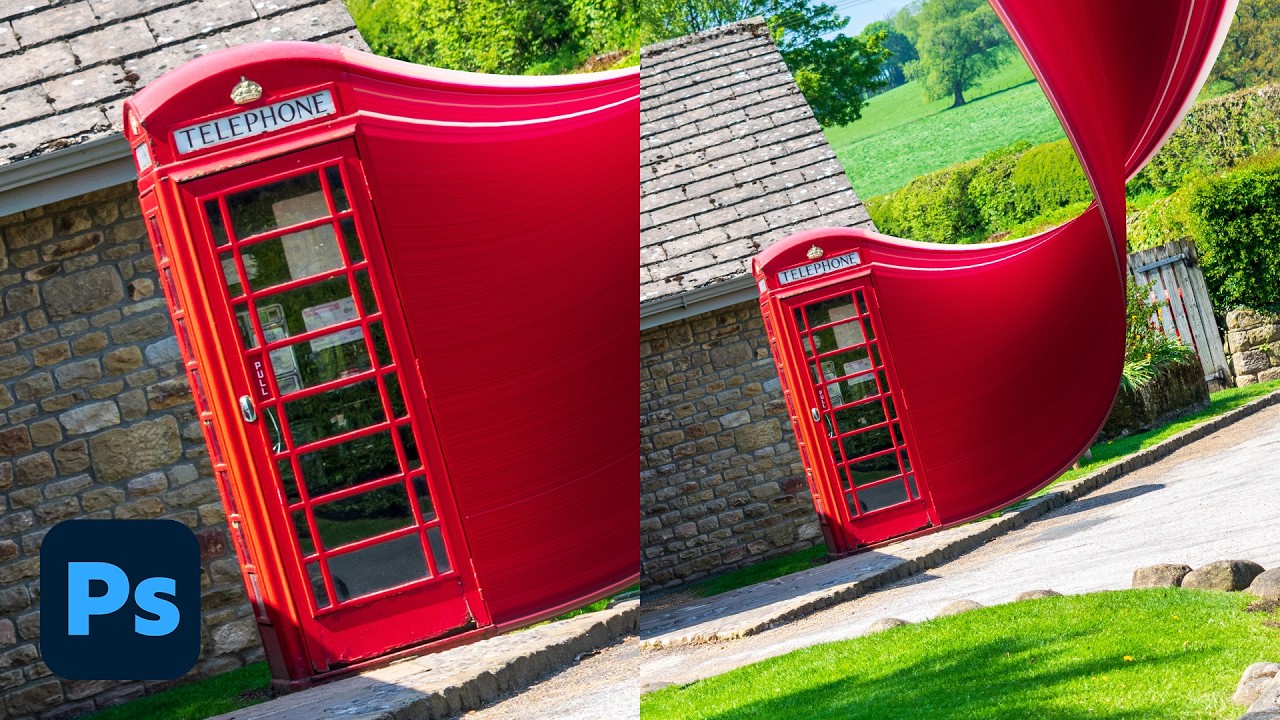


Get daily recaps from
Dansky
AI-powered summaries delivered to your inbox. Save hours every week while staying fully informed.