Why Event Systems Change Everything

Chapters6
The chapter explains how direct coupling between game systems creates technical debt and shows how an event system using the observer pattern enables decoupled, reactive architectures where components respond to events without hard references.
Decouple game systems with a vanilla JavaScript event emitter and the observer pattern to enable scalable, loosely-coupled interactions across UI, sound, and gameplay.
Summary
Franks laboratory walks through turning a tangled set of direct calls into a clean, decoupled architecture using an event system. Ben Franks demonstrates implementing an event emitter in plain JavaScript and shows how listeners register for events, while emitters broadcast changes to any interested system. The video emphasizes the observer pattern as a scalable solution, where components like UI buttons, audio, and game state can react to events without tight coupling. The sample keeps a central events dictionary to define names like game start, game pause, and game return to menu, all prefixed with a game: namespace to avoid conflicts. Franks adds and removes listeners with on and off, and triggers reactions via emit, passing optional data such as sound names. They connect UI actions (button clicks, hovers) to emits, and wire those emits to an audio manager and core game logic through registered callbacks. The final result is a starter kit (game starter kit part 16) with a flexible, extensible foundation for many different games, where adding new reactions to events requires little to no changes to existing code. The video also recaps practical nuances like using nullish coalescing assignment to safely initialize listener arrays and updating the codebase with checkpoints for learners. By the end, Franks argues that you’ve moved from a tightly coupled implementation to a well-structured, responsive architecture fit for future expansions.
Key Takeaways
- Define a central event dictionary (events) to map descriptive names to strings, enabling consistent event names across the codebase.
- Use an EventEmitter with on, off, and emit to register, unregister, and dispatch callbacks for each event name.
- Emit events from UI actions (e.g., button clicks) and let listeners in other systems react without direct method calls.
- Register multiple listeners per event so several systems (audio, UI, gameplay) can independently respond to the same event sequence (e.g., game start).
Who Is This For?
Essential viewing for Unity or JavaScript developers migrating toward decoupled architectures; great for folks building modular game systems who want to avoid tight coupling between UI, audio, and gameplay logic.
Notable Quotes
"Emit an event and anything in your codebase can listen and react independently with zero coupling."
—Establishes the core benefit of event-driven design: loose coupling.
"We are essentially turning our game from a tangle of direct calls into a clean system where anything can react to anything without depending on it directly."
—Explains the architectural shift to an observable system.
"The job of this file will be to act as a central event system, allowing different parts of our game to communicate by emitting and listening to events without directly referencing each other."
—Defines the purpose of the EventEmitter.
"This is basically a lightweight centralized event dictionary. A single place to define all the event names our game uses."
—Describes the events registry pattern.
Questions This Video Answers
- how does an event emitter decouple UI and gameplay logic in a game?
- what is the observer pattern and how is it applied in JavaScript games?
- how do you implement an event system in vanilla JavaScript for game development?
JavaScriptEventEmitterObserver patternNullish coalescing assignmentGame starter kit part 16UI managerAudio managerGame state eventsFranks laboratory
Full Transcript
If your game systems are talking directly to each other, you're building technical debt. The moment you want to add a sound, update the UI, or trigger an animation in response to something, you're passing references around, and coupling files that should never need to know about each other. An event system solves this cleanly. Emit an event and anything in your codebase can listen and react independently with zero coupling. It's one of the most scalable patterns in game development. And once you have it, you'll use it everywhere. Today we are implementing an event system using the observer design pattern.
We're doing it in plain vanilla JavaScript, but the principles apply to any language. The observer pattern works by letting objects register interest in an event. When that event is emitted, all registered listeners are notified and run automatically. No direct references, no tight coupling. We are essentially turning our game from a tangle of direct calls into a clean system where anything can react to anything without depending on it directly. We are going from programmer to architect. Let's build our code bases the right way. Source code for the project at this stage is available to download in the resources section below.
I called it game starter kit part 15. Use it if you hit a bug and want to compare your code to mine or just save it as a checkpoint you can always come back to. I'll be providing source code checkpoints throughout this project to make sure everyone can follow along and nobody gets left behind. By the end, we'll all have a well ststructured optimized starter kit we can use to build many different games. We're about to decouple our game systems and make them communicate cleanly so that anything from sound to UI reactions can be added or changed just by listening to events without touching the original code that triggered them.
We'll do that here inside UI manager. Instead of attaching click events that directly call specific functions, we'll make these button clicks emit an event which any other part of the game can listen to and react to independently. I will add events to my constants file. This will serve as a central registry for all event names in the game, making them easy to reference and simple to update in one place. This is basically a lightweight centralized event dictionary. A single place to define all the event names our game uses. Sound is a constant representing the event type and sound here is the string value that gets emitted and listened for internally.
We will also have some game state events. The constant game start will have the associated value game colon start. Game pause has the string value game boss and similarly we have game resume and game return to menu. Notice that all four strings start with game colon because we're using a namespace prefix to group related events making it easier to identify and avoid naming conflicts. events object acts like a simple enum pairing descriptive constant names to string values that can be emitted and listened for throughout the game. We can add many more event types here. But first, let's fully implement these so we can see the full picture and understand how exactly all this works.
Inside the core folder, I create a new file called event emitter. Inside, I export the class event emitter and give it a constructor. The job of this file will be to act as a central event system, allowing different parts of our game to communicate by emitting and listening to events without directly referencing each other. I've been juggling a lot of projects lately. So, if you want me to finish this series, let me know by hitting the like button. And tell me in the comments, do you want to go deeper on architecture or just finish the game?
Because honestly, the base we have here is already solid enough to support a wide range of games. And with today's event system in place, the hard work is done. The constructor will have a listeners property initially set to an empty object. This object will hold all registered event listeners grouped by event names. So we can easily add, remove and trigger them later. This will simply act as a storage of event names and their associated callback functions which we want to run whenever an event with that name is emitted. Our event emitter will have three methods.
The on method adds a listener for a specific event. Off will remove a previously registered listener and emit will trigger an event and call all associated listeners with any provided data. If you're a beginner, this might look a little complicated at first, but it's not. Each of these functions does a very simple job. Let's take it step by step. Learning how to implement a simple event system like this will allow you to build much more flexible and scalable games. So it's really worth understanding. Keep in mind we have this listeners object which holds all event names and their registered callback functions.
The function we want to run when an event with that name is emitted. The on method adds a listener to this object. We'll call this on method from another place in our codebase in a moment. And when we do, we're registering a new event listener. For example, a game start event. This on method expects two parameters. The name of the event and the callback function we want to associate with it. That function will run whenever an event with that name is emitted. Inside, I check if we already have an array of listeners for that event name.
And if not, I create one. Then I push the new callback function into it. Keep in mind that listeners is an object that holds all registered events. It maps event names to an array of callback functions. The functions we want to run when an event with that name is emitted. We use an array for each event instead of a single function because multiple parts of the game might want to respond to the same event. And this allows all of them to run when that event is triggered. This allows for multiple independent things to happen as a reaction to the same event.
This line does a lot, so let's unpack it. We're checking if this listeners already has a registered array for this event name. If it does, we push the new function into that array. If not, we first create a new array and then we push the function into it. This part with double question mark and equal means if the value is null or undefined assign it to an empty array otherwise use the existing array. This is called nullish coallescent assignment operator. It is used in JavaScript to assign a value to a variable only if that variable is currently null or undefined.
Think of it as a safety check before assignment. It says if this variable is empty, give it this value. Otherwise, leave it alone. In other words, if we don't already have a listener array for this event, we create one and then we use the built-in array push method to add a new function to the array of functions associated with this event name. We could have also written this code like this. This does exactly the same thing. It checks if an array exists for the event, creates one if it doesn't, and then adds the new function.
The shorthand version we are using here is just a more concise modern way of writing the same thing. So the on method when called expects an event name and an associated function. It will store that function in the listeners object under that given event name creating an array for that event if one doesn't already exist. And that function can be called later whenever the event is emitted. Later, we can add additional callback functions under the same event name, adding more functions to the existing array. For example, the game start event might have one call back that calls this start game in game.js and another call back that makes audio manager.js play the game sound.
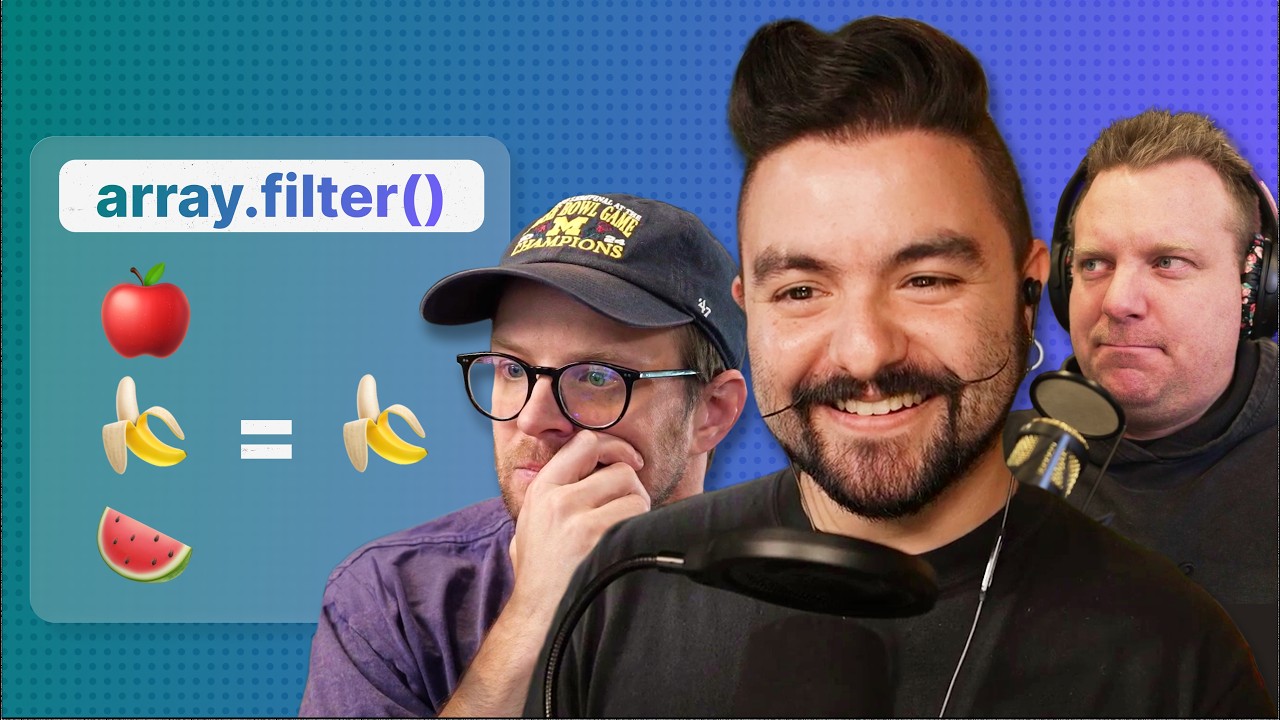
Every event can have as many callbacks as we need, allowing us to trigger multiple independent reactions across the game whenever that event occurs. The job of the off method will be to remove a previously registered callback from an events listener array so that the function no longer runs when that event is emitted. It will expect the name of the event and the callback function we want to remove from this array of listeners. Inside we first check if the event name doesn't exist in listeners we return early. If the event name is found, we filter the callback function passed as a parameter out of the array, keeping all other functions in the array unchanged if there are any.
The array filter method creates a new array containing only the elements that pass a given test. In this case, it removes the specific callback function we want to unregister while keeping all other functions in the listeners array intact. Our test here is saying keep every function that is not equal to the one we want to remove. Any function that matches the one we're removing is excluded, filtered out from the new array. The off method only removes the specific callback function from the array. It doesn't remove the event name itself. If that was the only function in the array, the array becomes empty, but the key for that event name still exists in the listener's object.
So we have the on method to register a new call back for an event, the off method to remove a previously registered call back and finally the emit method which triggers all callbacks associated with a given event. It expects the event name and any additional data we want to pass to the callbacks as parameters. That additional data can be any value or values we want the callbacks to receive such as numbers, strings, objects, or even references to game objects. Anything the listeners need to react to the event. Inside, we take the array of callbacks associated with that given event name.
We use the optional chaining operator here to safely handle cases where no listeners exist. If the array is undefined, nothing happens and no error is thrown. For each function in the array, we invoke it and pass along any additional data provided. Okay. So when we emit an event, we simply look at the event name in this.listers object and trigger all its callback functions, pass in each of them any data they need. Now that we've seen our full event emitter, let's put it to use. We'll start by learning how to use the emit method to trigger an event.
In UI manager, we first import events from our constants file. This is the simple enum like object that maps descriptive constant names to string values. Here, instead of passing the entire game instance, the constructor will expect an events object as a parameter and store it as a class property. Thisvents is not the events enum. It points to the actual instance of the event emitter class. From this events, we can call the on, off, and emit methods. We'll pass this instance from gamejs in a moment to fully connect everything. For now, just keep in mind this.
Refers to event emitter instance, not the event names themselves. Now, let's look at this line of code. Right now, we are attaching an event listener to play button. And when the button is clicked, we are using this.ame instance to call the start game method directly on the game class. Instead of calling the method directly, we will emit an event. When play button is clicked, we use this events from line four. This points to the event emitter instance. So we call the emit method on it. The emit method expects two things. The name of the event and optional data arguments to send along.
Here we'll pass only the event name. We get the event name from our events enam that we imported. Events game start represents the string game start. So we call this eventevents.it events game start. It's the same as passing game start string to the emitter. The emit method will now look inside this.listers for that event name. If it finds it, it will call all the functions registered for that event. We haven't registered any listeners yet. We are doing the emitting first. We haven't used the on method to actually register an event, but we'll connect everything soon.
Let's keep going. We do the same thing for the resume button. When it's clicked, we want the event emitter to emit an event with this name. Again, this constant has a string associated with it in our events enum. So, here we're passing game colon resume as the name of the event to emit. Keep in mind that emitting an event means looking up the event name in the listeners object and triggering all its registered callbacks. These callbacks can contain any custom logic we want to run whenever an event with this specific name is We do the exact same thing for the return to menu button.
Here, when a mouse enter event happens on any of these buttons, notice that we are currently calling the play sound method that sits on the game object. Instead, we will emit a sound event that we created. And as an optional data, we pass the string button_hover to specify which sound effect should play. This shows how we can emit events to announce changes in game state as well as how we can emit a sound event to signal another system in our project to play a sound. The optional data lets us tell that system exactly which sound to play.
Inside event emitter, we have the on method which we use to set up and register our event listeners. We're going to do that now from game.js. First, I import the events object which maps constant names to string values. Then I import event emitter and create an instance called this.events. This points to the event emitter instance which means we can use this.events to call the on off and emit methods. The first thing we do is pass this.vents to UI manager because we refactored it and it now expects an event emitter instance. UI manager needs access to the event emitter so it can emit events when buttons are clicked and hovered.
At this point, everything is connected. UI manager can emit events, but those events are not registered yet. They don't exist in the listeners object yet. Inside GameJS, we will use the on method to register our events. Registering an event means defining its name and associating it with a callback function that we want to run whenever that event is emitted. We will do this here inside the init method, which runs when the game is starting and all assets are loaded. Let's start with sound events. For now, we'll have just one. We create an event with this name and provide a callback function that we want to run whenever this event is emitted.
If other functions have already been registered for this event, the new function will simply be added to the array of existing callbacks. So all of them will run when the event is emitted. We take the additional data and pass it to audio manager play. In this case, we call that data name because the play method expects the name of the sound effect we want to play. If you remember, we are already emitting the event from UI manager and we pass the name of the sound we want to play as the second optional argument. This connects the event system to our audio system.
So, button clicks or other events can trigger sounds without directly calling audio manager from UI manager. This will already work. But before we test everything, let's also register the game state events. Remember the on method expects the name of the event and a callback function to add to the array associated with that event name. I will pass events game start from our constants which corresponds to the string game colon start. This is the name of the event we are registering. The callback function we provide will be a simple function that calls the start game method we defined down on line 98.
In other words, we are saying register an event under this name. And whenever this event is emitted from anywhere in our codebase, run this piece of code. We will do the same thing here by creating a game pause event and giving it a call back which will simply call this.p from line 112. We want another event for the resume method here and for the return to menu method here. So I do this and this. We are just repeating the same thing here. Save that. And when I press play, we can still use all the buttons and the game is correctly starting, pausing, resuming, and returning to menu.
Perfect. Notice here on line 38 we are registering a sound event which will make audio manager play a sound effect we pass to it as the second argument. Let's use it down here inside the start method instead of calling play sound we will take this doevents and call emit with the sound event passing it the name of the audio we want to play. event emitter will trigger that call back from line 38 automatically and that call back function will make audio manager play this sound. We don't have a start game sound yet. So we are playing the button click sound.
Here when pause runs we want to emit a sound event and tell it to play the pause sound. Here we play the unpause sound and here we play button click again because we haven't added a custom sound for return to menu yet. Now, we don't need the play sound method at all. We replaced it with a much more flexible event system. We can use our events in the same way for many other things in our game, updating the UI, triggering animations, spawning enemies, or playing different sound effects. Essentially, any system that needs to react to something happening elsewhere can listen for an event instead of relying on tightly coupled function calls.
And a little cleanup, I open enemy spawner. If I had sounds for spawning a wave, for example, I could bring the event emitter in here and call emit every time we spawn a wave, that event could then trigger a specific sound effect. We could even have a different sounds for different enemy types. Things like that are quite easy to do now that we have an event system in place. But that's not what I want to focus on here right now. We have a small issue with how we track time and reset the spawner. Spawn timer accumulates delta time and every time it reaches the spawn interval value, we spawn a new wave.
Instead of resetting spawn timer back to zero, we subtract spawn interval from it so we can continue counting toward the next wave. The reason for this is that spawn timer will almost never be exactly equal to spawn interval. For example, exactly 2 seconds. It will usually go slightly over. If we reset it to zero, we lose that extra time. We don't want to lose that time because over time it would create a noticeable drift in our spawn timing. By subtracting spawn interval instead we carry that small leftover forward keeping our timing accurate and consistent. Now we have a much more precise way of spawning enemies over time.
And one more small thing inside the switch statement where we choose which edge the enemy spawns from. I add a default case to prevent potential undefined position bugs. I just assigned some fallback X and Y values here. It doesn't really matter what they are. This case should never run, but it makes sure that if something goes wrong, our game won't break because of missing coordinates. What we implemented here is an observer pattern. This is a design pattern when one part of your code, the subject, maintains a list of observers and notifies them automatically when something happens.
In our case, the event emitter is the subject and the functions we register on it are the observers. When we emit an event, all the observers for that event are called, react independently and stay decoupled. Source code for the project at this stage is available to download in the resources section below. I called it game starter kit part 16. Use it if you hit a bug and want to compare your code to mine or just save it as a checkpoint. you can always come back to. I'll be providing source code checkpoints throughout this project to make sure everyone can follow along and nobody gets left behind.
By the end, we'll all have a well ststructured, optimized starter kit we can use to build many different games.
More from Franks laboratory






Get daily recaps from
Franks laboratory
AI-powered summaries delivered to your inbox. Save hours every week while staying fully informed.