Laravel Live Japan – Live from Tachikawa Stage Garden // Day 2

Chapters18
Day two kickoff with house keeping notes, sponsor info, and a playful audience poll about drinks before diving into sessions.
A lively wrap of Laravel Live Japan Day 2, spotlighting Native PHP, React-like front-ends in PHP, Inertia.js, value objects, the PHP Foundation, and community-building tips from the panel.
Summary
Laravel Live Japan Day 2 delivers a high-energy blast of talks and demos. Simon Hamp and Shane Rosenfeld introduce Super Native, a vision to bring truly native mobile experiences to PHP apps with Jetpack Compose and SwiftUI while keeping PHP embedded on-device. Tim McDonald dives deep into PHP streams, showing how streaming reads, memory management, and data compression work beyond the familiar file_get_contents, including practical demos with large files, networking, and incremental compression. Harris Refopoulos showcases value objects in Laravel—email, money, currency, and coupons—explaining immutability, equality by value, and how to wire them via Laravel casts for cleaner, safer code. Roman Pronsky explains the PHP Foundation’s role in modernizing, securing, and stabilizing PHP, highlighting features like property hooks, TLS session reuse, and generics, plus ongoing security audits. Alexander Lar from Void Zero and a panel with Joe Tannenbaum and Taylor Otwell compare open source governance, AI pull requests, and sustainable funding for ecosystems, with healthy debate about AI’s place in maintenance. The afternoon session features pragmatic lightning talks, a lively panel on tooling like Vit+, and a closing call to action for community involvement and collaboration. Throughout, the speakers emphasize community growth, collaboration, and practical steps for developers to stay ahead—whether through open source contribution, better design tools with AI, or standardized workflows. The event closes with reflections on the value of hallway conversations, sponsorships, and the enduring importance of in-person connection.
Key moments include demonstrations of native-like UI in PHP, live streams as a design metaphor, and a candid panel about AI-generated contributions and open source sustainability.
Key Takeaways
- Native PHP can deliver fully native mobile experiences using Jetpack Compose and SwiftUI, with on-device PHP embedded and fast request lifecycles (5-10ms in some cases, 100ns per PHP evaluation in demos).
- PHP streams offer granular memory control and high-performance data handling beyond file_get_contents, including chunked reads, non-blocking streams, and incremental compression with zlib.deflate for gzip outputs.
- Value objects in Laravel (email, money, currency, coupons) enable strong domain modeling, immutability, and equality-by-value, reducing bugs from invalid primitive values and simplifying tests.
- The PHP Foundation advocates modernizing PHP with features like property hooks, improved URL parsing, TLS session reuse, and ongoing security audits to support large-scale ecosystems like Laravel.
- Tooling convergence (Vit+, Inertia, Wayfinder) aims to unify front-end and back-end workflows across ecosystems, lowering cognitive load and accelerating development, even in monoliths and multi-repo environments.
- Open source sustainability remains a live challenge; healthy contribution practices (high-impact PRs, documentation, mentoring) and sponsor-driven funding are essential for long-term growth and community health.
- Community-building is a core mission: in-person events, hallway conversations, and active encouragement of underrepresented communities (Laravel’s) are key to broadening participation and knowledge sharing.
Who Is This For?
Essential viewing for Laravel developers exploring advanced PHP features (streams, value objects, native mobile UI), open-source contributors seeking sustainable models, and developers curious about PHP’s future with the PHP Foundation and modern tooling like Vit+.
Notable Quotes
"Super native. Why do we call it super native? If you're not familiar with native PHP in general, uh native PHP at least for mobile, uh you won't really get it why we're calling this supernative."
—Intro of the Super Native concept and rationale.
"These are native UI. There's no web view. No HTML. We're actually creating some classes in the back."
—Shane illustrating the Blade overrides and native UI rendering.
"We have full full native hot reloading."
—Demo of hot reload and native UI feedback.
"There are two sports drinks in Japan. Aquarius and Pocari Sweat."
—Light moment used to engage the audience and illustrate speaker’s humor.
"The best time to join is now."
—Roman Pronsky on joining the PHP Foundation and contributing now.
Questions This Video Answers
- What is Native PHP and how does Super Native differ from Flutter or React Native?
- How do Inertia.js and Wavefinder improve end-to-end type safety in Laravel apps?
- What does the PHP Foundation’s security program mean for Laravel developers?
- How can I contribute to Laravel's ecosystem in a sustainable way without burning out?
- What are value objects and how do they improve Laravel application design?
Laravel Live JapanNative PHPSuper NativeJetpack ComposeSwiftUILaravel Open SourceInertia.jsWayfinderVit+PHP Streams circus (memory management, non-blocking I/O)
Full Transcript
Can't see you. I don't Heat. Heat. I just want to make you mine. Mine mine. I just want to make you mine. Mine. I just want to make you. I just I just want to make you I just want to make you I just you make you I just want to make you I just want to make you I just want to make you make you I make you you make I swear I my rhyme. I just want to make you I just I just make you make you I want to make you I want to make you I make you run.
Hey, hey, hey. Heat. Hey, Heat. Heat. Hey. Hey. Hey. home. Woo. Hey, hey, hey. Heat. Heat. N. Hey hey back. down. into the sun. Heat. Hey, heat. Hey, heat. Can't see the sound. want to take my take my soul. Mime. I just want to make you I want to make you I just make you I want to make you I make you I make you just want to make you I just want to make you I just to I just want to make you I I just want to make you I want to make you I want to make you Heat.
Heat. Heat. Yeah, he'll woo. How we doing everybody? Great job everyone. You learned three words yesterday and used them all successfully. Great job. All right. Um, welcome to day two of Laravel Live Japan. We're super excited to have you all back here again. Uh, did everyone have fun yesterday? Did we learn a lot? All right. Um, cool. Couple of housekeeping things uh before we do too much. Um the Wi-Fi has been having some problems it seems. So uh please bear with us on that. Uh hopefully that is resolving itself. People are working on it. Um once again please remember to uh visit our sponsors in the back.
All of the sponsor booths are along the back. You can go out and up the stairs and around and there are many sponsors who you can talk to. Um, also don't forget uh down at the end uh we have uh paper fans that you can get um that you can get calligraphy on. Uh and actually the calligrapher is uh Hamasaki son Dut's wife uh is the calligrapher who's doing an amazing job. So thank you very much to her. Um so uh please remember to check out the sponsors and check out that whole area. Um, we've got water outside, bathrooms along the side, so hopefully you have everything you need.
Uh, please remember you can't smoke immediately on the premises, so if you need to smoke, uh, you can walk down to Family Mart and smoke down there, uh, if you need to. Cool. All right. Um, oh, one other thing. We found, uh, a lost bag that had some stuff in it. Uh, a lost tote bag. So, if you lost a tote bag that had your stuff in it, uh please talk to a staff member. We've got it stashed away and we can get it back to you. Um all right, cool. Uh before we get sort of into uh introducing speakers and all of that, uh I just wanted to uh bring up an important decision that everyone has to make when they come to Japan.
So, if those of you who are new to Japan might not have made this decision yet, so I'm going to make you aware of it. There are two sports drinks in Japan. Uh, one is called Aquarius and the other is called Pocari Sweat. And they're very similar. They're water and sugar and electrolytes and a little bit of lemon flavor, I think. Um, but they're slightly different. And you have to choose which is going to be your sports drink. So uh for the Japanese people in the audience who is a uh pardi sweat person. Okay cool.
And who is an Aquarius person? Okay. See there you go. Me personally I'm an Aquarius person. I've been an Aquarius person since the age of five. Um, and I will die an Aquarius person. But, uh, the Patty Sweat people, we we tolerate them. Um, so please, when you go down to Family Mart to smoke or something, pick up an Aquarius. Don't buy a PI sweat. Um, all right, that has been enough of that. Maybe later we'll find out what everyone's favorite kini is. Um, all right, we're going to go ahead and uh introduce our first speaker of the day.
Um, all right. Our first speaker of the day is Mr. Simon Hamp. He's the creator of Native PHP. Uh, he uh is going to be speaking talking about native PHP and later he's going to bring up his partner in crime, Mr. Shane Rosenthal. So, Simon, come on up. Ohio Tokyo. I hope you're all well and having a good morning. Did you sleep well last night? Good. Good. There's a few of you who are awake. That's great. We are in exciting times, don't you think? I would say historic times. This is a moment that will be remembered where AI is coming and it's changing humanity depending on who you are and where you are.
Maybe it's for the better, maybe it's not, but it is changing what we're doing. Does that have to change everything that we do as software engineers? We're in a great place. We've got incredible tools. We've got great languages and frameworks and I think PHP and Laravel are fantastic for the jobs that they do. And when we put those two tools together and many more and we add AI, we get some really incredible results. Does that mean that we should change what we're doing? Can we switch to different languages? Should we switch to different languages? Well, native uh PHP and Laravel are fantastic in my opinion, but I think there's something that's happening because of all of the tools that we have that we cannot ignore.
And we're now presented with an opportunity, a new frontier, mobile apps. Something Oh, do we have slides? I was expecting that to be up there. Sorry. That's not a slide. Let me see if I can show you a slide. Nope. There they are. I can't believe you didn't see that the whole time. You didn't tell me. That's okay. That's my fault. I'm not paying attention. Clearly, many of you already know that there is no substitute for an app-based experience in the user's hand. The big question we have is can PHP and Laravel allow us to do that?
Can we put really good experiences in our users hands? I'm here to tell you today that yes, the answer is yes, you can resoundingly, but there are things that we need to be able to achieve. PHP has been focused on the web. Laravel is focused on the web. Mobile is a completely different beast. We have done the work. the native PHP team which is me and Shane. You'll see Shane in a moment. We have done the work to make PHP fast to make it work in a multi-threaded zero process environment to make it so that you don't have to worry about interprocess communication and all of these complexities of systems engineering.
We've worked so hard on this over the last just over a year. We're at this next stage where we're very excited to share with you exactly what we think is coming next for PHP. And we call that super native, fully native mobile apps from PHP. Without further ado, Shane's going to come out and demonstrate this for us. Please welcome my co-founder Shane Rosenfall. Thank you. Simon uh Simon uh uh did I say it right? Yeah. All right. Arato. Uh, can we also keep clapping for uh, Riyota and David and um, Daniel and the whole Laravel team?
And they've done an awesome job. Isn't this a great conference so far? I think they've done amazing. Um, and thank you also for being here. If you weren't here, it would be like I'm just at home talking to myself like every other day. So, uh, speaking of home, also thank you to my biggest support uh, out there, Carson, my son, and Matthew and Vika. Uh, Limeia, I'll see you soon. I can't wait. Um, I've only got a few minutes to talk through a couple slides. Uh, because I want to spend most of the time doing some demonstration if that's all right with you.
Does it sound good? You want to see a demo? Yeah. Okay. Uh, thanks. So, super native. Why do we call it super native? If you're not familiar with native PHP in general, uh native PHP at least for mobile, uh you won't really get it why we're calling this supernative. We used to historically only focus on a web view. So if you can imagine your Chrome or Safari browser on your on your phone, uh that is a web view. It just displays something from the web, HTML, CSS, and JavaScript. Uh and that's what we've done. We had a web view rendering HTML, CSS, and JavaScript because PHP is great at that.
But we know that you expect and your users expect and your clients users expect a real full native mobile experience. Uh and so we've worked very difficultly, very very challengingly, uh very hard on trying to figure out exactly how that can be done. Um in any comparisons that I might do today, I'm not going to talk much about Flutter. Uh Flutter's great uh but it's a um it's really a virtual machine that paints pixels to the screen. It's not really native UI. Uh so we talk a lot about React Native because React Native does do native UI, native widgets, native elements.
And that's what we want to do. We want to do a native experience, fully native. So we're using Jetack Compose on Android and Swift UI for uh for iOS. The widgets are absolutely real. Um and it's like how did we do this? How do we figure this out? Well, three three of these things we already have in place and they're already released. Native UI is what we are working on now to release hopefully within the next couple months. Um, but we want it to be really polished and really good for everybody. So, it's important to know that we have PHP is embedded on the phone inside of the application.
I think most people would be like, that's crazy. That's stupid. It's uh PHP is clunky. You know, it's it's fat. it's uh not very fast potentially for something like mobile. Uh but we find that that's not actually true. And if you think about it, your phone is actually kind of like a server and PHP is a serverside language. Uh so we found a lot of things inside of that to make it like well the OSS both Android and iOS make it possible to just load a um to just load a system library or or something like PHP.
And that's what we've done. Additionally, if you're familiar with um Octane, Laravel Octane, uh the persistent runtime. So, that's something we've introduced in the last few months as well. It's taken our request, so request into PHP and then a response coming out of PHP from roughly two to 300 milliseconds, which is great for the web down to 5 to 10 milliseconds uh for the request life cycle. And then last uh last fall, I think it was um Simon actually came up with something called we're calling the God method. It's a bridge. We figured out a way to have one single method inside of a PHP extension that's running on the device uh that we can call any native um uh Swift or Cotlin code from PHP or JavaScript.
And with that, we've created a bunch of plugins. A plug-in is a composer package that has PHP, JavaScript, HTML, um all of your Swift, and your Cotlin all wrapped up in one package. And it allows you and your users to be able to just do anything that they can think of from uh from PHP on the device. So if you have augmented reality needs or biometric authentication, we can do all all of those things. I think the last component that we needed to figure out was the native UI. And uh just real quick uh because I I want to get to the demo.
This for me started last fall uh or maybe winter. I started asking the question, how does React Native, if you're familiar with React Native, how did they turn JavaScript into native UI? That's exactly what they do. And why can't we do that with PHP? Um, so React Native has something called JSI. It's a JavaScript interface. It's a virtual machine that boots up inside of an application when your user clicks on the icon uh that shares a physical memory location between uh C++ or C and with um with JavaScript. So all C++ objects are immediately available.
There's no time in between. There's no transfer protocol or anything. It's just immediately available because they're sharing a memory location. So I asked our French friend Claude. I said, "Uh, why can't we do the same thing with PHP?" Claude said, "Uh, well, you don't have to because PHP is a serverside scripting language. We don't need a virtual machine to accomplish the same thing. We can do it with PHP. we can just carve out some shared memory location and we're we're in. Beyond that, uh it's great because uh we have now um some precedents with React Native on what they're doing.
We can kind of mimic how they've done things. And until 2024, what they were doing is building large JSON trees to describe what the UI should be and then letting the OS render and parse through that JSON and render that out. And in my uh my experiments, that's great until you get to like 5,000 nodes inside of JSON, and then you start to see a little bit of a stuttering effect. So, I dug another three or four weeks, just in the last couple months, and figured out that you can actually turn JSON directly into binary code through the PHP extension in C.
And now we're writing binary into a shared memory location. And we have almost zero latency from the PHP side to to the uh native side and back and forth. And that is how we've accomplished the speed and performance that you need in order to accomplish something like native UI. Uh you guys want to see? Yeah. All right. Any uh Livewire fans out there? Yeah. If you know LiveWire, this is going to feel very familiar to LiveWire. And I want to make a note. Everything you see here might look like HTML, CSS, or Jav JavaScript. But HTML, CSS there, this is all 100% native UI.
There's no web view. There's no HTML. There's no CSS. This is a counter. Uh, if I go into this class here, you can see I've got a little function up here for nav title. I've got a public count. I've got an uh an increment function, a decrement function, and then I'm just rendering out a view. If I go into that view, you can see I've got a column, some text row. These are custom Blade elements. These are our elements. We've overridden Blade and instead of rendering out HTML or or some HTML file, we're actually creating some classes in the back.
That is what we're using to manage the life cycle to turn JSON into into um into binary essentially. Um you can see here we have like native colon syntax. That's actually what everything used to be uh not long ago, but I just felt like this felt a little bit less less cludgy, less less uh fat, I guess. Uh but I wanted this because it gives me the type ahead that I need for my IDE. So, we're going to keep that in there. Um and yeah, so we're just going to click this button. This button is this icon.
And we're seeing the uh count increase and decrease just as you would expect. Um we have these CSS classes here. Uh any fans of Tailwind CSS? Yeah, I think everybody uses Tailwind now, right? Pretty much. Um, so this is not Tailwind. It looks like Tailwind. It was actually very easy to take Tailwind classes and parse them into what the OS would expect those values to be. So something like text blue 600 has a certain hex value. We just turn into that hex value and feed that into the OS. Uh, we also have hot reloading. So I can just say make this orange.
Now this is not Vit. This is not um you know this is a local websocket that's just saying hey we've changed that that uh that binary tree and just go ahead and rerender that that binary tree out. Um so we have full full native full uh hot reloading and then as far as PHP goes we can just do something like you know x 10 or something like that and we'll see that it's uh it's full PHP. So it's full native and it's full PHP and it's pretty exciting. What do you guys think? Pretty cool. All right, let's take it up a notch.
This is a slider. And this is one of my first one of the first things that I really like wanted to see. Uh I knew that either my computer was going to melt or it was going to be successful what I'm about to show you. It was successful or I wouldn't have shown you a melting computer on stage. That's kind of strange. Uh so this is uh liquid glass. So you can see the little the little bubble up there. Uh, and this is like on release or blur. It's going to update that value. So, this is native UI, a native slider, and then as I release, it's sending that signal back into PHP and then rerendering the UI.
So, that's the speed. That's what we're really looking at here. This is on a 150 millisecond debounce. So, if I pause just for 150 milliseconds, it's going to update that value. Uh, and you can see the syntax here. It's kind of nice. We have the column text slider. And then, if you're again familiar with LiveWire, we have the native model.blur. blur and then we have the model that we're passing into it and we're just echoing that out. Same thing here with a debounce, debounce 150 milliseconds, etc. This one, this one was kind of interesting though.
This is full every single tick on the drag on the on the slider is passing right into PHP and back out again. You can see how fast this is. It's about 100 nanoseconds to process through PHP. Very, very fast. And again, just to show that it's uh that it's real PHP in here, we can do, you know, we just round it to two decimal places or something like that. And there we go. Pretty cool, right? I wanted to play with like some animation stuff, some like native interactions, things that you and your users might expect to uh uh to have just out of the box.
Uh we can delete things and you know, just this little slide over uh whatever. You also have like pull to refresh And yeah, refreshed at 03933. Um, we have sheets and modals. We have like dragable. So, this is this is a it's got a detent, but you can actually go full screen with it if you want to. This one's stuck fixed at 40%. We have action sheets and we have dismissables. And we have blocking. So, this one you can close and this one is blocking. It's going to force your user to go into it. Um, we've got menus.
So, uh, do you guys like the liquid glass stuff on iOS 26? Yeah. Have you seen it? Have you played with it? Any fans? I kind of like it. Uh, so we've got support for that as well, built right in because it's Swift UI. Um, and we'll take a look at some of these menus here in a second. And speaking of glass, this is kind of a cool demo. So, this is a column with a stack inside of it. A stack allows you to place items on top of each other. And so you can not really see it, but if I drag this around, you can see it says liquid glass, baby.
Uh cuz we're inside of a scroll view and we have axis set to both. So that allows us to scroll uh vertical and horizontally. And then inside of that, I've just got an image. The syntax or the API for this is probably going to change over time. Uh but I wanted to to get a cool demo. And then we've just got a column here with some text inside of it. Um but that doesn't look like liquid glass, right? So, I created my own class called glass. There we go. So, we have real liquid glass on any element you can think to put liquid glass on.
Uh, it doesn't really look that good, but iOS actually has a modifier for this called clear. Nice. Right. And then there's another one that you can pin on. And you can put these in any order that you want to. Uh but you can make it interactive. So when you click on it, it gives this little uh bouncing effect. And you can put that on really any any element that you want to. Uh this one's pretty interesting. So we have native tabs. Uh not really anything interesting here. But you'll see that we have a search a search icon down on the bottom.
And if I go to profile, we don't want that. So, we had to think about how we're managing state and how we're managing some like Chrome elements and and stuff like that. And we're going to show that really closely in a minute. Uh, but when I go back to home, you can see that it pops up. Um, and I've got a list here. So, let's go into this. Um, so this is that component and I've got my nav title here and I've got my search items. Uh, and I've just got an array here of of title, subtitle, and I can just do a little search here, and it's just going to search against that.
So, I can search for Brian. Uh, and that's great, but how often are you going to want to search against a static array that doesn't make much sense, right? Um, so I took it a step further and I added this uh this other function called on search query. And so, what this is going to do, it's going to take whatever we're typing uh that that query and uh we're just going to um make sure it's not an empty string. And then we're going to go to JSON placeholder. Uh, as long as I've got internet here.
I think I've got internet. I hope I've got internet. Um, and we're just going to pass that in as a query string. We're going to come back with some JSON. We're going to do a collect over those. We're going to take 20 items. We're going to map over them. And then we're going to render out these columns. Um, and we're going to add child text. So those blade components that we were looking at before, this is actually what they render to. These are the classes that those blade components are actually doing behind the scenes. Uh, so let's go ahead and do a search here.
Let's type EST. There we go. So, that just went out to the JSON placeholder and it came back with some stuff. And now we're we're putting all of these into some some UI elements. But that's not how most people would want to do this. I think you would want to just do a a view, right? Wouldn't that be nice? We could just take that and map it into a view and then just use a view. So, let's go into the search post row. and make sure that's saved. And it looks like it is. And so est.
Yeah. So you can see it's green here because we're using this uh we're using this view instead of the other thing. So if I change this to like let's go red or something just so we can see something different. And it's initially it inits with an empty array. So we'll have to retype in here. Now you can see it's reds because it's pulling from that view. So very very fluent, very uh very nice API to work with. Last, we're working on a uh on a video course with Shudy Balasa. She's done a few courses on Lariccast.
One of the things that we're building with her is a like messaging application. There's no functionality with what I'm going to show you now, but I want to demonstrate some of the navigation in Chrome uh that we've done with this. Um so let's look at yeah, right here. Uh so we have this is my web.php and I've got everything is route colon native. It's not get or post. it's native. Uh, and then we have this native group. And what native group does is it takes all of the uh the routes that are inside of the group and it passes them into a class.
And in this class, we have a couple functions that we can render a navbar uh and a tab bar. So navbar is going to be at the top. Tab bar is the liquid glass items on the bottom. And we can switch this to like not liquid glass. If you just don't want liquid glass, we can just change that to false. I'm running out of time, so I want to skip that part for now. But, you know, we can take away the back button if we want to. And these are going to apply to every single one of the uh one of the every single one of the pages inside of that native group.
Um but if you look at like you know all of these have that back button by default. This one has this ellipsus. And actually if we go into a single chat we've got a bunch of options up here. And that whole tab bar on the bottom is gone. Well with tab bar we have the ability to like we can have it labeled visibility or unlabeled. Uh we can show the label or not. We can also change like the color. So, we can say active color is uh let's do black or something. So, that's just going to be black here for the active one.
As soon as that's done reloading. Yeah. Uh so, nice little API for that. But inside of this uh syncup native chat ID, so that's this route right here. You can see that we're passing in this hides tab bar true. So, that's what's actually disabling the tab bar on the bottom for this view specifically. So we're able to override from the child whatever what we want that's different between them. But what this does is it also creates the back stack for us. So when we go back it knows where to go to. Um and then I think on top of that we also have this navigation options.
So navigation options gives us uh the ability to override whatever we have in the in the tab bar on the top in the in the navbar. And so we have these actions. We have a a nav action make video uh that has an icon. So we have this iOS phone down icon. And on Android, it's an Android outlined. Um, and then when we press it, we're just going to hit this this uh this function. So, this is using one of our native uh um plugins. Uh, this is the alert plugin. So, if I click this, is that good?
Japanese. And then we've got menus. And so if we look at uh this one here, so this is another nav action, but we just have like this items function and we just pass an array of more actions inside of that. And then we can just call press on any of those and just trigger whatever function it is that you want to. And you can even call native stuff just like I demonstrated. We have a divider inside of this. That's this little dividing line. And then you can see this last one here is destructive, which gives it that red or like you know uh hey warning, you know, this can delete something.
Are you sure you want to do that? And that is uh the most of this that I wanted to show to you guys. Let's go back to the slides here for a second and we'll bring Simon back on stage. This is unreleased uh or we like to say public beta. Uh you can scan the QR code. This is actually going to take you to the GitHub repository. Uh it's a Laravel application inside the composer.json. And it has the dependencies for a plugin for the UI components as well as which branch we're using on native PHP mobile so that you can just start playing with the stuff if you want to or tell cloud to play with it and start building out whatever kind of native function that you want to.
Simon, are you there man? I'm back here. I left you with a minute. You want this? Yes, please. All right. Thank you very much. I'll sit here quietly. You sure? I'll sit over here quietly. Okay. Thanks, Shane. That was amazing. Um, what do you all think of Super Native? Yeah, it's pretty incredible and we're working, as I said, really hard on it. We're continuing to work on it. It's still baking, as Shane said. It's coming soon and we'll have more about that in a moment. But people are using native PHP in its current form. And you if you were thinking, oh, but this is just a web view.
You're right. At the moment it is still a web view. But people are having great success with it in that shape. They're really enjoying it. They're able to build their app features faster than ever, getting them up to par with what they're building on the web, down from months to weeks. They're having impacts not just on their business, but on their end users, their customers, and in this case, even their patients. And they are seeing the technology as being more than just an experiment. They're seeing approvals through the app stores and now it's becoming a core piece of their business.
We love to hear this. We love seeing people building their apps and we can't wait to bring Super Native to everybody and we're going to make it as easy as possible to move from the web view to the fully native experience. But just in these last few moments, remember we had a question at the beginning. Is PHP really capable of this? Hopefully, you've seen already that it is, but I want to take it even further. We've been doing some benchmarking. More of this will come out. We'll make the repositories open source. We're doing a lot of comparisons between Flutter and React Native and native PHP.
Right now, we're seeing that PHP can support not just 60 frames per second, not even just 120 frames per second, but all the way up to the high resolution that something like Apple Pencil requires, so that you can have PHP operating at up to and in excess of 240 hertz, 240 frames per second. In fact, it goes much higher. We've pushed the bar super far and we cannot even believe how staggeringly good Super Native is. How do you stay up to date with all of this? How do you keep on top of what we're doing?
Hopefully this will click through to the next slide. I got you, buddy. Thank you. Please scan this QR code. Come to join the newsletter. We'll keep you posted about everything that we're doing and in the next few weeks we hope to have the the beta fully out there for Super Native and we'd love for you to come and give it a try. Arato Tokyo. All right. Thanks much, guys. You're welcome. Um, that's great. Uh what's uh how long has sort of super native been in the works? What's the uh what's the timeline for that been?
How long has it been in the works? I started looking into like um like asking how does React Native do this? Probably in November and like actually writing code I think um right before right after January or so. Uh actually getting getting it moving. And uh you guys recently have uh open sourced some stuff. what's uh what's sort of led to that decision and sort of uh how do you sort of anticipate that's going to affect the the future of the project? Yeah, so uh at the beginning of the project it was paid and we were licensing people's access to native PHP because we are a small team and we're trying to build a business around this to support an open source project what we want to be open source.
We open sourced in February because the community was basically demanding that we have this available to them and we wanted to do that anyway. It was always in the plan to do that. Um, but since we've open sourced it, it's gone kind of wild. Uh, we've got way more downloads of native PHP than we had before. So, we're really excited to keep on building and making it open source. And uh now that you're now that you're not licensing uh how are you guys making money from the project? What's what's the idea? Yeah. So uh there's a few ways if you want to support we have our plugins.
We have an ultra uh an ultra package that gives you a bunch of plugins for free. It gives you priority support. Uh but I think too I think the biggest thing for us is the buy frost SAS uh offering that we have. So if you're familiar with um Laravel and Laravel Forge or cloud uh you know it's a free Laravel is free to use and if you want to use a service to help with deployments that's kind of what we did with uh with Bifrost. So we actually enable it so that you can just hook up your GitHub repository to Bifrost and you can deploy right to the Apple App Store or the Google Play Store.
Let your whole team manage that process and overtheair updates and all that stuff. So awesome. So free code, paid services, etc. etc. Awesome. A tried and true model. All right, guys. Well, thank you so much. It's been uh great to hear from you fellas. Alrighty. That was cool, right? Super Native is very cool. All right. Uh I'm going to save my uh which convenience store is best argument for later. So, uh, sometime later we'll have a conversation about Family Mart versus 7-Eleven versus Lawson versus my favorite Minitop. Um, but for now, uh, I'm just going to go ahead and immediately, uh, bring to the stage a great friend of mine.
Uh, you know, I live in Philadelphia in the United States on the Eastern Seabboard. He lives about an hour away in New York City. Uh, and so we see each other a lot. Uh, this is, uh, he works for Laravel on the open source team. He uh works on many of the packages that you use uh day in and day out. Uh please welcome to the stage Mr. Joe Tannibal. My name is Joe Tanbomb. I am the lead engineer of the open source team at Laravel and this is my first time in Japan and I'm so stoked to be here.
You all have been so kind and so welcoming and and so nice and I really appreciate it. So, thank you so much for having me. Uh, if you want to find me in the world, I live in New York City as Daniel just mentioned. I've lived there for almost 20 years. So, if you're ever there, come hit me up, say hi. I'd love to hang. Uh if you're not in New York City, come to uh online where I exist at Joe Tannenbomb and Joe.codes if you want to hear about all things open source at Laravel.
So we're going to dive right in and I should probably full screen my slides. That would be good. Let's do that. There we go. That's better. Okay. All right. We're going to talk today about the modern monolith revisited. So what does it look like to build a monolithic app in 2026? Okay. There's lots of strategies to do this, but today we're going to specifically talk about inertiajs. Um, and we're going to talk about how to make that end to end type safe in the process, but just so I know how to like cater this talk to everybody.
I'm going to have you all take a very, very short poll. It's four questions. Scan this when you get a second. Hopefully, it works. I'm really crossing my fingers that this works. I think it should be okay. All the phones are up. I love it. Okay. Okay, waiting for phones to go down and we're going to see how this goes. Okay, cool. This is an app. Yes, it's working. Yay. Uh, this is an app that's hosted on Laravel Cloud in the new Tokyo region, so latency should be pretty good here. Uh, it's websocket, so it's real time.
Let's see what's coming in. Okay, yes, good. Okay, so React is a clear front runner so far. Okay, inertia is wavering. Monolithic is already a good thing. All right, Typescript. Yes, heavy on Typescript. Cool. Okay, we'll let a couple more votes come in. Make sure this doesn't change too much. Okay, I've got a good sense. Okay, cool. Good. React. We're using React today. That's good. This is going to be good. Um, okay. So, in order to talk about this, we're going to go back a little bit and talk about monolith from the beginning. Um, and so in the beginning, monoliths were just PHP for us, right?
So Laravel in the back end, blade on the front end, and it's just PHP with a little bit of JavaScript maybe sprinkled in, right? And so that was very easy. You had a controller that looked something like this, right? The store method would just return the view profile and it would just give it some data and then Blade would just render it out, right? Very simple, very easy, very straightforward. Then along came single page applications or spas, right? And now you're pairing this Laravel REST API backend with a Vue or React or whatever you want to build on the front end.
And you've split your code bases up. Generally speaking, you've got REST and you've got the client side code. Okay, so now controllers look like this, right? We've got um controllers returning JSON which then the component consumes usually via some sort of like hook or something like that. In this case, this is a React component and it's using a use API hook. It's pointing to the profile endpoint. It's extracting the data and it's and it's rendering out the component. Okay, we still have apps like this. This is like totally valid as is the PHP to PHP side.
This is all totally valid strategies. Um, but there are some complications with this, right? Corores, cross origin resource sharing can bite you a little bit here and get a little tricky. Um, there's a little bit of off complexity. It's not as straightforward as that original like full PHP story where it's just session based off. You have to deal with like Sanctum, you have to deal with like a lot of other things that can get a little tricky. All of this is surmountable, but it can get a little tricky. Uh you're now in two code bases, right?
So you can get a little bit a API drift. So if something changes on one side, uh it might affect the other side and it may become imbalanced. If your deploy breaks on one side or the other, um your app might break, right? So these are the complications that we're trying to solve here. And this is where something like inertia comes in. Now, it seems like a lot of you are fairly familiar with inertia, but I'm going to do like a quick overview of exactly how it works, and then we're going to dive into a demo app.
Okay, so inertia is just a thin library that sits between your Laravel app and your Vue, React, or spelt application and it intercepts requests and it automatically creates a single page application. that same experience that we just saw with the REST API and the client front end. Inertia makes that happen in a monolithic codebase. Okay, so the controller looks something like this. We're back to looking at something that looks a little closer to the full PHP story. So it's just inertia render. You specify the component. You pass through some data, right? And then your component becomes much simpler than that spa story.
You just receive that data as props on the component. And this is just a vanilla React component, right? So, it's just passing data through. The React component accepts the data. You're good to go. How does this work exactly? The browser initially gets that request. It renders the initial page. The the user clicks a link. Inertia intercepts it, sends it async back to Laravel. Laravel uh generates an inertia response. This is a much simpler version of this response, but it looks like this. It's just a JSON payload um protocol, right? So specifying the component, you're specifying the props, you're specifying the URL, and then inertia gets that and it says, "Oh, I know what that is.
That's an inertia response. Let me handle that. I'll take it from here." Right? It loads up the component specified. It hydrates it with that data and it swaps it out on the page and you have that single page application. Right? So this solves some problems for us. Right? We don't have cores anymore. That's not a problem. Laravel off is just regular sessionbased off. You don't have to worry about that in the same way you did with the uh API and client side code scenario. You have one codebase which reduces API drift, right? It get it's a lot simpler.
The whole story becomes much simpler but you still get that single page application at the end of the day. So how would you get started doing this? You need three packages. You need the PHP side which is inertia Laravel and then on the client side code you need uh one of the adapters whether it's react view or spelt and then you need the V plugin right or if you want to go really simple you Laravel new in any of the spelt view or react uh kits all are preconfigured with inertia so it saves a lot of that that step and a lot of that process so let's actually see this in action and then play with it a little bit and I'm going to show off some inertia features as we So, okay.
So, we can get rid of this and we are going to do this is a short podium. We're going to do this. App, I'm sorry, our demo reset is what I meant to say. And we're going to composer dev. And let's see what we're building here. Okay. Can you see that? Okay. Yeah. Okay. That that showed up. Okay. All right. So, this is a train schedule for the Tokyo station. This is a very busy station in this case. Things change every 10 seconds. So every 10 seconds if you refresh it would change the board, right?
So we've got a board for the station. You can sign up for alerts and you can give your name, your email, and the train type you're interested in and get alerts about different train types. You can also uh favorite specific trains if you wanted to. So you can go ahead and like toggle that on and off and it will favor that train for you. I don't know what that does. It doesn't matter. It's for the demo. You can favorite train. Um but so this is what an inertia app looks like um on the front side.
Let's look at it behind the scenes. So we're going to first look at the app entry point. Okay. So this is what it looks like to fire up an Inertia app on the client side. Now in inertia v3, which we launched about two months ago, this is all you actually really need create inertia app and it sets up a bunch of really nice defaults for you. So you can really simplify this setup very easily. But for this particular application, we're doing a little bit of customization. We're we're customizing the title. We're putting React into strict mode.
We're customizing uh the application itself. So, we're wrapping it in some providers. And we're going to do some toast notifications. And then we're customizing the progress bar color. So, when inertia takes a little bit longer to actually uh render something out, it'll show a progress bar at the top. And we're just like aligning that color with the color of the application. On the blade side, you're just putting inertia head, right? This is a component that comes with the inertia library and inertia app. And this is it. This is all you need to make this all work together.
Okay, let's go to the to the routes file. This is our homepage. This looks like a totally normal regular Laravel application so far. We're going to click into this. This is what this method looks like. Can you see that? Okay, cool. Um, inertia render. This is what we we just saw on the slides, right? We're specifying the component that we want to render and we're specifying the data that we want to pass through to that component. Okay, let's pop into the component. A vanilla React component. Nothing special here. It receives those props that we pass through and then it just renders out.
There's nothing special going on here. It's just a regular React component. And this all works as you just saw. Okay, so this is what the flow looks like in a basic inertia Laravel application. It's just web controller render render out the the component. So let's let's mess with this a little bit. Let's talk about a couple of things. First, what do we do all the time as developers? We deal with forms and with forms comes form validation. So, first things first, let's pop into the subscribe dialogue. And the first thing I want to talk about is this.
You'll notice that we have a form tag here, but it's uppercase, right? It's uppercase form, not lowercase form. Inertia ships with a form component that's a drop in replacement for your HTML form. So, you can build a regular HTML form with the regular form tag. Swap out this component with that tag, and now inertia will intercept the um the request and send it back as an inertia request. So it becomes really easy and trivial to deal with these forms. Uh it does come with some nicities. Reset on success. So as soon as that is a successful request, you can reset the whole form.
Uh it gives you the error bag from Laravel. Um it gives you processing indicators here or it recently was successful. So if it was successful, you can display this message. You can access um the error bag itself here. And then uh if the form is processing, you can actually like show some processing state, right? So um what do we deal with with validation? Well, validation just looks like normal validation in Laravel, right? So you just have inline validation here. Request validate name, email, train. Okay, excuse me. So when you do this, you just get the normal error bag back from Laravel and it renders out.
So if I do something like remove this and then try it again, name is no longer required, right? is just email and train type. So this should look very comfortable. It should look very very natural and very normal for working with inertia. We tried to smooth this path very uh very much so. Um okay, what happens when your app is slow? Not that anybody here is building slow apps. We're not building slow apps here, but sometimes it takes a little processing. You click something, it takes a minute to process. And so you need to deal with that.
And we have some ways of dealing with that in inertia. So this right here, this toggle button, this is funneling through this here, this toggle watch method. Okay, we're going to slow this down for a second and we're just going to sleep for two seconds and see what that does. Okay, let's refresh for a second. Okay. O, can you see that that progress going up top? That's a bad experience. It feels bad for the user to actually have that, right? you don't get that immediate response, that immediate feedback that something happens. What you need here is optimistic updates.
You're fairly certain that it's going to toggle on or toggle off. So, we can just hit that optimistic update and then let inertia handle the props in the end. So, let's actually do that. Let's go to the row component. Let's go to the top where this happens. And this is the toggle watch status. This is where that's happening. We use the inertia router. We're sending a patch request to this endpoint and that's it. So, inertia is handling the rest of it. But let's actually optimistically update it. This actually shipped in inertia v3. So you chain optimistic on there and then you tell it what the whole props look like.
What do the all the page props look like? We're spreading the rest of the props on and we're going to mutate these departures props. So right, so we had the departure controller. We're mutating these props here and we're mapping through them and we're saying if it's the ID that we're toggling optimistically toggle that and then finish out the request. And the cool thing about this is that you'll always get the source of truth back from the server. The server knows what actually happens. Did it fail? Did it succeed? And you don't have to do anything else here.
It'll come back with the right props in the end. So let's refresh this for safety. You get immediate response. you can still see that request going across the top. So if you if you click it immediate response, you still see this coming across the top which means the request is still is still happening and it and it resolves in the end the way it should be from the server. And how do I know that errors roll back? Well, we have some weird logic in this app. And the logic is if the platform number is divisible by five, we're going to error, right?
We're going to flash error and we're going to go back. So if we actually do that and we do something divisible by five, you get the immediate response and you get the immediate roll back with a toast message that says, "Hey, we couldn't do that. It didn't work." So you don't have to do extra work to get the source of truth from the server. It just automatically comes back via inertia. So that's optimistic updating in inertia v3 that we just released about two months ago. What if something more significant is slow in your app? Like what if it takes a long time for some reason to fetch all of these departures?
Well, just for the sake of this demo, we're going to do function. I have to be able to type it correctly. There we go. Return. Okay. When you provide a closure to the array value of the props and inertia, it will evaluate that closure first and return the actual value of that closure as the property value. So, we're going to sleep here for a second in the same way. And then you can see when we refresh, you can see this loading up here, right? If this was a fresh page load, you would see nothing until this resolved.
And that's again a bad experience. But we can use what's called inertia deferred props to fix this. Okay? Which basically means hold off in this prop. It's going to take a second. Load the page as fast as you can with the stuff that's fast. And then as soon as it's loaded, go back and fetch only that prop again. So it's very easy to do this. You just say inertia defer because we're going to defer this slow prop. Okay, so we do inertia defer. Then when you refresh, you get an instant load and then it drops in when it's ready.
Instant load drops in when it's ready. We're close. It's still a bad user experience. If I got this first, I'd be like, ah, the app is broken. Oh gosh. Okay, so let's let them know that we're doing something. There is a companion to the deferred props that is um let's find this part. Yep. That is a component on the client side code. Right. So we have a deferred component. And what this this component does is it says I'm watching for this data this departures property to be defined. I don't want it to be undefined. While it's undefined, render a skeleton for me.
Okay, this is our fallback. And then let's put this in the original rows. Okay. So now we have a deferred component saying while this is undefined, show the skeleton and then show the children of this component when we're ready. So what do we get here? And I hope this shows up correctly. Oh man, you can't really see it. Uh, okay. There is a skeleton here. I can't fix the contrast on this thing, but there's a loading pulsing skeleton. Like for example, we could instead say something like uh you know div uh loading and now we get loading here until that comes in.
That's maybe a clearer example. Um so you can put anything you want in there while it's loading and then it will automatically resolve once that prop is not is now defined. Okay, so that's deferred props in inertia. Uh last but not least for inertia, we're going to talk about making this page a little more live. We're going to use polling. Now polling in inertia is very very easy. We have a use pole hook. it looks like this. You can kind of read it exactly like as it goes. So it's use poll every 10 seconds only the the departures data.
So we're only interested in you fetching the departures data. We want to refresh that data. And on finish we're going to we're going to re reset this countdown. Okay. So we're actually going to have a little countdown component so you can actually see what's going on. So now it's deferring. It's coming in. And you can see here that there is a countdown component happening. And when we reach zero, I'm really hoping we get a little refresh. Boop. Okay. And now we have a pretty live page. Every 10 seconds, it's going to reach back to the server and say, "Hey, what's going on?
What's the new truth? Bring it back to me." Okay. So that's polling. It's as simple as that. Polling in inertia is as simple as adding a hook to your component. Okay. Okay, I'm going to move a little faster because I am running out of time. Here we go. I lied to you earlier. Just a little lie. Just a teeny little lie. But you can still have API drift with this setup, right? You can still allow that server side and the client side to get out of sync, unfortunately. But we have a package called Laravel Wayfinder that tries to prevent this, right?
The server is the source of truth. Everything else should flow through the client. That's the rule. So what wayfinder does is it analyzes your entire PHP application and it generates TypeScript that you can then import on the client side. I'm going to show you what that means um because it's a little abstract and a little hard to understand. So you'll see in a second. Let's jump down to this form component again. I would consider this right here to be magic strings, right? These are strings we assume to be true but have been defined on the server and then we're sort of just redefining them again on this form.
whatever is defined on the server should flow through the client, right? So, let's actually fix this. Um, Wayfinder generates uh everything based on where it actually lives in PHP, right? So, where is this actually going in the PHP code? It's going to the subscription controller, right? So, let's grab subscription controller from wayfinder. That's the method it's heading to. It's heading to the store method and we're in a form and I'll show you what that means. So we are spreading these props onto the component. Okay. And these props are action and method. Okay. Just like we had before.
It's the same thing, but we're spreading them on from what is generated from inert from uh sorry from wayfinder. And what's the benefit here? What does this do? It says this is a post and this is where it's going. Okay. So what if I do this? What if I say oh it's not supposed to be a post. It's supposed to be a get and I forgot to do this. We'll just put a million S's on the on the on the back of it. I didn't change any client side code and we get get and we get this.
These two things are now staying in sync automatically based on what is written in your PHP. That's the goal. That's what we're going for. And it can do a couple more things on top of that. Um, this syntax is super weird, so bear with me. But this is what a TypeScript generic looks like for a React form. Uh and again we're going to think about what is the PHP code path for this form. We are going to app http controllers subscription controller store request. Wavefinder knows about the request. It knows about the shape of the request coming in.
We have a name. We have an email and we have a train type. Okay. So if we go to the subscription controller, it's pulling that from this inline validation we saw earlier. Right? So if I change something here, if I say like wow is also now a required field. Now wow is a required field. Okay. Or more importantly if I comment this out well suddenly our app is broken because the n the the uh error bag doesn't know anything about that property. It says that property is never to come through. This is now a broken app.
We want things to light up red when the two things are out of sync. Right? We want the frontend build to break when something changes and no longer aligns with the two sides. So that's um that's form requests in uh in Wavefinder. I'm going to do one more thing that I think I have time for. Oh no, two more things. Sorry. Uh here in this we have a drop down of all these train types. Where is this coming from? It's coming from up here. We just have a constant that's train types, right? But we have that on the PHP side and we're using it everywhere.
We're using that in our models. We're using that in our controllers. It's already defined. Let's pull it in. Wavefinder generates enums for you on the client side code. We can just remove this. We can come down here and we can import it instead from wayfinder. So we need to train type and we should get the same response. Okay. Yep. Same. But now the difference is if we then add this right now that's automatically in our client side code. We didn't have to do anything to add that in there. It just the enum gets automatically reflected on the client side code.
Okay, last but not least, and I think this is honestly the most important one in my opinion when you're dealing with inertia. So, we have our uh departures controller and these are the uh properties we're sending through. Well, inert uh wayfinder knows about your inertia properties for your components. So we can actually come back up here and we can remove this handrolled one that will definitely get out of sync. Okay. So we can do inertia pages departures index. Okay. So now it knows departure is coming through but it might not be there. It's now an optional field, right?
And that's true because it's a deferred prop. Station will be there and it will be a string. So now if we do something like live to indicate that we're in live mode, we could say is live equals true. Okay, we get that live automatically. So now if we do this, we can then use it. It knows it's a boolean. We can use that. And then if we go, ah, actually we don't need live anymore. Let's remove it. This now lights up red, right? We want things to light up red when the two things are out of sync.
Okay, I'm going to wrap up here. This is what it looks like in my opinion to build a modern monolith in 2026. Inertia really helps. Wayfinder really helps for that end to end type safety. It can both of them can do way way way more than I could I had time to show you today. But if you want to talk about it, I'll be up at the booth. I would love to talk about inertia. I would love to talk about wayfinder. Come find me. Thank you so much for having me. I appreciate it. Good job, man.
Thanks. Thanks for coming. Hey, pleasure. Great to have you here. How when do you You got in like the last like Yeah, I got in Monday night like the night before. Still super jetlagged. Yeah. I don't even know what's going on right now. Great job. Congratulations. I know it's the middle of the night for you. Yeah. Yeah. Yeah. For sure. Uh, we had some gyoza last night though, so hopefully you ate some gyoza and got some good sleep. You all have figured out a lot here that we have not figured out in New York. Uh, food-wise, transportation wise, killing it.
Very very good. It's a good situation. Yeah. Uh, I love uh I love inertia. I love Wayfinder. Uh the it feels like the the idea of like kind of like letting your front end inform your or letting your back end inform your front end and your types and all of that is like a very powerful metaphor that can go like a lot of places. Oh yeah. Where else do you see that going in at some point? Uh with Wfinder and like what we can do with it. Where do you see like the future of like the wayfinder?
We could go a lot of places with it. I think I think the big the good news is that like whatever you don't use on the front end gets tree shaken out. So it generates a ton of TypeScript, but it tree shakes out. So you like whatever ends up in your bundle is only what you're actually using. Um but that means that we can generate a lot more. We could generate translations. So like localization could now move like directly into your front-end code from your backend code. Um we we have I have a laundry list of like 10 things that we could do with Wavefinder that we're not currently doing, but it's still in beta, so we're trying to stabilize it.
We're rapidly moving toward a 1.0 and so I don't know. I'm excited. Awesome. You know, like 10 years ago there was a little package called Ziggy. Um Oh, no. I'm just here to ask why do you hate me? I So Daniel made Ziggy. I don't know if everybody knows Ziggy, but Daniel made Ziggy. Um I love you very much. I felt very bad. Did I send you a message before we released? No, it's all good. Uh I was I was happy to see it die. Yeah, it was time for It was a great package and it served a great purpose and we love Ziggy.
Big fans. All right, man. Uh thank you so much for being here. Uh, thank you. Thank you very much for that. All right. Um, I hope you've all had time to think about your favorite kini because now is the time I want to ask. So, I think the four main kini in Japan are 7-Eleven, uh, which I actually heard the the founder of 7-Eleven in Japan just died. So, uh, rip to a legend. Um the uh Lawson Lawson is sort of a smaller one. It's got a milk jug in the logo. Uh Family Mart and Minitop.
So I want to hear from the audience. Who is uh 7-Eleven Maxi? Okay, we've got a few few hands. Not the most though. Family Mart maxi. Okay. Lot of Family Mart maxis. Lawson Maxi. Uh, more than I thought. And then finally, Mini Stop Maxi. Okay, there's enough Mini Stop Maxis. Mini Stuff is the best. I promise. Mini Stuff has like kaki, which is like the uh the like shaved ice with syrups and stuff on it and like ice cream parfets and stuff. It's incredible. You got to go to Mini Stop. So, if you get a chance to go to a Minitop, that's the one.
All right. I'm now going to introduce uh our next speaker. He's coming to us uh from Void Zero and he's going to talk to us about Vit and Vit Plus and all sorts of other things. So, introducing Alexander Lar. All right. How you doing? Good. Yeah. Where's the vibe? Okay. I see. I see. Perfect. Glad to hear that you enjoy day one so far. Perfect. Perfect. So, there are a lot of interesting things coming up today and one of them is hopefully this talk. So, let's let's get it going and rolling. Let me quickly pull up my slides here and we'll we're going to make it happen.
There we go. Okay. So, when we when we start with a project, then we usually see nothing at first as you can see here. And commonly then we switch to something way nicer which is well this a green field project. We all love a good green field project. Uh yeah and you're all laughing because it might have been a while right? So that's fair. That that's fair. But honestly we all also know what the the Greenfield project means for us. It means we can use finally our favorite framework right and which is our favorite framework?
It's obviously what did someone say? Symphony here. It's like Laravel. Of course it's Laravel. Obviously. But the thing is there's a bit more to it, right? We start writing PHP. We're having the time of our lives. And well then I have a little meme from Ryan Kingu, right? Lion King Simba. Everywhere the light touches is our kingdom. But what's that shadowy place over there? It's the JavaScript ecosystem. So yeah, we have to touch it sometimes some of you. And just quick question, who here likes to write JavaScript or TypeScript? Okay, a few hands. That's great.
That's great. We we'll see each other outside. Have a little gathering the three people here. All right. And the thing is we have to pick also here we have to choose a lot of things. For example, a framework, right? And this is just a small selection. I also didn't add any extra logos or Pokemon. I promise these are all real frameworks. If someone can name all of them at once, there's low price later on. Uh but they all have one thing in common. Yeah, even even Liveware there. And that is they they are more or less based on VIT, right?
You might know the old logo. That's the new one. Um and okay, we pick our favorite framework and JavaScript land. We're already like a little bit of our comfort zone. Okay, fair. What's next? We we are done. We can ship code. We're we're happy. No, wrong. We also have to pick a testing framework. If we want to test our components, our JavaScript code like we test on the PHP side with tests PHP unit. Sure, we need to do the same. And there's a lot of choice there. Again, why? Because it's JavaScript. So, we can use VEST, Cypress, Puppeteer, Playright for like more end to end test stuff, right?
And then there's some logos here like NodeJS bun dino because the runtimes also have their native test runners. And there's also uh the good old Jest, right? Someone still using Jest here. Okay, it makes some people happy. Nice. Um and now we're done, right? We can we we can test our components. We make sure everything works, right? We never introduce any bugs, only our LLMs every now and then. Um so what do we do? Are we done? No, we have to pick again. This time it is linting. So here we have ESLint or a more modern alternative like biome or like Oxland and then we can say okay yeah some guardrails for our clankers for our AI very important so they don't make the mistakes that we usually would do.
Um and we're still not done. We also need formatterers also in times of AI to be token efficient and just to make sure that's not like oh that code looks like Alex wrote it. I better not touch it. Uh well it never happened of course right. Okay. And then we still have a choice to make which is the runtime. If you do some JavaScript on on the server side like running some scripts, you might also choose between node bun and dino. And well at the beginning it felt like sure but actually it's more like that and this is a bit painful right other languages also have to figure out.
So the question is can't we like combine that all into one thing? Can we like not make less choices? maybe you go just back to this one and the answer is well maybe. So the question is do we have finally do we finally have a unified tool chain or some people say when do we finally have a unified tool chain and that's what we're going to talk about today. Um, a few words about me. I'm Alex Devil at Void Zero, a web engineering consultant as well, speaking as you can see. I'm part of the KNX team as well.
Um, any KNX fans in the house? Oh, okay. Okay. If you we'll meet outside as well. That's good. Uh, and of course on socials, etc. website, you know it. Now, back to back to the talk itself because what we want is the best tools. Now, it is not that difficult in the PHP universe ecosystem. In JavaScript, it's a bit trickier, right? So, what we want is we want tools that are easy to set up, right? We want to make sure okay, they're Oh. Oh, what's what's going on? Uh, that's that's not we should have. Okay, let's let's ignore that here.
Fine. Um, we want to Yeah, easy to set up and use, right? They should work together seamlessly for our needs. Great documentation is very important both for us and our agents. Rich ecosystem, right? So, we don't want to reinvent the wheel all the time. Secure. Ignore the warning from before, right? Please just skip it. Um, blazing fast. There's a TM. It's it's a bit dark, but there's a TM there. Yeah, they they should not run for minutes, but more for seconds or subseconds. We want fast feedback, and it's very important. So, we not like, you know, go for a coffee while our llinter or our builds running.
Let's not do that. Reliable would also be great, right? To make sure these tools are actually working in 99.9% of the cases. Future proof. We don't want to switch them out every 3 months. I know it's a meme in the JavaScript world. like let's just rebuild my portfolio in the newest framework and we could do it every week. But we also don't want that for a production application. Yeah. And they should also be extensible because we all have weird requirements sometimes. And ideally these tools should also help us to meet them. Not solve them for us necessarily, but give us the option to do so.
Empower us and well maintenance. Right? Nowadays we want to make sure that they're well maintained and uh yeah and so on so on so on. We could go on. There's a long list. But this all just means one thing. We want great developer experience. But if you think back to all the buttons, we also know picking tools is super exhausting. That's also one of the reasons why Laravel is great. You got things set up. And there are also a couple reasons why we don't have Laravel in the JS world. That's super popular, right? Um anyway, we have to go back picking our tools.
So we have a couple options here. For example, we can stick with the old reliables like ESLint prettier linstage and husky for like local feedback, stage hooks, nvm for node version management, right? TS app for libraries, chest, vap test and and vit instead. It's okay. Um, and that works like a lot of applications are built with these tools and they work great these applications. But there are some pain points. We we can't ignore that. Well, first of all, performance, right? There are performance issues in the sense that like, okay, if my linting suite takes minutes, I don't want to run that locally.
So, I just let it run in CI and then I come back to it and I forgot what I was actually doing. Not good. The X issues like configuration hell everywhere is also not very helpful. You want to have helpful error messages, not like, oh, what does E13 whatever means? It's it's tricky. Um, they're not necessarily future proof. So ESM and JavaScript, right? We have CJS and ESM as these two ways of writing modules. Um ESM support is not always there. Um new features, making sure they support new parts of the language as well. That's another point.
And honestly, we're also just tired of choosing and then seeing, oh, tool A doesn't work with 2B, so I have to use a weird workaround created by some guy in Nebraska that is not maintaining it anymore. Talking about not maintaining it, right? So these are fair pain points and we kind of have to go for a trade-off unless we say well we go the other way and say let's go with the next gen of tooling like the the modern stuff the the shiny fix right so we can migrate from esllin for example to ox prettier to ox format linstation husky well there's some alternatives like left hook but there's not like this one one clear thing nvm also has a couple options but it's still not that easy to choose for node version management ts up can go with t is down sure and v test and v well they can They really are.
They're they're quite okay. So if we do this, does it solve all the pain points? Well, we have a few things here, right? They're faster. The new tools written in Rust, for example, they're they're quite quite speedy. But the X-wise, yeah, they're also better. Sure, better error messages, more helpful, great. future proof. Well, I mean future will show, but they are designed with the modern things in mind and what might come and they are not necessarily based on some legacy things which well at some point everything will become legacy but that's a different story but there is still a lot to configure where if you choose like all the tools from this slide before we still have to configure like an Oxland RC or oxlandconfig.ts s same for like ox format same for v test etc and we still had a few gaps there so some tools were still missing and also what's with compatibility do they all work with all the things that we need yeah difficult and then maybe let's zoom out a bit let's look at other languages maybe other non-web languages um this for example here rust rust has a tool called cargo and cargo does all the things like building, right?
Analyzing, creating docs, scaffolding, testing, benchmarking, etc., etc., even installing packages, what we all love. Um, so that's not bad. And then there is also go. Don't have to zoom in too closely here, but same idea. You have go build, go clean, and so on. And in a way that feels like JavaScript is a bit of like the odd one out here. And people are mocking us for that. I mean, I kind of understand. So there should be a solution for that and well some of you already know but there is and it's called V+. So what is this ominous thing?
Well V+ is the one big wrapper for your front-end tool chain needs. So it includes all the nextg tools. It also manages your node version and package manager. So you don't have to worry about that anymore. It has monorrepo support a taskr runner with caching. So I mean monorrepos are kind of a standard nowadays if you work in JS world. You can set up your gith hooks to make sure let's run some commands when things get staged. That's all still built in that one thing and there's this one config rule them all. Just a single config for all these needs covered.
So you don't have to jump between hundreds or dozens of files. Also you can start with nothing. You can just get going. Plus it's framework agnostic. It works with your favorite stack. There is no assumption. The only thing is it should be built on Vit and even that is not fully true because you can still use things like linting and formatting and caching without using V at all. So technically you can even say like yeah let's run Nex.js with with V plus uh which is kind of funny. And it's also not only for front end applications.
You can run your libraries your CLI tools with that and more. You can even run some Laravel commands inside. Uh and if we have enough time that's uh something I'd love to show. uh talking about showing demo time. Okay, let me switch my screen here and mirror it back to my VS Code and then we can get going right away. So, anyone up for a demo? Yeah. Okay. Okay. You want to see things? That's great. All right. Uh zoom a bit in here. So, I started with a very simple application coming from Laravel Hurt, right?
because that's the easiest way to set up Laravel applications if you don't have PHP engine X etc. straight away installed. So, we're just getting started. We have the Laravel V plugin here, Inertia, right? Joe was just talking about it set up React, but it doesn't matter. We can take any starter kit, Tailwind, Wfinder as well, and we're good to go. Now, I already took the the the freedom of just installing packages, so we don't have to do that here right away. And the next thing what we can do is well, we can say npm run lint or if we use PNPM, which is a little bit better package manager, we can just run it.
And we see it it takes a bit. That's fine. And we can also say PNPM format and same thing it will format all the all the things. So these are the old tools. Now if you want to use V+ we can just start first of we have to install it but also there we we can skip that for this demo and we can just run VP. Now we have a couple options. We can create our own application. We can start a VDE server. We can do a lot of things like also installing dependencies. So you don't have to worry which package manager to use.
You just use VP like VPI and we're done. Already there of course. Great. And we're talking about green field projects in the beginning. So obviously this is quite a luxury that we don't always have. So of course we want to make it easy for you to migrate things over. And I I'll show you how easy it is. There is the VP migrate command which helps you with that. There's also VP migrate help uh-help. So you can actually have all the things listed plus there is also a migration prompt. So you can just tell your agent like hey look run VP migrate help figure things out that will even go better than a manual migration because it will paper over a lot of things.
Nevertheless we just do it here right away. So we start with VP migrate here. The first thing it will asks like hey do you want to have pre-commit hooks set up already. You're always up to say no. I prefer to say yes so we get better feedback. Sure. Now we already have agents include MD, right? V+ also adds a fair chunk so your AI knows about it and knows what to run and what not to run. So we can just call a pant here and also there for claude. It's fine. Then we have editor configs for like VS code or Z if you want to.
There are also others that you don't need like Jet Brains IDE just works out of the box. And then yeah VS code settings we just merge this. Go ahead. You can always skip this if you don't want to. And now we come to the fun part. Now we have our ESL setup here right in this ESLint config. And this whole thing can be migrated over to Oxland with Oxent migrate with a migration script. So we say yes, we do want that. And the same actually from prettier to ox format. This is the like the easiest migration you ever had.
I promise because it's it's just one command. They're compatible. So that's straightforward. Linting is a bit more sophisticated, but it's fine. And then there's another thing because of the nextG tooling. TypeScript 7 is used under the hood. So if we take a look here at the TypeScript config, the default one, we see this like red squiggly line here saying base URL dot and that's deprecated and will be removed in Typescript 7 and TypeScript six is already like yeah it's not good. So of course V+ is detecting that and saying hey do you want to run this command to fix that?
This is like the official semi-official workaround. So you can do this or you say hey no I don't want to touch it. I just want to do it manually. So you can say yes sure and it will just go ahead do it. It will migrate all the things. You see base URL is already gone and we get the steps here. Migrating prettier 2 seconds not too bad. I mean that's probably faster than running prettier itself. Um we migrated then the ox rc from or migrating things and it's all in v plus. So let's have a look what happened.
If we open our vconig now and I'll quickly restart also the typescript server. We see okay there is a lot more in here. Let me go through this step by step. The plugins they're the same. They're all good. But now we also have uh a format one a stage and a lint. So stage is obvious right stage is just okay let's run uh gith hooks for every file just run bp check fix what it is well you can think of it but we we'll see in a second for linting we have all our configs here it's a bit lengthy of course because there are a lot of different rules that you want to set you can always improve this later but we'll also just work out of the box and for format same idea this is just copying from prettier over there's also still a pretty or ignore file because we don't port it manually you can do so it's very easy but there's some um some syntax that the vit config itself and ox former doesn't support in most of the cases it will just work fine okay so what we can do now is we can just run vpplit and that will run linting actually detects a few more things because it also adds more typerware linting things like oh there's a promise that is not explicitly handled so there will be some things that maybe your lint config didn't catch yet so you can take a look at that same for format we can just run vp format- check so we don't write to it we'll see like, oh, okay, there are some MD files that are differently formatted.
It's fine. You know what? We'll just add it here to our ignore array. Say star.m MD. We don't need this. We can run it again. We'll see. Great. Only these would be changed. So, we can remove it. We're good to go. And now, even better, we didn't do type check yet, but it's still also ran during the linting. So, linting covers that as well. And there is just this one command called VP check, and we'll run all the things for a front end. It would just do all of that, tell you the errors, and you're fine.
and also what you've seen VP check-fix and you're good to go. So that's pretty decent. We have all our things at disposal. Um everything works with V as before and now we can even do one more trick. So due to time like roughly 7 minutes left uh I prepared something. We can add a uh a new task inside our Vconig. So let me quickly uh gather that and um oh what I'll just take it from here. Perfect. So through our run config we can set up okay we want to have tasks. So besides bit like composer scripts right or npm scripts you can set up tasks here and they are way more powerful.
This is a whole system. So there are things like tasks depending on each other. There's caching built in if you don't disable it. Of course there are…
Transcript truncated. Watch the full video for the complete content.
More from Laravel




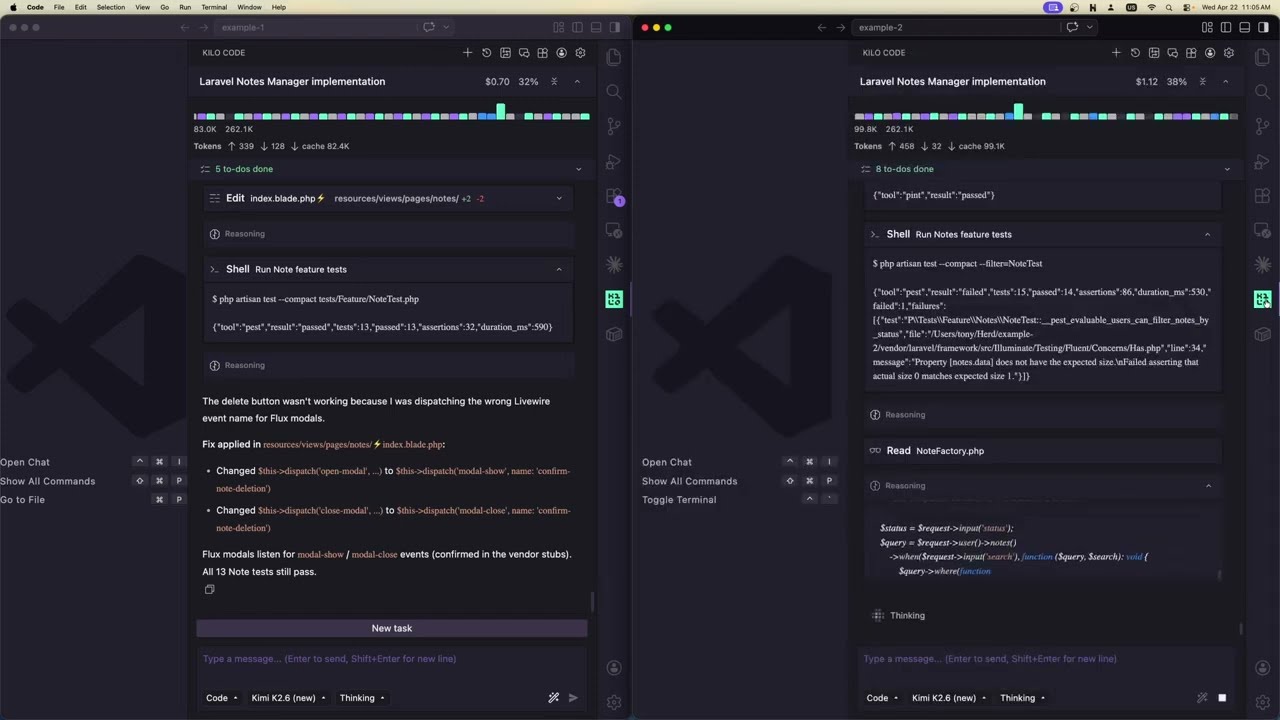

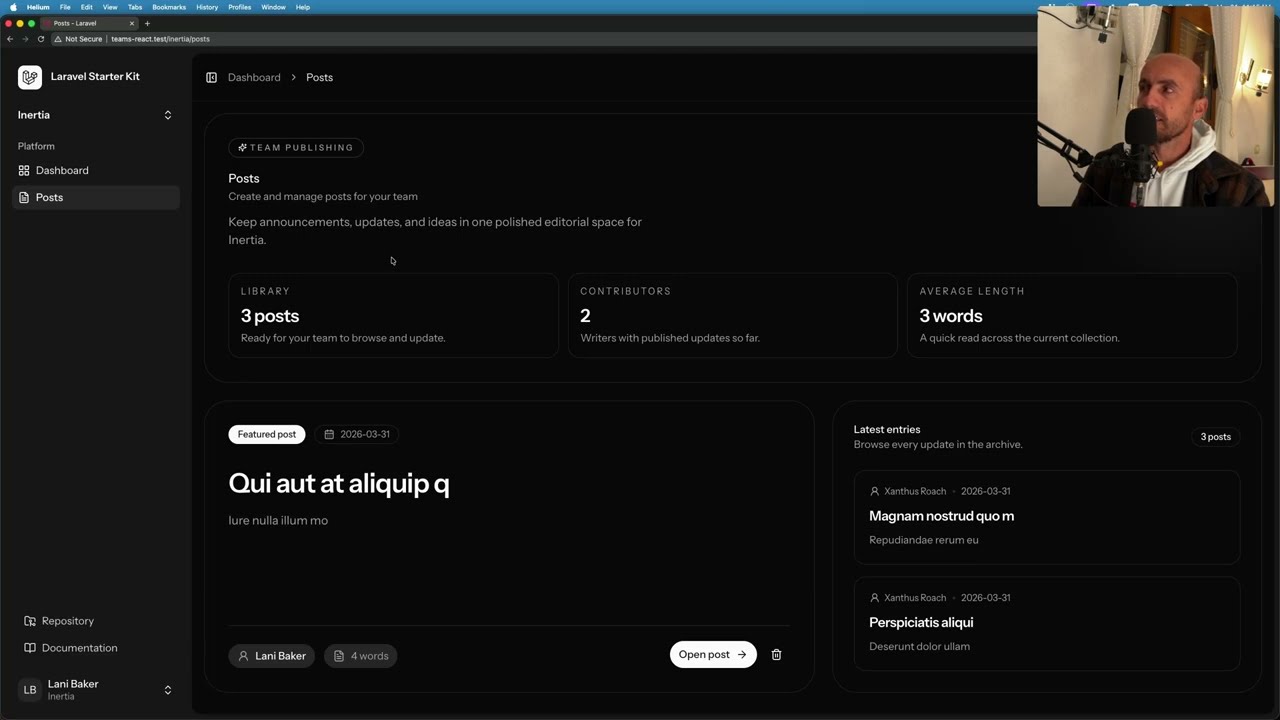



Get daily recaps from
Laravel
AI-powered summaries delivered to your inbox. Save hours every week while staying fully informed.