Android 17 is Scaring Me

Chapters9
The video discusses Android expanding into a broader AI ecosystem and the mixed reception from audiences and brands, noting privacy concerns and the sponsor UG Green's storage solution.
Linus pokes fun at Google's AI-infused Android future, highlighting Gemini integration, Android Auto upgrades, and a 4-bay UG Green NAS as the practical tech behind the hype.
Summary
Linus Tech Tips’ video dives into Google’s Gemini-infused Android era, joking about the branding shift from Android OS to an AI-powered intelligence system. Linus explains Aluminum OS (the working name for Google's unified Android-Chrome OS) and teases the new magic pointer feature, Rambler, and AI-driven widgets that generate widgets from plain text prompts. He weighs the hype against real-world privacy concerns and reliability, noting past overpromises while acknowledging impressive demos like richer Android Auto interfaces, 3D Maps visuals, and on-device app mirroring. The discussion also covers Google Books’ cross-device file access, end-to-end encryption with iOS RCS, and the evolving Android Built-in/Android Automotive ecosystem, including how Gemini might interpret car dashboards and trunk dimensions. Throughout, Linus injects skepticism about follow-up questions and real-world accuracy, reminding viewers to verify in practice rather than dev environment demos. He closes with a plug for UG Green’s DX4800 Pro NAS, a 4-bay storage solution capable of up to 144 TB, before noting the ongoing hardware-software arms race between Apple and Google.
Key Takeaways
- Aluminium OS is the development code name for Google's unified Android-Chrome OS, and a new Google book concept is tied to this effort.
- Magic pointer technology will let users trigger Gemini AI by wiggling a cursor and selecting on-screen elements to draft replies or perform tasks.
- Custom AI widgets can be generated from plain text prompts to display weather details like rain and wind speed in a widget.
- Android Auto and in-car integration are expanding with 3D maps, Dolby Atmos video playback in parked vehicles, and more on-device app integration via Google Built-in.
- Rambler analyzes the entire voice dictation to extract relevant parts for messages, aiming to reduce distracted driving risks.
- Google Books will enable quick access to phone files from a laptop and contextual file attachments without relying on Google Photos alone.
- End-to-end encryption with iOS RCS is rolling out, and Google emphasizes easier cross-switching from Apple to Android.
Who Is This For?
Tech enthusiasts and Android power users who want a reality check on Google’s AI-driven features and how they’ll actually work in daily life, plus practical storage solutions for handling growing media libraries.
Notable Quotes
""The glow bar that tells everyone around you, 'This ain't no Chromebook.' This is a Google book.""
—Linus explains the Google Books branding and distinguishing hardware lines.
""Magic pointer allows anyone to easily use Gemini by simply wiggling the cursor and then pointing it at an on-screen element and asking it to do AI things""
—Description of the new AI interaction feature.
""I've done that, by the way. It sucks. I had to actually take the packaging off and take it back into the store""
—A personal anecdote illustrating real-world caution with hardware purchases.
""Endto-end RCS encryption with iOS is rolling out effective now""
—Notes a cross-platform security feature rollout.
""Rambler is going to take the entire context of YOUR DICTATION AND HEY, WATCH IT as pick out only the relevant parts""
—Explains how Rambler filters voice notes for messages.
Questions This Video Answers
- What is Aluminium OS and how does it integrate Android and Chrome OS?
- Will Google Gemini's features like Rambler work in real-world driving scenarios?
- How does Android Auto's upgrade with Dolby Atmos and 3D maps affect everyday use?
- What are the privacy implications of Google's AI features in Android 17 and Gemini?
- What is UG Green's DX4800 Pro NAS and how does it compare for home storage?
Android 17Google GeminiAluminium OSGoogle BooksMagic PointerRamblerAndroid AutoDolby Atmos in carsAndroid Built-in/Android AutomotiveEnd-to-end RCS encryption with iOS
Full Transcript
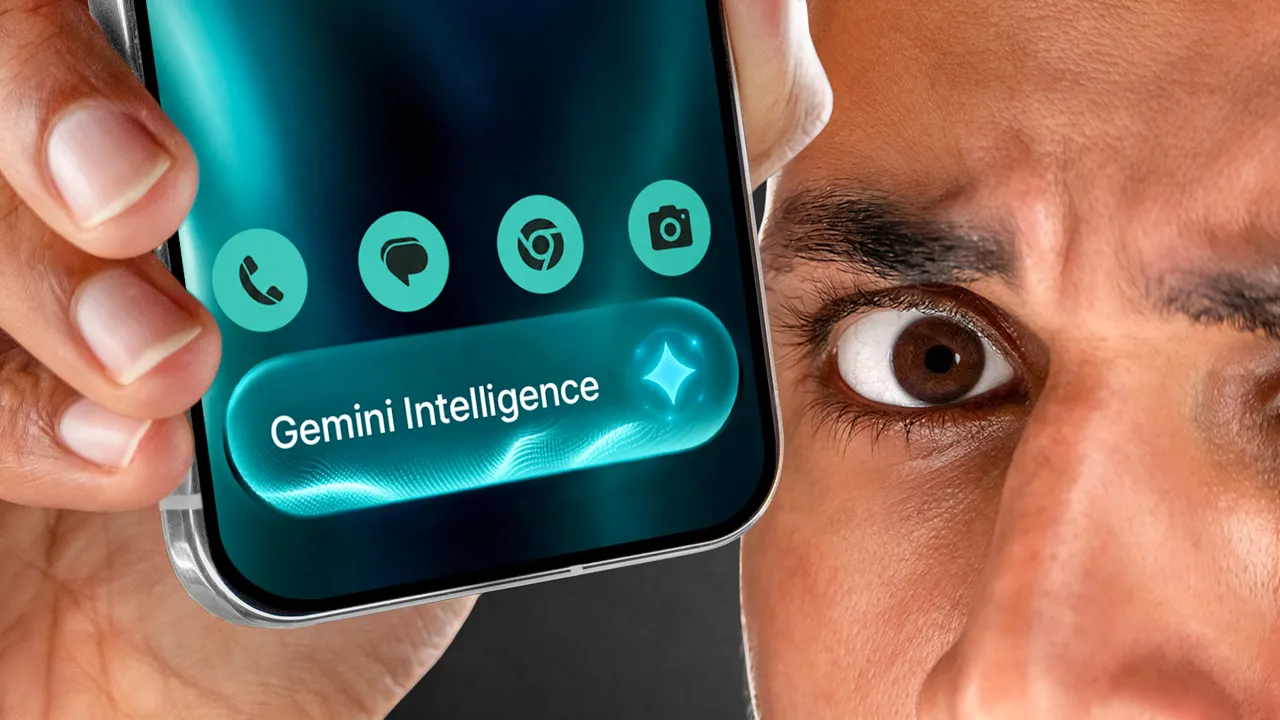
I don't know if it was scary good or just plain scary scary, but the Android show just wrapped up today and the theme is Android everywhere with a side of uh oh, by the way, that means Gemini is also everywhere. Hence the rebranding of Android from an operating system to an intelligence system. It's uh it's pretty telling that they turned off comments on the video, isn't it? I mean, to be clear, Google's not the only one who does this, but it really does say a lot about the current state of tech that major brands are so afraid of what their terminally online customers might say about their new products and features.
Features that admittedly look very cool. It's just that they're often privacy and data collection nightmares. So, here's an idea. If you've got something to say to big tech, maybe watch our video instead and leave your comments there. Unless you want to trash talk Microsoft, who bravely leaves comments enabled. Bold move, Satcha. I respect it almost as much as I respect our sponsor, UG, Green. UG Green's DX 4800 Pro NAS can hold up to 144 terab of your favorite photos, movies, and files. And it's compatible with a variety of hard drives. Grab yours at the link down below.
We've got to kick things off with the Google book. Not to be confused with other books like Pixelbooks or MacBooks. See, those are made by one brand, but Google books are going to be like Chromebooks, which come in a variety of hardware configurations from partner brands like Lenovo and Asus. Which raises the question, okay, what's the difference then between a Google book and a Chromebook? Well, let me tell you. For one thing, Google books will have this, the glow bar that tells everyone around you, "This ain't no Chromebook." No, ma'am. This is a Google book.
Cool. Also, unlike Chromebooks, Google Books are going to be using a new operating system that unifies Android and Chrome OS. It doesn't have a name yet, which is kind of awkward for a company the size of Google. So, the media has taken to referring to its development code name, Aluminium OS. We don't know too much about it yet. Um, hint hint, Google IO is next week. But what we do know is that it's going to come with a new magic pointer feature, not to be confused with magic mouse. Do do you feel like when I have to say not to be confused with this many times, um, your product announcement might just be confusing?
Anyone? Buler. Anyway, magic pointer allows anyone to easily use Gemini by simply wiggling the cursor and then pointing it at an on-screen element and asking it to do AI things like say draft a reply to the text in this email. I can actually see this being very useful, much like the circle to search feature on Android today. However, if you're anything like me, it'll probably be between one and three accidental activations of the gesture before you rebind it to something anything else. Something I'm legitimately stoked on, though, is custom widgets. Now, Google's not the first to talk about how they need more AI in their operating system, and pretty much every example of that we've seen so far has been kind of cringe.
This one, not so. Custom widgets have got to be the best example of AI in an operating system that I've seen so far. You want just rain and wind speed in your weather app? Boom. You give it a plain text prompt and it creates a widget for you. Finding exactly the right widget is something that I have personally struggled with in the past. Uh like I can't wait for example to create a time zone and alarm management widget that really works for me. And this is coming to both the new unnamed OS as well as Android mobile with Android 17.
I'm stoked. Also, Google Books are getting quick access, which is the ability to browse and access files on your phone directly from your laptop and then just like drop that file as an attachment on an email, even if you don't necessarily use Google Photos and Cloud Sync. And sure, Windows has had the your phone feature since like 2018, but it is great to see app mirroring and phone access that are now available to everyone, regardless of which developer garden you prefer to sip tea in. tea that's getting much sweeter on the Google side of things because the rest of their Gemini sizzle reel looked, if I'm being honest, legitimately amazing.
Running late for a very important date, but you see an upcoming concert poster as you exit the train station? Just snap a pic of it, tell your AI assistant to book you a couple of floor tickets, enjoy the concert, then ask Gemini to find some good late night zah. Then, assuming things went well, ask it to book a spot in your calendar to do it all over again next week. Wow. It's like everyone having their very own Vance. Hey Vance, can you look up how many times Google has promised this level of integration between like my personal life and my calendar and my Google Assistant?
I don't know, a lot. Yeah, we've kind of reached a bit of a boy who cried wolf point now, haven't we? Remember that clip-on camera that claimed to use AI to take pictures at opportune moments? Remember that feature where assistant would totally seamlessly phone and book hair appointments on your behalf? And remember the image searchability that just time and time again on short circuit has failed to find or in many cases even recognize the LTT Northern Lights deskpad in spite of there being countless images of it online and it being available at ltstore.com. I mean to be fair, some of this stuff, especially that last one, does work way better these days.
And if all this new stuff works, it sounds great. But I can already tell that that concert demo is pure weaponsgrade bologonium because it doesn't ask any follow-up questions like what time when you're booking a date. That's kind of important. And I wish Google would just be honest and realistic about how it's going to work outside of their perfect dev environment bubble. Like here's another example. that auto form filling feature where they talked about how Gemini could scan your photo library for that time you took a picture of your passport last year and then automatically input your passport number or your expiration date into a form for you.
That sounds awesome. But will it work in the real world where maybe you've got multiple passport photos for yourself and some for your kids and one for your wife? Is it going to get the right one? I don't think it's crazy to be skeptical about this. I mean, okay, look. How often does your autocomplete say, "Oo, 3663 Crowley Drive." ALL THE TIME. YEAH. And when's the last time you lived there? Years ago. That's what I'm talking about. I mean, for me, even just setting alarms screws up a solid like 5 to 10% of the time.
So, I'm not sure when, if ever, I'm going to get past the trust but verify phase for my AI personal assistant. and all of that ignores the privacy and targeted ad side of this whole data collection conversation. But hey, you know, some of this stuff, again, if it works, looks so good that people probably will turn it on regardless of the privacy implications. Rambler is a new feature for phones, but also Android Auto, which we're going to get into in a second. And I'm really excited about both Rambler and the Android Auto overhaul. Okay, guys.
Have you ever tried responding to a message through voice to text while you're driving and someone cuts you off? Or maybe your kids won't shut up in the back seat? Well, with Rambler, you don't have TO WORRY ABOUT, "HEY, WATCH WHERE you'reing driving." Any of the expletives that you might be shouting in the middle of your reply that could accidentally make it to your wife or your boss, who for me is the same person, which doubles the risk. supposedly rambler is going to take the entire context of YOUR DICTATION AND HEY, WATCH IT as pick out only the relevant parts of your voice note and then condense it into a proper message.
Super cool. On the subject of distracted driving, Google is also rolling out a massive update to maps, making it look more 3D, so you can tell, is that an overpass, an underpass, a touchdown pass? And that's almost as cool as the way that Android Auto is not only going to fit better on all the various display sizes in cars these days, but it's also getting the ability to play video through that screen and with Dolby Atmos. Now, that's only going to be on vehicles or apps that support it and only while the vehicle is parked.
But guys, if you've got an EV that isn't a Tesla and you've ever been stuck at a charging station, you are going to freaking love this. Google's also rolling out more customization for your in-car display, like different fonts, widgets, or backgrounds to help enhance the Android Auto experience. And if you're driving one of the roughly 100 vehicles that are rolling out with Google Builtin, formerly known as Android Automotive, thank goodness they changed that, any of the apps that you might use should feel more seamless and more responsive thanks to direct hardware integration and being on board instead of running on your phone.
Okay, so what does that look like? This one's pretty cool. If a symbol pops up on your digital dash that you've never seen before, supposedly you can just ask Gemini what it means. Or another great example they gave was asking about trunk dimensions and whether or not a TV would fit in your car. Okay, that's stuff that you could look up yourself and you're still going to probably want to verify that before you just like carry a 75 in TV into the parking lot and just go for it. I've done that, by the way. It sucks.
I had to actually take the packaging off and take it back into the store in order to get. Anyway, um the point is that these are the kinds of hassles that a lot of folks would genuinely be very happy to live without, especially if you're not a car person and you don't care what exact make, model, and trim level you drive. With that in mind, they really need to step up their game when it comes to co-arketing these features with vehicle manufacturers. Some of the links on the Google built-in site go to specific models that support it.
Honda is a shining example here, but others when you click through, they just dump you on the partner manufacturer's homepage, which leaves you with questions like which Mazda or BYD vehicle supports this feature. Moving away from AI, endto-end RCS encryption with iOS is rolling out effective now. Even Apple has an announcement for that. And Google says on that subject, they're making it easier than ever to swap from Apple to Android. Quick Share is coming to more devices later this year and juiced up voice isolation and sound separation looks awesome for clearer calls. Even cooler though is their new screen reactions feature.
I am loving this. This allows you to record your screen and also at the same time record yourself over top of whatever is showing so that you can pop up over your photos as you talk about them or for me you can explain what's going on as you are marking up a document or giving feedback on something that might be broken. The one thing that I'd love to see improve here is I'd like to see some transparency options so that my viewer can see whatever part of the screen I happen to be covering in case that's important for troubleshooting.
In all, Google showed off some really cool and exciting stuff today, or well, maybe yesterday, depending on when this gets edited and posted. And the idea of automating some of life's tediousness sounds great, but I'm going to be a bit skeptical until I actually try it out for myself. Oh, when is that coming, you ask? Later this year, sometime after this segue to our sponsor, you green. If you find yourself carrying around extra hard drives for your laptop or your other devices, maybe it's time to stop. Maybe it's time to look into a NAS. If you don't already know what that is, in the simplest of terms, you can think of a NAS as kind of like your own personal cloud storage where you can put your files safely and they live back at your home.
UG's DX4800 ProNaz is a reasonably priced option that has four bays for you to plug in your own hard drives. From there, you'll have access to all of your favorite pictures, videos, and important documents wherever you go. And since it supports up to 144 terabytes of storage, that means roughly 50 million photos, 9800 movies, or 150 million files. And if you already have existing hard drives, the DX4800 Pro already supports a wide variety of drives, so you don't have to stress about needing to buy something proprietary. They are beginner friendly and swapping drives is easier than putting in an IKEA drawer.
So stop lugging around external hard drives. Don't pay for overpriced cloud storage and use our link below to grab your UG Green DX4800 Pro today. Thanks for watching guys. If you like this video, maybe check out Apple's latest announcement. I'm actually feeling like Apple and Google are competing pretty hard these days cuz it's hard to differentiate on the hardware side. So it's going to have to be making your life easier and better through software.
More from Linus Tech Tips








Get daily recaps from
Linus Tech Tips
AI-powered summaries delivered to your inbox. Save hours every week while staying fully informed.