How to Use Your Claude Code Projects in Codex in 5 Mins

Chapters7
The video explains how Codeex can solve problems in the same project without switching contexts or duplicating work, showing a side-by-side setup with Cloud Code and Codeex and promising a quick guide to trying Codeex.
Switching a single project between Cloud Code and Codeex is surprisingly seamless, preserving your files, memories, and workflows in one operating system.
Summary
Nate Herk walks through synchronizing Cloud Code with Codeex without duplicating work. He demonstrates how both tools share core knowledge (archives, references, scripts) but use different metadata files (cloud.md vs. agents.md) and folders. The video shows how to keep a project readable by either agent by maintaining a shared knowledge base (claw.md) and agent-specific files, plus a config folder. He literally opens the same project in both environments to illustrate parity and differences, including how settings names differ (settings.local.json vs. config). A practical tip is to generate an agents.mmd from a cloud.md as a starting point, then manually adapt for Codeex, so maintenance stays minimal when major changes occur. Nate also introduces a handy session handoff feature that summarises active files, decisions, and next steps for seamless handoffs between Claude/Cloud Code and Codex. He recommends running both tools in tandem to stay tool-agnostic and maintain productivity if one service experiences downtime. Finally, he teases a full Cloud Code vs. Codeex comparison video that’s in the works and invites viewers to try the approach in a free community resource.
Key Takeaways
- You can switch a single project between Cloud Code and Codeex without duplicating work by aligning cloud.md with agents.md and keeping a shared claw.md knowledge base.
- The project structure includes project-level and global settings; Cloud Code uses settings.local.json while Codeex uses a config folder, yet the skills and markdown-based agent definitions can be aligned between them.
- Create an agents.mmd from your cloud.md as a starting point and then adapt it for Codeex, so maintenance is minimized when you update either tool.
- Both tools rely on the same core knowledge (documents, references, scripts) but look for different metadata files, making a unified organization crucial.
- A session handoff feature helps summarize the current session and active files, enabling a quick handoff between Claude/Cloud Code and Codex to maintain momentum.
- Maintaining tool-agnostic workflows (working in parallel with both tools) protects productivity if one service experiences downtime.
Who Is This For?
Essential viewing for developers who use Cloud Code or Codex (Codeex) and want a smooth path to run both tools on the same project, plus practical tips for staying tool-agnostic.
Notable Quotes
""The cool thing about it is I didn't have to change context or make a new project.""
—Shows the seamless switch between Cloud Code and Codeex within the same project.
""Create me an agents.mmd file that basically just uses the cloudmd as you know inspiration.""
—Describes the starter prompt to port configurations between tools.
""If you've never used Codeex, I would highly recommend that you just pull up your project... start working with both of them together.""
—Advocates trying both tools to stay versatile and productive.
Questions This Video Answers
- How do I migrate a Cloud Code project to Codeex without losing data?
- What are the key differences between cloud.md and agents.mmd in Codeex and Cloud Code?
- Can I run Cloud Code and Codeex side by side in the same VS Code workspace?
- What is a session handoff and how do I use it to switch contexts between AI agents?
- Is there a best practice for maintaining global vs project-specific settings across Cloud Code and Codeex?
Cloud CodeCodeexCodexClaudeagents.mmdclaw.mdconfig vs settings.local.jsonVS Code extensionssession handoffproject migration
Full Transcript
In the past few weeks, I've had multiple instances where I was stuck on a problem inside Cloud Code and then I handed it over to Codeex and it was able to solve it for me. And the cool thing about it is I didn't have to change context or make a new project. As you can see right here, on the lefth hand side I've got Cloud Code and on the right hand side I've got Codeex. So today is going to be a really quick video and I'm just going to talk about if you want to try Codeex, which I think you guys all should, how you can just switch over your same project so that you don't have to like duplicate a bunch of stuff or lose a bunch of stuff.
And it's so much easier than you think. So let's just dive straight in. All right. So what is the problem? The problem is that cloud code looks for a cloud.mmd file as you guys know and it looks for acloud folder while codeex looks for an agents.mmd file and acodex folder as well as a agents folder. So we take a quick look at this graphic. What's really awesome about working with different coding agents whether that's cloud code or codec or hermes agent or whatever comes next is that they all are going to work out of basically the same shared knowledge.
So documents, references, scripts, a bunch of different like context files. But every coding agent has their own kind of terminology for a few things. And that might be the cloud.MD or the agents.mmd. So really all we have to do is just figure out how do we make sure that our project has everything set up so that any coding agent can come in here and read it really easily. So let me show you how easy that is. So in this specific example with cloud code and with codeex, they have a few different things. We all know that our instructions live in a claw.md file.
So, if I go up to this Herk 2 project, which is kind of like my operating system, and I open up the claw.mmd, we can see, hey, you're Nate Herk's executive assistant. Here's your knowledge base. Here's the wiki path. Here's pretty much everything you need to know about Nate and what you do in this project. And Codeex obviously uses that same sort of thing. It still injects that at the beginning of the sessions except for the one that Codex looks for is called agents.mmd. And you can see right here in my project, as well as the cloudmd, I also have an agents.mmd.
And this is going over pretty much the exact same stuff that the clawmd file goes over. You've also got your config file. So if I open up this project again, I have myclaw all the way up at the top. And this is where I have agent memory. I have my different agents. I have some of the rules. I have some skills. And I also have like my settings. And when you look for this config folder in Codeex, it is called thecodex file. So once again, I open this up and you can see right here I've gotcodex.
And this is where my agents live as well as my config document. You guys are going to get access to this actual HTML page. I'm going to put it in my free school community for completely free which you guys can go download. And I know that looking at this might look a little bit intimidating like you have to memorize all this. But just remember the fact that both of these coding agents can do research and they can also look at their own documentation so they know what they need. So in just a minute here I'm going to show you a prompt that you can use to basically switch any project over so that you can always make sure you're good with either coding tool.
And the other thing is they both still use the same idea of like having global rules or global skills and then having project level ones. So you know the way that you have your sort of like your tilda.claude those are where you can do user global preferences for the like global cloud.MD and the global skills and then you can do project level ones like you see in here. Anything that you're looking at right now in thecloud or in the agents is project specific rather than global all codecs ever. But same thing codecs you can do global and you can also do project level.
So what it would look like if you were doing a cloud code project, you'll have your project, you'll have your cloud.mmd, you'll have yourcloud with settings, with agents, and with skills. And then for codecs, you'd have your agents.mmd with a docex folder for your config and your agents. And then you'd have a separate folder for your skills called agents. And that's where you'd have your skills. But the cool thing is the skill files, which are the markdown files with the YAML front matter, are the exact same. The agent files are a little different. In cloud code, those are markdown files, and in codecs, they're files, but they basically do the same thing.
On the lefth hand side, you can see that I'm going to open up my agent in cloud code, which is called the ClickUp searcher, and it looks like this. It's markdown, but then my ClickUp searcher for Codeex. They do the same job. They understand the same things, except for this one is a TOML file rather than a markdown file. So, there's just a few little nuances, a few little things to change, but the AI makes it so much easier to do. So, so here's the cheat sheet. Not going to read this whole thing out. You guys can obviously download this.
You could even give it to your agents if you want, but they can do their own research really well. I've also included this right here, five things that trip up beginners, but not going to read that out as well because it's super easy to understand when you just treat the AI like you know the instructor. And so think about it like this in these three layers. You've got your shared knowledge, you've got your workflows or your skills, and then you've got your tool specific config. So shared knowledge, any agent can read that, right? So in here you can see that if I close out all of these configs and all these things, I've got archives, I've got audits, I've got brand assets, I've got decisions, I've got all these other worlds, I have all these projects and reference files.
Any agent ever can get in here and read that and they don't have to change anything. And then you've got skills and agents and that's where you have to just put them in a different place. These can pretty much look the same, right? Whether Codex wants to use my morning coffee skill or claude code, they can read it just the same because it's markdown. they just have to look for it in a different place. Claude obviously looks for them in thecloud and Codex looks for them in the aagents folder. And then there are going to be some things that are tool specific.
So real quick example, some of my config settings here are called settings.local.json for cloud code, but for codeex they're called config. So just little things like that. But anyways, the fastest way to convert a project is just using your natural language. Basically, whenever I need to use codec in a project and I haven't done it before, I say, "Hey, I built this project using cloud code, but I need you codeex to be able to use it too." So, create an agent.mmd file that basically just uses the cloudmd as you know uh inspiration. Create me ax config.
Put all of the skills in a agents. Put all of the agents in a docex. And by the way, do research on the codeex documentation and do research on cloud code documentation and make sure that everything important converts over so that I can use it. And that's basically it. It's so simple. The only thing you have to think about is when it comes to the maintenance side, if you make a major change to your cloudmd, you're probably going to want to say, okay, also just make that to the agents.mmd as well. Same thing with your skills.
Same thing with your sub aents. Now, one thing to keep in mind is that codec sub aents don't invoke automatically. You have to explicitly call on them. And there's a few other different ways like the tools work and some of them have different slash commands and things like that. But essentially, if you've mastered Cloud Code, then you have basically mastered Codeex. Like they're very very similar in the way that they work. They have different strengths and weaknesses and a few little things. I'm working on right now a full comparison video between Cloud Code and Codeex.
So that's going to be out very soon. But like I said, if you've never used Codeex, I would highly recommend that you just pull up your project, your main sort of like operating system, and just start working with both of them together. Like for example, that HTML file that we're looking at right here, I built this using Cloud Code and Codeex. You can see here I had both do research. I had them compare. I had them look at the same files. They created this HTML. Cloud Code styled it. And then over here, you can see Codex said, "Hey, I you know, I kept Claude's dark design, but I restored the value that he lost." So, they were kind of working together on this file.
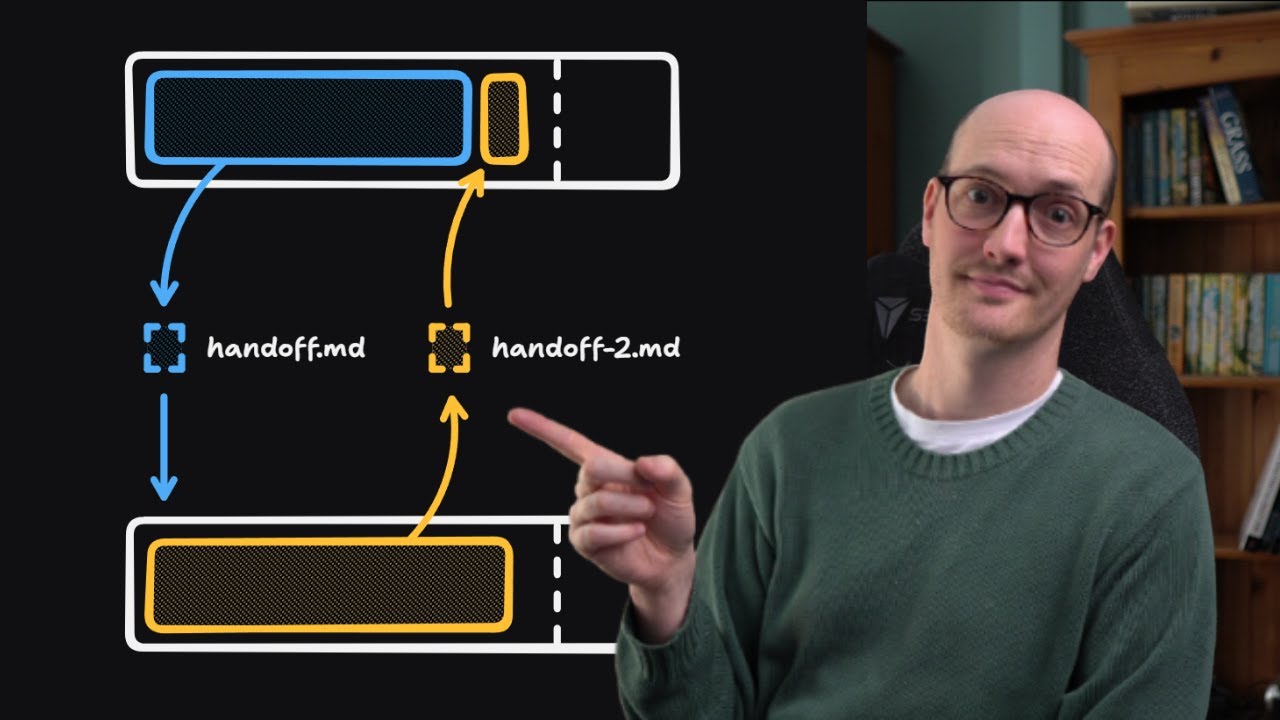
And that's really cool. But you have to be careful. Obviously, if you're working on the same file with two agents, they might overwrite each other's stuff. But it's very cool that I can just have my project open. I can have one terminal for cloud code, one terminal for codec and I can be working on different things. And what I really like to do is I built this skill called session handoff right here, which I will put in my free school community associated with this video. So if you want that, join the free school community link in the description.
And so whenever I do session handoff, it basically summarizes what have we talked about, what are the active files, what are the active decisions, and what are the next steps. And I could take that session handoff, copy it, and then paste it into Codeex and keep going on my work. Like I said, sometimes Codeex helps me get unstuck. So, if you've ever felt like cloud code is like feeling stupid right now or missing some elements or like getting stuck, then try to session handoff and give it to Codeex and just keep moving and it might actually fix it in like 10 seconds, which sometimes it really does.
So, I'm not saying that I think Codex is significantly better than Claude Code or even the other way. I'm just saying that it's really important to try both and just know what you like for different scenarios. Now, yes, that means you might be paying for two subscriptions, but I think it's important if you can afford it to try different tools. Really the message I'm trying to communicate here is you want to become tool agnostic. Don't get locked into one ecosystem. What happens if cloud code goes down all day long. Can you work just as fast?
Because you now also have codecs right there. And if you're working inside of VS Code like I am here, both of these have an extension. You can see I can open up the cloud code extension. I could also open up the codeex extension. However, I've pretty much converted over to a terminal. I'm a terminal boy now. It's really nice because now I can just type in claude and then that pulls up my claude. Or of course I could just type in codeex and then that pulls up codeex. And now I have both of them working right here in my project.
So that's gonna do it for today. If you guys enjoyed the video, you learned something new, please give it a like. It helps me out a ton. And as always, I appreciate you guys making it to the end of the video. And I'll see you in the next one. Thanks guys.
More from Nate Herk | AI Automation









Get daily recaps from
Nate Herk | AI Automation
AI-powered summaries delivered to your inbox. Save hours every week while staying fully informed.