You're likely missing out on agent skills true potential!

Chapters6
Introduces agent skills as Markdown based prompts and the idea that several types exist, though three core types suffice for practical use.
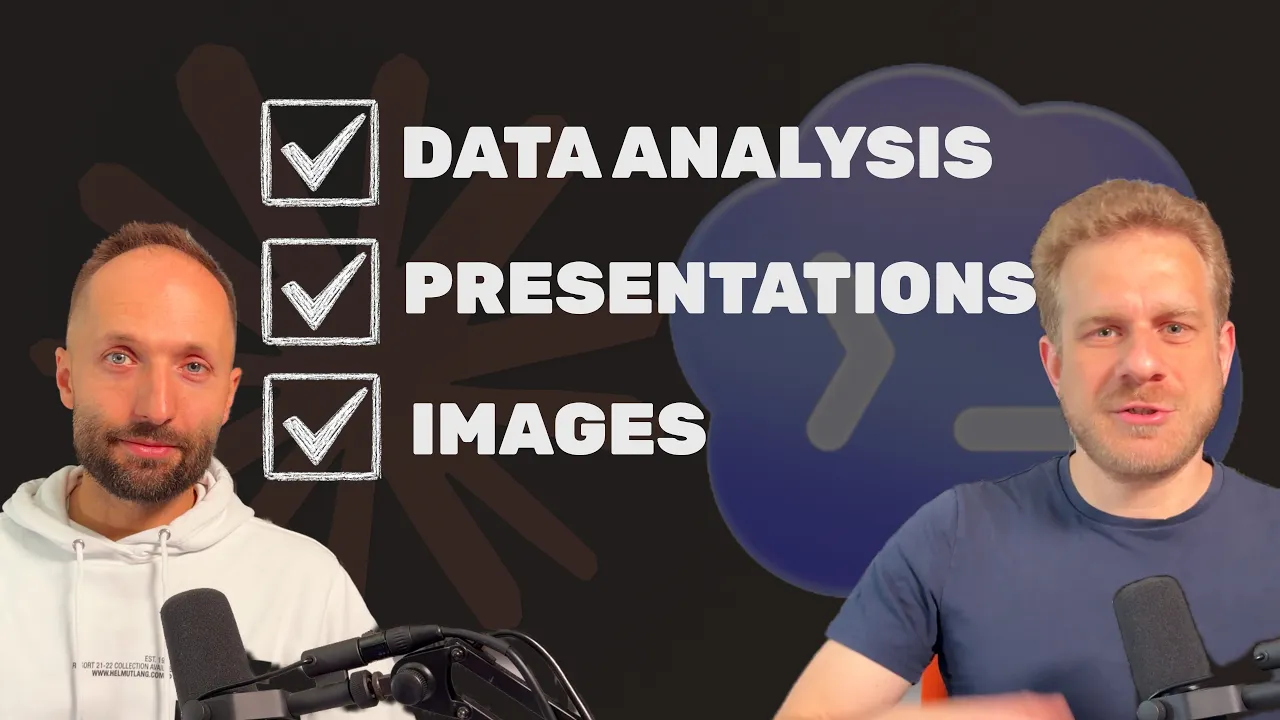
Three practical agent skills to start with: documentation/knowledge, behaviors, and functionality-driven skills, applied step by step for Claude Code, Codex, and similar tools.
Summary
Academind’s video breaks down a practical approach to leveraging agent skills in tools like Claude Code and Codex. Ben, the presenter, argues that skills aren’t just Markdown fluff; they’re metadata-driven prompts that shape how and when an AI agent uses knowledge, follows coding best practices, or runs external scripts. He references a Cloud Code team post from Anthropic to illustrate the variety of skills, but encourages viewers not to be overwhelmed. Instead, he suggests starting small with three core skill types and iterating: 1) knowledge/documentation skills to inject up-to-date information the agent might miss, such as TypeScript specifics like the satisfies keyword; 2) behavior/best-practice skills to enforce coding styles and avoid antipatterns (e.g., avoiding overreliance on useEffect); 3) functionality-driven skills that enable interaction with external APIs or tools (like image generation via Fell.ai) and even script-driven helpers. He shows how to structure skills with metadata and lazy-loading so the agent only loads what it needs at the moment. Throughout, Academind emphasizes stepping through setup gradually, using references folders, and building a personal skill library over time. He also warns about risks with third-party skill registries (potential prompt injections) and advises selective adoption rather than indiscriminate copying. The takeaway is to start small, keep skills modular, and progressively tailor the agent’s behavior to your project needs, rather than chasing a perfect setup from day one.
Key Takeaways
- Metadata-driven context loads only essential skill info into the AI's context window, enabling smarter, on-demand use of each skill.
- Documentation/knowledge skills can point the agent to up-to-date sources (like TypeScript docs) when it needs it, reducing reliance on training data alone.
- Behavioral skills encode coding standards (e.g., discourage useEffect) to improve code quality, readability, and maintainability.
- Functionality-driven skills enable the agent to run external scripts or interact with APIs (e.g., Fell.ai) through well-defined prompts and a small CLI tool.
- Skill snippets and a references folder allow lazy-loading of detailed guidance only when relevant to a task, keeping prompts lean.
- A pragmatic, step-by-step buildup of a skill library is preferable to importing every possible skill at once, reducing context bloat and risk.
- Beware of prompt injections when using community-made skills; review and vet skills from registries like skills.sh before adoption.
Who Is This For?
Developers and AI practitioners who want to unlock true potential of agentic tools by building a lean, practical skill library tailored to real-world projects.
Notable Quotes
""The thing just is that unless you explicitly tell the agent to do so, it very likely will not go to that official documentation.""
—Illustrates why knowledge skills are needed to guide agents to authoritative sources.
""These skill files are loaded lazily... the AI can decide to load that file only when it knows that it is working with useEffect.""
—Explains the lazy-loading mechanism for skill metadata and references.
""Don't see it as that big upfront task that is super intimidating. Instead, build that skill base step by step.""
—Encourages a pragmatic, incremental approach to building skills.
""There are skill registries like skills.sh where you can browse skills built by other people.""
—Mentions third-party resources while cautioning about quality and safety.
""If there is something malicious in one of these prompts, that could be a problem. That can lead to a prompt injection.""
—Warns about security risks when using community-made skills.
Questions This Video Answers
- How do I set up knowledge skills for TypeScript in Claude Code or Codex?
- What are the three core types of agent skills and how do I implement them step by step?
- How can I safely use third-party skill registries without risking prompt injections?
- What is lazy-loading in agent skills and why does it matter for context size?
- Can I use CLI scripts in skills to interact with APIs like Fell.ai for image generation?
Agent SkillsClaude CodeCodexAnthropic Cloud CodeTypeScriptuseEffectBest PracticesPrompt EngineeringSkill RegistriesFell.ai
Full Transcript
When working with Claude Code, Codex, or any other agentic engineering tool, one really important concept that is supported by all these tools that you should understand and use is the concept of agent skills. And it's easy to ignore them because it's just a bunch of Markdown files or because setting them up can be cumbersome, but it is worth it, in my experience. And a couple of days ago, there was a post by someone on the Cloud Code team, so someone from Anthropic, where he shared the different types of skills they are using internally because indeed, you can differentiate between different types of skills you wanna create.
They're all just Markdown files in the though you can add a bit more. I'll get back to that. But, of course, what's inside that Markdown file can be quite different. Now, this image here, and this entire post can be quite overwhelming and can lead to not doing anything because you feel like, "Okay, if I gotta spend a week setting up skills, I'd rather not use them at all." offer an alternative to that in this video. I think you can simply have three core types of skills that you should care about and that will lead to better results.
By the way, as I mentioned, all these tool support skills, set them up, how to actively invoke them, how to build skills for Cloud Code, for Codex, in my respective courses. And if you wanna get those courses or get access to all my courses, including future courses, promotion where you can get the annual membership, which gives you full access to all my courses as long as you have the membership for a super low price. Link below. But regarding these skills here, they are just Markdown files, Markdown files that place, and the exact place depends on the tool But in the end, they are there for prompt templates context that can be injected into your agentic engineering sessions.
And the first type of skill is the documentation or the knowledge skill, I would say. Now, what do I mean by that? Here, I'm in my academind.com project, so the project of my website, and in there, I got a bunch of agent skills that just kinds of documentation or knowledge I expose to the AI agent here. For example, some TypeScript knowledge here, some knowledge about more advanced TypeScript features, maybe some newer features like the satisfies keyword, which hasn'st been around for 10 years. Some stuff I want the AI agent to be aware of or to be reminded of because it might not be the first things it's reaching for because maybe it hasn't seen as much of that stuff in its training data.
So this really is something you could find in the official TypeScript documentation. The thing just is that unless you explicitly tell the agent to do so, it very likely will not go to that official documentation. It will not go to the TypeScript documentation. So I rather have my own skill, and this skill here has some metadata. The metadata is important because the idea behind the skills is that not all available skills are loaded into the context window every time. Instead, just the metadata is loaded into the context window, and then the AI agent can decide for which skill it wants to read more depending on your prompt and your tasks you gave it.
You can also actively invoke skills you're using, but the main idea is that the agent loads them on its own depending on that metadata. So here I have some metadata, uh, where I try to give the agent some idea on when to use this skill. And therefore, that is one type of skill that you provide extra documentation or knowledge that the agent may not have because maybe you're also working with some library which was not in the training data because it's or where you know that it maybe hasn't seen a lot of about want it to be aware of.
So that's the- the first type of s- skill, I would say. The second type of skill is behaviors, best practices, a- approaches, that kind of stuff. And here, the idea really is that, of course, when you're working on a project, you may have certain preferences regarding code style or regarding how some stuff should be done. So for example, I have this clean modern React code skill, is not so much about documenting React features, but instead about establishing some rules the agent should follow when it's writing React code to ensure that certain- that- that certain antipatterns are less common, at least, because at least for me right now, AI agents tend to generate code that's not always the highest quality.
And you could argue whether you care about I created a separate video on a different channel about that. I would say it matters because code quality matters for being able to review the code, it can have performance implications, implications on how easy the code is to maintain or extend, so I'd say it matters. And if you have certain behaviors or patterns you want the agent to use, then such a behavioral skill where you tell it how to write good React code that you- that it should try to avoid useEffect and how it can avoid it, that kind of skill can be interesting.
So here, it's less about providing extra documentation, extra knowledge, but instead about instructing behaviors. Now, what's interesting about this skill some related files with a file with more details about useEffect because all these skill files are loaded lazily, as I already said, and you can, in a skill file, reference another file like this the references folder here, and then the AI can decide to load that file only when it knows that it is working with useEffect, that it- doing something with useEffect. So that here, I then have more details about antipatterns it-... it should be aware of.
And setting up these kinds of skills can be well worth it, also because, of course, I can copy that into any React project. I don't have to rewrite it all the time, and it can lead to better code there. So that's the second type of skill I would recommend doing, and you don't have to think of all the different patterns you might wanna describe. Instead, just act step by step. If you see that in your project, the AI agent is consistently doing something you don't it to do, add a skill where you think about a good description that increases the chance of the skill being loaded in the right times, and then put your instructions in So, use it to fix stuff, and over time, you'll build a skill library with your specific, um, best practices and behaviors you want to enforce, and you can then use So, don't see it as that big upfront task that is super intimidating.
Instead, build that skill base, um, step by step. Now, the third type of skill, and that's a different type of skill, is, uh, functionality driven skills. Thus far, we talked about documentation specific behaviors. Now, these agentic engineering tools like do all kinds of stuff. They can write code obviously, to writing code in- in projects. Since they can write code, they can do anything on your computer. If you want, you can use them to analyze, um, PDF documents, for example, or I have some global skills on my system which are not specific to just programming. Some of them are, but not all.
You could set up a skill that tells an agent how to generate an image. Now, Well, there are of course various services or APIs you can use to generate images or video with AI, something like Fell.ai. This is not a sponsored video by the way. There also is Replicate, and there are different services. Now of course, if you want to generate an image, project you need a dummy image in your website, or for something totally different, uh, an image you wanna print you can use these services and you could use Codex, Claude Code, the PAI agent, which I like a lot, and ask it to generate an image for you.
By default, it very likely will fail, because these agentic engineering tools, they don't have image generation But if you give them the right skill, which still is just a Markdown file, in there, you can of course describe how to interact third-party API to generate an image. Now, just describing that interaction might be one way, a step further. Your skills can also come with scripts. Not all need them, but here, my GenerateImage skill does. This script is a script which, to be honest, was written by AI. It was white-coated. And in here, I have some- some scripts that interacts with the Fell API, so of that image generation service.
I essentially took their documentation, put it into a prompt, and told an AI agent to write me a tool that can utilize or that can talk to that API by Fell to generate images. So, a little CLI tool was written here, a little script that can talk to that API and generate images with different parameters and so on. And then the Skill.md file, that file just explains how to use that script. It points at it and it tells the agent how to execute it, which parameters to pass, and- and so on. And then I got the .env file here with my Fell key.
And when that script here is invoked through bun, which is what I'm telling the AI in the Skill.md that .env file will be loaded automatically so I don't have to give my agent access to that key. I don't have to tell it, "Please generate an image. By the way, here's the key." Instead, generate an image. It will, thanks to this description, load this skill when it needs to, and then in there, it learns that it just needs to run a script and it doesn't need to worry about the implementation details And that is another kind of skill that I think is interesting, not just related to programming.
You could, of course, also have a script driven skill there, that formats the code or I don't know. But in general, because you can really use these agents just generating code, and therefore that definitely is another skill category be aware of. But yeah, as a whole, I'd say don't overcomplicate it, but also don't sleep on it. Instead, build your skill library step by step. It's worth noting that, of course, there are skill registries like skills.sh where you can browse skills built by other people. Just two important notes. This can be very useful, but what I would not do is say, "Okay, I'm building a React project with Tailwind and Better Off and I don't know, so I will search for all the skills that could potentially be interesting there, my project." That might be counterproductive, because you're loading lo- more and more metadata into your context m- some of these skills just might not So, that is one thing to be aware of.
I would not always try to add all the skills that you could theoretically add. Instead, you should be selective and focus on the- on the things the- the AI consistently gets wrong or, um, where you know that extra documentation will be needed. That's one thing. And the other thing about these registries, of course, is you are including skills that were written by other people. These skills, as we learned, are just prompts. If there is something malicious in one of these prompts, that could be a problem. That can lead to a prompt injection be aware of that.
Now, some registries like skills.sh, to my knowledge, do some form of scanning to kind of, um, reduce the danger of s- uh, prompt injections, but you're never 100% secure and that is therefore something to be aware of. So, whenever you're using a skill written by (laughs) It's- it's there for you to read. Uh, take a look at it and see if there is something malicious in there. That's just one word of caution. But yeah, other than that, use skills. Don't feel like you need to build a super system here. Instead, play around with them and keep these three core types of skills in mind
More from Academind















Get daily recaps from
Academind
AI-powered summaries delivered to your inbox. Save hours every week while staying fully informed.