A PC I built six years ago came back in for service #474

Chapters10
The build shows no boot and the technician notes the system has not been serviced since 2019, with a high core count CPU and an aging liquid cooler.
A six-year-old Ryzen 9 3950X PC with a failing AIO cooler gets an air-cooler upgrade, revealing overheating and aging hardware quirks.
Summary
Adamant IT’s host walks us through a teardown of a custom build from 2019, powered by a Ryzen 3950X and an Arctic Liquid Freezer 2. The machine arrived with no boot, and initial checks show the CPU stuck at about 550 MHz during early boot and a high heat issue. He confirms the cooler is likely failing, with warm hoses at the CPU and cold flow at the radiator, and eventually ditches the AIO for a big air cooler, which immediately brings temperatures into a healthier range (CPU around 50°C in BIOS, 4.2 GHz clocks under load). Throughout the session, he notes a dusty chassis, possible dried fluids in the cooler, and a lack of pump reporting on this particular motherboard. He also spots signs of SSD activity and compression possibly hurting disk performance, and experiments with Precision Boost Overdrive (PBO) and a BIOS update to squeeze more performance, though with caveats about high idle voltages. In the end, the culprit is identified as the liquid cooler failing, and the PC is stabilized with an air-cooling solution while the host warns the customer about potential CPU degradation signs to watch for (freezes during Windows load). The video blends hands-on troubleshooting with practical guidance on cooling choices for a high-core-count CPU still in active day-to-day use.
Key Takeaways
- The CPU was freezing at idle due to overheating caused by a failed all-in-one cooler (pump dead, improper flow).
- Replacing the Arctic Liquid Freezer 2 with a high-end air cooler restored sane temperatures (BIOS ~50°C, ~4.2 GHz).
- Dust buildup and a suspected low coolant level contributed to cooling failure, reinforcing the importance of routine servicing for aging builds.
- The system showed heavy NVMe read activity and file compression enabled on the SSD, which can degrade perceived performance—turning off compression can help.
- Enable targeted performance tuning (PBO) carefully; it boosts power and clocks (up to ~200W), but can drive idle voltages higher and risk long-term reliability.
- BIOS updates may be needed to expose newer features (like Curve Optimizer) on older Ryzen systems, but features vary by motherboard and CPU generation.
- Regular checks on cooling, fluid levels, and pump health are essential for keeping high-core-count CPUs stable in older builds.
Who Is This For?
Essential viewing for PC repair technicians and enthusiasts who rescue aging high-core-count builds (Ryzen 3000/3950X era). The video offers practical, no-nonsense diagnostics, cooling choices, and BIOS tuning tips that help extend the life of older rigs.
Notable Quotes
"CPU is stuck at 550 MHz."
—Early symptom indicating the CPU throttling due to overheating.
"The pump in this is shot or there's no fluid in there or both."
—Crucial diagnostic moment confirming the cooler failure.
"I think the simple solution here is to take this out and just stick an air cooler on there."
—Decision to replace the AIO with air cooling for reliability and ease.
"The CPU is now sitting at 50° in BIOS, which is much more healthy."
—Post-cooler swap temps show immediate improvement.
"We replaced the CPU cooler and that solved the problems that this computer had, which was just catastrophic overheating."
—Summary statement of fix and outcome.
Questions This Video Answers
- Why did an all-in-one cooler fail on a Ryzen 3950X and how common is pump failure?
- What are the pros and cons of air coolers vs AIO for high-core-count CPUs like Ryzen 3950X?
- How can BIOS updates unlock Curve Optimizer on Ryzen 3000/5000 series motherboards?
- Should I disable SSD file compression to improve performance on NVMe drives?
- What are signs of aging CPU degradation in AMD Ryzen systems and how should you respond?
AMD Ryzen 3950XArctic Liquid Freezer 2All-in-One liquid cooler failureAir coolers (Noctua/Be Quiet)PBO (Precision Boost Overdrive)BIOS updates and Curve OptimizerNVMe SSD compressionThermal management and CPU cooling
Full Transcript
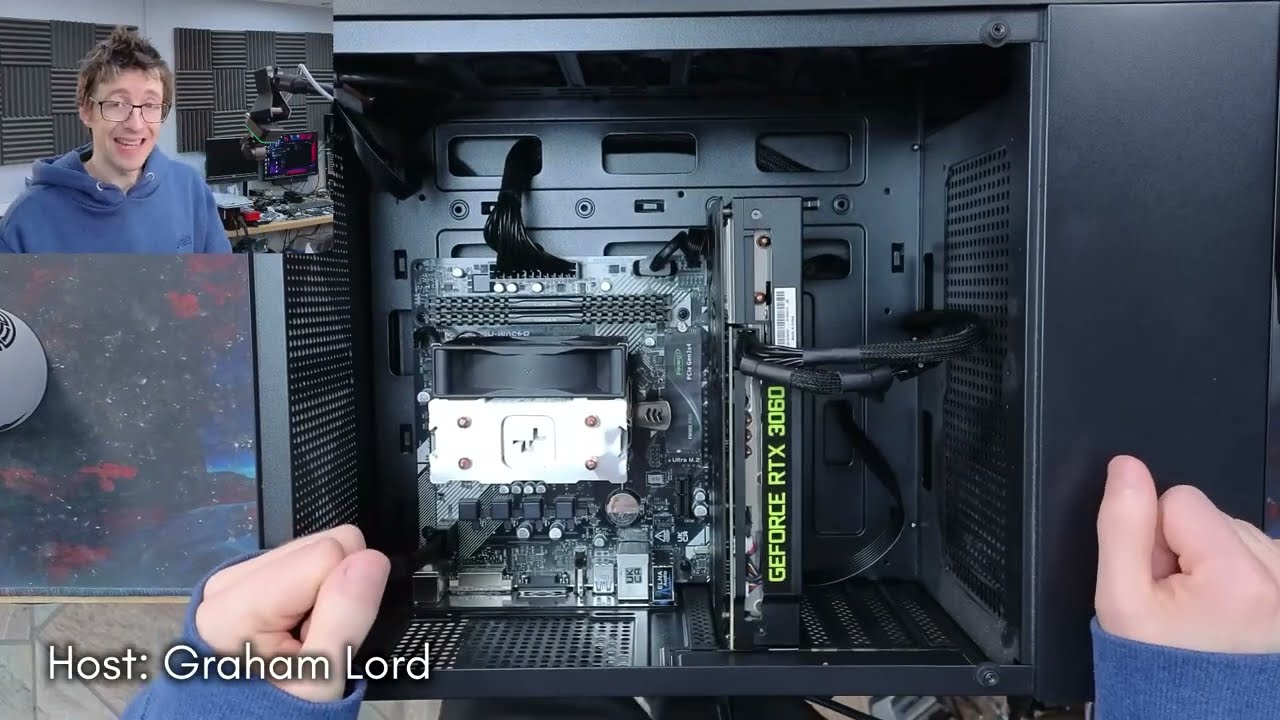
Hello interwebs. Welcome to Let's Fix Computers. Um, I've got a custom build here that has come in with a symptoms of no boot. Um, and so I've opened it up. This thing has I This thing has not been serviced since it was built. It's actually an old build that I did back in uh 2019, I think. It's got a Ryzen 3950X in it. Um, and it's got um just what was at the time a reconditioned um Radion RX570 in it. Graphics were not important for this thing. The customer at the time wanted big CPU compute and the 3950X was the most available high core count consumer CPU.
Um, so yeah, that was built. We've got an Arctic Liquid Freezer 2 on there. Um, and it looks like the customer has added in some extra USB and a parallel port on there. So, no idea what that stuff is used for, but presumably they need the extra connectivity. Um, however, yeah, by the looks of things, this thing hasn't had any love since it was built. So, I'm guessing we're probably going to have some kind of issues along those lines. But, let's turn it on and see what it does first. So, I've got the power plugged in.
Let's push the power button. So, we get lights, camera, action, and we've got some postcode LEDs there. Oh, that's cycling. All right. Okay. Well, that looks like it's booting to me, although it's taking its time considering it's got an NVME drive in there. To skip disc checking, press key. Um, uh, let's let that run. Right. I've just waited for this thing to get through to the desktop and opened up Task Manager. Let's have a look. And oh, all right. Well, our CPU is stuck at 550 MGHertz, so there's your problem. Um, the SSD is maxing out, but like this might um Yeah, clearly there's hardware problems with this.
CPU is stuck at 500 MHz. Let's drop into BIOS and see what's going on here, cuz something's not right. So, uh, I'm going to reboot and drop into the BIOS config. CPU over temperature error. Okay. Right. Well, that would explain why it's sitting at 500 MHz. I'm going to turn this thing off. Okay. So, our CPU is overheating. And yeah, I can feel there's a fair bit of warmth there. So, if our CPU is overheating when we were just booting up the computer, like we weren't even hitting it with a load, then there must be something wrong with the cooling, there is warmth.
Uh, we've got a hot tube and a cold tube here on the water cooling. That's a bad sign. Um, so with all-in-one coolers, generally speaking, like you would expect to have a hot tube and a cold tube because obviously you've got um you've got an in and an out and the um the input will be cold feed from the radiator and the output will be, you know, quote unquote hot water from the from the heat source. But the reality is the delta is actually usually very low uh almost imperceptible. If you can really tell the difference between the two hoses, that means the flow is bad.
Um, because water has too much thermal mass to go from cold to hot from such a small heat source. You know, this is the thing with with CPUs. The problem isn't the amount of heat they produce. The problem is extracting um heat from such a tiny concentrated area. you've got to size about 1 cm squared to get, you know, hundreds of watts of heat out of. That's what makes it difficult to cool a CPU. Um, so yeah, you shouldn't be able to tell the difference between these two. So, because there's actually warmth in this system, I don't think that this is a mounting issue.
Um, I think it's more likely that we've got a pump failure or something like that. So, I'm going to see if I can check for that. So, I'm going to drop into BIOS again, and I'm going to see if we get a pump readout from this. Um, any kind of speed sensing from the pump, which I don't think we will on this particular one. That green we're seeing, that's just the capture being weird. Let me see if I can fix that. Yeah. So, our CPU is sitting at 90° in BIOS. So, what I'm going to do now, I'm going to just quickly just tap the give these hoses just a little bit of abuse.
See if there's a blockage in there that frees up. Okay, nothing going on there. If this makes a difference, we'll see the temperature actually crash. So, if it works, the temperature will be going down by 10 or 15° a second kind of thing. Let's just try turning the computer. There is a hard drive in here, so I'm going to be a bit careful with turning it around. It's not responding to that in any meaningful way. 84. Oh, is it dropping? I don't think so. Again, when it drops, it'll drop by a lot. Yeah, to be honest, if just simply turning the computer around had fixed anything, I'd have expected it to come good just by virtue of the fact that it took a car journey here, which would have shaken things about.
Right. Have we got a We've got warm fluid in both tubes close to the CPU, but at the radiator, they're cold. I think there's just no liquid flow in this at all. Okay. Have we got any kind of speed reporting? monitor CPU fan speed. So that's reporting 1,700. What What is that? Is that these? I've just stalled the radiator fans. Yeah. Okay, that's the radiator fan speed. That doesn't tell me anything then. Okay, it's not going to be the VRM fan. No, nothing responded to that. Okay, I think the pump in this is shot or there's no fluid in there or both.
Okay, that's enough of that. Turn it off. All right, so it looks like this cooler is toast. Um, so yeah, no prizes there. I think the simple solution here is to take this out and just stick an air cooler on there. Um, at the time when this system was built, um, a putting a Liquid Freezer 2 onto, um, a 3950X was, um, pretty much the best move at the time. Uh, this was the king of liquid coolers. Um, and air cool, a decent high-end air cooler. Um, you're looking at stuff like a Noctua or a BU and they were just they were the same price as a liquid freezer, too.
So, you buy a liquid freezer, too. But these days, we have the miracle that is um, thermal, right? and we can put on a big boy air cooler for like £30. So, um yeah, I think what we're going to do, we're going to take the liquid freezer out, stick an air cooler in there, and just air cool this and it'll be fine. Um so, yeah. Uh and at the same time, we'll give this thing a good clean as well. You can see the dust on that. So, we'll uh give this thing a nice service. Uh so, let's get to work with removing this cooler first.
What I might do, um, I think I'm going to do a test fit of another cooler and just confirm that that actually solves all of our problems. So, let's rip this out. Um, do a test fit with an air cooler, make sure the problems disappear, and then we'll get to work just cleaning all of this dust out. Let's go. Thermal paste check. Yeah, that thermal paste was fine. We've got a um we've got a good spread there. There wasn't enormous amounts there and it's still tacky. So, uh yeah, the thermal paste was fine. There is a lot of heat in this block.
Um just still now. So, there was definitely heat going into the block. Um so, yeah, again, I'm 99% certain this is probably just a pump failure. Lot of gurgles from the rad there. Big air lock. I reckon this thing might have just dried out and run out of fluid. You know, it's the podcast tomorrow. I might do an autopsy on this. See if we can get it going again. Uh, groovy. Right. So, I'm going to take off this coal plate and then try and dump the fluid into the box. Yeah, there's some dungeon stuff in there.
We'll uh we'll have a a look see at that under the microscope just for tech gore. Oh, there's more than I expected. Delicious. All right, that's about half a mug. A mug is about 330 milliliters, maybe 300. Um, which is a standard can of Coke for for comparison. So that's like um 150 milliliters in there. About 150 mil. Taste test. No. That's a very satisfying noise it's making. Oh, there we go. That's done something. Yeah. And then just turn that again just to move that air bubble about. That's doing something. Leave tiny bubbles for heat expansion.
Yeah, we'll let a little bit out. I'm not going to cram it full. Oh, there we go. There we go. There's the air. There you go. Nice. Uh, right. Yeah, that was uh about 200 225 mil maybe. So, yeah, 225 mil. So, it was down to like maybe 50%. So yeah, it was it wasn't it wasn't empty, but it was yeah, it certainly lost it significant amount of fluid. That's going to be big enough to make a big enough air gap that it's not going to pump. So yeah, and then stick that guy back on.
That goes that way round. Hey, that just turned off again. Ho h What does that mean? Yeah, it's just cutting out. It's overheating. The cooler doesn't work. Maybe. Could be. Yeah. Um, yeah. Let's Let's try and smash it into BIOS because BIOS will give us a temperature reading. That's the fastest way cuz if we get into BIOS and we see it's at 70°, then the cooler isn't cooling. Yeah. So, yeah. Uh, in which case it's a pump So, yeah. Unfortunately, on these ones, you can't get to the pump RPM. It doesn't report it. Uh yeah, 81 degrees.
Yeah. Yeah, the pump's dead. You saying that? Uh top middle. The graph. Oh, there the CPU temperature. Yeah, sorry. Yeah, pump's dead. Oh, well. GG. I can hear already from the from the future that uh there's going to be folks in the comments going, "Oh, that's why I don't trust these things." And I have to admit, I have somewhat fallen out of love with uh all-in-one liquid coolers. Um I still use one in my main rig at home and I still like them because like from an aesthetic standpoint, they are amazing. like they are very high performance coolers and they look really good in a computer where you're trying to build a good show PC because you move all of the bulk, you know, all of the all of the finish, all of the big metal bulk gets moved out of the way to the side of the case somewhere.
You move it off of the motherboard and put it around the chassis somewhere else. Um, so you get a nice clear view of the inside of the computer, which is what I'm here for. I like looking at the insides of things. Um, however, yeah, it's undeniable that um they're not as reliable as air coolers. And as I mentioned, with Thermal Wright now making impossibly cheap higherformance air coolers, um it's a hard sell um to go for an all-in-one cooler now when um a when a large decent performing air cooler just costs so little. So, generally these days, um, I will always say go with an air cooler, unless you really want that all-in-one.
Like, if you legitimately have a top-end CPU and you just have an impossible amount of heat to dissipate, like 200 plus watts, then yeah, water cooling is kind of your only real option. Um, you need an absolute monster of an air cooler to stay on top of a 200 plus watt CPU. And like make no mistake, I think this um 3950X, this thing can this thing can probably pull 240 W, but I would be fairly confident that um uh one of the big guy air coolers that I use, something like the Peerless Assassin that I can see on the shelf over there, uh Thermalite Peerless Assassin, I think will keep up with this.
It's good for 180 W sustained, and I reckon it will quite happily manage 200 plus watts burst. Now, when you're fitting fans onto an air cooler like this, uh you can make the choice as to whether you're going to put your fans in a push or a pull configuration. Um and if my memory serves me, uh benchmarks show that a push configuration is slightly more performant. Um, mainly because in order for a pull configuration to be effective, you need a nice seal between the fan and the heat sink to make sure that the air is being pulled all the way through the heat sink.
Whereas in a push configuration, uh, it's just getting blown against the heat sink and it will just find a path through it anyway. Um, however, also, if my memory serves me, the difference is almost negligible. So unless you are absolutely number chasing, it really doesn't particularly matter. And I would generally just pick whichever configuration either A looks nicer or B fits your setup better. For example, if you've got tall memory modules or you've got memory modules that you don't want to hide, then we could move these fans into a pull configuration to shunt them over to the other side of the heat sinks.
In this computer though, aesthetics are not important and we're just looking for the most typical setup. So, there we go. Man, with all of this bulk in here, you can see why I like to have a water cooler because this just dominates everything. If you want a computer that looks pretty, a big air cooler that just blocks the view of everything. Yeah, I don't think it's unreasonable to appreciate the aesthetics of an all-in-one. However, you can't get simpler than a fan on a heat sink. I will concede that point. That's one new CPU cooler fitted up.
Let's fire this up and see if all of the problems this thing has have evaporated instead of the CPU evaporating. Oh, why did I say that? Why did I think that would be funny? All right. The greenness is a capture issue. I'm 99% sure of it. What's more important is that our CPU is now sitting at 50° in BIOS, which is much more healthy. Uh, our core voltage is a little bit spacey. I wouldn't be surprised if we're seeing a little bit of degradation at this point. Um, but that should be fine. Uh, okay. Right.
We've got DOCP enabled. No, it's okay. DCOCP is set up but not active cuz our memory is currently at 2666. So, um, ASUS boards will try and enforce DOCP as standard. That's the XMPP profile. Um, so this is probably going to try and apply this at the next reboot. That is fine. Cool. Right. Our CPU is looking a lot more healthy now. That's actually pumping out 4.2 GHz. Um, obviously we'd need to check a more precise measurement to see what the all core boost is and stuff like that, but it's not sitting at 550 MHz anymore.
bit worried about the SSD sitting at max. Um, that's generally not a good sign, but reading, it's doing a lot of read at the moment, so I think that's justified. I'm just going to leave this thing to settle for a bit. Uh, and then I'm going to grab um uh I'm going to grab hardware info and some benchmark tools and just check if this CPU cooler can actually manage this thing. I'm just setting up a bench environment here with just Cinebench and hardware info. And one of the things I've noticed is um you see how all these file names are in blue?
That means that um compression is enabled on this drive. Um compression is probably going to be murdering performance. Um I'll need to check in with the customer and just say to them, hey, is there a reason why you have compression enabled? Because you probably shouldn't. Um, that's probably one of the reasons why we've got such high disk activity. Um, it's, yeah, it is going to be saving them some drive space, but I've had a quick look in this PC and they're not short of space on this thing. So, I'll probably be advising them to turn that off.
We'll come back to this a bit later on, but I need to check with the customer to see if there's actually a reason why that's on first. Uh, okay. Right. So, yeah, we're getting some pretty spicy CPU temperatures here. Let's bash it over the head with Cinebench and see what we're actually getting. So, Cinebench is not the Cinebench is not a torture test, but it is a pretty consistent allcore load that is representative of real life allcore loads. Um, you can absolutely hit it harder than that. But yeah, even at Cinebench, we're hitting 95 C.
So, this isn't good enough really. Our package power is only 120 W and we're at 95 C. That's nonsense. Oh, looks like I've got a bad mount. Maybe that thermal paste was bad. Let us never speak of this again. But as things are, we're now seeing a package power of 135 pushing 137 watt. We've had we've had yeah had peaks of 136.7 there. So, we're getting more power out of the CPU now. And this is what I would expect from this chip. I have suspicion that we don't have precision boost overdrive on. And I am in two minds as to whether I'm going to switch that on.
What's our voltage going for at the moment? So yeah, our load voltage is like 1.18 something like that. That's fine. We've seen peaks of 1.48 and that's got me worried, but it's not requiring that for the all core load. So I think we could probably get away with sticking on precision boost overdrive. Uh so uh let's drop into um AMD overclocking. Oh, there's PBO, right? PBO. Let's set this to enabled. Let's save that and see what that takes us to. It was previously on auto and I'm not sure if that was enabled or not for this motherboard.
The problem with auto settings is that they never actually tell you what it was actually doing at the time. Yeah. See, with PBO, we we're now pumping 200 W. So, like we can get a lot more performance out of this, but that voltage is no bueno. That's a really difficult call to make and I'm not sure what the right answer is. The CPU is going way faster with PBO enabled, but um and yeah, it's pumping 1.3 under load now. That's fine, but that idle voltage at 1.5, it's just going to shred the chip. It's just going to shred the core.
I might do a BIOS update on this because um I did go looking for the curve optimizer uh because curve optimizer is another way of taking voltage out of the CPU um and that would be a much more graceful way of doing it. But I couldn't find a curve optimizer anywhere and I'm fairly certain this computer should have it. So it might just be that it wants a BIOS update. It's going to be on an ancient BIOS anyway, so that's probably worth doing. Right, I've got a flash drive loaded up with the latest BIOS, which is 3636.
Please back up your Bit Locker recovery keys. And off we go. One BIOS update later and I'm still not finding Curve Optimizer. Maybe I'm just going mad and it wasn't available on um Ryzen 3000 series, but I was pretty sure I was running curve optimizer on a 3800X at some point. But yeah, I don't know. I can't find it. Right, this thing is all cleaned up now. So, I've moved it over to one of my final testing benches. And after booting it up with PBO disabled, I noticed that it's still kind of juicing the idle core voltage.
So, it looks like that's not actually a PBO problem. So, I'm going to go ahead and turn PBO on. I have not done a lot of research into the issue of um older AMD CPUs juicing the core voltage. So, if anyone has any ideas on if there's anything that can be done to resolve this or whether it's just signs of the impending demise of the CPU, let me know. Also, in the meantime, I just spoke to the customer as well, and they don't have file compression turned on for any specific reason. So, I'm going to go ahead and disable file compression as well, which I think we can do just from right-clicking on the C drive.
There we go. And if we switch off compress this disc to save space, I'll just let that run through as well. apply to all. Filming the back half of this video was kind of a mess and I completely forgot to film an outro. So, uh, that's kind of it. We replaced the CPU cooler and that solved the problems that this computer had, which was just catastrophic overheating. Um, so I'm leaving it with PBO turned on. Um, and um, I have warned the customer that the CPU is showing what might be the early signs of degradation failure, but like it's not causing a problem yet.
Um, I told them a couple of things to look out for that will give them a clue as to if it is a problem. Namely, the computer will just be freezing. A real classic tell that you've got degra core degradation is when the computer freezes on the Windows loading spinner. That's an absolute classic for um AMD core degradation. So, I said, you know, if you start seeing that, the CPU is toast and we should replace it. Um, however, in the meantime, despite it juicing the uh core voltage at idle, it doesn't seem to be crashing and the computer doesn't seem to have any further problems.
So, I said take it away. See how you get on with it. So, that's all I got for you today. Thank you very much for watching everyone and I'll see you next time. Bye for now.
More from Adamant IT
Get daily recaps from
Adamant IT
AI-powered summaries delivered to your inbox. Save hours every week while staying fully informed.