The Terminal Live - Day 1 at Microsoft Build

Chapters16
Hosts introduce the live booth, in person and online viewing options, and the day two agenda.
GitHub’s The Terminal Live at Build shows how Copilot, the Copilot app, and the CLI fuse into a fluid, AI-powered dev workflow across Visual Studio, VS Code, and cloud agents.
Summary
GitHub’s James Monttoagno and Katie Savage kick off The Terminal Live at Microsoft Build with a lively tour of why developers should care about the combined power of Windows Terminal features, VS Code, the GitHub Copilot app, and the new MS Build tooling. They demo how live models and agents can connect your operating system, cloud, and code editors into one seamless workflow, not just talking about tools but showing them in action. Tim Rogers from GitHub takes the stage later to build a BART departure-board style app in Rust using GTFS real-time data, leveraging the Copilot app, the MCP framework, and cloud agents to scaffold, test, and iterate in parallel. The session dives into model selection (from GPT-5.5 to Gemini and Opus), rubber-duck cross-model reviews, and how to orchestrate work trees so multiple experiments run without stepping on each other. Visual Studio and the VS extension ecosystem get a spotlight from Mads Christensen, who demonstrates extending Visual Studio with Copilot CLI SDK-powered sessions, the VS Pets UX, and a live extension scaffold that adds a “Hello World” button. All along, the speakers emphasize real-world workflows: from wireframing, prototyping, and code reviews to building canvases that visualize agent-driven work and even local models for security-conscious teams. The keynote portions are balanced with demos of practical features—remote control, integrated terminals, browser tools, and cloud-agent orchestration—showing how developers can build and test faster, while keeping a handle on costs and architecture. The broadcast wraps with roadmap hints, breakouts on Aspire, MCP, and Visual Studio integration, and a reminder that Build is as much about practical application as it is about big announcements.
Key Takeaways
- GitHub Copilot app can parallelize work using Git work trees, enabling multiple experiments per repo without conflicts.
- The Microsoft Build CLI and Copilot integration enable building sessions, finding sessions, and scaffolding projects directly from the terminal.
- Rubber duck reviews draw on cross-model checks (e.g., GPT-5.5 with Claude, Gemini) to validate plans before execution.
- Canvas in the Copilot app provides a visual, shareable workspace to curate agent-driven workflows (like kanban- or design-board abstractions).
- Visual Studio gets AI-first extensions and a pipeline to run cloud and local models, with a focus on maintaining high-quality, verifiable code.
- Local and private model options are emphasized for security-conscious customers, while cloud models remain available for broader use.
- A full Build-focused suite includes Azure, MCP, and Aspire integration, with live demos of agent-driven pipelines across tools and platforms.
Who Is This For?
Essential viewing for developers exploring AI-assisted workflows across GitHub Copilot, the Copilot app, and Visual Studio, and for teams piloting MCP-powered automation in production.
Notable Quotes
"Heat. Heat. Welcome everyone to Microsoft Build. We are in the terminal live. "
—Opening line setting the event and energy.
"The story... to me it's not even about the announcements; it's the story how we use all these tools together for us as developers."
—James on the value of integrated toolchains.
"It’s all about options…it’s about having the right tool for the vibe you’re in, whether you’re in the CLI, the app, or VS Code."
—Tim Rogers on tooling flexibility.
"We have an entire way to scaffold out an MCP with the new MAI code one flash model inside the CLI and VS Code."
—Demo of new modeling/scaffolding capabilities.
"Rubber duck lets you get a second opinion from a different model to challenge the plan before you build it in code."
—Copilot rubber-duck feature explanation.
Questions This Video Answers
- How does GitHub Copilot app enable parallel work using git work trees?
- What is the value of Canvas in the Copilot app for coordinating AI agent workflows?
- Can I run local AI models inside Visual Studio and how does that compare to cloud-based models?
- How do rubber duck model reviews help validate complex AI plans before coding?
- What is GTFS real-time data and how was it used in the Terminal Live departure-board demo?
Microsoft BuildGitHub Copilot appCopilot CLI SDKMCPCanvases (Copilot app)Visual Studio extensionsGTFS real-timeBART departure-board demoRubber duck model reviewsLocal vs cloud AI models
Full Transcript
Heat. Heat. Hey, welcome everyone to Microsoft Build. We are in the terminal live. I am one of your hosts, James Monttoagno, and with me the one and only, Katie Savage. And we're here. If you're in the building, you can come find us in the center hall area and check us out as we're about to vibe coat some awesome stuff or online. Tune in. We're able to see all of your questions and comments. And throughout the day, we're going to have a bunch of folks vibing along with us. So stay tuned, come back, check in, see what we're building, and join us on this journey.
Yeah, it's really exciting. We have an entire sort of day lined up for day one and day two. We're streaming across the GitHub, YouTube, LinkedIn X, somewhere else too, all the places on the internet. We're going to be showing off all of the amazing Aentic developer tools and developer tools uh for Windows, for Terminal, for the GitHub app, for uh Visual Studio Code, for Visual Studio. We have like an amazing schedule. So, if you're there on YouTube, you can see the sort of agenda there. Or if you're here in person, you can see it on one of these magical walls and you can come watch.
you can hear us. It's going to be vibing and doing all sorts of good things. U but we just got done with the keynote and Katie amazing. I got to see the keynote about 15 times in the last two days. So I'm I'm like well keynote but it was fresh to me and I got to say I was a little at first I was like oh my gosh am I going to be overwhelmed because there were so many things happening but it felt really like everything flowed together supernaturally. We got some model action going on which was super cool.
What were some of the highlights for you James? the you know to me it's the story because you know here in developer relations and advocacy and talking to developers it's not just about one tool it's about how we use all these tools together right how they all work together for us as developers and that's from the operating system to the tools to the model to the cloud infrastructure and I think that's really what Satia Mustafa and every demo were kind of showing you know you saw live what I like about the to me it's not even sometimes about the announcements is the story right you see people using the terminal you see people using the intelligent terminal you see people using VS Code the GitHub co-pilot app right on github.com because that's how we work every single day so I think that I mean I think I'm most excited about the new models personally uh alongside the co-pilot app and things we're doing in terminal just windows I'm a Windows fan myself have always been I love it every single day so the the work that's being done there is just absolutely fantastic u but I I do have to say I'm really excited about the models you and I were talking about just Are these models built from the ground up that it can just be streamlined?
Totally. It was super cool to see and just to see the scale of how many there are. I feel like I kind of knew there was some buzzing about. I was like something is rumbling. There's going to be something happening. But seven was kind of a crazy bomb to me. Yeah. And you know for me and Hanselman and I talk about it, we both do podcasts. We can think about these models like streamlining our pipeline and Hansel and I are talking about some of the production that he has, right? He can go from an audio recording, he can drop that into a folder, have an agent pick it up, do a transcription for it.
He can then have another model create like a thumbnail for it and generate something for it. It can then have another model think about how do we take the transcript, turn it into show notes, and then have another model that's actually automating that pipeline. These models all together working seamlessly just across that one thing. I mean, we're not, you know, obviously out there doing, you know, a bunch of uh gene, you know, research with these biomes and all or butter research, butter research. I I will say the lands better uh demo is also one of my favorite thing.
I now understand hill climbing a lot better from understanding how these models are trained. Yeah, I think it's interesting to see these things in context. I know you were talking about you know not just the announcements but how you're applying them to uh you know your workflow for example. I really like seeing how other folks are like Land of Lakes, like Carnegie Melon I believe it was. I I do have to rewatch that one because we missed the last couple minutes of it. But uh it just goes to show like the practical application side of things.
I think we were sitting here a year ago when everything felt really fresh and new and there was a lot of wow factor to what can these models these things actually do almost like oneshotting things, but it's nice to kind of ground ourselves now and see what does this actually look like in the real world. 100%. Oh well, if you're on the stream live, let us know what your favorite thing from the keynote was. Drop in the chat. Katie will highlight it. We can see all of your comments coming in real time across all the different platforms.
So, let us know. It seems like LinkedIn is blowing up over there. Yeah, we definitely have some comments happening. Um, some folks are talking about the keynote. Uh, someone's asking, is the terminal live going to take place daily? So, it is throughout the day today and tomorrow. So, all throughout Microsoft Build in 60 and 90 minute chunks for the most part. That schedule will be in the description. Yes, we have, who do we have today? We have us. We're going to vibe. I'm going to show off some few cool things from the keynote and then we have we have Tim coming up next, Tim Rogers.
Him and I are going to be going through some um cloud agent stuff. It's going to be pretty interesting. But I think we do have experts focusing on one thing at a time, but they're really going to be bringing it all together. I don't think anyone's just focusing on one tool. Um we also have Cassidy, who you probably just saw in the keynote coming in with Andrea Griffiths. They're going to be really awesome together. Um, then we have Toby. Toby coming in. Wow. He's going to be talking about the GitHub Copilot app, the CLI, MCP, a whole bunch of good stuff.
And Mads Christensen joining Visual Studio 2026. A whole bunch of agentic work going on there, which is cool. And then also tomorrow, Beth is over here and she is um on the Aspire team. They're going to have David Fowler and Maddie Montquilla. We're going to be they're going to be vibing out some Aspire goodness tomorrow. Kayla's going to be in the booth showing up here. You also saw her in the keynote. We have some star power happening. All sorts of goodies. Well, do you want to show off a few things? I think we should. All right, let's head over to our desktop and see if this crazy setup works over there.
It's It's all here. It's all for you. I've made There's three button clicks. I wish we had like an overhead cam so you guys could see all the things that we have on this desk right here. Jot hooked it up. It's pretty sweet. Do you want to click it? Oh, yes, I do. All right. And we're gonna Sorry, I got too click. Boom. There's my desktop. It worked. We're still there. And we're in the bottom. There we have multiple cameras going on there, which is awesome. So, of course, you want to head to developer.microsoft.com. You're going to find all the stuff there, all the keynote, all the stuff.
Of course, build.microsoft.com. All the sessions. You can also be streaming a bunch of things. So, if you're just attending virtually, build.microsoft.com. Boom. You're good to go there. And of course, there's a blog, you'll see events, you'll see all sorts of things happening, change log, all sorts of good stuff. So, check that out there, too. Also, you can head over to the GitHub blog where you're going to see all sorts of cool things, too. A bunch of beginner series, but also the GitHub copilot app right there. Mario put out the release there, too. Uh, one thing I want to show off really quick is the Microsoft Build CLI.
So, this is really neat. It's on github.comicrosoft- CLI. It allows you to experience build directly from your terminal with the GitHub copilot CLI alongside the Microsoft build CLI together inside of here. And this is really neat because you can go in, it's built in the open, but allows you to do things like find sessions for me, tell me about certain sessions. And my favorite thing is it gives you some prompts. You just install this plugin and then what it does is you can ask it for like what build session should I attend or what's new at build for Cosmos DB or tell me about this specific session.
You can log notes. you can find um new sessions. So what I wanted to do is just bring up my terminal here and I'm running mic code one flash. Wow. Um new models dropping hot. Um and up here what I did is I'm in my uh feedback flow application which is a blazer front end Azure functions backend use Microsoft foundry and I said hey find me build 2026 sessions for this project that I should go to. And it it analyzed my project, read through everything here, understood, hey, I'm searching for this. It's looking for Azure Functions, looking for .NET, for OpenAI, for Aspire, for Blazer, for MCP.
Basically, anything that I'm using in this project, and it came back and it's like, hey, here are some sessions based on your project that you should go to. Oh, that's awesome. And this is not just like for folks in person. If you're virtual, you can definitely still use this and benefit from it and see like relevant content for you to check out online. I thought this was so cool. So, I figured what I'd do is I was interested in uh this one, building your own MCP server. Uh and it's like, you know, why like I like that this is like, well, why should I attend it, right?
Sometimes it's so hard to go through the bu, you know, the websites and there's a lot going on there. Yeah. Yeah. So, I'm was over here and um I'm going to go and I'm just going to send my um prompt here. I created a folder called LTG466, which is this one, the building your own MCP server. So I would say scaffold from LTG466 Microsoft build. And what this is going to do, it's going to analyze the folder. It's blank right now. And it's going to basically see what I should build based on based on that session.
Oh yeah. Uh, so it's going to try to understand that um, and do research on like Microsoft learn documentation on the Microsoft Build website and scaffold that out. So here it's going to say, you know, it's going to set some location for PowerShell here. Um, that's awesome. So it's doing the hard work for you of getting all of that information together so you can just kind of focus. It'll give you some ideas what to do. Yeah. And it's it's querying right now Microsoft build the event CLI. So, it's calling out to the the CLI that it's like going to go try to identify what to scaffold out.
And, you know, I'm really excited about the terminal because Kayla uh talked about a lot of the new intelligent terminal experimentation, but also a lot of the like Unix commands like GP coming and top she showed. And I think that's really cool for agents because if I'm working in WSL and I'm working in this uh thing, I have those things available. But if I'm just working in PowerShell, I want all the commands. She she showed a little little thing in there which was you know she did like dur she like printed a directory which is like very like Windows and then she did ls which is like the same thing she was using all the commands because again how do you code what do you want to do right and I think that's pretty cool option value it's all about options totally so here this is like figuring out it's looking at all my directories it's figuring out what I should do it's looking at you know GitHub projects it's looking and understanding what I should be doing.
So, I'm going to be We'll see. It's looking at samples, so this is kind of cool. And it looks like it's figuring out stuff. It's the first time I did, so we're going to see if it does it in general. Sweet, though. It's nice to have something like a little bit more interactive cuz like you said, I feel like the build website has a lot going on. It's great. It's comprehensive, but it's cool to have something like this. Yeah. And it's building a new project here. So, it's starting a new MCP project for me. It's adding the model context protocol.
You can see the commands that it's running here. So, it's scaffolding out this project for me automatically. Uh, which is pretty cool. Now, we're getting this right here. Like, it's gonna basically print out a bunch of stuff. So, now just like that, I was interested in something and now I'm going to have a whole working project. Just because I'm interested in that topic. Oh my gosh, that's so sick. So, pretty neat. So, it's going to write all these files and we can see those all happening at one time. And I'm using that brand new model, the MAI code one flash.
Uh, that's that's doing all that for us, which is really really cool. So, it's going to continue and it's going to start to build out those projects. And I'm just going to go ahead and yolo this. So, let's let it rip. Um, and that new model anyone can use today. Uh, I believe it's landed inside of the CLI and also in VS Code. So, I'm over here in VS Code. And, uh, I have, let me, uh, let's go ahead and hide my computer for one second. Let's go to the webcam. You can see our beautiful faces.
Okay. I feel good about this. So, let's go ahead and bring us back. All right, let's do it. Okay, I'm going to bring up the model picker. There we go. And there it is. Mi code on flat. I have a bunch of, you know, models, so I don't want to, you know, and there. So, there's it's right there. I'm not sure what tier and it was available what what tier it's on XYZ. Uh, personally, we I'd have to double check that, but it just landed. I literally as they were announcing it updated and opened and then boom, it was there.
Fresh fresh. And is that do we know if that's an auto as well yet or is it I think they're working on that. I believe I think it's an auto. So I'm going to do something over here is I'm going to mpm rundev this application uh tiny tool town and this is an app from that I collaborate on with Scott Hanselman all the time. So I'm running this app and what you saw is I did an npm rundev and I clicked the link and it just opened inside of VS Code. So this is the new integrated browser.
Oh, okay. Is this from our friend Justin? This is from Justin. Yeah, they've been iterating on this a whole bunch. Yeah, I think he's gonna be showing this off in some sessions as well. So, if you're interested in what's happening here Oh, nice. check out the session catalog. I'm going to double check and I'm going to see what my audio input is. Do I have input here? Let me go to my I'm going to make sure that I have the right audio input. Audio input. Yeah. Okay. Good. Perfect. Do. Okay. So, I'm going to go over here.
I'm going to say I'm going to attach. So, I can attach the browser to the agent so he can see it. So, I'm going to say I'm going to hit the little microphone button here. Okay. Hey, we'll see if it picks up. Oh, I have my audio muted there. Okay. Hey, can you hear me now? Let's see if it can hear me. I'm not sure what microphone it's picked up on. I didn't Oh, there we go. Okay, now perfect. It's It's listening. Okay, let's stop that. Okay, cool. Uh, let's go ahead and test the application.
I want to have you browse the town and then search for the tiny clips application and then browse the details for that and then give me a breakdown of what that looks like. Perfect. So, I'm going to send that off and that's going to go do that. Now, while that's kind of cooking here, it's it's going to have access to a bunch of tools. So, up here we have all these tools and the browser tool is here. So it can actually click around, navigate around. It can run playright scripts to do automations, any of your MCPs in here.
So it's going to understand this and I'm going to be kind of hands off the keyboard here and it's going to click around. You see, I didn't not clicking around. Yeah, it's clicking around. It's going to search. It's going to go ahead and enter text inside of here. If it needs to browse around, scroll around, it can go ahead and do that for us. But it's understanding what's on this page. This is really helpful when I'm building applications. Yeah, I want to see. I want it to test itself in real time. So, it's going to go ahead and try to do some typing here.
Yeah, that's super powerful. And for the folks asking in the chat, yes, this is being recorded. So, if you missed the first couple minutes, no worries. You'll be able to catch up. Exactly. You can go and do that. So, I just typed in clips here. And then, let's see. It's going to go and read some information, understand the page. I'm pretty zoomed in, so I might have to scroll around a little bit, but boom. It went to Tiny Clips, which is a little Mac application I build to record stuff. a little self-promo. It's free on the app store.
There you go. And I'm working with uh Clint and the team um on a bunch of cool uh things that I was doing in Tiny Clips to bring that back into Windows into Snipping Tool and into Power Toys and things like that, which is cool because I I I'm also do a lot of iOS and Android dev. So on iOS, I'm always on my Mac and I'm doing Windows and Android dev. I'm here on my PC. I'm doing web dev there as well. So this is cool. So now, for example, I could navigate back and then I could say, okay, this is really awesome.
Let's go ahead and uh create a new feature. What I want to have you do is uh have a nice little count up display somewhere in the header, maybe in the header and in the footer that counts up and does a cool animation for how many tools are actually in the town. Uh so when we land on the page, it shows that. So I'm going to send that off. That's how I That's how I work. I love the flow of being able to just speak with the agent. It feels much more natural to me and it's like quicker.
You can really get things done, send them out. Yeah. Watch this. I'm going to come over into the terminal over here. I'm going to go back into um here and let's go into um I'm going to go into I have an app called Meisner, which is a skiing app that I have uh where I live. And I'm just going to say co-pilot. And uh Kayla showed this uh which is voice inside the terminal now using a local model. yeah. So this is really really neat. So over here I can just hold down space. You can do slashvoice and you can look at models.
You can download models inside of here. Um and then we have different ones here. So I'm using Neotron speech over here. So that one's active and that one's going to stream in. So I can just hold this down. I could say hey this is looking pretty awesome. I would love to add on the weather page like a really fun snow theme kind of animation when they go to the page that kind of comes down, you know, but I only want to do that if the weather actually is showing snow for the day. So now, uh, this is going to go off and I can just boom, send it off.
Uh, just like we saw before using that voice. So no matter where I'm at, right? I'm so impressed by its ability to take the voice um input, parse it, and also understand the meaning because I think that's something I was always confused about in the early days of this technology because the way we talk obviously versus the way we write is so different. So the fact that these models are able to even parse through that I think is pretty impressive. It's super cool. And then you saw it said in the very beginning here that it's like connected to VS Code.
So, actually what's really neat about that is I have it open over here and when it needs to make files or show me diffs, it'll show me everything. And in fact, if you if you see here, the session shows up right here. Like it's wow, it's happening in real time, right? So, it's thinking I can follow up. I can do all this work here. And what's really neat is that while that's going, I could open another tab or I could just go into VS Code and I can actually use the C-pilot CLI down here. I have CLI and CLI local and I can have it do a work tree and work on something else.
So I could say um we'll do another voice task. Why not? While this spins up, hey, why don't we do like a really fun confetti uh on the announcements page uh when we have a new announcement and we could track that in the settings based on what was there before. So I can send this off. And what's neat is that I'm going to now delegate this onto a work tree uh which will be basically think of a work tree as a a copy in quotes of my code, but it's like a small shim in a way.
It's like a small reference. So it doesn't have to copy everything in the git database, but it's going to basically allow me to work on multiple branches of my code at the same time. Oh my gosh. What's the max? The uh infinite dis disc space. Disc space, Katie. Disc space. But you saw that, right? And I can select what different models I want. If I do a new chat here while that's cooking, I could also come down and I could delegate to the cloud. So I could say, um, wow, this looks amazing, but like I have a light theme and a dark theme, but I really want to have an Oregon theme.
So let's get crazy with it. You know what I mean? Because, you know, this is an app about skiing in Oregon. And boom. This is now going to delegate this work off to the GitHub uh uh coding agent in the cloud. So now these changes aren't happening on my machine. Yeah. Boom. Happening in the cloud. Oh my goodness. That's crazy. And it's cool to see that they're happening at the same time. And I know that there's other views where you can kind of see these in parallel happening. Mhm. You can see them all happening right here.
So I see snow animations, confetti happening. I can manage them. But Katie, you said the most important thing, which is agents. Agents. That's right. If you click on agents, that's going to open up the brand new agents window. That's going to open up all of my different agents across all of my workspaces at the same time. So here we can see that I have my Meisner app. I have the My Cadence app. I have Where's Tiny Tool Town? I have a bunch in here. Tiny Tool Town happening here. So I can see all of them happening in real time uh that I've been working on.
So all of those things are being picked up right here. Yeah. Across the different areas and I can pin them. You can see I've been pinning a bunch of them and we can see that things are kind of updating in real time and I kind of get those similar views. So if I go into the uh Meisner app, um there's a few in here. There's the Oregon theme that's kind of happening and it's spinning off and I can manage that agent at the same time and see it happen. But I could look at one that was here's the confetti effect for the announcements that I just kicked off.
Uh and I can see like changes that are happening in real time. I can mark them as done once they go. Um, I can change the files. I can do a bunch of stuff basically. Anything that I could do over there, I can do over here, too. Uh, which is super neat. Yeah, I feel like this is the key for me. Like, how does this visually appear? How can I work through all of these things at once and have one nice view of it instead of having to, you know, context switch back and forth between different tools.
Yeah. And here what's really nice is that you can merge, you can create pull requests. My favorite button is you can do a local code review. So if I kick this off, it's going to do a code review on the project and it's going to leave me feedback. What I love about this is I can actually go in and I can see like the diffs that it made and I can leave little comments here. I can say this is great. Um but and I can leave comments. So here for example I could say is snowing right?
It's just looking for is 32 degrees. So I could say, "Oh, actually um look at the uh at the weather report for more detailed uh info. Um else maybe do a you know cold uh co cold uh uh animation instead of snow. Now I can add this as feedback." And what's neat about this is like once I have feedback from myself and the code review agent or or any of them, I can then send it off and the agent will then work on the exact feedback that I have. Oh, so it brings together both your feedback, that feedback.
And where is that all happening? On my machine? Okay. Yeah. Obviously like the agents when I spin them out, I could be using a local model. So I could spin up like uh Foundry local or Ola or something like that. I can connect to to local models using my GPU and my NPU and my CPU processors here just like Kayla did. Yeah. Uh there. Um I don't have a fancy Ultra with me. My I do have an Ultra actually. It's at home though. Um and it's fantastic. It's really great. Um I do not have an RTX Spark, although I would really like one.
The dev box. One day. One day. One day. I'm a big desktop person. There's that. So this I can just snip that off or I can come back to it right here. Actually, this code review happened and look at this. It's like, hey, we're doing this. It's like looking at this. I can edit the comment. I can do the feedback, right? It kind of gets the loop. It kind of shrinks the loop down, which is really cool. And I can say yes or no what we want. And you know, Pierce Boen is like a big fan of all these things.
We're literally coding live right now, Pierce. So, we have that going on. So, it's all happening in real time. Okay. Wow. Things are happening. This is uh happening. This is scaffolding things out. We're exploring the weather page. We're scaffolding things out. We have this. Look at that. It built an entire MCP for us, which is rad. Weather page stuff for us. Have the MAI code one flash. I'm loving it so far. Um, we have the tiny tool town. Boom. This going to open this page. Now, it's going to test our features in real time that it's gone ahead and been implementing for us, right?
We have the header, the footer, and now it says tools in town 27 217 that put in the top up here. Maybe that's what I want. Maybe I don't. It's close. It's pretty cool. Um, and I could go ahead and follow those sessions up. But I could do the things, spin it off. This is a whirlwind tour. Am I talking too fast, Katie? No, I mean that's kind of what I was just thinking. Uh, not even the fact that it's a whirlwind tour, but just the amount of things that you can kick off uh simultaneously and really refocus.
Instead of just sitting and waiting for these things to happen, you can kind of pivot a little bit, get something else done, maybe, you know, fire off a task and go focus on a different project. It's really cool that you can, you know, have more autonomy over your time to manage these things as they're happening. Totally. And you literally just segueed so good for the Get Up Co-Pilot app. While all that's cooking, I can just chill with Mona here. And uh let's let's cook. Let's cook over here. I'm ready. Boop. Boop. I haven't seen this yet.
This is pretty fun. Oo. So, are those little powerups? Those are little power ups. Simona's cooking over here. And um yeah, I think this uh commit is a boost. There's bugs that I think I don't know if I have to avoid or if I need to squash, but I'm doing pretty good. I'm very excited about this. This is kind of dangerous though. I'm going to spend some time on that. Is back. Uh this is the GitHub Copilot app. It's available on Windows, Mac, PC, Linux, all the things. I guess PC and Linux are there. But yeah, you can just kind of cook here and let um this kind of happen.
But like how should I think about this compared to everything else that we've seen so far. So the reason I was kind of showing the CLI and the integrations back and forth with VS Code. Oh no. Um okay, that is bad. So when you're coming from VS Code and this kind of code first approach, the team worked really hard to make this agents first approach with the agents window. You're already used to your extensions, your setup, your ecosystem, right? being and hopping back and forth. You could see when I was here inside of the agents window, I could just open up your editor and it pop back in.
I can do whatever I want, right? Back and forth in general with that. So, that's really nice. Here, the GitHub copilot app, you can think of it as you don't actually have to have your code living on on GitHub at all. You could actually just go here and you can open a folder, for example. You can clone a GitHub repository, any repository. So, just like in VS Code, you can do anything. But the cool part here is that you can have all of your work. So everything coming in across here, a bunch of different things that are active going on here.
You can have automation. So agentic workflows that are doing issue triage, change log draft, so much more coming into this repo, repo auditing. You can search, do quick apps. You can think of it as, you know, I would say a what if we're the team was building something completely from scratch, right? and they were going in and they were you know thinking about how do we work with agents across these things. This is all leveraging the GitHub copilot CLI just like VS Code is able to at the agents window is able to obviously the CLI is there the same harness.
So how these things work together, but they streamline the process of really from start to finish of the entire sun of software development life cycle when working with agents on your GitHub repos, doing pull requests, triaging issues, pulling them all together and then also being able to do unique things um inside of it. So let's say I had tiny tool town here and I wanted to do the same thing. I could say, you know, we have tiny tool town, a new work tree, the branch that I'm working on. I'm going to say, let's add a fun Microsoft Build 2026 theme to the app and fire that off.
This now is going to go off. I could pick the model. I could do the same thing. It's just using auto firing this off. This is going to go create the work tree for me. It's going to go spin everything off for me. And I can still open it in my editor, in the terminal, in Visual Studio. I can have flyyous here for code changes, you kind of get this like similar experience um that you're maybe used to, but if you're a developer that or non-developer that maybe doesn't even have VS Code installed, right? You are living and breathing with these cloud agents in there, you're able to go off and then just have this one environment for your entire setup.
I think it's like use the right tool that matches your vibe. So, I use all of the tools, but I use them a little bit different. you know, this here is obviously now it's picking up 53 codec. It was in auto mode. I still have plan mode, autopilot mode, but the thing that um you know um that they showed off were these canvases. And I don't actually have any canvases here. I think there's a markdown editor, a browser, file explorer, but you can create a canvas. I don't know if we can do it. Let me see if I can create one.
Um yeah, somebody here is saying it's kind of like an agile project management. it it's kind of giving this cohesive view like you're saying, but I think it's also an interesting opportunity because in VS Code, Visual Studio, a lot of these tools were building upon what was already there to create the best AI first experience, whereas this uh GitHub copilot app, we were able to create it from day one, which is interesting. Yeah. Now, I'm not actually sure. I I'm still new to canvases, but what you can see here is that we're kicking off different flows here.
We're kicking off I could come over to my cycling app and I could say, "Hey, let's go ahead and add in um a history uh page updates for showing estimated uh distance." And after this, we actually are almost at wrap-up time. Oh my gosh. Yeah. So you kind of get this entire experience. We're going to go deep in the get a co-pilot app. So you're going to see a lot more of it uh as well, but this is actually going to go off. It's going to create like a whole canvas. A canvas you can think of is it's not your app, but it's a way that you can create a your own way of working with agents on your project.
So maybe like conbon board styles, maybe you want drag and drop. You can do all of this and it can scaffold these out automatically for you, which is really cool. So you can see these all sort of working in real time, but all of your work is integrated and the team's going to continue to iterate on it. But there's tons of stuff, right? So all sorts of stuff. You just go check it out. Head to developer.microsoft.com, build.microsoft.com, github.blog, all the places for all the things. There's so much happening. We want to, you know, take you all with us and make sure you're seeing all the greatest and all the best.
And this isn't the end. James and I are kind of at the end of our keynote wrap-up, but we have a lot more sessions today at the Terminal Live booth. So stay tuned. In 15 minutes, Tim Rogers is going to join us and we're going to be getting deep. It's going to be really awesome. This and so much more. All right. Keep it keep it here. We're going to mute ourselves and we're gonna All right. See you in 15. See you. Super. Heat. Hey. Hey. Hey. Heat. Hey, Heat. You know, Go. Heat. dinosaur. Heat. Heat.
N. All right, everybody. And we are back. We just did our keynote uh wrapup with James and myself. I'm one of your hosts, Katie Savage. But now we're gonna kick it into a new gear. I have Tim Rogers here and we're going to be getting into some fun San Francisco related projects. But first, Tim, do you want to introduce yourself? Sure. Thanks, Katie. Uh yeah, my name is Tim. I work on the um I'm a product manager working on Copilot at GitHub. So specifically I work on copilot cloud agent which is the agent that you can assign issues to and mention in comments on GitHub and use some GitHub mobile and all that kind of stuff.
I've been working at GitHub for about four years and before came to GitHub I spent a bunch of my career as a professional software developer building stuff but then went into the product side of things to be more on the kind of strategy and working with customers and things like that but still writing a lot of code and having agents write a lot of code for me as well. Tim is a total pro. We're super excited to have you in the Terminal Live booth with us today. Um, but before we get into anything else, Tim, what are you thinking of building today?
Yeah, so we're we're here in in San Francisco for build, you know, right by the Golden Gate Bridge, which is super beautiful, although the weather's a bit gray and and London vioom. Yeah, it's not it's not the nicest, most wonderful day, but it's still it's still really nice to be here. Um, I'm actually planning to move to San Francisco from London in a couple of months. And being a European, I love public transit. And you know, that's how I expect to get around the city. So, what I'm going to kind of play around with building today is a departure board in my terminal for one of the train systems here called BART or Bay Area Rapid Transit.
So, so before once I once I've moved here, before I leave my house, I want to be able to see when the train's going to leave so I can get right on that train and and get to work or wherever I'm going. Okay. I'll bring up your um machine and no Bart slander. We love Bart here, but I think it could use some help a little here and there. So, I'm super excited to have Tim on board to get it going. Let's jump in. So, I did a bunch of digging on this over the weekend and it turns out that Bart have a have an API for getting data on on departures and what's coming up, which is great because we're going to need that live data to be able to build something like this.
That API uses a standard called GTFS real time. Honestly, I have like basically no idea about what that is or how it works. But I'm pretty sure that I'm going to find that Copilot does know a lot about that. So, I was hoping you would know cuz I have no idea. I think we're going to be okay. You know, maybe we're maybe maybe this is going to end really abruptly because I'm going to like ask Copilot like what's GTFSRT and it's be like, I don't know, like you tell me. And then then we're going to be in a bad pickle.
I'm sure I'm sure it's going to be fine. I'm sure Copilot's going to know what to do. So yeah, we've got this we've got this this API that uses a standard called GTFSRT which is just like an open standard for transit APIs and B the Bay Area rapid transit system also publish like a a zip file which contains data about the stations things like that that we're going to need as well to build this. So, I'm going to try to use a bunch of different copilot products for this today to kind of bring together different things, but going to get started in the GitHub copilot app, which we've been talking about a bunch over the past few weeks, including at build today.
What the copilot app is ultimately, if you've been using the C-pilot CLI for the past couple of months, it's that same agent and all that all the power that has all the models, support the MCP, support the skills, support the plugins, all those kind of things. takes all of that stuff, but brings it into a different more kind of visual interface for working and it also has some really nice stuff to connect in with GitHub as well. So, it's got a UI where you can see all your pull requests, you can see all your issues, all those kind of things, which is which is really nice.
You can kind of bridge from those into agents really easily. Is this your typical starting point these days or do you kind of switch it around based on what you're doing? Yeah, kind of switching around based on what I'm doing. Um, I I more than more often than not just kind of start with a prompt, but it's really nice to be able to jump into call request and then go through the app to kind of fix builds, those kind of things. And we'll we'll look at that a bit later. But as you see on the lefth hand side of the app, it's got a list of my projects.
It's kind of the the foundation. And then I can start chats in those projects, which are ultimately just like, you know, threads or sessions with co-pilot. One thing the app does really well, and we'll see that a bit later on, is that it makes it easy to parallelize work on the same project. So instead of relying on like one one folder, one branch and having maybe 10 agents trying to work on at the same time, we have this work trees thing which is part of git but it allows us to have one repository but have multiple branches being worked on in parallel.
And that's really good if you want to like try different bunch of different experiments, build a bunch of different features, do different things at the same time, experiment, all those kind of things. It feels lower stakes. you can kind of split up a task into multiple smaller chunks, test them out, and then see, well, how did it actually do and see where you're going to actually bring it in. Yeah. And I really love that. And another thing that's really cool in the app as well is that we've got this quick chats feature. So, as well as kind of working in the context of a project, which is what I'm doing most of the time, like sometimes I'll just have a random question or a random idea I want to explore.
It's not really related to one of my repos, but I still I still find this this interface, this agent a great place to do that. and I can quickly spin up that thread. Have a conversation, do stuff, move on. But let's jump in and start and start building this app. So, I've already created the repository on my machine and I've added it to the copilot app. So, I just do that using this like add button. I can import a repository from GitHub, take a take a folder on my computer and I've already done that. So, I've got this botboard section, click the add button and then I just get a nice prompt input to get started on my project.
I get all the stuff that I'm kind of used to from the C-pilot CLI or from VS Code. So, I can choose what mode do I want to work in. Do I want to be in interactive mode, plan mode, autopilot? I'm going to stick with interactive for now. I can pick my model and choose what I want to use. I'm probably going to flip around models a bit today, but I'm going to get started, I think, playing with GPT 5.5. Um I one of the things I love about co-pilot is that I can try so many different models and I can you know one day be playing with one thing the next day be playing with something different.
That's super fun. I really like that. So I I try to experiment whenever a new model comes out I want to try and you know I guess I'm developing my own like intuition of how and when I want to use different models. Totally. We get so many questions about that like which model should I be using for what task. So as you're going and switching any insights you have about why you like a certain one is going to be super helpful I think. Yeah definitely. So let's get started with GPC 5.5. I want to build this I you know over the past few years I've been writing a lot of Rust.
That's what I'm going to use today. And I I say kind of writing in the loosest sense in a way because today I'm very of the code that I write at work or for fun is code where I'm like literally typing out the lines of code. Like to me now it's I love the fact that it's just so much more about the ideas. is like I can focus much more on like what do I want to build rather than being, you know, so deep in every detail. Sometimes I want to be in the details and I can choose to be, but I have the freedom to choose like do I want to be at the like 50,000 foot view or do I want to be really zoomed in and I can kind of flip between those things.
And especially a for fun kind of project from the beginning like this, it's nice to get a little bit more conceptual and not get bogged down in the details of it. Yeah, definitely totally agree. Like when I'm working on stuff for GitHub, like I'm going to be much more involved in the code usually. Like I I want to I want to build something that's going to have really great longevity that other people are going to be able to understand. Whereas if I'm just building a personal project, like I'm totally fine for it to be very vibes based based on like do I like it?
Does it look good at the end? Does it do the thing that I want it to do? Rather than is every every detail great. So let's get started. I'm going to go and get this URL and I'm just going to put in a simple prompt. So I'm going to say um I want to build a B departure board CLI in Rust B have a GTFSRT pretending I know what that is when I don't but I'm going to use the right language API confidence is key departure information at Here we go. Can you get that built for me?
Well, at least get started. Let's send that off and and get Copilot to work. One thing I really love these days, and this is just one of my personal tips and that's changed my workflow in the past few weeks, is getting voice set up on my computer. I'm actually doing very little typing now, and I'm very often just like using an app to prompt using my voice. Totally. James was just showing that off before. I feel like it's such a game changer because the speed at which I can talk is obviously much faster than I can type, but it's cool to just get something out of my brain without worrying about it being super clear the first time.
Yeah, I think that's the powerful thing about it is that it just changes the mindset. Like when you're typing, you feel so much pressure to like, you know, you saw me write that prompt there. There's so much pressure to like even if you're talking to an agent, you still feel like you need to like type properly and like clarity of ideas, all these things. It's kind of nice just to be able to like word vomit your thing into a box somewhere and like these agents can deal with that and I'm doing that for like working with agents also using it for typing you know Slack and Teams messages and stuff like that you know I guess I can type pretty fast and I used to think of myself as someone that wasn't like limited by typing speed but as soon as I started doing this dictation thing I kind of realized like actually I could go so much faster if I could just use my voice and now I can.
It's a game changer. I mean, once you can drive, going back to biking to work is is a harder switch for sure. This is getting started now. Starting to figure it things out. Um, initializing the project, working out what dependencies to use, that kind of stuff. Be interesting to see what happens. It's always fun with these things. Like, I'm not going to lie, like before doing this, I've done a bit of testing of this idea just to like make sure that I can get to something like half reasonable. I haven't gone super deep and I haven't spent hours and hours on it, but I've done it a little bit before.
It's fun though to see like actually this time the with this model the agent's taking quite a different approach to last time I did this. So really this time it's choosing to use a like available package called GTFS real time which is like a package design for these kind of APIs. Last time I did this it decided to just like roll all that stuff itself like it didn't use a package off the shelf. Maybe it was same with like it was like I got this. Yeah. It's like it's probably going to be fine. Like this is easy.
Like I can do it in my sleep like I don't need a package. But this time it's going down the package route and honestly that that feels a bit better but because of the vibe coding vibe like last time I was like yeah go ahead like whatever you want you can do it your way. I don't know. Um so but this feels legit. And are you using a different model this time around? Yeah I think last time I used maybe sonet 46 if I remember correctly. So could be something to do with maybe like the trading windows for those models as well.
Like GPT 5.5 is a bit newer. We might find that it's got more recent data and maybe this package is a bit more new. Um or maybe it's just a random difference. It's quite likely that I could promp the same model five times and get different results and it might just like take a different direction. So completely yeah working through it. Um it's taking a little while to get things off the ground, but I'm sure we're going to I'm sure we're going to get there before too long. Um yeah, still installing the package, getting everything installed.
There's some extra fun stuff it has to do here because it has to like go and grab the I mentioned there's like a zip file with the data on the station. It has to go and grab that. Has to like bundle that into the app. all those kind of things. Yeah, it's setting us up for success here. And in your initial prompt, you kind of just had to, you know, have at it. It seemed like I didn't give it much guidance. I didn't go down the plan mode route either, which I do do sometimes. Like sometime like again, it's in some ways it's like more of a kind of work versus side project mindset for me maybe.
Like totally when I'm doing something for work, I'll probably I'll generally be a bit more structured and start with a clearer plan and unsurprising like a clearer set of requirements. Whereas building something like this, it's much more just about like having fun and like I've got the time to iterate and I'm just happy for it to like come up with something and see where we get to and then iterate from there. That's easier to do in a brand new project that you're starting from scratch where it's like you're not going to mess something up or confuse something.
Have you noticed like is this this is probably a very case by case question but you know with the advent of these new tools is the amount of time that you're spending planning a project versus actually executing upon what you're trying to do has that grown or is it less or is it kind of the same? Yeah, it's interesting. I feel like that hasn't changed that much. Like I think the if anything like I think there's different theories on this, right? Like some people go down this argument of like we want to focus on planning everything up front because we can like we can now execute on that plan really easy once we've got a clear plan.
Honestly though I kind of tend more towards just like not not thinking too much up front honestly and just like relying on iteration and the speed of being able to change things. like planning is more valuable like I would argue I guess that like planning is more valuable when building stuff is expensive because it's like I guess the measure measure measure twice cut once mentality like completely whereas actually with the agents that we have today it's become so cheap and so easy to build things that in a way you need to plan less and you can afford to just like try to get something and then iterate from there rather than try to like figure out all the details up front.
Yeah, I'm interested to see how that changes over time as well um with these these new models. Yeah, this is following the the path that I was expecting. So, it's it's realized that like you've got these weird stop IDs of the stations and it needs to get this file that's got the mappings of like the station names to those IDs. So, it's it's going down the right approach. It went on to the B website. It's like downloaded the zip file with the data. So, it's working through it. I think we're going to get to something that that works initially pretty soon.
Again, it's always it's been fun to see the different variations in the output that you get here. Like I tried this I tried a prompt like this a couple of times. One time I got like a really beautiful really cool CLI the first time and the other time I got something that was just like very basic and very bare bones. So obviously like I can prompt my way to the thing that I want. That's not a problem. But it's just again really interesting to see like what it comes up with. And it's honestly the one where it did really well did like much better than I would have thought of myself really.
It's kind of fun when like the creativity of these models just like comes up with something really really good. And I guess that's kind of where I guess where the planning phase would come in um of defining that a bit so you have a clearer sense of where you're headed. But I think it's fun to just let it let it go. Um we do have a question from uh YouTube. Someone's asking, "Is there an option to configure custom agents in the app?" Yeah, it's a good question. I I from my understanding, we don't actually have custom agents in here at the moment.
That's that's my belief, but I could be wrong about that. Um, this is showing up as a prompt. Let's go let's go and find out while Copilot is working on this. So, yeah, we can have a little search about Yeah, let me So, if I go to my copilot directory, which is where we store like the local agents and stuff, then I've got an agents directory in here. I've got two agents in here at the moment. So, let's see if they're showing up at the app. I've got my data analysis agent and my reflection feedback agent.
Let me have a look if they're in the skills directory as well. No. So, let's see if the reflection feedback shows up. Yeah, it's not there. That's a good question. Like, I I I definitely want to look into that. Um, obviously, we've got custom agents on the CLI and under the hood, the app is kind of powered by the same foundations, the same agent as the CLI, but we don't have the custom agents here at the moment. So, I'll go back with that one soon, I'm sure. Yeah, we've been working really hard and really fast on this app and just like iterating super super quickly.
And I think we just haven't quite got that part in yet, but I'm sure it's not going to be it's not going to be far away. Certainly. I mean, I think there is a a degree of parody that we're trying to achieve between the two. Um, but obviously quite different experiences and probably targeted at different, you know, folks and different scenarios as well. I wonder though, my guess is what you might find is that maybe the sub agents actually are available. Let's try this. So, do you have access to a reflection using the quick chat?
Yeah, using the quick chat and I'm going to use GPC 5.3 codeex this time. Um, I actually really really like that model. It's not a, you know, super trendy one because it's kind of old now. The funny thing in this world is like when we're talking about AI, kind of old is like it's two months old. Yeah, exactly. In the old days that would have been like two years ago was old. Now it's like two months is old. Um, I actually really like it as a model though. Like it's it's super smart and it's definitely on the cheaper side compared to some of the recent models.
So, you're going to get more value for your tokens. I think a lot of the time you're going to spend less of your credit and you can still get really good results, which I think is super important these days. I mean, I I heard a similar thing yesterday in an AMA where they were saying, you know, someone will say, "Oh, you know, I'm all in on this model right now." And then the second the new one comes out, they're like, I haven't used that one ever since. Friendship over. Yeah. We broke up. I don't need you anymore.
Yeah. Yeah. It's It moves so quickly. But yeah, that's one of my recommendations and tips actually is like if you're if you're always using the kind of latest fanciest models, like that's great, but if you're trying to kind of get more bang for your buck and like use your use your credits more effectively, then it's going to be a bit better to think a bit about what models you want to use. You know, in the model picker, we've got different categories. You know, we've got the versatile category, the powerful category, the lightweight category, and we have auto as well.
And auto as well. Yeah, auto is really great because it kind of picks a model for you based on the prompt that you put in and also based on like kind of system availability, error rates, like latency, those kind of things. So, it helps to make sure that you're going to have a good experience and you're going to use like the right model rather than always using the fanciest one. From what I've heard, for the majority of tasks, that makes sense, especially if you're, you know, trying to be costefficient. Um, but there's probably a few where it's like, hey, I know this model is the one for me for this particular task.
So yeah, on that on that custom agents question, it looks like the answer is like actually it does have access to custom agents. So this is a custom agent that I had and it's it's able to use it. What we don't have is a UI for switching between them though. So it can choose to use that custom agent or you could put in the prompt like use the reflection feedback agent to do XY Z, but you don't have that like easy switcher like you don't have the slash agent that you have in the CLI right now.
But I'm sure we're going to add that really really soon. Yeah. So let's go across to this project here. And we've got like a it says that we've got a basic version here. Now, one of the things I really like in the copilot app as well is that it has an integrated terminal and an integrated browser. So, I don't have to like switch between windows and do all that kind of faffing about like I can do everything from here. And it's even given me the commands to run. So, this command's going to get me the departures from a station here called Embaradero.
So, let's put that in and see what happens. That's near where we are actually right now. Yeah. Just go around the coast from here. So this is actually looking pretty good as a starting point. Like it's got the data. This looks kind of sane. We can see there's a train going now. There's a train in a couple of minutes. So this is basically working now. But obviously what we've got here is like the simplest, least fancy, least nice option. Like it works. It gets the job done, but it's boring. But you know, we're here. We've got a bit of time.
So we can try to make this a bit more fun and exciting. So, one of the things that I really wanted to do here is that actually the the B depart departure boards are actually quite kind of cool and stylized like this orange and black vibe and I want to get that into my into my TUI because I think that's going to you know bring me a bit of joy every day when I use this. So, let's let's try moving towards that. Um, and I'm just going to compil to do that for me. So, can you style this as a full screen terminal application and use the iconic orange and black colors like the real life?
You could even add a picture of it if you wanted to. Let's do it. Let's see what happens. To our discussion earlier about sometimes it's hard to get the words out right. You can just Plop in a picture. Exactly like this. This is the one. Send it over. It's going to be so legit. And I'm not the first person to do something like this. It looks like someone's built like a cool hardware project here in one of these boards. That's quite nice. Mine's not going to be quite that cool. But I still do love like a terminal application.
It's going to be as cool as it can be in an hour. So, let's see where it gets to. Um, I'm really loving building these kind of things with agents. Like I feel like I've always been someone who had a lot of side projects, like building lots of random fun things, but in the past it felt like you had to invest so much time to build these things. Like a relatively simple thing, you could easily spend like a whole weekend just getting something to work. It's just like crazy today that you could like make that thing that would have taken you probably a whole weekend in genuinely like 10 minutes or something.
Totally. I mean, it's like the time from getting an idea in your head to just an MVP that I think is so powerful. I mean, you know, whether or not you're on board with the vibing mentality, I just think that's a cool ability to have to say like, I have this idea, I don't have time to work on it. Let me send it off to the agent and just have it take a crack at it at least. Yeah. And I think as developers, that's a big thing in a way is like having those different modes.
Like maybe that kind of vibe coding mindset isn't right for everything you're doing, but if you're building a prototype, even if that's a prototype for work, yeah, that's really valuable to be able to get to something really really quickly and see it like is that the thing you're going to push to production and use with like millions of customers? Maybe not. But yeah, it helps you to figure out whether this is a good idea, like to figure out the design, to figure out what you need. And it's a really cheap way of doing that rather than spending a week or two weeks or whatever on the on the prototype.
And as a product person as well, like it's nice, you know, I'm I'm no engineer. I'm not, you know, in it every single day, but for even someone like me to be able to create that MVP and say, "Hey, here's what I'm thinking." And show that off. And that's something I could then hand off to a real engineer to have them. Something we're seeing a lot like in on the GitHub team and on the like VS Code teams and things like that is like unlocking more people to be able to build prototypes and share ideas like and in design as well.
I've seen quite a few designers really take up the technology which is cool to see. Yeah, it's really really cool. Like you know there's that like a picture is worth a thousand words thing and like agents mean that anyone can build these prototypes and it's not just a picture like it's actually a thing that you can use and play with and kind of get a sense of the the user experience as well and that's that's really really cool. Totally. And to your point there's obviously a level of expertise and and knowledge of security needed to make sure that these things make it into product successfully.
um we're not just going to vibe something and send it off, but yeah, it's cool to just get that first step. Yeah, I think it's just that mentality thing like we're at the kind of prototyping stage. It's really really great like we can lean into like live coding mindset for stuff we're deploying to production every day on on GitHub. Like we're not doing that. Like we still have, you know, rigorous code review supported by co-pilot code review, but human code review as well. And we're still like taking those details really really seriously, but we still find that agents help us to do things above the ground.
Yeah. So, I think we're going to have a new version here. Let's see how it's going. There we go. That's a bit better. We've got a full screen app now, which is quite cool. Um, it got creative with the colors. Yeah, it got it got creative with the colors. I think I'd rather have like a more like real black. So, I get to move back towards that. But, we've got the orange now. We've got some bold fonts, which is pretty cool. I like these timings as well. That's quite nice. That's like the actual departure boards in the stations.
Like, there's like a couple of times together. It's pretty cool. So, let's I'm going to interrupt now because it's doing some boring stuff, you know? Yeah, we're over it. I'm over it. Like, I don't need that detail. I think changing the color here is going to be pretty easy. So, I'm going to switch to a kind of lower lower end model for that. So, I'm going to go and use one of our lightweight models. I'm going to use GPC 54 mini. I'm going to switch into that. I'm going to say, can you change the background to be fully blank?
And I'm pretty sure that's going to be an easy one. I'm just going to come back with a with an answer quickly. Um, I'm actually finding, you know, we've got this big range of different models of different tiers. Like these mini models are obviously smaller, much much cheaper, much faster as well, which is great when you're doing these kind of demos. Like actually, when I'm working with customers and doing demos and stuff, I very often switch to these models because you just see things happen much more quickly. And you know, in a demo, it's kind of boring sometimes have to do it all the time.
See, think it's already got it. So, let's run it again. It thought it had got it, but it doesn't look like it got maybe it's something to do with the theme of this terminal. Let me switch over to my other window and see if it might be that. So, let's go to the directory. I think this is the right one. Yeah, there we go. Okay, there we go. It's just saying to the terminal skyling in the GitHub app. Don't know exactly how that works, but you know, but we figured it out. So, this is a kind of basic version we've got here.
Now, one thing that kind of jumps out to me is that it only refreshes every 30 seconds, which seems kind of lame. Like, I'd like to be able to press a button to refresh. So, let's go ahead and try to add that. I'm going to try to trust in GPC 5 formula. Let it let it have a go. Maybe it's not going to be able to do it. We can give it a go. Let's Let's try. So, can you make it I feel like we're treating it like a a child. We're like, we'll just give it some a chance.
Yeah, I know. Like even like it's it's kind of funny, right? Because GPC 5.4 for I don't know the exact data but it's as good probably as the best models that we had a year ago or two years ago. So it's just funny how the like base level is going up over time and now expectations as well. Now we look at the model like six months ago and we're like oh that's so old and rubbish. It's yeah we our expectations are changing. Think about where we started. Uh we do have a good question that's a bit general but I'd like to contextualize it to you and your experience.
Um, so someone is asking how do I choose the right tool to use the GitHub copilot CLI or the app. Um, and I just wanted to ask you how you are using them and how you think about when to use which one. Yeah, that makes sense. Um, I this is probably like the number one most common question that I get asked honestly is is like how should I decide which of these agents for use? And honestly, the answer I would give is like try them and just see what feels right for you. The kind of magic thing here is that all these tools are like using the same agent underneath.
Like we have we have one kind of shared agent implementation now that we're using across a bunch of these different things. What we call like the the runtime or the harness and effectively like the CLI or the app are just like wrappers around that like different interfaces for using it. So really it's like whatever you choose you still get the same models, you get the same like MCP support, the same skills, the same intelligence. It's just really like a matter of what you enjoy using. And I've been on a real journey personally which of these tools that I use.
So nine months ago I was all about VS Code. Then I like when the CLI came out I really switched to that and went heavily on that because I found that for the kind of work that I do I find like I still review the code a lot of the time but I find the mindset helpful of like reviewing the code at the end rather than like reviewing it every step. like it helps me to kind of disconnect and like focus on getting this like getting the functionality that I want first and then making the code good.
Whereas when you're in an editor, you always feel like there's the kind of pressure to do both at the same time and you kind of always like it helps me to get to the thing I want to get to faster. And then once it works then I can decide like how much do I want to polish this like how deep do I want to go on review and making changes. So that's what kind of drew me to the CLI was like taking me away from the code in a way and encouraging me to think more about like does it work think more about the concept.
Yeah. And then over the past few over the past month or so I've really then like switched on from there to the app. And the drive for that for me is like I just find it much easier to parallelize work in the app. My way of working has totally changed with AI. Like I used to like everyone be doing like one thing at a time and now very often I've got five or six agents running at the same time doing different things. I could do that in the terminal just by like having having different terminal tabs but I find the interface in the app just makes it easier to do that.
Just stuff like you know having these trees with different repos so I can easily find stuff that I was working on. You get a little badge in the UI as well like when it's waiting for your input so you can kind of easily know where you need to be. Yeah. get like little sound notifications as well to pull you in at the right time that stuff is really really helpful. So my advice honestly would be whatever you choose, you're getting the same great agent, you're getting the models, you're getting the skills, you're getting the MCP servers.
So it's really about like what's your style of working and what do you like? Try them, see what you think, and don't let anyone tell you like you're not cool if you don't use the CLI. Like use the thing that you enjoy using that works for you and helps you to be helps you to be productive and have fun is what I would say. Totally. I mean, our teams are putting so much effort and energy into all the these tools to make the experience as good as possible. To Tim's point, I think there's a preference side to it.
There's a context side, dare I say, like are you thinking um big ideas first or do you really want to get in to your editor as quickly as possible? Um and also task and like do you want to see all of your workflows in one place? How are you actually working? Yeah. So, we added our refresh button now, which I think is working, although it's not very easy to tell if it is to be honest, which is unfortunate. Let's close this again and open it up. It says it's going to refresh every 30 seconds, which is nice, but I'd like that to countd down.
So, at least I know when it's going to refresh. So, let's do that as well. So, can you add a countdown at the bottom to the next refresh, replace because otherwise it's like, well, when is Yeah, when is that actually happening? That's like when you go to a shop and it says, be back in 10 minutes. I'm like, well, and especially now like when I'm just building this, like I don't 100% trust it. Like maybe it's working, but I want to make sure. So, let's see how it does. I'm sticking with 54 mini. Giving this a good bit of exercise.
This is actually quite a good experience. Like I don't tend to spend this long using the mini models. It's nice to see like actually it seems to be doing a pretty good job. Like this is obviously not a complex application. Like it's brand new. It's very small. But I'm often surprised like I've sometimes been guilty of getting into that like you know intelligence maxing mindset where it's like I'm always going to use Opus 4.8 or whatever and I just get like indexed on one model. I'm just going to use that all the time. But it's a good reminder doing these kind of things that actually there are a bunch of other things that I can use.
I can like pick the model based on what I'm doing. And like I want to use use my use my credits effectively and not just like burn like if I'm asking a simple question or building something really simple, I don't need the fanciest most complex model. I can choose to use something that's going to be cheaper but also much faster usually. Like we saw that here like when we were building this in the beginning like that first turn that I did with GBC 5.5 was actually quite long. like it took a bunch of time. You know, we were sitting here chatting for a couple of minutes, whereas these turns are taking like five or 10 seconds each time.
They're much quicker because we're using a much smaller, simpler model that can Exactly. faster. Okay, we've got our ticker now. It's refreshing. Happening. It's really nice. And I'm going to press R. Wait for it. We're going to see what happens. Does it work? All right. Fingers crossed. So, I pressed R and it reset and it refreshed. That's looking good. So, we've got something pretty good here. Um, this is quite nice. I'm liking it. One thing that I don't like about it though is like Oh, that's interesting. What's it using? So, this is this is currently filtered to all stations, interestingly, which is maybe not super super helpful.
So, and I think we had a feature in here to set it to a specific station. Ah, so we enter a Oh, so that you can just see, you know, if I'm going to fruit veil, then I can see all the Yeah. So, I'm going to do cargo run. I'm going to put embarcado. And there we go. Now we're getting just the embaradero departure. So we can see what's coming up which is nice. And I feel like that's the most practical. Yeah. That's actually the way that you would use it. Like it's not that useful to see like all the departures anywhere.
Like that's probably not going to be super super helpful for you. Uh and this actually did a better job than some of my previous ones. So, one of the in one of my previous iterations, it kind of built a kind of slightly lame version originally where I had to like know these like crazy station codes. It's like how the hell am I going to know that the down and I had to like prompt it to like add that in. This time it's done a better job and I can just like type it in and it can do it for me.
So, I can put another one. I can put PAL and it's able to find the Pal Street parts as well. So, it can can do that stuff for me which is which is pretty nice. Um, I'm actually gonna tell it to hide these trip numbers because that isn't that useful. So, yeah, not for us. Get rid of that. We don't need that. They're not going to be useful. I mean, I'm impressed. Yeah, it's like it's I feel like it's so easy for this stuff just to become totally normal. But it is like kind of insane that I could just like paste the URL of this like random not even API docs.
There's no there there's not actually many docs for this API. They just like, oh my goodness, they just figured it They're just like it's a GTFS RT endpoint. this is the URL and it's like, okay, I know how to do that and it comes up with this whole thing that just like pretty much works. So, where are we going from here? I mean, once we get this these things hidden. Yeah, they're gone. Yeah. I wonder where we should go from here. What would be fun? Well, I'm thinking, well, when I use, you know, some kind of mapping application, sometimes I like to see, well, I'd like to get to a certain place on Tuesday at 5.
Yeah. Yeah. When should I leave? What train should I take? Is that something we can do? Is Let's have a go. Let's see how it does. Cool. We've done that. So, that's going to get a bit more complex now. So, I'm going to switch back to a more complex model. I'm going to go to Opus 4. Something a little sturdier. Yeah, that came out last week, I think. I find it hard to keep track because things move so quickly, but I think it was last week. And that's a that's a new favorite model for me.
So, let's That's a year in AI time. That's a year in AI time. So, let's let's have a go at doing that. Um, is there a way with GTFS RT that we can build some kind of planning? And while it's cranking, we can get through a couple questions here as well. Let's say Wednesday. Let's see how it gets on. While it does that, let's jump into the questions. All right, we have a good one here um from YouTube. So, how can you work on non-GitHub repositories? For example, Azure DevOps. Um can you use cloud sessions on these or is that kind of a totally different process?
Yeah. So, you can easily work on projects that are that are not on GitHub in the Copilot app or in the CLI. All you have to do is just pick this little plus button, pick local repository, and if you've got it cloned, you can work on it. Um, you still get the ability as well to like um parallelize multiple sessions at the same time because we've got that git work trees thing that lets you kind of check out multiple branches at the same time. What you don't get at the moment is kind of like this my work screen where you can see your issues and your your PRs or if it's AVO like your work items and that kind of stuff.
But I guess the beauty of MCP is that you can still get a lot of that stuff into your agent. you can still, you know, have the Azure DevOps MCP server installed and ask questions about your work items, ask it to plan stuff for you, all those kind of things. So, you've got a bunch of bunch of power there. Yeah, still definitely powerful. All right, ask me a question. This is one of the things I really love in the CLI and in the and in the Copilot app as well is that we have this flow where it can actually like ask me questions to to figure out what I want.
Let's see what it said. Yeah, it's really reasoning through that. Yeah, it's like it's it's noting the fact that like if you're going to like connect between different trains, that's going to be really complicated. We can stick with director to direct for now just to like make things simpler and not go too ambitious. So, let's press number one and then let it let it go and do the thing. I love that it knows its own limitations. It's like for now, yeah, let's not do that. Let's let's start with something simple and then we can get to the we can get to the building later.
Yeah. Yeah. All right. It's I've always found it interesting even when you're not actively in plan mode, sometimes it still kind of takes you through that flow because, you know, it's a pretty open-ended problem that we're working through right now, right? There's so many ways to attack it. And so, I like that it guides me through its own thinking of which way do we want to go here. Yeah. something we think about a lot as we like build these agents is like getting that stuff right like and it's a hard thing to…
Transcript truncated. Watch the full video for the complete content.
More from GitHub
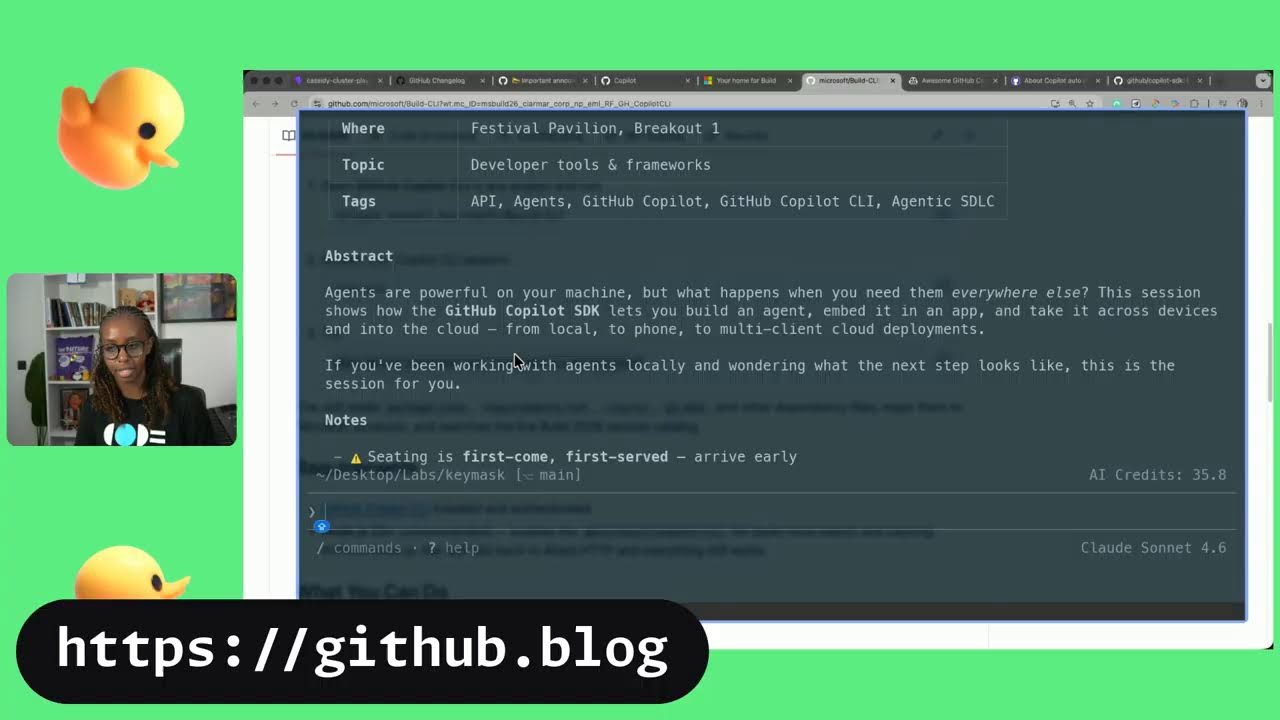







Get daily recaps from
GitHub
AI-powered summaries delivered to your inbox. Save hours every week while staying fully informed.