Anthropic Just Made Your Claude Claude Workflow 10X Faster

Chapters13
Describes Claude Code evolving into a full operating system that coordinates everything on your machine, similar to an OS kernel.
Anthropic’s Claude Code now acts like a full OS, and dynamic workflows unlock massively parallel, long-running tasks—if you manage tokens wisely.
Summary
AI Lab’s deep dive into Claude Code shows how Anthropic has evolved from a coding agent to a full operating system for your machine. The host explains that dynamic workflows, introduced with Opus 4.8, orchestrate multiple sub-agents to tackle long-running tasks in parallel, dramatically expanding what Claude Code can do. You’ll learn how Claude.md serves as the kernel, with MCPs acting as drivers to hook external tools like Google Calendar and Notion. The video contrasts workflows with skills and the older goal command, emphasizing determinism and when to choose a workflow for big, multi-context projects. Examples include a five-part “deep research” workflow that consumed a million tokens in one run, and a separate four-phase competitor-analysis workflow that burned 679k tokens. The host also shares practical setup tips for a “second brain” system, where Claude.md is the kernel, skills are repeatable programs, and workflows parallelize tasks for project migrations that used to take hours but now finish in minutes. Finally, the video plugs the AI Labs Pro program and encourages viewers to explore the included workflows and resources.
Key Takeaways
- Dynamic workflows in Claude Code enable multi-agent orchestration, allowing long-running tasks to run in parallel across multiple context windows.
- The kernel in Claude Code is the claude.md file plus your context files, which must be properly structured for the system to infer the project’s goals.
- MCPs (drivers) are the bridge Claude Code uses to call external tools like Notion and Google Calendar, enabling real integrations.
- A built-in deep research workflow (part of Opus 4.8) performs five stages—search, fetch, adversarial verification, synthesize—against multiple sources to produce trustworthy outcomes.
- Workflows can dramatically cut complex migrations from hours to minutes (e.g., a project migration dropped from over 1 hour to 21 minutes).
- Token cost is a critical consideration with dynamic workflows since each sub-agent runs in its own context window, making them more token-intensive than standard Claude Code sessions.
- Determinism matters: workflows are code-driven and deterministic, while goals are non-deterministic and may decide the next step on their own.
Who Is This For?
Essential viewing for AI/ML engineers and product builders who want to scale long-running tasks with Claude Code, especially those considering complex migrations, multi-source research, or building a “second brain” for their workflows.
Notable Quotes
""Imagine you're a medieval king. You've got a whole kingdom to run, but you'd rather do absolutely nothing while other people handle it for you.""
—Opening analogy to motivate Claude Code as an autonomous operating system.
""The equivalent in Claude Code is the claude.md file and your context files.""
—Defines the kernel analogy for Claude Code and setup importance.
""This one run took a million tokens on a small topic.""
—Illustrates the token intensity of multi-step workflows.
""One example of such a system is a second brain setup.""
—Describes how to map Claude Code to a personal knowledge base.
""You can watch it work from the workflows command where each sub-agent inherits its tools from the parent.""
—Explains how workflows expose progress and tool sharing across agents.
Questions This Video Answers
- How do dynamic workflows in Claude Code differ from the traditional skills approach?
- What is the claude.md kernel and how do you structure it for best performance?
- Can I run multi-agent workflows for project migrations and how much token budget should I expect?
- What are MCPs and how do they connect Claude Code with Notion and Google Calendar?
- When should I use a workflow versus the goal command for large tasks?
Claude CodeDynamic workflowsMCPclaude.mdKernel of an OSSecond brainDeep research workflowOpus 4.8Notion MCPGoogle Calendar MCP
Full Transcript
Imagine you're a medieval king. You've got a whole kingdom to run, but you'd rather do absolutely nothing while other people handle it for you. The problem is you can't because your staff are used to being spoon-fed. What you really need instead is a system that runs the entire kingdom on its own, and that is exactly what Claude Code has become. Ever since Anthropic has been shipping updates, it stopped being just a coding agent and turned into a full operating system, one that coordinates everything on your machine. But dynamic workflows are what actually tie it all together.
So before our king hands his whole kingdom to an agent, let's see how this thing actually works. Ever since Anthropic started shipping new ways for us to waste tokens, which is really just their excuse to make more money off Claude Code, it's become way more than just a coding agent. It's basically a full operating system now. Just like how an operating system forms the foundation of every task and coordinates what you do on your machine, Claude Code now plays that same role. It coordinates and controls everything you do on it. But before we dive into how dynamic workflows complete this system, you need to know about the other components.
The only difference between a computer operating system and the Claude Code operating system is that you don't have to work that hard on the setup, unless you're actually using Arch. And no, you won't be installing a shitload of drivers just to make the microphone work so that you can voice prompt like a vibes god. And just like a real OS, it's made up of multiple parts. Each one is important enough that the system isn't complete without it. In an OS, the kernel is the most important layer and forms the core and controls all operations. The equivalent in Claude Code is the claude.md file and your context files.
We already made a complete video talking about how to structure your claude.md file so that your agent performs at its best. That matters here because the kernel is the driving program of your whole agent. If it isn't set up properly, the agent can't figure out what your project actually wants, and the other parts fall apart with it. Kind of like how your whole life falls apart when you get married. Then there are the drivers, the pieces that let the system interact with external devices. The equivalent in Claude code is MCP. So, whenever Claude needs an external tool, it reaches for it through MCP and calls that tool to do the job.
After that come the everyday programs, which in Claude code are the skills and other commands. These hold structured instructions for repeatable tasks, and you can invoke them whenever you need them. Every OS also needs a scheduler or cron job that runs a specific task at a scheduled time. In the same way, Claude code recently added loops and routines. These are basically its cron jobs, and they remove the need for you to monitor it through a task. They automate the repetitive work you would otherwise do by hand. So, even if your system goes off, the task keep running on their own.
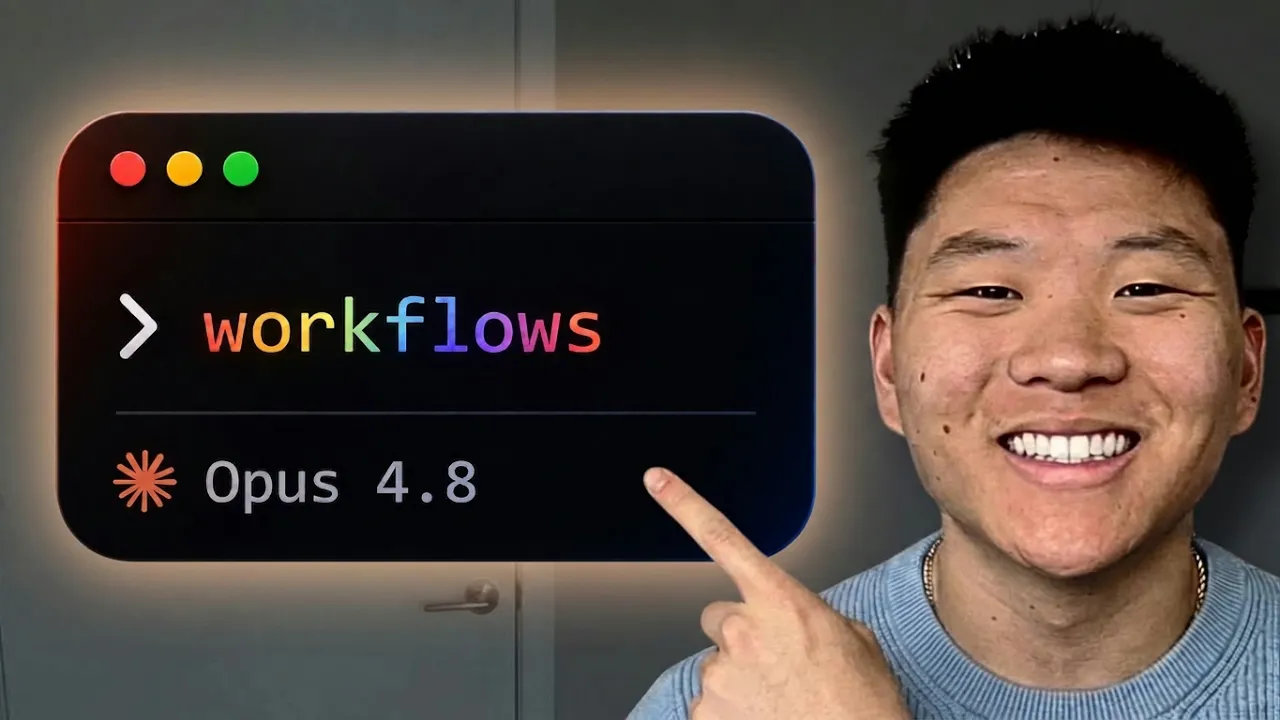
So, you can sleep peacefully knowing that your B2B SaaS application that literally no one is using is being looked after. And last, but most importantly, there's the one piece that ties all of them together into a complete operating system. That piece is the dynamic workflow, the new feature that shipped with Opus 4.8. You might [snorts] already know that Claude code has dynamic workflows. Basically, they're another attempt by Anthropic at simplifying long-running tasks. They work as repeatable instructions that spawn multiple agents to perform the task they're designed for. So, how is it different from the other architectures you already have?
To compare them, the first and simplest one is skills. Skills are repeatable instructions for tasks that need guided steps. But, a skill is spawned by one agent, and that same agent reads the instructions from it. It just guides the agent to do a task it already knows in a better way, and doesn't help with long-running tasks. It's just one agent doing the whole thing. Then, there is the goal command. It iterates toward a predefined end goal, and the agent loops until the end condition is reached. This was an exceptional attempt at making long-running tasks better.
We've been using it a lot in our own workflows ever since it was released. Both goal and workflow can coordinate multiple agents, but they're different. The core thing that separates them is determinism. Goal is non-deterministic, meaning the system decides what to do next. A A is deterministic, and the code decides exactly what happens. You create your first workflow just by using the keyword workflow. From that word in your prompt, Claude identifies the dynamic workflow needed for the task. But this is a word we use all the time in prompts, so you might think it would trigger every time.
It won't though, unless the prompt actually expresses the intention to create one. This is where workflows are actually different. Instead of the usual markdown that others use, it creates a JavaScript code. It lives inside the workflow directory within the dot Claude folder and it uses that entire script to control the whole thing. So instead of your plan living in the context window, that plan is written down in code defining how the sub-agents will work step-by-step. It defines strict schemas, which are basically forms for the sub-agents, so that they give the output in a strict format.
Each agent is called with the prompt and the form it has to satisfy. It keeps working until the output matches that schema, then returns its findings. You invoke them with the slash command with the workflow name. Then you can hand it the plan you want to stress test. It runs in the background, can carry on with your own work, give it another prompt so that your project manager feels proud about your AI productivity for once. To check the progress, you just run the workflow command. There you can see every stage of each workflow and all the models each agent has invoked and see how many tokens each task has burned through.
And if your session ends while a workflow is running, you don't have to worry about losing progress. It persists after you run the resume command. Each workflow keeps its own ID and when you resume, it pulls all the cached agent work back from memory and picks up where it left off. Unlike my grandma, it doesn't just forget to pay the Claude AI bill and actually remembers what it needs to do. One thing [snorts] to note before you use a workflow, since this is in research preview, dynamic workflows consume way more tokens than a typical Claude code session.
That's because they use multiple sub-agents under the hood and each one runs in its own separate context window. You need to carefully consider when you actually need them, or else you'll run out of your $200 plan in a few hours. There are a few key metrics that tell you whether a workflow is the best option. The first is that the task can be split into independent units. If the agents depend on each other's work, they end up waiting around, and there's no point spawning a workflow because you lose all the parallelism. This is why if the tasks are less dependent on one another, you get better parallelism and faster results, which your startup should learn from as it's still dependent on your parents' money and basement to survive.
The next reason to use dynamic workflows is if the task needs more than a single context window to run and needs to be divided into chunks. Workflows use multiple sub-agents, each with its own context window, so the task should be big enough to actually need those separate windows. Otherwise, you'll just be wasting time and tokens. Each sub-agent runs in its own fresh context and returns only the result. The rest of its reasoning stays in the code file and never enters the main context window unless you need it. The next reason is that the task is worth verifying.
Use a workflow when a wrong answer is expensive enough that it needs cross-verification before you move forward. That includes things like security findings, bug claims, and migrations. But that verification costs extra agents which burn tokens and time. So, make sure the task is actually worth it and you're not just spawning five agents because you recently heard an AI tech CEO say that more tokens equals more money. The last reason is that your task is deterministic. A workflow uses code to call agents in a fixed structure. So, if the task is deterministic, go for it. If the task is not deterministic and needs an agent to evaluate what the next task would be at the run time, workflows are not for that.
So, when you choose between workflow and goal, think about the shape of the task. A task can be wide or deep. Wide means it can be broken into many sub-tasks that can run at the same time. Deep means one task at a time going step by step further into it. A workflow is wide, so instead of going deeper, it just calls the agents and lets them iterate. For deep tasks, the goal command takes one task at a time and does not run things in parallel the way workflows do. Only reach for a workflow once the task genuinely fits, so you don't waste tokens.
Claude Code already ships with a built-in dynamic workflow called deep research. It's basically the multi-step research pipeline we used to build by hand with multiple context files and Claude.md. Now it's just a workflow you can invoke from any project. This research forms a key part of the whole OS you build. It makes sure the information sources behind that OS are trustworthy, so your mom can't feed you fake info from her boomer Facebook group and then scold you when you fact-check her. It runs in five parts and each one leads into the next. First, it searches for information, then fetches the details from the sources it finds.
After that comes adversarial verification to cross-validate the claims and it synthesizes whatever survives into one final document. You can watch it work from the workflows command where each sub-agent inherits its tools from the parent and it's really token intensive, so it can burn through your whole limit in no time. This one run took a million tokens on a small topic. Aside from multi-step research, you can build other research workflows that become part of your research system. One we made for ourselves researches competitors, checks how they're performing and finds the competitive edge they have. This is an important piece if you're a product builder.
You need to know how your competitors are performing in the market so that you can build something better. This one is split into four phases like the research workflow and once it finishes, it reports back the findings. Our run used 679,000 tokens and 34 agents and wrote a full markdown report with its findings. It also improves itself as it goes. When it hits an issue, it applies a fix. So, the next time you run it, it doesn't run into the same issues it did the first time. The report comes with clearly defined comparison metrics and all of its findings.
So, when you build your product, you can use it as a source for analyzing the market before launching it. Also, if you are enjoying our content, consider pressing the hype button because it helps us create more content like this and reach out to more people. [snorts] Every operating system needs its kernel, its drivers, and the pieces that make it complete. Together, they let it run without your input. One example of such a system is a second brain setup. This is definitely useful if your first one like ours got completely from sitting unused ever since our devices got blessed with LLMs.
The kernel of this second brain becomes your Claude.md, which holds the information on how to navigate the whole system. The everyday programs, the repeatable things are your skills. They carry the instructions for the tasks you do over and over. Here is way to set one up. When you are deep in a long session and realize this is something you will do often, just ask Claude to combine the learnings from that session into a skill. The memory of this OS is all the files you create and maintain in your vault. They record what you do and how you do it.
That means it knows more about you than you do yourself. And they give Claude context on everything you are working on. We often need the second brain to reach external sources. So, we've configured the Google Calendar and Notion MCPs. That way it can access the project files in Notion and sync the data, read the schedule on the calendar, and create and update entries. So, that it can fit some touching grass in between your already busy schedule. We've documented the exact formats it should follow in the Claude.md file. And the most important part is creating the workflows for your setup.
These let you parallelize your repeatable tasks and hand them to sub agents. The morning brief workflow we built spins up sub agents to gather information across multiple sources and returns a brief to start our day. Once all this is set up, you just give it a prompt. the right skill and context, creates files in the right places, and connects the information to the relevant parts on its own. If you've been using the second brain for a while, you should build an audit workflow. It checks for broken links and exposes every issue in the setup and reports them back.
From there, you can run the fixes and keep your second brain in top shape. But knowing what kind of man you are, you'll also be paying for its therapy sessions by next week. Similar to how you can set up a whole operating system for non-coding projects, you can do the same for your coding projects as well. You set up your Claude.md as the kernel and put all the project information inside it. You configure the agents for your project which act as your everyday programs. You also set up hooks for different cases like formatting a file after an agent finishes editing it so that between the in mess you call your relationship and your code at least one thing is organized.
You create skills for different tasks like adding a new endpoint. That way every endpoint follows the exact schema you want and you can create workflows like reviewing changes before shipping, migrating the code base or the database, and running end-to-end tests to confirm the whole app works. Instead of you waking up by your manager calling at 2:00 a.m. that your prod is down again, the context for this OS becomes the files in your docs folder and the code itself. Workflows are exceptionally helpful for project migrations. You can build one that converts your whole project from one library to another and let the individual agents handle the conversion.
We tested this before and without a workflow it took more than an hour, but with a workflow it took just 21 minutes. So, the time saved with workflows can go towards more important things like scrolling through Dario's inappropriate deepfakes. This is how our operating system extends into coding use cases. So, when you are building projects, you don't have to handle everything by hand. You let the operating system do it for you. If you want to found the next big AI B2B SaaS company but don't know where to start, you should be an AI Labs Pro.
That's where you'll find the workflows used in this video along with all the other resources, guides, and goodies we've put together. You'll also meet a bunch of like-minded nerds including our team. The link's in the description and you can check that out. That brings us to the end of this video. If you'd like to support the channel and help us keep making videos like this, you can do so by using the Super Thanks button below. As always, thank you for watching and I'll see you in the next one.
More from AI LABS







Get daily recaps from
AI LABS
AI-powered summaries delivered to your inbox. Save hours every week while staying fully informed.