My Top 3 AI Agent Skills for Building

Chapters7
Introduces the three top skills: agent creator, agent skill creator, and an extra design oriented MD system for formatting and consistency.
HashLips Academy’s 3 core AI agent skills—agent creator, agent skill creator, and MD design system—power rapid, consistent agent and document formatting for LLM projects.
Summary
HashLips Academy’s video unpacks the three go-to AI agent skills the creator uses daily to ship reliable, reusable components. Neil discusses how the agent creator and agent skill creator drive building agents and skills that consume LLMs effectively, while the MD design system keeps MD files neat and readable. He demonstrates pulling down the repo from dev.io, visiting GitHub for the latest versions, and dropping agent and design-system files into a skills folder to give agents access. The MD design system is shown transforming a bulky full-stack engineer agent MD into a concise, readable document with consistent headers and bullet points. He also walks through creating a grade-8 teacher agent and then formats an existing full-stack agent to the new standard. A playful demo includes boiling an egg skill, illustrating how any simple task can be turned into a reusable skill. The video closes with an extra reveal: using the Story Architect skill to build a surrounding world in the Das universe and linking artworks, artifacts, and lore in a dashboard-style visualization. The takeaway is clear: start with solid creator skills, then layer in structure and templates to scale AI-driven projects.
Key Takeaways
- Download and browse the repo from dev.io and GitHub to grab the latest versions of the three creator-focused skills.
- Agent creator and agent skill creator are core tools for building roles and tasks that LLMs can reliably perform.
- MD design system formats MD files (headers, lists, bullets) to improve readability and reduce context length in AI prompts.
- A practical demo shows formatting a bulky full-stack engineer agent into a clean, standardized MD file using the agent creator and the MD design system.
- Even simple ideas can become reusable skills (e.g., a boiling-egg skill) that can be moved into the skills directory for reuse.
- The Story Architect skill demonstrates how these tools can build an entire world (the Das universe) and connect artworks, artifacts, and lore with a dashboard visualization.
- The workflow emphasizes starting with templates for prompts and iterating on structure to ensure consistency across agents and skills.
Who Is This For?
Essential viewing for AI/LLM builders who want repeatable, scalable agent pipelines. If you build with LLMs and rely on consistent formatting and reusable components, this video shows practical patterns you can adopt today.
Notable Quotes
"Please make use of the MD design system skill and format the full stack engineer agent MD file so that it is nice and concise and yes just format it please."
—Demonstrates how the MD design system is requested to reformat an existing agent file for readability and efficiency.
"Now you can see how nicely it's building out this agent. And it's still building. so we'll let it finish, but I can see that it is indeed using the MD design system."
—Shows the agent creation flow and ongoing formatting with the design system in real time.
"The most important part about this agent is the fact that it should be able to convey educational concepts to a grade student."
—Highlights the real-world role the educator agent is designed to fulfill and its core capability.
"I use these agent skills to go and create the agent skill. If I go to the main repo called story architect and the story architect skill I’ve been using… this world is basically to explain my artworks."
—Gives context on how skills extend beyond coding to build a creative universe (Das) and connect narrative artifacts.
"Boiling an egg skill… sometimes the simplest thing that you want an agent to do in a consistent way, you can turn into a skill."
—Illustrates turning simple tasks into reusable skills for agents.
Questions This Video Answers
- How do I use the agent creator and agent skill creator together in an LLM project?
- How can MD design system improve readability of agent MD files?
- What is the Story Architect skill and how does it connect to a world-building project with LLMs?
- Can a simple task like boiling an egg be turned into a reusable AI skill for agents?
- Where can I find the latest versions of HashLips Academy AI skills on GitHub?
HashLips AcademyAI Agent Skillsagent creatoragent skill creatorMD design systemLLM promptsFull stack engineer agentStory Architectworld of DiazGitHub repositories
Full Transcript
Hey, how's it going guys? Hope you're doing well. Today I'm going to share my top three agent skills that I use on a daily basis to build cool things and I hope that you might find this interesting and it brings value to you as well. Let's dive right into them. All right, I've got a jam-packed video for you today and at the end I'm going to share with you what this thing is that I'm sharing right now which I've also built and it's something just extra and very fun and cool. However, today is a jam-packed video filled with some useful skills and I want to first get uh to the places where you can find these repos.
So, if you go to dev.io, IO you go to the AI section. The skills we will be talking about you can find here in the skills dropdown. You can either download the skills or you can go and visit the GitHub page. I highly recommend looking at the GitHub page because then you can look at the latest version. You can also give this repo a star if you don't want to lose it and you want to constantly see some updates. Now what is in this repo? Well, it consists of a few important skills. like I said that I use on a daily basis.
Two of these skills which I'll be showcasing is the agent creator skill and the agent skill creator. So these are very important skills when you are building skills for an LLM to use or an agent to consume to take on a role to perform a certain task. These are great for this. And then there's an extra skill in here which I want to cover. So, if I just go into the skills folder and I look in the other skills that's available, and there's many of them, we can see there's one more called MD design system.
And this MD design system skill is so cool because it helps you structure your MD files in a consistent way. And this is crucial when it comes to building new MD files such as agent skills, documentation, whatever that might be. It helps you format that in a consistent way. So, let's dive in and let me show you how you can get started. Now, obviously, you can go ahead and just clone the repo or if you want to, you can just download the zip file. You can also download the latest version. If you've seen a video of mine and you really want to know where to find that specific skill, you can head over to the version releases and rather download them here as well.
At the back there, I've got my IDE with a test MD file as well as a cursor and skills folder. This is very important. If you're using Claude, it will most probably be.claude. But whatever agent you are busy using, they have these config files which is usually in a configuration file with a subsklls folder. So, the repo we've downloaded, if I open the skill section, I'm now going to drag the agent creator skill, this skill, and the MD design system. Now, I'm just going to drop them over there in the skills directory. This would ensure that the LLM or the agent that I speak to has access to these skills.
And we're going to ask it right now to verify. Can you confirm that you have access to the agent uh skill creator, the agent creator as well as the MD design system? All right, so it has access to my skills. Now, there's various ways how you can configure your skills with your agent. So, this is just one of the ways, but now we've got the skills set in place. So, we can technically use them now to build uh agents and we can build skills with them. So, let's try this out. Let me now close this because we don't need to see that.
Of course, it's always important if you uh feel that you need to exactly know what these do is to go ahead and read through each of these, right? And read the reference files to make sure that you know what skills you are consuming. You can also make some adaptations and change it, you know, and have some fun and build these to your liking. The whole point here and why I say this is the top three skills that I have is because these are creator skills. They are core level skills. The one helps you format files, right?
And the one helps you create the skills in a consistent way and the other one helps you create agents in a consistent way. That's why I feel like the creator skills in the AI space is really important because it's it starts a foundation of where you build from. Right? So now we can close that down and let's create a new folder here and just call these uh maybe skills. And I'm going to make another folder and call this agents. And now we can start creating. Now, for this demo, I'm going to speak to the agent and I'm just going to ask it to do, you know, uh kind of small things, small agents, small skills, and it's not going to be very detailed.
What is recommended is if you use something like a template to prompt. So, uh, putting a template together, an instruction for the LLM or for your agent, and then pasting that in there instead of just giving it a brief description like I'm about to do right now. But what I'm going to do right now is perfectly fine as well, as long as you understand uh, what you want to create. So, the first thing I want to do and try is the MD design system. And this MD design system is going to be used to reformat the full stack engineer agent.
Now you can see here it's a engineering agent. It has some steps all in a paragraph right here. And the goal is to minimize the file firstly to save on context, keep the core and format this document in a nice consistent format. So we can say please make use of the MD design system skill and format the full stack engineer agent MD file so that it is nice and concise and yes just format it please. All right. So, it should go and read up the skill. As you can see there, it's using the MD design system.
It's making sure that it's not going to remove the fact. And then it's going to start and nicely organize this in a contextsaving way as well. So, maybe reducing some of the bulk um and not compressing it, but rearranging it in a uh consistent format. And I'll show you now what I mean. There we go. So, it's done its formats. And if I now go and keep this file, you can already see how much different this is. It's way more organized. It still has the facts in place, but it's just way better for readability and also saving on context and making things clear.
Remember, when you work with ND files, especially for AI agents, you need to go and make some edits. And if you have very lengthy paragraphs, it's just not that good. Now, keep in mind this is not an agent that I created with the agent creator. So, I purposefully made a very bulky big agent file just to format it just to show you that the MD file, the MD design system can look at things like keeping headers consistent, uh looking at lists, making it lean, and looking at syntax and bullet points. And um now we're going to actually build a proper agent with the agent creator as well as the agent skill creator.
All right, let's close the tabs over there. And I sometimes mix these two up, but yes, we're going to create an agent right now, not an agent skill. Um I keep on mixing them up because they're just so close, but they do very different things, right? Um and like I said before, the MD design system is embedded into these uh other ones. So it's always important to have this next to them when you use it. So let's go and create a new agent. Please create a new agent based on the agent creator skill. And we need to make this agent I wanted to be a teacher a grade uh eight teacher.
So that let's say kids are struggling to understand something in school that they can come here and the teacher should be able to explain any concept whether it's a complex concept that only should be understood in university. This agent should be able to break it down uh to the understanding of explaining it right to an grade 8 student. And uh we can give this agent a personality as well. But the most important part about this agent is the fact that it should be able to convey educational concepts uh to a grade student. Doesn't matter if it's a complex concept or a simple concept.
All right, cool. So now it's busy creating the agent according to the agent creator skill and it placed it over here. I would would have liked it to place it in the agents folder, but of course we can just move it there or maybe preemptively ask it. We'll do that for the skills. But as we open this, you can now see how nicely it's building out this agent. And it's still building. So we'll let it finish, but I can see that it is indeed using the uh MD design system. It's nice and concise. It's highlighting some of the more important words and it's not a really big file.
So, we're going to keep it and let's rightclick open preview. And now we can actually see the nice structure, right? MD files with the bold text makes it look quite uh all over the place. But here you can see it is simple. It has the uh gradea teacher. It has an identity the role that this agent should take on the responsibilities decision framework constraints uh failure mo modes and and recovery. So this is something that each agent would have like I said you know you can build out the agent creator and change these sections and you can um make it truly your own especially if you feel like your agent's missing something or you would like to actually remove a section as well.
But the fact is that now you have a consistent skill that will create consistent agents and it's wonderful because if you need to ever go and edit something, you know exactly where to go and edit it. So that is the agent creator. Now I can just go ahead and move this in our agents over there. And then I'm going to actually ask the AI to format our full stack engineer agent into this format. Right? So let's actually do this. We'll copy the relative path and in here let's close that tab. Can you make use of the agent creator and format the full stack engineer agent to the agent creator standard?
And then we're going to simply paste that in there. And there you go. So, as you've seen now, we've got our full stack engineer agent. And it also has formatted this nicely for us to have. It's still busy. um but formatting it so that it has its identity, its responsibilities, the decision framework, the constraints and so on. But the most important part is we have normalized this right. So we started off with a quite a messy agent. We asked the MD file to just uh may basically structure it in a nice design system way. But if we wanted to worry about the structure, we could ask the agent creator to format this into its format.
So now we have got two agents that we've nicely formatted. Okay. Now again, I am doing this in a very rushed way for the demo, but when creating agents and skills, you should take your time. You should really think about exactly how this agent should behave and explain it while you're creating. Now the last thing I want to show is the well not last second last because there's some surprise I want to show you at the end but I want to show you the agent skill creator. Now please use the agent skill creator to create a new skill and place that skill in the skills directory.
This skill is going to be how to make an egg skill so that an AI can know how to boil the perfect egg. So if the user asks for a soft egg, a hard egg, whatever consistency of egg they need, they can ask and the agent should know how to make the perfectly boiled egg. Okay. So while it's busy creating the uh I guess boiling an egg skill, it is just to show kind of that you can make anything into a skill as well. Doesn't have to be something complex. Sometimes sometimes the simplest thing that you want an agent to do in a consistent way, you can turn into a skill like boiling an egg.
Okay, so it's doing such a wonderful job, but I need to do a bit better on telling it where to create these files cuz it created the boil egg skill inside of its own skills. I guess it's ready to use it already, but I don't want it to use it. So, I'm going to move it down to the work directory. Let's have a look at the boiling egg skill. So with skills you always get a name and a description. Description should talk a bit about what this is and when to use it. You can see it does that.
It has a simple summary. Um and now obviously the LLM made up its own kind of steps right of what should happen. Map the request to a target a very soft running yoke and so forth. And then you can just see it has references to uh extra files. So methods and timings that it split out and it felt like should be a separate reference and troubleshooting if the egg is not going the way it should or the egg boiling. Now basically just wanted to show you how nice and concise it creates skills and that you can create a skill of anything, right?
Uh so this is quite exciting and this is why I say that these three skills are the skills I use the most being a creator. myself. I love making new things. I love building. And I've got this repository where I'm adding skills to the repo which you can go and have a look at. It's on the same exact repository which I'll link in the description of this video. And um I use this to build out more skills whenever I find a need make something that I can reuse through an LLM. All right. And this brings us exactly to the point where I want to share something cool.
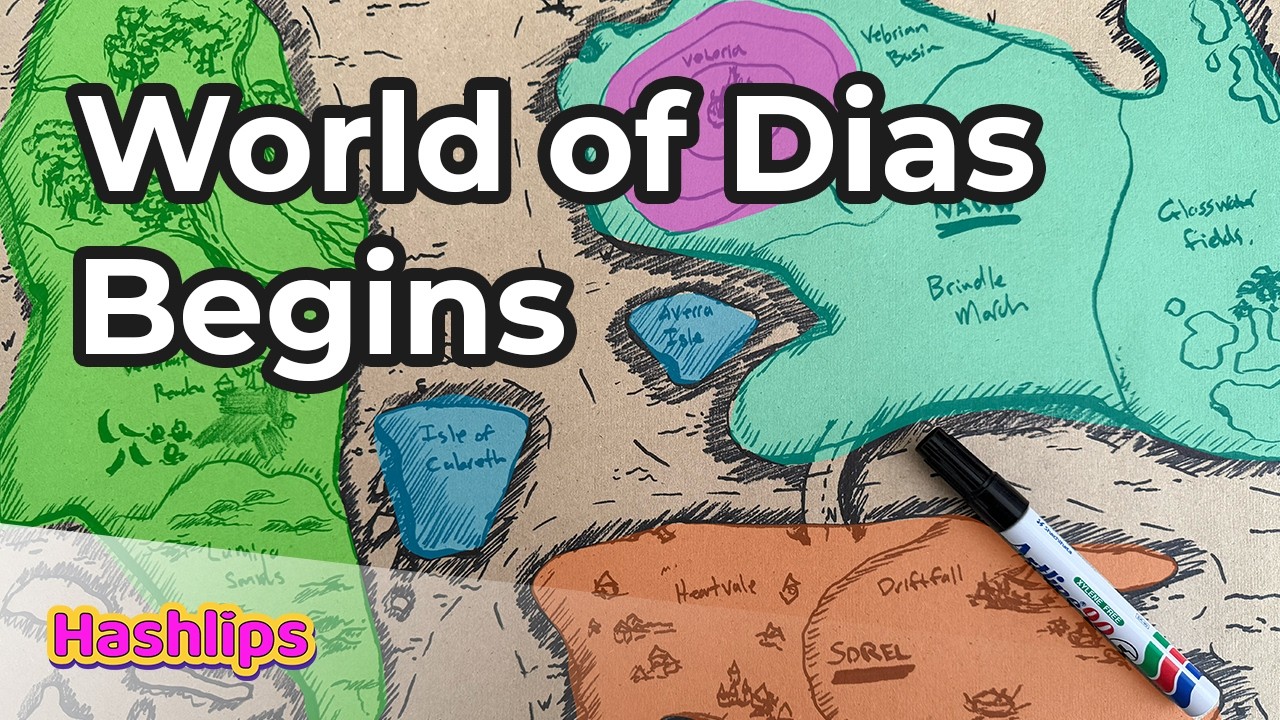
The extra thing that I told you about. So I used these agent skills to go and create the agent skill. If I go to the main repo called story architect and the story architect skill I've been using like you see I place it in there talking to the LLM busy building out a whole world and this world is basically to explain my artworks where certain artworks live what the connections are to them in a world and the world that I'm building out is a fictional universe called Das. Now, inside of here, obviously, I've got many different uh images and maps and law based on this.
And it's just so cool how this agent skill could build out all of these and all the connections. And this just proves to show how cool the other three skills are. uh when you can create other skills that makes even more cool things. Right now, like I said, this is just purely for artist expression. But if you have a keen interest in following along with the story, go and check out this repo. It's the world of Diaz. And here you can see everything, the artifacts, the artworks, assets, cultures, inhabitants, myths about the world of Diaz.
And my goal is to keep on building this out as I make new artworks, find a place for my artworks within this world. Now, I had to make something visual. So, uh if you do download this, you can go to the dashboard and just run the HTML file in there. And if you do so, then you should end up on something looking like this, which is a dashboard showing all the connections. Each one of these nodes represents a category such as an artwork, an inhabitant, and you can select and deselect them to kind of get to uh some of the nodes.
But for example, if you select now, which is a region, or let's say Valoria city, you can see which inhabitants, which um artworks is connected to Valoria city. And this is obviously not going to make a lot of sense for someone to just read snippets, but it's cool to have a look through. For example, if you click on an artwork, it will also show the artwork what its connections are. And my whole goal is to build out the entire universe like this and um have my artworks live with purpose inside of this universe. So, I think it's pretty cool, something fun, and um wanted to show this as well.
Also, by the way, if you do download that repo, the world of Diaz, and you also use the story architect skill in the world of Diaz in the scripts directory, you can just run the Python script and it should build out a similar dashboard for you. Um, so that's just something extra cuz I know some people also are using the story architect skill for this purpose. So, it's just a nice dashboard uh to have available to you as well. And that's it ladies and gentlemen. I hope you had a fantastic time with me today and I hope that these skills are going to bring some value to your life as a creator.
And then till next time, I'll see you in the next video. This one out.
More from HashLips Academy

Get daily recaps from
HashLips Academy
AI-powered summaries delivered to your inbox. Save hours every week while staying fully informed.