Build & Sell Claude Code Operating Systems (2+ Hour Course)

Chapters10
The video introduces building a personal AI operating system (AIOS) inside Cloud Code, explains why tool-agnostic design matters, and discusses how an AI layer can see, remember, and act on your business data to boost productivity and resilience across platforms like Cloud Code and CodeEx.
Nate Herk shows how to build an AI operating system (AIOS) inside Claude Code with a four-C framework, custom skills, and cadence-driven routines to automate and scale personal and business workflows.
Summary
Nate Herk dives into creating a durable AI operating system (AIOS) using Claude Code, VS Code, and a free setup guide. He argues that tools will change every few months, so the real win is a future-proof framework that lives under Cloud Code’s “three M’s” (mindset, method, machine) and the four C’s (context, connections, capabilities, cadence). The video walks through practical steps: wiring up data sources (Google Workspace, ClickUp, Slack, Fireflies, Stripe, QuickBooks), cloning a GitHub repo, and loading reusable skills that automate repetitive tasks. He emphasizes treating AI as a mentor, not a vending machine, and teaches how to do progressive context loading to keep prompts lightweight yet powerful. A central part of the tutorial is how to build and test “skills” as modular, repeatable recipes that can be enhanced over time with a feedback loop. Nate demonstrates setting up routines and loop-based scheduling so AIOS tasks can run autonomously and safely for days at a time. He closes with real-world tips on knowledge management (LLM wikis, Obsidian, and Google Workspace CLI) and stresses starting small, scaling through seven tier-one buckets (revenue, customers, calendar, comms, tasks, meetings, knowledge). The takeaway is that every business can begin turning everyday processes into AI-driven capabilities, then progressively upgrade to more ambitious, agent-powered automation.
Key Takeaways
- Automate repetitive tasks by breaking them into small, reusable chunks called skills, then wire those skills into Claude Code to create reliable, repeatable outputs.
- Use the four C’s (context, connections, capabilities, cadence) to structure your AIOS so it can access data, perform actions, and operate continuously with scheduled tasks or loops.
- Adopt a tool-agnostic mindset: plan for tool changes every 6 months by focusing on a durable OS layer (AIOS) that can migrate across Cloud Code, Codeex, and other platforms.
- Capitalize on a feedback loop for skills: test a new skill, observe its behavior, and iteratively refine instructions, references, and guardrails for better outcomes.
- Leverage Google Workspace CLI (GWS) to connect Drive, Docs, Gmail, and Sheets to Claude Code, enabling powerful, scripted automations across your org.
- Cadence matters: use loops (3-day expiry) and routines (cloud-hosted, longer-lived) to run tasks autonomously, then audit and refine their triggers and endpoints.
- Start small with your tier-one data sources (revenue, customers, calendar, comms, tasks, meetings, knowledge) and gradually expand connections to maintain token efficiency and control.
Who Is This For?
Essential viewing for startup founders, product managers, and developers who want to build a personal AIOS or scale AI-driven operations across a small to mid-size business. It’s especially valuable for teams adopting Claude Code and Google Workspace integrations who want a practical, iterative path to automation.
Notable Quotes
""The combination of those four C's is everything that you need... to manage your business and you can get it to the point where it truly runs in the background for you.""
—Intro to the Four C’s framework and its impact on a durable AIOS.
""Treat AI as a mentor, not a vending machine.""
—Core mindset advice for working with AI systems.
""You can start to visualize all of this data with artifacts... a dashboard you can see.""
—Introduction to Cloud Code artifacts and dashboards.
""Skills are reusable instructions... you write them once, you save them as a skill.""
—Explanation of what a skill is and why it’s powerful.
""Cadence means you can run tasks while you sleep... routines run on Anthropics cloud.""
—Clarification of loops vs routines and their use cases.
Questions This Video Answers
- How do I start building an AIOS with Claude Code and VS Code?
- What are the four Cs and how do they practically apply to AI automation in a business?
- What’s the difference between Cloud Code loops and routines, and when should I use each?
- How can I connect Google Workspace to Claude Code for automated workflows?
- What are skilled prompts and how do I iteratively improve them in a real project?
Claude CodeCloud CodeAI Operating SystemAIOSFour Cs (context, connections, capabilities, cadence)Three M’s (mindset, method, machine)Skills (recipes)Loop and Routine featuresGWS CLI (Google Workspace CLI)VS Code integration
Full Transcript
By the end of this video, you're going to know exactly how to build your own AI operating system, even if you've never even opened up Cloud Code before or some sort of tool like that. I'm even going to be giving you guys for completely free the entire setup guide. So, literally all you have to do is download that, follow along with what I do in the video, and you'll be up and running. If you guys don't know who I am, my name is Nate. I've been deep into the AI game for almost 2 years now.
I scaled my last AI automation agency to over $100,000 a month, and then I sold it. I'm currently now running one of the largest AI communities in the world. We just hit 350,000 members and this is a free community. I also run this YouTube channel and a lot of you guys have been asking me how I upload so many videos and how I stay consistent. It's because of my AI operating system and I want to give you guys access to the exact same thing that I use. So, let's not waste any time and just get straight into this one.
I'm super pumped. Here we go. So, first of all, like what is an operating system? The first thing you might think of is like, okay, my Mac OS or my Windows iOS or my Apple iPhone iOS. It's basically the layer between you and your computer or your phone. It's where everything lives. It it has your files, your apps, your contacts, you know, it's the screen that you're looking at. And it's not really something that you think about too much because it just works and it lives there all the time. But now we're getting into this world where AI is taking over everything and it's seeping into everything.
And now that I have an operating system inside of cloud code, it is my OS, but now it has agents on top of it. It has intelligence on top of it. So, I'm really not exaggerating when I say that I could spend an entire workday with just cloud code open and I could still do everything I need to and I would still be more productive than people that are clicking around in all of the different apps. So, when we add intelligence on top of our operating system, we have an AI that can see all of our files, all of our communication, everything important going on in the business.
And not only can it see it, but it can also interact with it. And not only can it interact with it, but it can also remember it better than you can because you're a human and you use a brain and you forget things. But the AI not only has better memory, but it can pull things from the exact source and it can find it quicker than you can. Think about how much time you've spent on work about work, which is basically just the idea of searching for things. Your coworker drops you a file. You forget if that was in Slack or an email.
You're looking for an old Google sheet that you knew you were working on last month, but now you can't find it because you worked on 15 more since then. But AI could find that instantly and grab it for you because it has all of the context, it has all of the connections, it has all of the capabilities, and it has the right cadence. So the combination of those four C's is everything that you need really to manage your business and you can get it to the point where it truly runs in the background for you.
Now you guys have heard me say Cloud Code and obviously there's some other tools that we're going to be talking about today. But what's really important in this space is that you're building things to be tool agnostic because the tools change every 6 months. Those of you guys that have been with me for a long time on this channel, you know that last year I was all in on Naden and I've made the full pivot to cla code because I've realized I'm just way more productive with cloud code. I really don't think that I could have built this sort of AI operating system in nodn.
I just don't think I could have the way that I can do it in cloud code. Models would be replaced. API endpoints might be deprecated. SDKs might be deprecated. Things will just happen. But we're going to be building this in a way that is very futurep proof because I'm going to change the way that you think. I'm going to change the way that you decide how to do things. I'm going to change the way that you build this AIOS so it can survive whatever happens. Just yesterday, I took my AIOS and I moved it over to Codeex just to make sure that everything was good.
and it took Codex about 2 minutes to get adjusted. And now I have two different AIOS's, Cloud Code and Codeex. And if I need to put it in anti-gravity or if I need to throw it into the the other new kit on the block, I can do so. So I'm going to be teaching you the durable layer that sits underneath all these tools and all these different buzzwords. Okay. So there's two main frameworks that we're going to be talking about today. The first one is more of a highlevel framework around the way that I think about AI, and it's called the three M's of AI.
We've got the mindset, the method, and the machine. All right. So, here is my three M's doc that I'm going to be reading over today. I'm not going to read every single word because that would take too long, but I will drop this doc in my free school community. The link is down in the description. I have all of the other resources that I've ever shared on YouTube in there as well for free. So, if you want to check it out in deeper, go there. But I wanted to spend some time here because the mindset and all of these frameworks I built out in a way that it's really important for you to think about not only when you're setting up your AIOS, but also as you use it every day and also as you scale it up and also as you start to, you know, bring it into other areas of your business because right now we're focusing on you personally, but now that you've got this set up, your business is set up better to be more AI ready and your employees and your co-workers are as well.
So it's really important. So there's three habits I wanted to touch on. The first one is the default shift. basically the idea of you know before you do any task just ask yourself how could AI do this or at least how could AI do 30% of it because the truth is AI is not going to do everything 100% it might be able to do 75 or 50% but that's still a huge win and that is a productivity gain so here's a real example the other day I needed to update over 300 YouTube video description tracking links and the old me would have just been like man this sucks but I just have to do it and I would have manually clicked on each video, changed the link, and then clicked in the next video and just done that.
Probably would have taken me an hour. But the new me, my default is, okay, I don't want to do that manually. Let me just brainstorm with cloud code and let me figure out how do I actually make that happen? Whether that's an API or whether that's an MCP or whether that is maybe even having to just do a browser automation script. But the point is, my default shift is so stubborn now where if anything sounds boring or repetitive, I'm not going to do it. I'm going to use my AIOS to do it. That's habit number one.
Habit number two is the function breakdown. Understanding that your role is a set of functions. Everything you do is broken into a tiny task and you can just automate one piece of that at a time. So an example, okay, if I had to think about how can I automate an entire YouTube video. That's a very tall task. But break down the pieces that go into a YouTube video. Ideation is usually step one. And then you've got your scripting or you know your building or your your your slide creation. And then you've got packaging titles and thumbnails.
And you've got descriptions. and you've got, you know, comment replies, that is a huge job. But when you break that into little things, oh, I can definitely automate ideiation or at least 95% of it. I can definitely automate scripting. I can definitely automate the slide deck creations for my videos. And when you have that mindset of just breaking it into little pieces, baby steps, it becomes way more achievable. So, in this example, if this is the full flow of automating a YouTube video, you just have all these little chunks. And as you slowly over time automate more and more chunks, you get to a place where you're, you know, now you've automated like 80% of a YouTube video.
And each of these chunks is repeatable. So maybe this is like the, you know, slide deck chunk. Okay. What if we have a different process? Let's just say we're now doing like, you know, we're doing like meeting prep or something. Well, guess what? We can go ahead and grab this chunk and just move it over here and we can just fit this into this puzzle wherever it goes. So all of these little chunks and baby steps that you're taking are reusable and that mindset shift is very important to have. And then habit number three, we've got the curiosity rule.
Never accept AI output without asking why. Treat AI as a mentor, not a vending machine. There's basically this idea of dark code because so many people nowadays are using AI to write code, which means they don't truly understand what each line or each block of code is doing. And not that you have to be able to read Python or whatever it is, but it is very important to at least understand why did you build this? And if X happened, what would happen to the code? You know what I mean? So the whole idea of being curious is asking those sorts of questions.
Why did you design it this way? What happens if someone, you know, submits an invoice that's empty and this code is supposed to handle filled out invoices? And the other piece of curiosity is if you don't know if something's possible to be automated or automated with AI, then just ask. Okay, so moving on to method. This is really really important, but we're going to come back to this a little bit later once we've kind of, you know, got everything set up. But this basically just talks about, okay, how do you actually decide what's worth automating and how much of it you automate?
So, there's some more information here about that kind of stuff. And then the last M stands for machine, and this once again gets a little bit more technical. All of this you guys will be able to dive into later, but we will revisit some of the stuff later on in this course. So, those are the three M's. Um, a couple of the key highlights that we already hit on. It's never binary. The question is never will AI do this for me. The question is to what extent can I leverage AI here? 30% 60%, maybe it's zero, but it's very unlikely that it's zero.
Every task on your plate has a leverage percentage. You just have to find it. And mindset isn't motivation. It's the lens that finds the percentage. The other one is treat AI as a mentor, not a vending machine. Vending machines take a coin and they give you something. But mentors ask you questions. They push you back. They make you sharper. They encourage you. They give you ideas. And that is the relationship that you want to have with AI, not a vending machine. And then, of course, we just talked about how your job is essentially a tree of tasks.
And thinking about it like that makes big, vague, overwhelming ideas more realistic. So, another thing that's really important from the 3M is that productivity drops before it climbs. And I don't want you to get overwhelmed and just give up because you think it's too hard to build an AIOS. It is not. So, think about this. a solo operator and they are trying to build an AIOS and they're doing a 30-day sprint. This bar basically represents like productivity, right? So baseline, they are not using AI hardly at all. They're being maybe 60% productive. Day three, they're slowing down.
They're noticeably getting out less output because they're trying to adjust to this new way of living. And that's just how things work. Whenever you make a change, you typically are going to expect a 20% decrease in productivity. And let me actually just draw this out because I think it'll be easier to demonstrate. So if we just real quick go and draw a graph, then let me show you what this means. So let's say your business is operating like this. This is a steady line. Now if you decide to make a change, you have to basically be okay with the fact that this change might decrease your productivity by about 20%.
So this is the, you know, sort of like negative 20% gap you're seeing. The question is, is this change worth it? Will this change ultimately result in more than a 20% dip? Because up here, what you might be getting with an AIOS is a 50% gain. So is the dip in 20% worth the 50% upside? Yes, because you're getting an additional 30%. Now, on top of that, you also have the idea of a learning curve. So, if I can just go ahead and draw another little graph real quick. And why am I being so boring?
Let's actually use a color. So, the learning curve. People think that learning is linear like this. And it's just really not. Learning is exponential. But what does that mean? It means that when you start to learn something new, you basically are kind of below the linear line that you would have been if you were just doing it the old way. But because of the exponentialness, the exponential nature of learning, you will pass that mark. It's just that it's going to take you a few days to get there. Maybe this is day one, maybe this is day two, and maybe on day three, you break even.
But by day four and five, you're way ahead of where you would have been if you just kept doing it the same way. So this gap is where people sort of tend to give up or get overwhelmed because they realize they're being less productive. So those two things are really important for you guys to understand. Don't give up. You get through it and then you start to see all the gains and now you are being 5x more productive, 10x more productive. I've seen that with myself. I've seen that with my team. It is an incredible thing to actually witness and by the time you're 2 weeks in, you won't even recognize how productive you're being and you can't even imagine if someone took away your AIOS and you had to go back to the old way.
You would want to cry. Okay, so now let's get on to the second sort of framework here. And this one is called the four C's. This one is more specific to the way that we set up our operating system. And this is kind of the way that I'm calling the AISOS, the AI automation society operating system because we've basically just been getting everyone to do it in this way. And it is the AI automation society way. So what goes into that? Four C's. We've got context. What AI knows about you, your team, your tools, your voice, your business, your money.
And then we've got connections. So what data can it reach? Cloud code on its own can't really do anything besides search the web. But your business data, your especially the important business data you need isn't available publicly on the web. So you have to give it connections to all of your different tools and all of the different databases where your actual important data lives. And then we have capabilities. What can it produce? What can it do with that data? You know, it has to be useful in some way, not just a knowledge source. And then we have the final C, cadence, when it acts on its own while you sleep and while your laptop is closed.
And all of these build on top of each other. You can't have cadence without connections. You can't have capability without context. And you have to go in this order. 1 2 3 4. And I'm going to show you guys your exact path to get from 1 to four today. The whole idea is that if you opened up a new Claude chat right now or a new Cloud Code session, how much would it know about you if you asked a question? So test it. Ask a question and see does this answer like a teammate or like an executive assistant or is this answering like a stranger who just met you 5 seconds ago.
So here is the four C's of an AIOS. And once again, the important part is that tools change every 6 months, maybe even quicker. But the platform that we're doing right now and the foundation that we're building is going to be able to move across whatever happens. And I think you guys understand what we're getting at here. We're setting up our context, which is basically the brain, making sure it knows our business. We're setting up the connections to make sure that it can touch things, whether that is an MCP or an API or a CLI or, you know, whatever it is.
We're setting up the connections. The capabilities is that it actually knows how to do things. You know, you have a bunch of SOPs probably already in your business. Can you now give those SOPs to your operating system so that it can do it just as well and just as consistently as one of your employees does it manually right now? And then of course the cadence where it gets really really cool and it starts to feel more like a 24/7 AI employee for you. And those are the four C's of our AI operating system. And we're going to be talking about how you can actually test if you have those things in place.
And we have a skill inside of the um template I'm going to give you guys where you can run an audit and just make sure that you're good and you can find opportunities to add more connections or add more capabilities and things like that. But for example, if you have connections into your calendar and your tasks and your CRM and your inbox, it should be able to grab all that and help you out. You could ask like, "Hey, what's on my plate today?" or "Help me plan my day." And it would be able to read through everything, look at your calendar, and help you block off things based on your priorities and based on maybe previous conversations you've been having in that week.
And with the capabilities instead of having to drop in like a full, you know, two paragraph brief for what you want, you could basically say, "Hey, we need a quarter three report and I need it by the end of the day and it will be able to go do that because it understands your SOP for that. It understands all the business data and there's going to be less follow-up, less back and forth, less of you micromanaging it." So, here's a quick snapshot of the pillars, what you might want to do to test, what you would see, and kind of be like, "Okay, this is good.
This was a pass." and what you might see and be like, "Okay, this failed. I need to do some work on this pillar." So, hopefully this is all starting to click. I'm not trying to hammer this home too hard, but context, connections, capabilities, and cadence. Okay, so now you have to actually start to get this into cloud code somehow. So, what I want you guys to do is think about these different buckets, right? Um, there's actually kind of seven tier one buckets, but they kind of fit into these groups of ops, comms, data, and planning.
So, what I want you to do right now is I want you to grab a piece of paper or a Google doc or come into an Excal or a mirrorboard or whatever you want to do and just kind of layer out these seven things. We've got revenue, customer, calendar, comms, tasks, meetings, and knowledge. And the cloud code template I'm going to give you guys is trained on these seven things. But before we get into that, I think it's really important to just kind of sketch this out on paper. you know, do it in your head first before you jump into the whole onboarding of the AIOS or you might forget some stuff.
And if you do forget some stuff, it's absolutely no big deal. Like I said, I've been playing around with so many different AI operating systems over the past multiple months and I've changed it a lot. I've evolved it a lot. I've had to restart before and it's kind of funny because, you know, I think the term AI operating system is very new and it's kind of ambiguous and a lot of people probably have a different idea of what that means. Um, you know, I think first I built out an executive assistant and the executive assistant has kind of evolved into my AIOS, but a lot of people have also been throwing around the term like second brain.
And I think a second brain is a very great start to building an AIOS. So there's a lot of these things that you might have heard and this is just kind of my take on an AIOS, which is why I'm calling it the AIS OS. So anyways, you sit here and these are the tier one things that you should be thinking about as far as on your month-to-month, what are you looking at? What are you tracking? We're tracking revenue. We're, you know, communicating with customers. We're making sure they're happy. We're obviously having things come through on our calendar.
We're communicating with people both internally or on meetings down here or externally. And we have project management. We have tasks. We have things to prioritize. and we have general knowledge. So when you start to think of each of these layers, it helps you figure out the connections you may need and the tools you may need. So that's what this phase is for. That's what this section is about. So revenue, let me just show you guys what I wrote here. I wrote school, Stripe, and QuickBooks. These are the places that I'm actually checking pretty frequently to see how many members we have, to see, you know, how much revenue we're growing, to see our promotions, to see how those are working, to look at QuickBooks, to look at our P&L, to look at our expenses.
These are the places where I'm frequently checking to make sure my business is doing well, that we have runway, and that we're growing healthily. And then you have customer, you know, what does that look like for you? Do you have a SAS product? Do you have like a brickandmortar? Where do you have your CRM? Where do you have information about your customer, and where do you provide them value? So, for me, I thought of the two biggest ones that I'm checking, which are school and YouTube. And so, as you start to think about these different sources, these are where your connections are going to come from.
And you want to start to think about how can I make sure that cloud code can talk to school, Stripe, and Quickbooks or School and YouTube. Every single one of these tools will have some way to connect the data to an AI system. We're living in 2026. It's possible. Some might have MCP servers, some might not. Some have API documentation, some may not. But there is a way. I promise you. Even if you have to spin up a browser automation, which I've made a video about before, you can get through in some way. Okay, so let's keep going.
Calendar. This one was pretty easy for me. Basically, just Google Workspace. My Google calendar, everything lives there. Even if people book in through Calendarly, even if someone, you know, does something on my ClickUp calendar, it all syncs to Google Workspace. So, all I need there is one simple tool. For comms, I have two main ones, I guess three, actually, that I thought of. So, obviously Google Workspace for my email. I've got ClickUp, which is where we do pretty much all of our internal communication. And then I've got Slack, which is where we communicate with a lot of our vendors because sometimes they throw us in their Slack space or, you know, whatever the case is.
So I need to make sure that my AIOS has visibility into all of those sources so it can pull data from there if it needs to. And then we have tasks. So pretty much our project management mainly lives in ClickUp for our internal projects, our internal tasks, our deadlines, our prioritization. And then we also have notion because sometimes we're working with vendors on different projects and things like that and maybe they're using notion which is pretty common. And as you're going through and filling this out, you don't have to get it all perfect on the first try.
You're probably going to forget a few things, but that's okay. You know, start small. Start with the most important core things that you use the most, and then you build up from there. So, meetings, I use Fireflies at the moment, and that's really important for my cloud code to be able to look at those transcripts and see what meetings I've had because it can help me, like I said, plan things or respond to an email better or make action items better. And then finally, we have knowledge. And this one might seem a little bit more ambiguous, but just think about where else is important information that doesn't live in these sources that you've already talked about.
And so for me, I was thinking, okay, YouTube transcripts, because up here, I was mainly thinking of like, you know, my YouTube comments or my analytics, but right here, I'm thinking, okay, YouTube transcripts. I want all of my knowledge from YouTube videos in Cloud Code somehow. And then I thought about Google Workspace, of course, because I have tons of Google Docs, tons of Google Sheets, tons of just like things in my drive, even videos that I want Cloud Code to be able to access. And then local files, which is pretty easy. You don't really have to do anything to connect that, but I've got a ton of local files that Cloud Code has helped me organize and move around and sometimes even send to people.
Now, as you start to look at these different tools, think about this. You know, I joke around with people that if someone wanted to get a hold of me or if someone had a question for me, they would actually be better off asking my executive assistant because my executive assistant is also linked to all of these sources of data. So, it has all the knowledge I have, but it has a perfect memory and it never sleeps. So, if you can look at these sources and be like, "Okay, cool. If someone was able to talk to an AI agent that had all of this data and it could answer the majority of questions that my team or that you know you know some a customer might ask me then we're probably in a good spot to go ahead and get started.
And if there's other things that come to mind when you sort of do that you know mental test then just chuck it down into the right category. And once you get to a point where you feel good about what these tools look like now what we need to do is we're going to get started building our AIOS. So, the very first thing that I want you to do is go to my free school community. The link for that is down in the description and join this community. Your membership will get approved as quick as we can.
And then once you're in here, you're going to go to the classroom and you're going to go to all YouTube resources and you're going to go in there and download the different resources for this video. You're going to need a GitHub repo and you're going to need, you know, those other docs that I talked about, but you need that to get started. And then we're going to be doing this inside of Claude Code. And the way that I like to use Claude Code is in VS Code. You could also do the desktop app if you choose, but pretty much in all my YouTube videos, I like to use VS Code and that's what we're going to be using in today's tutorial.
It's completely free to download. It is just an IDE and then we're able to open up Claude Code inside of it. So, I'm using VS Code today. Google Visual Studio Code, download it, and then the next step is you need to be able to connect your Claude accounts. And you do have to have a paid Claude account in order to use Claude Code. You can do the 17 bucks a month plan or I guess it would be 20 on monthly, but you can start here. And if you're hitting your limits really quick and you want to scale up, then scale up.
It's not a big deal. All right. So once you've done those two things, you're going to open up Visual Studio Code. And it will look like this. Now, what you're going to do first is you're going to install the Cloud Code extension. So on this lefth hand side, go over to this button, click on extensions, and then you're going to type in Claude Code. And once that pops up right here, you're basically just going to install this extension. Once you install that, it's going to prompt you to log in. And that is where you'll log in with your paid Claude subscription.
Once you get that set up, you're going to see this button in the top right, which looks like Anthropics logo. And you're going to go ahead and just click on that. And what that does is it opens up this little Claude code agent. And this is very similar to the way you would chat with Claude or Chatbt on the web. You know, you have a little chat box here. You can say hello. And this is going to call on Claude Opus 4.7 and it's going to respond to you. It's super simple. Now, what we have to do is we have to open up a project to work in.
So, open up your file explorer, go to your desktop or your documents or wherever you want to have your AIOS main folder and just create a new folder. Just call it AIOS or, you know, whatever you want and create that folder on your file explorer. And then you're going to go up to this top left hand explorer button and it says you have not yet opened a folder. What you have to do is just open up that folder. And that is basically our working directory or the project that we're working in right now. So, you're going to click on open folder and open up that one that you just created.
So, I just opened up one called AIOS demo. Yours should look exactly like this because there's nothing yet in that folder. So, all I'm going to do now is I'm going to close out of everything. I'm going to double click, open up Cloud Code, and now what we have is on the right hand side, we have our agent, and on the lefth hand side, we have our files. So, right now, obviously, there are no files in here. Now, what you're going to do next is you're going to go to my free school community, and you're going to grab the link to the GitHub repo, and you're going to grab the URL from it.
And then you're just going to message Claude and you're going to say, "Hey, can you clone this GitHub repo into this current project? It's going to go ahead and search the web for it. And then it is going to pull it in and you're going to see a bunch of folders and files pop up on the lefth hand side right here. It's going to ask you if it's okay to allow this command. And you're just going to go ahead and click yes, allow get clone." And what you can see is now that it has been cloned, we have a bunch of these different files over here.
So you can see that we have acloud folder, we have a archives folder, we have a context folder, decisions folder, a references folder, and then we have all of these other files right down here. So let me real quick take a second to familiarize with what we're actually looking at. The dotcloud folder, this is kind of like your overall project guide, I guess, claude. What's in here right now is we only have a folder inside of this called skills, which is why we have this little breakdown. And this is basically where all of our skills are going to go in the future.
Now, what is a skill? A skill is basically just something that gives you six arms. No, I'm just kidding. But it's basically a file inside of Cloud Code and it's like a recipe. So, let's say you had a skill for building a LinkedIn post or writing a LinkedIn post. What do you do every single time you want to write a LinkedIn post? Maybe you do research and then you generate a graphic and then you write the copy and then you review it and then you post it. So, how annoying would that be to explain every single time to Claude Code that you want to do those five steps when instead you could just package those into a skill and then say, "Hey, Claude Code, write me a LinkedIn post." It would read your skill document and then it would go do everything.
So, it gives you more predictable outputs, higher quality. So thinking of it like a recipe is a really good analogy because also let's say you build this skill or recipe and it comes out not the way you want it and then you realize okay next time we do this I need to add like one more egg so that the you know brownies are cakeier or whatever then you just update the skill say hey instead of one egg do two eggs and then next time you say hey run the skill it's better so the skills will ever be evolving if you want them to and it's going to help out a lot so if we open up this folder you can see that I already have given you three skills in here we We have one called audit.
We have one called level up. And we have one called onboard. So in just a sec, we're going to run the onboarding skill to get you fully onboarded into this AIOS. But let's take a look at what skills actually are. So inside of the level up folder, we have a skill.md. And this skill.md, as you can see, is a very simple markdown file that explains what the skill does. We have a name, we have a description, we have what the skill does, we have what the skill does not. And then we say like, okay, here's what you do every time the user actually runs the skill.
Phase one is the interview. Phase two is the method interview. Phase three is blah blah blah. It's basically just an SOP. And what's really cool about that is, let's say you have an SOP for onboarding a client. You could give Claude Code that SOP and give it the right connections to onboard a client and say, "Hey, can you turn this SOP into a skill?" And then boom, you've essentially got an automation for onboarding a client. But anyways, I don't want to get ahead of myself or start to confuse you guys. Let's just actually keep going down real quick.
What else we've got in this project? So, we've got an archives folder, which is where Claude will put old documents or things that you don't need. We've got a context folder, which is where Claude will put different context files about your business, about you personally, about maybe the way that you like to communicate. Everything that it needs to know about you and your business, it can start to organize inside of this context folder. We've got decisions. It's going to keep a log of important things that you guys have decided to do together. And then we've got references.
And this one right here has a markdown file about the 3 M of AI. Now, this is a really good place to start. And I built this template so it's kind of hackable. Over time, what's going to happen is you're going to build more and more files. There's going to be more folders. There's going to be different things. You might have projects. You might have quarterly folders. That can evolve and that is completely fine. The important thing is that Claude understands what the folders mean and what type of stuff goes in them. And that kind of stuff gets defined in a file called the claw.md.
The claw.mmd is basically the master prompt for this project. So right here it says, okay, blank's name operating system. You are Nate's personal AIOS. Your job is to be their thought partner. Help them think, decide, and ship faster on this priority. And there's a lot of placeholders here that are going to get filled out as you start to grow this project. Now you can see there's a section here called your skills which is important because it has to understand when to invoke what skill and then we also have where things live. So context references connections and as you add more folders and files on the lefth hand side you're going to just want to make sure that your claused file is getting updated as well so that claude actually understands where things live.
So there's more information in the cloudmd file. I'm not going to read it all right now. And this is another one of those files that evolves every day. My clawmd file in my project has probably been updated two times a day for the past multiple months because I keep adding new things or I keep taking things away. So none of this is set in stone. Don't stress yourself out. As you learn more, your project is going to grow and learn more, too. And then what else we have down here are just a few other markdown files that are important.
You know, we've got some connections here that are going to get filled out. We've got some expansions that can help you figure out, okay, once you finish Nate's tutorial that you're watching right now, what do you do from here? How do you make this better? So, those are just some other files that are in here, and I don't want to read all of them out, but hopefully that little overview gave you at least a bit more comfort of what you're looking at. So, now let's actually go ahead and get onboarded. So, I'm just going to say in natural language, all right, I just cloned this repo.
I want to set up my AI operating system. My name is Nate. Can you help me get onboarded into this project? And if you say anything like that, it should understand to invoke that onboard skill. And the cool thing about cloud code is you can basically see what it's doing. So it said, "Okay, I'm going to read the project's onboarding doc to see how I can set you up." And we can see that it's reading things. You know, we can see the exact files that it's actually reading. And then it says, "Okay, welcome Nate. The repo comes with an onboard skill that does exactly this.
It's a seven question interview that scaffolds your day one file set. Since the skill was just cloned, let me read it and then I'll walk you through it." So this is where it starts that onboard questionnaire. The first question is, "Who are you? What do you sell and who do you sell it to? So, keep in mind because I'm just doing this as a demo for you guys, my answers are going to be pretty short. They're going to be kind of vague. But for you, I would really spend some time here and give it context.
You know, obviously it's not the end of the world because you can you can continuously iterate, but I would definitely spend some time here and give it more than just a couple sentences. Give it a few paragraphs. And what makes it even easier is if you use a voice dictation tool. So, the one I use is linked in the description. It's called Glido. You might see that right here. I'm actually using Whisper Flow, but I have fully switched over to Glido and I am an official member of the GLO team now. I just believe in that product much more.
It's faster, it's private, it's way more agentic. So, if you guys are looking for a voice tool and you want to support, then definitely check out Glido. Windows support is coming very soon. All right, so my name is Nate. I run a AI automation YouTube channel. I've got a free community and a paid community and we're working on building out some other different types of programs. And um our offer is basically just we're teaching people how to learn AI automation regardless of their background. We're helping them figure out how they can get a career or we're helping them figure out how they can get clients.
And that is pretty much the type of person that we're currently appealing to. Okay. So that is the short paragraph that I'm going with for now. Now it's going to save that to the intake file, which is great. And that is actually this one right here. So as you answer, it's going to save these answers right here. So as you can see, question one was who are you? and this is what I answered with pretty much right here. And then it's going to keep going down the list and asking us these questions and it's going to keep filling in our answers here so it can reference them later.
So anyways, let's keep going. Question two is to paste one or two things that you've written recently. Don't edit them. Paste them verbatim. And the reason it's doing this is because it wants to understand the way that you speak, the way that you talk. So I'm going to go grab one LinkedIn post and one school post and I'm going to drop them right here in the chat. All right. So I'm dropping in those two posts. Now, think about as far as like the way that you would want this to understand your writing styles. If you wanted it to just be LinkedIn, then you should say, "Hey, these are both LinkedIn posts." Or maybe you wanted to give it, hey, these are two emails I sent to clients.
These are two emails I sent to my team. I have different types of communication based on who I'm talking to. And that's completely fine. You can give it that information. The more the marrier. Anyways, question three. What are your two to three biggest priorities for the next 90 days? So, I'm just going to make up a few different priorities here. you would obviously give whatever you're really working on for Q3 or for Q2. What is your current sprint? What are some milestones that you're currently working towards? So, I don't think that you guys really want to watch me answer these next couple questions.
So, go ahead and finish all seven and then I'll meet you back here when you're done with that. Okay. So, it now comes back and it says that day one is done. Your AIOS knows who you are, what you sell, what matters this quarter, and how you sound. So, today you could say, "What should I focus on this week?" Actually, let's just try what should I focus on this week and we'll see what it says. Tomorrow it says you can pick one tool from your connections and wire it up. And then on day seven, you can run your audit to see your four C's score.
So, if you really want to take it slow, you can do that. But, we're going to keep moving forward and we're going to start setting up some other things as well today. But, as I ask it, what should I focus on this week? Obviously, it knows because we just had this conversation. But what's important is that it's pulling from these files. It's in the context folder right here. And we have these new three files that were added. We have about business, we have about me, and we have priorities. And it just read from those two together in order to see that we have AIS live on July 11th.
We have our new program in development and team management and making sure that we can keep tasks on track and everything like that. And then it says, if I had to pick one thing for Monday, it would be the AIS live speaker lineup and where could the default shift apply here? to what extent could AI be leveraged on this task? So, as you guys see, like I said, I've trained this thing to be your mentor. Not just saying, okay, here's what you should do or here's what I found, but trying to train your mindset to actually shift.
So, you're starting to think about this exact type of question and multiple other questions that come with using an AIOS first. Remember, your goal should be, how can I do everything I need to do right in here, right in VS Code. I know I have my Chrome tab open right here. So, if I needed to go in here and click around, I could. But how could I try to be as productive as possible just in this interface? That is the default shift. It's the whole cliche of, you know, like you only get out what you put in.
So, um, yeah, if you don't really commit to using this, then you're not going to feel the ROI of the AIOS. Let's take a quick peek inside of these. These are all just markdown files. So like about business, if I open this up, we can see that it has access to our offer, our ICP, it has our services, and it has our revenue model. This is obviously very very vague at the moment. It's very minimal, but remember over time as you make decisions, as you launch new offers, as you, you know, make pivots, this will continue to evolve.
Same thing with the about me doc. So right here, it just knows a little bit about me and about some of my top pains. But I could also give it some more actual context about me. I could tell it my age, where I went to college, you know, what I like to do in my free time. I can give it more data here. And then of course we have the priorities doc. And this one will always evolve. I think the best way to be doing this would be at the start of every quarter. You know, our business, we work in quarterly sprints.
Not everyone does that. Maybe you work in two week sprints or maybe you work in, you know, yearly sprints, whatever it is. But find a cadence that you want to give to your AIOS so it knows the big milestones that you're working towards. And it makes it really easy because for us inside of ClickUp is where we have all of our milestones for that quarter. So really the better way for me to tell my AIOS about my priorities would just be to say hey go to the ClickUp workspace called you know Q2 OTAAS and just read everything and those are our priorities for this quarter.
And that's where you guys are starting to understand the value of the connections because right now this thing only knows what we've told it because you know that's the source of truth for it. But once we start to connect it to all of these things that we kind of sketched out earlier, once we connect it to these, it won't have to keep asking us questions because the default will be instead of asking Nate for answers, I will just go look in school or I will just go pull the data from QuickBooks or I will just use my GWS tool.
That is what it's able to start to do. All right, so let's say that's where we're at now. I'm going to go ahead and do a slashclear which basically just clears the conversation and I'm going to pretend it's the next day. Okay. Hey, good morning. It's day two and I now want to start to actually connect you to things. You know, what are the most important things that I could start to connect you to so you can get more context about my business and we can just start to grow your database of data that you get to access.
Now, if you already know, okay, like ClickUp, Google, Fireflies, those are the three most important things, then you can start wiring that up right now. But you can also have a conversation with it. You can be curious. You can ask it what it thinks. and you can start to, you know, just kind of layer on top of each other the different connections. Now, when you think about an actual connection, if you're not technical, don't worry about it because all that happens is you say, "Hey, I have ClickUp. Go do research for me and figure out how to connect ClickUp." And it just does it.
The one thing you will probably have to do is you're going to be the one that has to go grab the API key and you're going to have to give Cloud Code the API key so it can actually access your stuff. It's basically just a password. So what this came back and said, "Good morning, day two. This is the exact right move. I looked at your connections doc and I can see your priority order." So here is the three things that you can do together. ClickUp for tasks, ownerships and deadlines and DMs and channels. Fireflies for all of your meetings and then Slack to get communication from other vendors.
Now I actually disagree with this priority probably because I didn't give it enough insight. I think ClickUp is definitely number one for us and then for me number two would be like my Google workspace. But anyways, let's just start with ClickUp so I can show you guys how that works. It is a massive tool for us obviously. All right. So, one other thing that you can think about when it comes to ClickUp or you Gmail or Slack or whatever it is that you're giving your agent access to is that you don't have to give it access as you because your account probably has full permissions.
It can see every space. It can download all the data. it can write whatever it wants. In some cases, you probably do want that, but in other cases, why not just create an account for your AIOS? What I did here is I created an account called Up AI. And now I give my uppai API key to cloud code rather than my own personal API key. And you can do this for all of your other tools as well. Maybe you want to get a separate API key inside of QuickBooks and you only want to give it read access.
You know, you can do certain things like that to restrict the ability of the AI to make sure you don't have a situation like I forget which company it was, but I just saw some news article where an AI deleted like a really big database and you just want to make sure that that doesn't happen. So, per API key or per account, you can set different permissions. So, think about that. And what else that means is if you have a bunch of different AI agents, each of them can have their own API key. and if they're spending money on that platform, you know, whether that's a research platform or just an AI model, you can then see which automation is using how much money.
So, think about the way that you separate out your permissions and your keys. But anyways, this is my uppi account of ClickUp. What I would do here is I would go to um up here in the settings. I would click on settings. I would go to the ClickUp API. And now I would just copy this token. And this is what I need to be able to give to Claude Code. And once it does that, it can access ClickUp. Now, obviously before that, it's going to say, "Hey, can we connect the ClickUp MCP or, you know, how do you want to do this?" A lot of these AI models are going to want to default to using an MCP server.
As you can see here, how would you prefer to wire it? MCP server. It's the fastest if one exists for ClickUp. I don't like using MCP servers because basically what happens when you do that is it gives you access to every single function and every single endpoint that's possible, but you always don't need all of them. And also having a bunch of MCP servers loaded into your project actually eats more tokens. So what I prefer to do is API endpoints. So here's what I'm going to say and this is what you should probably say to all of the different integrations that you need to connect.
I want to use ClickUp's API because it's more token efficient than having the MCP server. So what I want you to do is do research on ClickUp's documentation about all the different API endpoints. it would probably be helpful for you to set up a reference guide, a markdown file inside of this project that has all of the endpoints stored so that later if you need to use a different one, you don't have to go do research again. You can just reference that file. But anyways, go do research about that and then create me av file and I will give you my ClickUp API key in that file.
So, let me just kind of like translate what I meant by that. It's going to look up the ClickUp API documentation. So, if I search ClickUp API documentation, it's basically going to find all of this and it's going to look through it because there's different endpoints to get a token or to create a task comment or to, you know, make a list or to remove things from a list. Every single function has a different endpoint. And every single time that Claude would need to do something in ClickUp, it would have to come research it. But instead, if we just let it research all of this once and then save it as a markdown file, markdown's really easy for AIs to read.
It's also very cheap for them to read. So now we have our own sort of database of every single possible ClickUp function and we have that stored locally. So that is the research that Cloud Code is doing as we speak and it is going to save that for later. Now what is AENV file? The ENV file is basically just a secret file, right? So this is what it looks like. This is where you're going to store all your secrets. So we will input a ClickUp API token and a team ID. Now the reason why we have a dot is because it's aenv and it gets excluded from anytime we do a public push to a repo or anything like that.
So it basically just means that we are protecting this API key. It's it's much more secure for you to paste in your API key into the ENV rather than you know giving it in the chat history. You know sometimes it might say hey you know just drop in your API key and I'll set it up. Don't do that. just tell it to create the env with a placeholder and then it's so simple for you to go into ClickUp, copy this, and then you would literally just paste it right here, hit save, and now Cloud Code can use it.
And if you ever get confused about where you find your API key or how any of this works, just ask Cloud Code to do the research, and it will figure it out for you 99% of the time. Also, guys, I realized that I switched over this mode to bypass permissions. So, there's basically different modes in Cloud Code. What I like to do typically is start on plan mode if I'm going to build like a skill or I need help brainstorming. Um, but if you're on edit automatically and you're trying to do something like research like you just saw, it might stop constantly and say, "Hey, can I do this web fetch?
Can I do this? Can I do this?" And if you get annoyed of that, you can switch to auto mode or you can also switch to bypass permissions. So auto mode uses a little bit more tokens because it basically uses an AI to analyze what am I about to do? Is this safe? If it's safe, I'm just going to go ahead and do it. But if I'm doing something like a delete or if I'm doing something like a push or anything that might be a little bit risky, then I'm going to stop and ask Nate or I'm going to stop and ask the user.
Bypass permissions just says, "Okay, you can go do everything." I have never had an issue with bypass permissions. It's it's deleted things, sure, but only when I've asked it to. But you do run that risk of full autonomy. So, just wanted to at least let you guys know about that. The way that you can enable bypass permissions is if you go to the settings down here and you click on settings and you type in claude and then you can see right here allow dangerously skip permissions. If you turn that on, you should now be able to see this option.
But you could always just use auto if you're scared and then eventually if you feel more confident you can switch to bypass. But that's why you might have seen that down there. Okay. So it says that ClickUp is wired. It says that we have a full V2 reference. So if I come into the references, we have a ClickUp API markdown file. And if I look in here, this is a very comprehensive doc. It is pretty long. So if cloud code does use this, it's going to have to read all of these lines, but it has all the endpoints.
And now it has basically full understanding of how to use ClickUp. So let's go ahead and check it. It says, do you want me to run a test per assenee workload snapshot right now? It will see who's holding what across all 17 people. I'm just going to go ahead and say sure. and we're going to see if it's able to use my API key that I gave it, use the team ID that I gave it, and use the right endpoints to find that information. And the cool thing is as you're testing out these different endpoints or these different skills, if it hits a mistake, it's going to fix itself.
But what else is good about that is it found an edge case because every time that it fails, it learns and it can update something. So if this fails, I'm going to say, okay, update the API doc so that next time you do this, it never happens again. Or if you were if this was running a skill right now, like let's say we ran a skill called team check-in, I would say, okay, can you go update the skill with the issue that you just ran into, how you fixed it, and to make sure that you never ever run into that issue ever again.
So honestly, think of a failure as a good thing because it gave you more data about what not to ever do again. Another one of those super healthy Nate mindset shifts. Okay, so I'm not going to show you exactly what's on the screen right now. I'm going to have like a blur over this or a box over this because I don't want you guys to know what I'm up to. But all of this is legit. This is exactly what's going on in our ClickUp. And at the end of this, you guys can't see. I'll show you this line, but it says the three things worth doing.
It gives me a number one, which is definitely seems like I should probably check up with this person right now. We have number two and number three, which all make sense in the context of my business right now. So, that is proof that that's working. Let's do one more quick thing. I'm going to go ahead and just do a /cle. Actually, I'm just going to open up a new tab and I'm going to say shoot Nate a message in ClickUp. Actually, I don't know why I'm not speaking. ClickUp and just say, "Hey, YouTube. Making sure that this is working." Okay, so this will be interesting to see if it decides to use a channel or if it decides to just go ahead and DM me directly.
But what is it doing? It's reading the connections doc and then it's reading the ClickUp reference dock and then it is going to shoot me off a message. Now, there's one thing that I would say here that you might want to consider is if you have like a couple main API endpoints that you hit, you probably want to put those somewhere that makes a little bit more sense. So, for example, we don't want it to read every single time that entire doc because that could just waste tokens. But what's interesting is, you know, let's take the example of the team check-in.
Whenever we run the team check-in, we could say, "Okay, when you ran that, what endpoints did you use?" And it would say, "I used endpoints X, Y, and Z." Okay, put endpoints X, Y, and Z in the skill file. So, you don't have to look at the full API documentation whenever you want to do that specific skill. So, I hope you guys are starting to understand here why it's a little bit difficult to give you like a step-by-step playbook for setting up your own AIOS because everyone runs their business differently. Everyone has different connections. But I'm trying to give you guys the way that I think about the, you know, the mindset of setting this kind of stuff up.
So anyways, it decided to create me a task. So it didn't completely understand what I wanted. So in my ClickUp, my real Nate ClickUp, not the UPAI version, I got a task here and the task says, "Hey YouTube, making sure this is working." And it assigned the task to me. So it misunderstood my request a little bit. I was hoping it would send me an actual DM, but we can see here that it was able to create a task and assign it to me. So, at least it understands that. And really, what I was trying to prove to you guys there is that it was able to use a different endpoint as well.
That is ClickUp. Now, before we set up another one and before we talk about some other stuff, I wanted to show you guys these skills that I have built in. So, the first one is called audit. So, I'm just going to go ahead and do / audit to show you guys what this skill actually does. This is basically going to judge your AIOS. It's going to look at the four C's. So, context, connections, capabilities, and cadence. And it's going to tell you what you might be missing, and it's going to tell you what you need to set up.
So, right here, it says, "Okay, I'm running the four C's audit. Let me scan the project structure." And it's going to come back with a grade. And this is really great because if you're getting overwhelmed with what you should be doing, just run/ audit and see where the gaps are and kind of help plan out your next steps from there. Okay, so April 30th audit, we got 54.5 out of 100 and we're currently, you know, we literally just got this set up. So, honestly, I think this is being pretty generous with context. I mean, 18 out of 25, it could definitely get a lot better.
Connections, we're at 16 out of 25. It could get a ton better. So, maybe we need to tweak this actual audit a little bit because we only have one connection and that's ClickUp. But the point being, it's going to start to go over your strengths and weaknesses. So, ClickUp got wired the same day. Okay, maybe it's doing relative because it's like, okay, on day one that's not too bad. The connections.mmd is comprehensive. We have ClickUp, Fireflies, Gmail, Slack, and revenue. But here are the top three gaps and they're ranked by leverage. So tier one domain is thin, meaning only one of seven tier one domains are reachable.
So if we think back to this where you worked up, we had seven of these, right? Revenue, customer, calendar, comms, tasks, meetings, knowledge, and we've only hooked up ClickUp. So, it's a little bit of comms, a little bit of tasks, but still not anywhere where we want to be. So, it says, "Why are fireflies next?" Then we have no recurring trigger or cadence, which is the fourth C. We'll get into that later. And zero useruilt skills and zero agents. So, that's really where we get a lot of the leverage is when you come into this AIOS and you build your own custom skills on top of everything.
Now, speaking of custom skills, let's go ahead and also run this other one. This is called level up. So, I'm going to go ahead and do a slash and I'm going to do the level up skill. And I actually didn't realize that it suggested that it said, "Hey, these are structural gaps to explore capability gaps, which is what your AOS could do that it can't do yet. Run level up after this audit." And also, you can see it says that do you want me to save this? So, every single one of your audits can get saved so that you can see how you're actually improving your AIOS over time.
This level up is basically going to analyze your business, your connections, everything that you're doing. And it might even ask you questions, but it's going to show you some areas where you could just level up your stuff. So, it says pulling from your stack. You have a top pain of managing your team. You have quarter 2 priorities. You have things that are reachable now, and you have things that are reachable soon. So, here's what you should do. Answer these questions however feels natural. One sentence is fine. Walk me through this past week. What did you do three plus times?
Drudgery. Is there anything that felt manual, boring, or copy and paste? Smart intern test. Anything where you thought a smart intern could absolutely handle this, but you ended up just doing it yourself because explaining it would take longer. Constraint. If 500 new community members showed up on Monday, what would break first? And growth lever. What would give you 500 more clients tomorrow if it were running on autopilot? So, if you answer these five questions, there is absolutely no way that you're stuck. There's absolutely no way that you think, I don't know what to add to my AIOS.
I don't know how to make this better. Every time that you answer these five questions, it will find an opportunity for you to automate something, to build a skill out of something, to connect something else. And that is why I built these two skills to go together, audit and level up, to make sure that you're constantly improving and that you don't ever feel alone and you don't ever feel stuck with your AIOS. So, I'm not going to type that right now. I'm not going to answer that cuz we have a lot of work to do on our own.
But, I want to show you guys something I did recently with Claude Code and Google Workspace. So, I live in Google Workspace, right? Um, everything that I do is pretty much inside of there besides ClickUp. And what happened was I realized that across my company, everyone had spun up so many different Google Docs and so many different Google Sheets and we had tracker sheets all over. And Google search is horrible. It's absolutely horrible. So, I was able to connect Cloud Code to the GWS CLI. It is one tool and it gives you access to everything in the GWS environment.
So, I'm going to show you guys exactly how to set that up in just a sec here, but I was able to do some really cool things. So, let me just show you guys a few of these cool things that I was able to do. If I go to my sheets, I have this video database that has all of my videos. It has the thumbnail, the title, a link to them, and a summary, and all of the resources that are associated with that video. And this is now my video database. And I don't do this manually.
Every time I post a video, the video gets pulled in, the resources get pulled in, and then a row gets updated on here. And I built this because it was able to search through my entire drive. It could find all my YouTube videos. That was a different connection. That was a YouTube data API. But anyways, it could find all that and then it could find all my resources and then it could just put everything in here. Super super powerful. Another example, we have this pretty massive doc about our AIS live event and there's speaking slots and there's, you know, different timings and there's different outreach things and there's a lot of data here.
And I basically said, "Hey, Claude Code, go read this document." I gave it the link to this. It opened up the doc in Google Drive. It read all of it and then I said, "Create me a database, a tracker sheet." And it created this Google sheet because it analyzed everything that was going on in that doc. And it was able to label everyone. It it made all of these have drop downs with color coding. It assigned these tasks to everybody. It was able to just do everything for me. And this would have taken so long for me to do manually.
Another thing I was able to do is I have like all my YouTube videos stored locally and it was able to search through that, organize everything, date everything, and then upload all of that to Drive. And then it deleted everything locally. And now what I could do is I could have it organize all of these into different folders based on the date. So it can just help you organize things, move things around, create things. And all of this living inside of my Google Drive, inside of a shared company, Google Drive is awesome because it can find things instantly.
And everyone else on my team, I was like, "Hey guys, can you use the GW CLI real quick and can you look through everything you've ever built for the company and can you put it into the shared drive?" And now all of our AI agents are able to touch all of the things so much better. So the GWS CLI is a huge unlock. Unfortunately, if you use like Microsoft and that is your main environment, the GW CLI probably won't be too useful for you. I'm sure there's something different for Microsoft's environment that you should use.
But I'm going to play a quick clip for you guys about how to set up the GWS CLI and a little more information about it. So if that doesn't appeal to you or not interesting to you or you already have it set up, then go ahead and skip past this next part. But I'm going to play this clip real quick. Google just dropped what some are already calling the most powerful workspace CLI on the internet. So if you've got a ton of stuff that lives in the Google environment just like I do, then you're going to love this because now any of my cloud code projects can access everything.
And all I had to do was install one simple thing. So here you can see I said what can you do with GWS which is Google Workspace CLI. So it can search, list, upload, download, move, copy, share anything in my Google Drive. It can do anything in my Gmail. It can do anything in my calendar. It can do anything with Google Docs. Same thing with Sheets. Same thing with Slides. And it also has multi-step workflow recipes. So these are basically like skills. These are chain command patterns for common tasks like creating docs from templates, reading sheet data, and creating a report doc, finding free time, and scheduling a meeting.
And there are over a hundred of these that it actually has. So out of the box, when you give Claude Code the GWS CLI, you can do anything across any of the tools. And you also have access to over a 100 skills. So, I don't know how many times you guys have tried to use something like Claude or Naden to build you a Google doc. And you do this over API and it ends up just looking like something like this. It literally just looks like raw markdown and it's obviously horrible. And sometimes to go along with a YouTube video, I make resource guides that look like this, but obviously they have to be formatted.
I've got like a header up here and I've got links and different things in this format. But now I can literally just take the link to a YouTube video. I can drop that into Cloud Code and say, "Create me a YouTube resource guide." It's going to go ahead and download that transcript from the video. And now what it's doing is it's creating the Google doc, not via API call, not via MCP, but via a bash command, meaning it's literally running a terminal command in order to talk to Google and make this. So, it just actually created the doc.
Here's the ID. And now it's going to populate it with what I need. And now it finished this up. It gave me the link. I'll click into this. And we can see, boom, we have an actual resource guide. It's got the image inserted up here as a header. It's got a link that goes right back to my YouTube channel. It breaks down the market traditional automation. It goes through all this stuff and then even has my CTA at the bottom as you can see after all these horizontal lines to join the plus group. So that was obviously just one quick example, but there's so many different benefits here using this workspace CLI.
The first one is that you have one interface. So basically, like I said, it was one GWS CLI that cloud code now has access to and it can access my Gmail, my drive, docs, sheets, calendar, admin, and more. It's also JSON first with structured responses. So our AI agent is really, really good at working with it. We have auto discovery, meaning the CLI is pretty much always going to stay up to date automatically. Pretty much zero maintenance because we authenticate and then we're going to be good to go. It has built-in skills for triage, for prep, for generations.
Like I said, there's a hundred others. And it's not much overhead because it's basically just one tool. It's not the same as like having all these different API endpoints or all of these different MCP configs and tools that would take up more context. But I know you're probably wondering, what is a CLI? It stands for command line interface. And what we're typically used to is a GUI or a graphical user interface where we can see buttons, we can see form fields, and we can click on things and that's how we navigate, but computers are more navigating by text and by commands and by typing.
So that's really all that a CLI is. And this is an open- source Google Workspace product, and obviously it's completely free. So I'll leave a link to this GitHub repository down in the description if you want to check it out, read more about it. But I'm also going to walk through some of the key details right here. The first thing that I wanted to show you is if you go down here to the skills, this is where we can actually see all of the different kind of recipes they call them for pre-made multi-step workflows that it has.
As you can see, creating events from sheets, creating presentations, creating meat space, label and archiving emails. There's so many different patterns that you might use from this pre-built library. Now, if we keep scrolling down, what you'll also notice is that right here it says this is not an officially supported Google product. Now, that doesn't mean that it's unsafe. This is an actual Google product, but the reason why it's not officially supported is because right now it's more of like an open- source beta. It's kind of a developer playground rather than like an enterprisebacked software. And you can see right here that it also says, "This project is under active development.
Expect breaking changes as we march towards V 1.0." So, this thing is already really good out of the box and it's only going to get better. And you can see, like I said, when Google Workspace adds an API endpoints or method, GWS picks it up automatically. So, you might as well chuck it into cloud code right now and start getting used to it. Okay, so I just uninstalled this so I can walk you guys through step by step how this actually works. It's super easy. What I do is I basically copy the link to this GitHub repository as you can see.
And I'm going to basically just give it to Cloud Code and say, "Hey, I want to install this GWS CLI, read through the documentation, and help me install everything that I need to install, and then we're going to get set up." So, this is basically going to do all the research for me, and then all I have to do is follow its instructions. So, it read the docs. It's looking at what we already have installed. It basically saw that I already had some of the prerequisites. So if you don't have those, you'll have to install those.
And then it told me that we needed to install the CLI. So it did that. And now we have two options. So the first one is to install G-Cloud CLI so that we have automatic setup and off. Or we could do it manually by creating our own project and whatnot. So let's just go ahead and try option A. Okay. I thought this was going to be just like a simple command that it ran and then we were good. But it's actually like some other thing to install. So let's actually go back and try manual and I'll just show you guys I guess the harder way.
Okay. So I'm going to go to this link. go to our Google Cloud Console and make sure you're signed in with the right account up in the top right. And I'm just going to go ahead and create a new project just to show you guys what this would look like. So, new project. I'm going to call this one Claude Code GWS. And we're just going to go ahead and create this project. So, this is spinning up right now as you can see. And now that it has been created, I'm going to select it so we're inside of it.
And then I'm going to go up here and type in APIs and services. Click on that. And we have to set up our OOTH consent screen. So, I'll click on this. and it's going to say get started. Click on that. We have to give our app a name. And then we have to choose an audience. So, I'm just going to do internal because I only need this right now for my own organization. If you want to do external, it'll basically have you do testing or published. And if you do testing, just make sure that you add your email as a test user.
And then all you have to do after you put in your contact information is hit I agree. And then you go ahead and create that. Now, once that has been done, you're going to go to create a client ID. So, I'm going to go back into APIs and services. I'm going to go to credentials and then I'm going to go ahead and do a create credential oath client ID. Now, in here, we're going to choose a desktop app. I'm going to just call this GWS and go ahead and hit create. And now, we have our client ID and our client secret.
And so, what you're going to do is download this as a JSON file. Now, you can see here that it says to download that file and save it to your global.config/GWS. So, basically, if you can't find this, just say, "Hey, can you give that to me in a full path?" And then you can paste that into your finder or your file explorer and it will take you there. It will probably look something like this. And then you just drag in that credential thing. I called mine client secret. And cloud code will be able to look at this globally now.
And so what you'll notice is that we didn't in this project yet enable these APIs. So let me just show you what happens without that. So it says the last step is to run GWS off login. So I just said, hey, I finished option B. The credentials are called client secret. And then I told it to run the O login. So that should basically open up a tab for you, but if it doesn't, then you can ask for it to give you that URL so that you can actually authenticate in. So you would basically choose your account that you want to use.
And then you just have to basically confirm that it can access all of these different things as you can see. And then when you hit allow, you should be properly authenticated. After that, it's going to come back and say, "Okay, cool. Let me see if everything works." Now, this hasn't been perfect on the first try every time, but if you just go back and forth a little bit, say, "Hey, that didn't work. Hey, this is what I'm seeing." It will be able to get you there. It's going to be your best friend for something like this because remember it can read all of the actual documentation.
And now it says that the O is working, but we have to enable these APIs in our Google Cloud projects. So basically just clicking open these one at a time and all you have to do is hit enable. So it's super simple. You just have to do this like I said for all of these different services that you actually want to be able to use. So that's why I did this on a new project cuz I just wanted you guys to see that. But if you already have one that has all these enabled, then you can just use that project and generate that OOTH client ID.
So there you go. You can see that this works. I said, "Can you find my Google doc that I made in April of 2025?" And I went ahead and pulled links to all five of these because obviously that was a very vague request. And now we could take action pretty much anywhere in Google Workspace super simply with this CLI. But like I said, I just got this set up today and I've been playing around with it a ton in my executive assistant project and it's been awesome. It can literally do anything. So here I'm asking it to grab my unread emails from today and based on what it knows about my business and my priorities, give them a score and if the priority score is below five, just mark it as unread automatically.
All right. So, here you can see it said, "Got 30 unrated emails. Here's my priority score based on your business context." And as I scroll down, you can see that it's getting different ratings. And based on what I'm seeing right now, this actually looks pretty good. So, then I started playing around with Google…
Transcript truncated. Watch the full video for the complete content.
More from Nate Herk | AI Automation
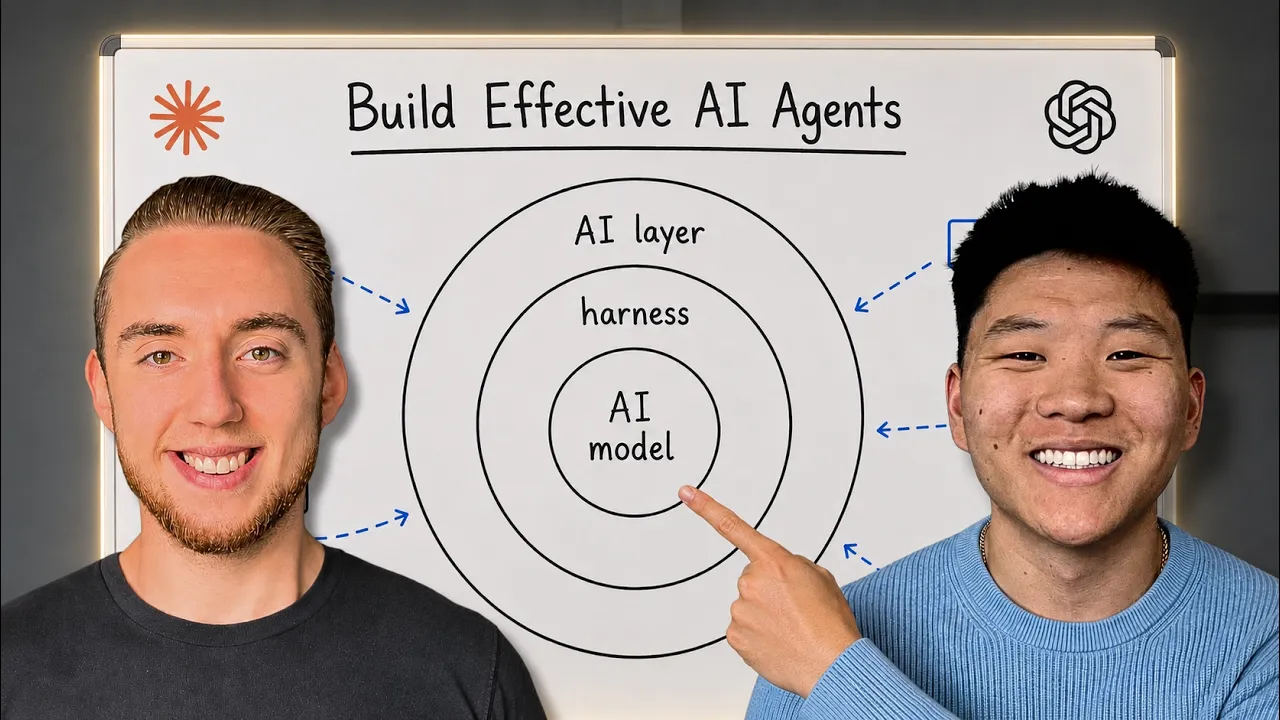
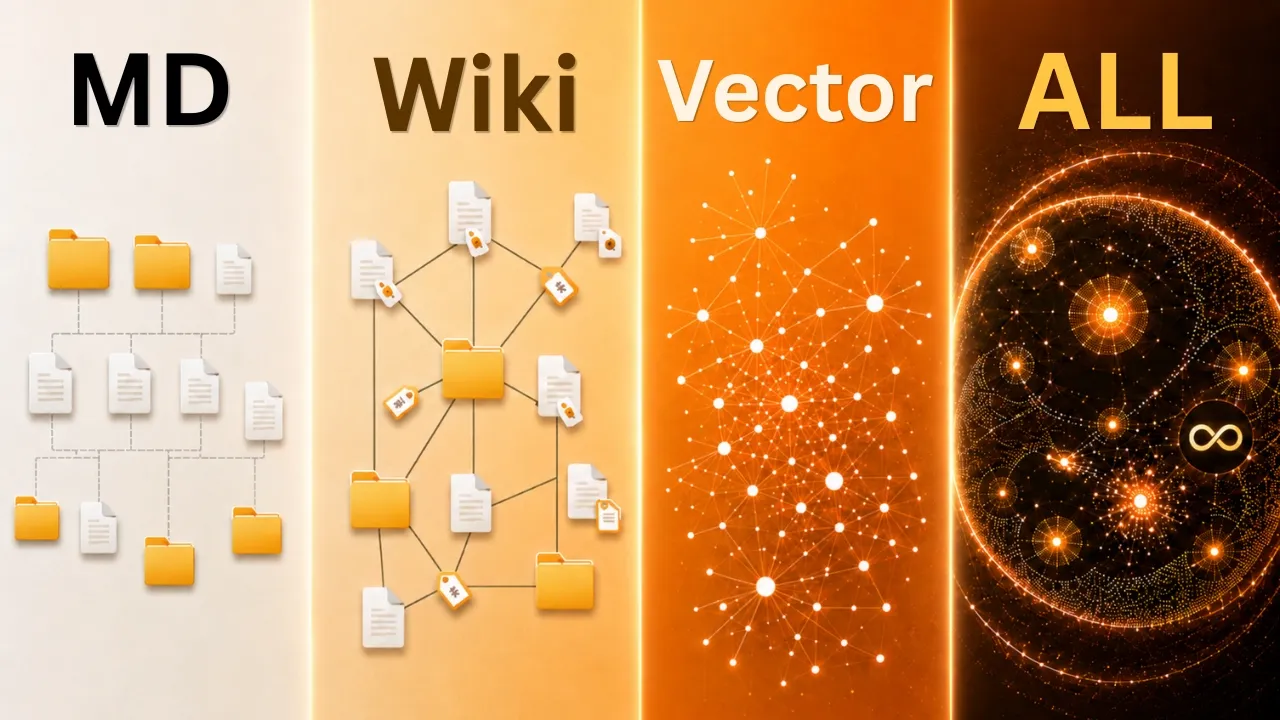





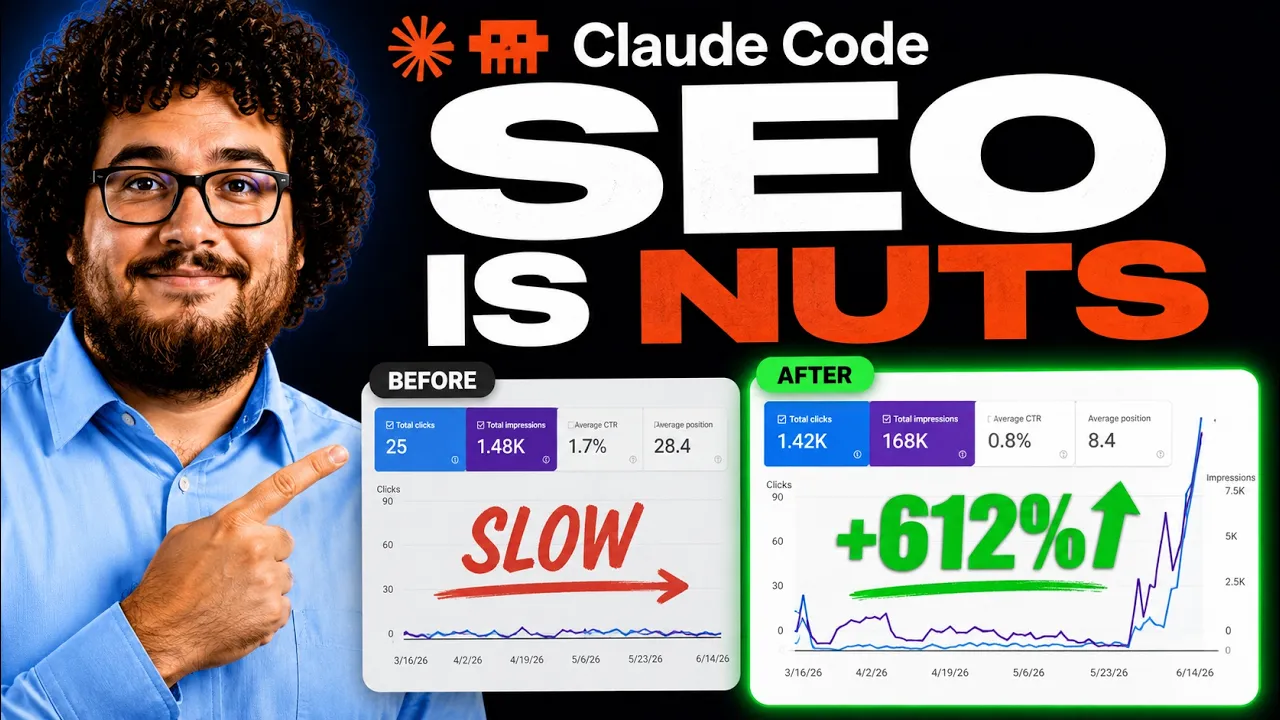
Get daily recaps from
Nate Herk | AI Automation
AI-powered summaries delivered to your inbox. Save hours every week while staying fully informed.