NEW PODCAST, Dual Format & Mobile Updates, & More! | Patch Notes HIGHLIGHTS (Jan 2026)

Chapters7
Twitch announces a new live podcast that will feature streamers and other space personalities, with episodes airing on Twitch and converted to YouTube VOD and audio podcasts.
Twitch kicks off 2026 with dual-format streaming, stronger mobile features, new promo mechanics, and fresh creator clubs, plus a live podcast plan and leadership update.
Summary
Mary hosts PatchNotes with Twitch CEO Dan Clancy and product lead Adam Butterf detailing a busy January. The show reveals a new live podcast initiative to spotlight streamers and creators, with distribution across Twitch, YouTube, and podcast platforms. Lee Gang joins as VP of Community Products, emphasizing speed and feedback loops to ship improvements faster. Adam Butterf dives into dual-format streaming, explaining how 16:9 horizontal and 9:16 vertical streams co-exist and how chat readability and easy switching are being improved, along with server-side transcoding options for hardware-limited setups. The mobile experience gets attention too: experiments on the home tab aim to personalize discovery, plus backgrounding support lets streams run while users multitask, with picture-in-picture rolling out on iOS and coming to Android. Creator-led promotions get a big upgrade: promo time increases, tokens refresh quarterly, and a new quick action in Creator Dash makes promos easier to manage. The hype train system marks another milestone with NeuroJam (level 123) and Evil Jam (level 126) as new commemoratives after record breakers like Vidal 987. Finally, Twitch expands Creator Clubs to include retro gaming, food & drink, and Roblox, inviting both affiliates and partners to apply. Overall, the episode balances product milestones with strategic community initiatives for streamers and viewers alike.
Key Takeaways
- Dual-format streaming now supports both 16:9 and 9:16 layouts, with ongoing work on chat readability and streamlined mobile switching between formats.
- Mobile experiments aim to personalize the home tab experience and test how following feeds versus discovery affects engagement, starting with a small viewer rollout.
- Backgrounding support enables streams to keep broadcasting when the app is in the background, with iOS live picture-in-picture already launched and Android to follow.
- Promotions for monetized creators expand: 24 hours of promo time and 3 promo tokens refresh every three months, with a maximum cap of 96 hours and 12 tokens.
- Creator-led discount promotions will see updates: the start window will be eased ahead of Twitch-wide events and an end-alert will be added to the activity feed.
- Hype train records continue with new commemoratives NeuroJam (level 123) and Evil Jam (level 126) to celebrate milestone runs by creators like Vidal 987.
- Creator Clubs expand to include retro gaming, food & drink, and Roblox, inviting affiliates and partners to apply and shape new communities.
Who Is This For?
Essential viewing for Twitch streamers and community managers who want to leverage dual-format streaming, mobile discovery improvements, and creator-led promos to grow engagement and revenue.
Notable Quotes
"Starting in a couple weeks, we're going to start a live podcast."
—Dan Clancy announces a new live podcast to spotlight streamers and creators.
"Dual format streaming allows you to broadcast both your horizontal 16-9 stream as well as a 9-16 vertical stream."
—Adam Butterf explains the core idea of dual-format support.
"Backgrounding most people have experienced it and this basically is what happens when you switch on your mobile phone to another app so that it can stay active in the background."
—Adam clarifies mobile backgrounding concept for viewers.
"Starting February 1st, all monetized streamers will have their promotional allotment reset to 24 hours of promotional time and three promo tokens."
—Promotions program updates with new quotas.
"NeuroJam for level 123 and Evil Jam for level 126 commemorate hype train milestones."
—New hype train commemoratives are introduced.
Questions This Video Answers
- How does Twitch's dual-format streaming work and what are the current limitations?
- What changes are coming to Twitch's mobile home tab and discovery experience?
- What are promo tokens and how do they refresh for creators on Twitch in 2026?
- What are Twitch Creator Clubs and which new clubs were added recently?
- What is backgrounding and how will Twitch support it for mobile streaming?
Twitch PatchNotesDual Format StreamingMobile App UpdatesBackgroundingCreator PromotionsPromo TokensHype Train RecordsCreator ClubsLive Podcast InitiativeLee Gang
Full Transcript
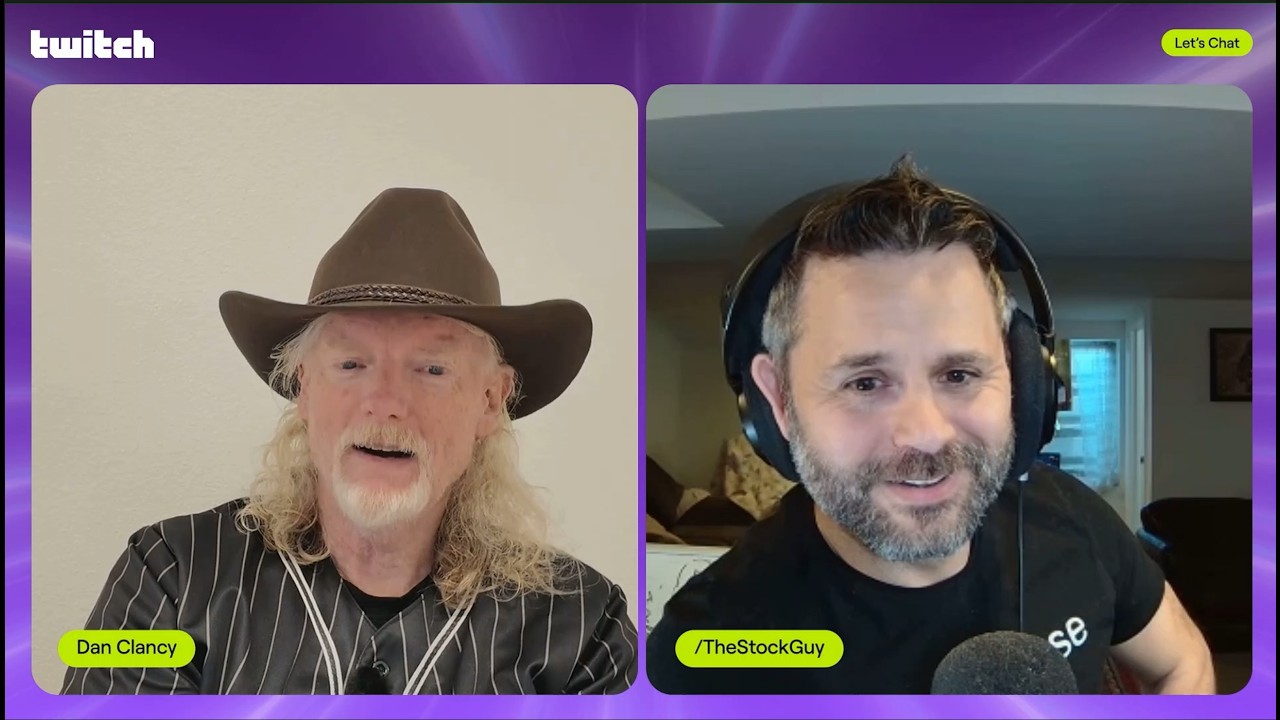
Hello everybody and welcome to PatchNotes. This is your monthly show dedicated to teaching you guys all the stuff that we're doing behind the scenes at Twitch. So you know all of the products, all the services, all the fun things that we're working on. My name is Mary. Uh I work on the community team. I love what I do and I'm excited to be live here with you today uh with our CEO Dan Clancy. How's it going, dude? It's going well, Mary. It's always it's great to be here with you. Our very first topic is actually about you, Dan.
Um, please tell everybody about your big announcement. Starting in a couple weeks, we're going to start a live podcast. And the objective of this is to um spend time talking with a range of streamers and people in the space just about in general what's happening in the live streaming space to kind of put a spotlight on both some streamers and other people that are doing interesting stuff in this space. It'll be musicians live collaborations um any you know athletes or celebrities using it but really a lot of our streamers um and what they're doing. So for you guys um you will be able to watch the show live on Twitch and then we will take that live stream and we will convert it to uh YouTube VOD and we will put the audio out wherever you get your podcasts.
So if you get your podcasts on Spotify, you can listen to it there. But wherever you tend to listen to your podcasts, it will exist. Before we move on to our product updates, which is what we usually do here, I think it's very important that we introduce someone who you are going to see on patch notes a lot moving forward. So, everyone, please welcome our new VP of community products, Lee Gang. Hey folks, uh, very nice to meet all of you. I joined Twitch late last year and it's been quite a whirlwind. A bit of background about myself, I've been building community products for the past 10 years.
uh whether it's at Reddit or whether it's at Facebook groups, I've been leading teams of of of all sizes. Maybe a quick little description about what I do. Some people may not even know what product people do. So my job is to bring teams of engineers, designers, and product managers, data science all together to figure out, you know, what are the right things to build for streamers, for viewers so that you're successful, you're happy, and you come back and use the product every day. And uh that's everything from figuring out what areas need improvement to what areas maybe we don't uh as much focus on because maybe we've done a lot of great works there.
And a lot of what we're trying to do is figuring out what is the right thing to build for the right problem. To that end I focus all on community products. So that means everything from the tools that the streamers uh use to the experience that you have as viewers on your mobile app on your desktop. Everything um the desktop experience everything under the sun there. Lee, tell us a little bit about what you're excited to work on, like what you're focusing on or where your head's at. I I wish I had a favorite child of things to fix.
So, when when I joined, it's like, what's not working? And and and I went to Twitch, I chatted with a lot of you and you gave me a long list of things that need improvement. So, whether it's the mobile app performance, your broadcasting, your notifications, you know, getting discovered there. There's a long laundry list and that's all my list of to-dos for this year. So, hopefully you're going to see improvements as I come back more often on patch notes and I'll share all of that. But more importantly than than the list of things to do, one of the things I most focus on is just how do we improve the speed in which we make these improvements.
Get those to your hands sooner. Get that feedback loop from all of you, the users, the streamers on what needs to work, what doesn't, and make those improvements much more effect uh much more quickly. Dan, uh it's time for our more official uh product updates. Are you ready to have our next guest on? Let's go. Let's bring on Adam Butterf to talk about dual format updates. I know a topic that um I know lots of people uh uh are curious about about where things are right now. So, Adam, why don't you take us away? Yeah, over the past year, we've invested a bunch in uh in in vertical uh video, delivering vertical video and dual format streaming.
Uh we rolled out our beta at uh TwitchCon in October. And for those of you that aren't aware, uh dual format streaming allows you to broadcast uh both your horizontal 16-9 stream like you see most time today as well as a 916 vertical stream. We've been talking about dual format for a while, Adam. This is not the first time we've talked about it on this show. How's the feedback been so far? What have you been hearing? Some overall has been real positive. uh particularly around the flexibility of how we display chat, how users can customize that and the ability to switch between on on on mobile between that uh that horizontal and vertical view.
So, they really like that. Uh we've seen a little bit higher engagement on on the feed for for seeing that nice big vertical view of the stream uh when you're when you're streaming down the when you're uh going down the feed. So, talk a little bit about some of the stuff we're still working on to improve uh on the beta. One of is chat readability. Uh so because uh you're giving us that nice uh that nice vertical uh video, we're putting chat over that video and so we we're working to tweak to make sure chat is always readable.
Uh we're also improving uh making it easier to switch between uh the vertical classic theater. We want to make sure viewers know that they can and just quickly rotate their phone and see that uh see the 169 stream. We've also know that uh not everyone's setup uh today works uh with the beta due to hardware and network limitations. So we're exploring uh some options there to allow some serverside transcoding uh to uh support to reduce resources especially for those who are doing a lot of multistreaming or local recording. We are going to continue talking to you Adam because you're not just here to talk to us about dual format.
You're also here to talk to us about mobile. We're going to be uh experimenting with and improving uh the mobile home uh tab this year. So, we redesigned the mobile app uh a few years back uh to introduce the live feed as the as the home uh default for for users. Uh the live discovery feed, it's been a great way for viewers that come to Twitch to discover uh new streamers and to quickly find something they watch. Uh we're also exploring to make the home tab uh even more personalized uh by matching viewers the types of content they want to see as soon as they open the app.
Uh the first experiment though that we're rolling out uh uh this week is we're we're we're going to let a small percentage of viewers uh choose between landing on their following live uh live feeder clips tab uh when they open the app. Uh the goal here is to understand usage and the best way to improve the experience. Can you tell us a bit about why you're making these experiments with mobile? Like why are you putting so much energy on these experiments here? Yeah, I mean so mobile is is a super critical platform for us that we want to always improve and we're experimenting with these uh new designs and settings uh to help us learn really quickly about what works and doesn't work.
These experiments are only available to select group of viewers, smaller groups uh to allow us to learn quickly without being too disruptive uh to the experience. We want to look at how this impacts uh changes to discovery uh growth, viewer engagement before making any of these changes permanent. And we want to make sure that as we do, we'll make sure you update along the way. Uh so you have a clear idea of what what should be there when you open your app or not. We're going to move on to one of our smaller updates. Can you tell us what first of all can I just back up and say what is backgrounding?
Can you explain what that is for people who have never heard that term before? Yeah. Yeah. So backgrounding most people have experienced it and this basically is what happens when you switch on your mobile phone to another app so that it can stay active in the background. Sometimes it has a little window, but the question is, is it active? And so, um, one of our challenges we've had with our mobile app has been that it doesn't handle backgrounding well. And so, we're launching an update for mobile streaming that let streamers keep their broadcast running while switching apps or navigating to other parts of Twitch.
Um, streams continue recording audio and video when the app is backgrounded, you know, or when navigating to other areas of Twitch. You will see your live stream in picturein picture while multitasking. Um just launched for iOS users yesterday. Android coming out next couple of weeks. Um in general we're working to make um the experience for streaming from the Twitch app better on mobile. We're going to talk a little bit about creatorled promos. So uh last year, if you don't know what this is, we launched something called custom discount promotions and I think it was in beta.
What we did was we allowed partners and affiliates the power to run their own customized gift sub discounts. So a creator can decide and they can give viewers a 35% discount on gift sub bundles of five or more for a period of time. Uh so that way you can create special events to drive engagement and support. Um choose when to run promotions to align with moments in your channel and you can customize the duration um so that it fits for you. So, starting February 1st, which is pretty soon, it's like two weeks away, all monetized streamers will have their promotional allotment reset to 24 hours of promotional time and three promo tokens.
Then every 3 months, so May 1st, August 1st, November 1st, so on, you will be given an additional 24 hours of promo time and three more promo tokens. If you choose not to use all of your promotional time and tokens during a given period, you'll be able to save them, which is so cool. They won't go away. You can save them, but there's a max. So, you get a maximum of 96 hours of promo time and 12 tokens. This amounts to, if for any math girlies out there, it it's an annual increase of 37% more promo hours and 71% more promo tokens.
You're getting more um and this is great. And you get to save them. You could acrew them and say like, I don't want to do anything this quarter, but I know in summer I'm going to have a big old subathon. So, you can save them. So, we've added a start promo quick action button to the stream manager page of your creator dash and um extended the deadline to use the 70 hours of promotional time granted last year to January 31st. Um looking ahead um um we're going to reduce the restriction on starting a custom discount promotion on your channel before a Twitchwide promotional event starts for a few days to a few hours.
We'll be adding an alert to the activity feed that lets you know five minutes before a promo is scheduled to end. So, these are incremental improvements that will make it a little easier for you. We had uh an epiphany like a year or so ago where we decided that if somebody breaks a global record on Twitch, like our alltime hype train record or a sub record, we should give them a reward that makes sense. And so, uh, we started doing that, uh, last year and we had a couple people break it. It was Neurosama, Kai's broken it, uh, Pirate Software's broken it.
On December 23rd, Vidal 987 broke their own hype train all-time high record of 110 by reaching 123, which is so crazy. And then they broke it again on January 4th. They beat their own record again by hitting level 126. To commemorate these achievements, we've created the um uh NeuroJam, which is for level 123, and Evil Jam for level 126. Um to anyone who participated in the corresponding hype train. Uh we recently launched some new creator clubs. In case anyone who doesn't know, creator clubs is a program. It's geared towards helping streamers find communities around shared interests.
So, we started with clubs like DJs, IRL, VTuber, Artists, and Co-working. Uh, we've recently added retro gaming, food and drink, and Roblox. Affiliates and partners can apply to join any of our creators clubs. If there are clubs you're passionate about that don't exist today, request them and use your voice for consideration.
More from Twitch
Get daily recaps from
Twitch
AI-powered summaries delivered to your inbox. Save hours every week while staying fully informed.