WWDC Prep, Packing, Wishlist, Note Taking... and an Announcement

Chapters5
The creator discusses getting ready for WWDC, packing decisions, and note-taking plans, introducing Riley the new puppy who’s been a highlight but a bit of a distraction.
Christopher Lawley shares a lean WWDC packing plan, note-taking workflow, and a pivot to Patreon for more detailed, ads-light content.
Summary
Christopher Lawley outlines his practical approach to WWDC preparation, stressing lighter packing and a streamlined note-taking system. He recalls bringing too much in past years and commits to a 20-liter nomadic backpack this time, with iPhone-focused filming and no camera gear. Lawley walks through his gear: a Peak Design bag alternative, a PGY Tech tripod, a DJI wireless mic, a 25,000 mAh external battery, AirPods Pro with new foam tips, and a single spare charger. He explains his decision to rely on iPad Pro for notes and editing during the conference, citing back-to-back briefings and Apple Park logistics. The video shifts to a broader tech outlook, differentiating between assistive AI and generative AI, and sharing hopes for Spotlight, clipboard management, and smarter shortcuts on iOS/iPadOS. Lawley also reveals a new Patreon venture, detailing early access, a weekly newsletter, wallpapers, and Balance Audio, a Mac app designed to balance audio levels. He closes by inviting viewers at WWDC to say hi and reiterates his mission to reduce ads by growing Patreon support while delivering deeper, niche content he loves creating. Throughout, he weaves in Riley the new puppy and a candid reflection on balancing personal life with tech coverage.
Key Takeaways
- Using a 20-liter Nomadic Luma backpack instead of a larger 30-liter Peak Design model to avoid overpacking at WWDC.
- Filming primarily on an iPhone with a flexible camera backpack setup (PGY Tech tripod) and minimal gear to stay mobile at Apple Park.
- A deliberate note-taking workflow using Codex watching Raindrop.io folders (OS27) and Obsidian to condense and organize briefing notes after the event.
- Preference for assistive AI over generative AI, with concrete examples like improved spell-check, better context-aware editing, and potential shortcut automation as a big win for iOS/macOS users.
- New Patreon launch aims to reduce ads, offer early video access, wallpapers, and exclusive apps (Balance Audio) while keeping core content free for all.
- A lean post-conference editing plan: iPad Pro suffices for editing short-form videos and notes, with betas tested later on the iPhone without compromising workflow.
- Engagement goals: build a closer community at WWDC and invite viewers to share what they want to see next on the channel.
Who Is This For?
This is essential viewing for Apple enthusiasts, content creators, and productivity nerds who want a realistic WWDC packing list, a streamlined note-taking workflow, and a strategic move toward ad-supported to ad-light monetization like Patreon.
Notable Quotes
"This is my fifth WWDC I get to go to."
—Sets the personal context and experience level with WWDC.
"I am not overpacking this year. I'm not doing it."
—States the core packing philosophy for efficiency at the event.
"I'm just bringing my iPad Pro, no Mac whatsoever."
—Highlights the mono-device strategy for note-taking and editing during the conference.
"I want to see some refinements to liquid glass... Readability on the Apple Watch Notification Center is unusable."
—Gives a concrete wish-list item tied to user experience.
"Patreon means I can lessen my reliance on ads and make those more detailed videos."
—Explains the motivation and expected impact of the Patreon launch.
Questions This Video Answers
- What should I pack for WWDC to stay light but prepared?
- How can I organize conference notes efficiently using Codex, Raindrop.io, and Obsidian?
- What are the differences between assistive AI and generative AI in iOS/iPadOS?
- When is the best time to introduce a creator Patreon to reduce ad dependence?
- What gear does Christopher Lawley recommend for quick iPhone filming at tech conferences?
WWDCPacking lightNote-taking workflowCodexRaindrop.ioObsidianiPadOSAssistive AIGenerative AIPatreon launch
Full Transcript
Alright, so today is the day I am prepping for WWDC. I am going, this is my fifth WWDC I get to go to. So I need to pack my bag, I need to figure out what I'm taking with me. Every year I usually take too much. Not doing that this year. I need to figure out my note-taking system because a lot happens in a very short amount of time. You need to be able to take notes quickly there. There's a lot happening. Plus, uh, I have an assistant somewhere in here. Oh, there she is. She's eating my cables.
Riley! Riley! So this right here is Riley. She is our new puppy that we just got about a month ago. Uh and uh she is a three-month-old golden retriever European line. Anyways, she has been a ton of work, but oh my gosh, I love her so much. She she's great. Anyways, uh back to WWDC prep. I just wanted to show you guys Riley. You need a nap, girl. So this is my fifth WW DC, and it has taken me five years now to learn not to overpack. Every single year I end up packing an incredibly heavy backpack, and there is a lot of walking at WWD C, especially now that it's at Apple Park, things are spread around.
Like it's not just hanging out in one area or like a conference center. Like you're walking all over Apple Park. It's it's wild. So I finally learned my lesson. I am not taking my uh peak design everyday 30-liter backpack. That thing is too big. I put too much stuff in it. I've learned my lesson. So last year I got this guy. This is the nomadic luma backpack, and it is 20 liters, some 18 liters, something like that. It's it's much smaller. That's the key. I am not overpacking this year. I'm not doing it. I'm not gonna make a heavy backpack.
So, anyways, uh, I think I finally decided on what I'm bringing with me, but it has to fit in this back pack and I have to have space to put a sweatshirt in this backpack because it's gonna be kind of chill y in the mornings but warm in the afternoons. So what I like about this backpack is it's a camera backpack, but I'm not even bringing a camera with me. I'm gonna shoot everything on my iPhone, but I'm still gonna use a camera backpack because it's adjusta ble. I like this. And I actually kind of already like got it configured the way I want it to.
So first thing I have to bring is I gotta bring the stupid tech pouch because you gotta have one of these . This is the one thing I really love about the Peak Design backpack is you don't need a tech pouch because they have the side pockets. But uh in here I've got wireless charger, USB-C cable, SD card reader, power brick um i literally just bring one power brick for everything i have external hard drive everything that like dongle wise i can need i have this and i put it right up at the top here because it has this backpack has a top compart ment so you can just grab this right there.
I have a little shelf right here so I can get everything organized. So that that's that's number one thing. I mentioned I'm not going to bring a camera. I'm gonna shoot everything on my iPhone at WWDC this year. Every year I bring a camera and every year I don't end up using it. I end up either shooting in like Apple Studio Space and they have iPhone set up or I end up just shoot ing on my iPhone because it's quick and easy. You don't have a lot of time. In fact, I got my schedule for WWDC.
It's like briefings after briefings after briefings. Like there's like 30 minute blocks here and there where I'm gonna film like short form stuff and like edit it and just it's it's gonna be wild. So I'm gonna bring this guy right here. This is the PGY Tech tripod. It's kind of like a vlogging tripod but what's cool about it is like you can vlog but then it opens up and then you can do this and then it like opens up even more but these are like the two modes I actually just use and it's got the quick release clamp so I can put the quick release plate on this moment mag Safe tripod or magSafe mount.
So I literally just put my iPhone on the MagSafe mount and put that there. And it has the cold shoe mount if I want to put an external hard drive on there. This stuff is going to go right down here, down at the bottom. So that way when I open up my bag, it's just right there. I'm also going to be bringing my DJI wireless mic system. In fact, you can hear me talk on it right now. It's this guy right here I refuse to hand hold it I'm one of those grumpy old men that doesn't like hand holding them they they clip on just fine but I'm gonna bring this as well um put that right down there .
So all my iPhone filming stuff is right here. Other thing you need to have at this is an external battery pack. I've learned my lessons over the years. I usually don't bring these because they're heavy, but you know what? There's not a lot of outlets you have access to and the outlets you do have access to all the other pr ess people are fighting for them so I am bringing a 25,000 milliamp hour battery so I could charge up my devices and anybody I'm hanging out with they could charge up theirs if they forget to bring one.
But if you're watching the video, should be live before you leave. Make sure you pack one. All right, so that goes in this pocket right here, just zips up nice. Perfect. All right, that is pretty much it for the main compartment that I am bringing with me. I am packing light. I am not bringing my Nintendo. I do it every year. I bring the Switch and I never play it. Never ever do. So I'm not bringing it. I have this big empty middle section right here, perfect for a sweatshirt. That's where my sweatshirt's gonna go when it warms up.
So I'm not having to carry it around. I'm learning my lesson from these previous years. I am doing it. I promise you, I'm doing it. Alright, so let's close that up. There's some other sections that we need to put some stuff in, but that's the main compartment here. Now, this bag has like a quick access compartment right up here for like your odds and ends. I'm gonna bring airPods Pro. These are the only headphones I'm bringing with me. I've edited video off them using these before. It's fine. It's fine. I know audiophiles are losing their mind.
You edit stuff for production off these? Yes, I do. It's fine. It's not that big of a deal. I am bringing these and only these. I'm not bringing AirPods Max. I'm not bringing uh my good studio headphones for like good 3. 5 millimeter head. I'm not bringing all that stuff. Uh, one thing I did do to my AirPods Pro is I started using these. These are the charge-in air foams active ultra v30 tips. These are so much more comfortable than the um Apple provided tips they don't go all the way in your e ar so the noise canceling isn't as good but it they're good enough they're they're good enough for what I need I like them they're more comfortable than the Apple tips I.
really like these. I'll put links to everything in the description below. If you have problems with the AirPods Pro 3, like a lot of people do, uh, my co-host Matt on Comfort Z one, he had issues. I told him to get these, he got them, and he likes the AirPods Pro 3 now. I'm also gonna bring an anchor back safe battery for my iPhone, lots of photos, lots of note-taking, l ots of stuff happening. It it it gets to be a busy week, so I I'm gonna just make sure I have that on me. It's already charged up.
And then lastly, reading glasses, because I'm old now, apparently. So yep, there's that. And then the last thing I was really debating about was: do I bring the MacBook Pro? Do I bring the iPad Pro? Do I bring both? That's a lot of weight. That's heavy. Uh and after seeing my schedule and what that looks like, it's back to back, back to back to back-to- back briefings Monday and Tuesday, and then I'm coming home Wednesday. I'm just bringing my iPad Pro. It's got Final Cut. I can edit any short form stuff on it. I can take notes.
It's got cellular. So that means I don't have to always like constantly try and connect to the Wi-Fi. I've got Obsidian. I've got everything I need on it. I'm just bringing the iPad Pro, no Mac whatsoever. This is the way I'm going. So this will go in here as well when I'm ready to leave, but I still have a few work things I need to do before I can pack that away. So I think this WWDC in particular is actually really interesting because for the first time in like a decade, I'm not going into it praying for some big iPad OS release.
We got that last year. Like so much of my wish list was checked off last year. And I I I'm genuinely still very excited about iPad OS 26 and still very much loving it. But I think for this year, it's very obvious the wins of the industry. It's gonna be heavily focused on AI. What I'm really hoping for though is that Apple is more focused on assistive AI rather than generative AI. And the two are very different to me. So assistive AI are things like what they demoed in 2024. Hey, search for my search through my email, find my mom's flight information, find us a place around the airport to go get lunch, things like that.
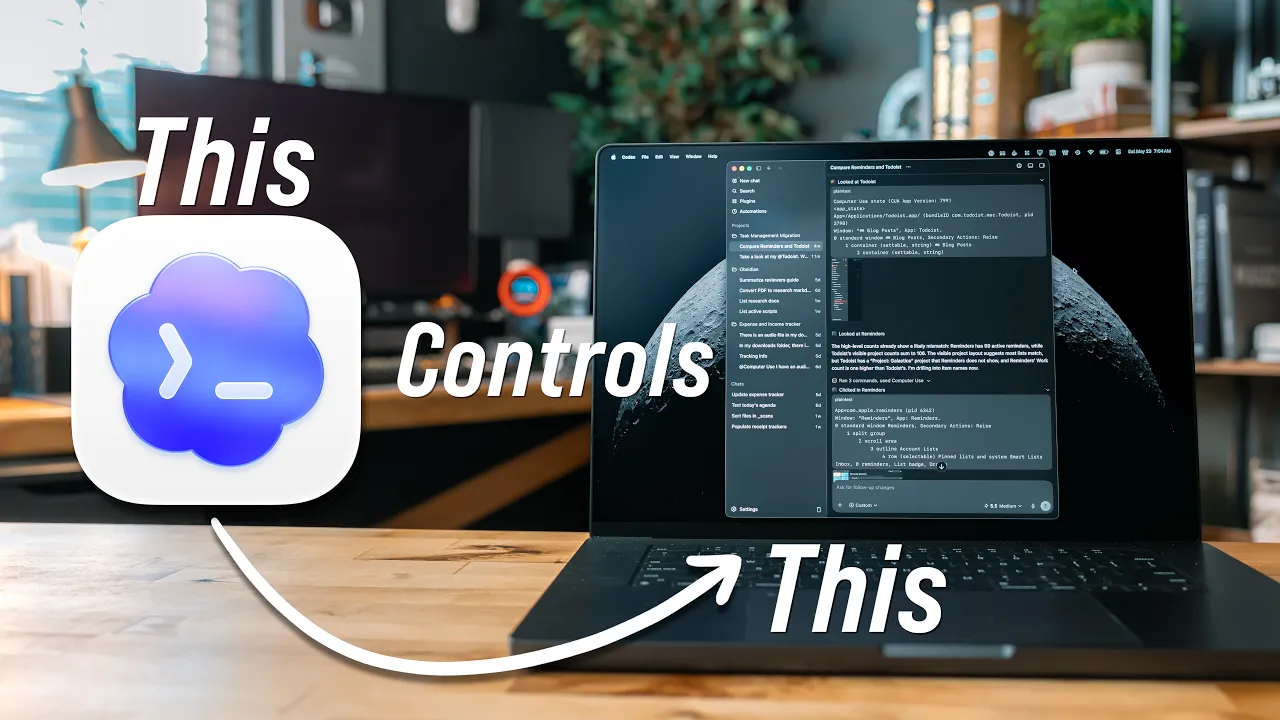
That's cool. I like stuff like that. I just made a video about codex and the computer use feature and that was assistive AI stuff that I am not replacing a human. This is stuff I would have done, but now the computer's doing it for me and it's doing it faster for me , or it's handling it in the background while I can do other tasks. What I don't like is generative AI. I don't like, hey, make me an image of this thing, generate this wallpaper image, generate this song, generate this movie or anything like that.
That is dumb. That is replacing human. That is repla trying to replace art. That is dumb. That I I do not like that and I won't use it and I won't cover those features, frankly. Like it's just I'm I I I have a line in the sand that I picked when it came to AI. And essentially the side that I'm on is assistive tools, fine. If it as long as it's not replacing somebody, as long as it's not replacing a human, fine. Generative stuff, no, absolutely not. And that's kind of where I draw my line in the sand.
Some assistive AI features that I think could be really handy are things like better spelling and gram mar checker. Yes, they added writing tools a couple years ago, but it was clearly just bolted onto the system. It's using a very low intelligence model where it gets a lot of things wrong. It sounds very AI. I don't use the condense feature. I don't use the summarize feature. I don't use any of those like rewrite this in in a different context or in a different way or something . I don't want to use any of that stuff.
What I just want is a better spelling and grammar checker. Right now, I like if I'm writing something in obsidian, I have a codex looking at my obsidian vault, and I just tell it, hey, go into this note or go into this script or blog post or whatever and spell and g rammar check it for me. Show me all the changes before you make them, and I will tell you what changes to make. That's what I do right now. It's a lot of extra steps. If that was built into the system, that'd be really nice.
And I don't want it to just make those changes. I want it to show me what the changes are and let me approve them because I don't want AI rewriting my words. I want it to make sure I'm using the right there or the right to or you know, whatever, the the the right word, the right spelling and the right grammar for that context, because I'm terrible at that, but I don 't want it to be re-rewrite my stuff. But I am still hopeful for like some cool iOS and iPad OS features. Like one thing that was shown off last year was the new spotlight for Mac OS.
I really hope that new spotlight comes to the iPhone and the iPad. I expect there to be some spotlight overhauls when it comes to AI. I really wouldn't be surprised if that's where we chat with Siri is that like spotlight and type to Si ri gets merged. That really that wouldn't surprise me. In fact, I actually think that would be a really good place to put uh type to Siri. But I'd really love to see like a clipboard manager finally come to the iPhone and iPad. Like that's something I have been wanting for years. That was like one of the only big things left on my checklist after last year.
So I'm really hoping we get a clipboard manager. The other thing that I think could be interesting is if Apple's new AI or Apple Intelligence or whate ver allowed users to kind of create shortcuts, like type in what they want for a shortcut and have the system make it for them. I think this is something that could be really handy for a lot of people. Shortcuts can be a really daunting thing to approach. I mean, some of my biggest videos on this channel are about shortcuts or shortcuts that I've made because just I I th I do feel it's a very daunting thing to wrap your head around if you don't have any under standing of programming or or kind of like this block-based code system.
If they don't do it and you're interested in this kind of thing, or if they do do it and it's not gre at, uh my pal Federico Vittici over at Mac Stories, he actually just released something called Shortcut s Playground, which is essentially this. It's a natural language way of typing in what you want from a shortcut and outputting it. There are some limitations uh to the way he could do it. I I believe like he can't really work with like third party app intents and stuff like that there's there 's some stuff there um so there are some limitations where apple can absolutely run with that because they don't have system limitations they have access to the system so it would be interesting to see.
I will link Federico's stuff in the description below. Go check it out. He he did a lot of really cool work with that. And then lastly, I think I just want to see some refinements to liquid glass. Uh liquid glass came out last year and I don't hate liquid glass. Like there are some people that hate liquid glass. I don't hate it, but I'm not its number one cheerleader. I I I do feel like I fall kind of in a a nice middle here where like there are some nice elements to it like the whole light reflect reflection or refracting I yeah it's light refracting uh when you pull up from the lock screen and stuff like that that's kind of cool but like there are some places that you just cannot read what's going on.
The Apple Watch Notification Center, absolutely unusable. It totally 100% unusable. I cannot read notifications in the Apple Watch Nofictiation Center. So I'm hoping to see it refined over the uh this year. And then I guess if I can throw in one bonus one. Over this last year, as you all know I've been using the Mac a little bit more. Um the music app is a total dumpster fire on the Mac. It needs to be completely rewritten from the ground up. It still has like hooks into the old iTunes stuff. It's it's not great. It's bad.
It's very slow. It crashes all the time. It needs to be completely rewritten. So uh a ground-up rework of the music app, I think is the thing that I will end on for my hopes for W WDC. Like I talked about in the past, I brought way too much gear. I've had convoluted systems for taking notes while I'm there. It's it was just too much. So as a part of simplifying everything and stripping things down, like I said, I'm only bringing my i Pad and my iPhone. Those are the only two computers I'm bringing with me to WWDC this year.
So as a part of that, I wanted to make my note-taking system simple because the way WWDC works for pr ess is I'm gonna get there on Sunday. Monday morning I have to be at Apple Park 8 a. m. sharp. Then there's the keynote at 10. And then after that, I just have briefings for the rest of the day. Monday and briefings all day Tuesday. I'm at Apple Park until like 8:30 or something like that Monday night and at Apple Park at like till like four or five PM on Tuesday, it's it's going to be a busy, busy, busy.
I wanted to make sure I had a system that I can take notes during briefings and after briefings, but also while I'm scrolling the feeds and I see stuff, because a lot of times people post things on the internet about like, oh hey, the betas have this feature and Apple didn't talk about it in the keynote, and I want to make notes of those things. So I think I landed on an interesting system. I have a Mac here with codex running that's always watching Raindrop. io for my specific folder in raindrop. io called os27. You know, it's gonna have all the os stuff.
As I start adding links to it, it's going to add stuff to an obsidian document. Its job is to summarize whatever I add, give me the source, like give me the source who posted it, and give me a link to it. And then that way, as I start adding stuff to raindrop. io, it's going to start summarizing all that, and then it's going to add that to a specific document in obsidian so that way when I get back I can see all like just like a list of all the stuff that I've add ed with a summarization and links to it and the sources.
That's important to me. I also have another document here. Uh this one right here. It's just my WWDC26 notes where I'm just gonna take notes on all the stuff throughout the couple of da ys that I'm there, write stuff down, and Codex is watching this document as well and learning from this and then when I get back I'm just gonna have it condense everything into one document organize it so that way if I like you know save it to a source and wrote a note about something like a specific feature it will condense it it,'ll put it in one spot, it'll give me links to all that.
That's my plan right now. So that means I'm can take notes on my iPhone, I can take notes on my iPad, no matter what, I'm I'm good to go. And then after the betas come out whenever that is usually it's an hour or two after the keynote somet imes not even that long um my iPad Pro will get whatever beta comes out this year. I always wait until I get home to put it on my iPhone. Just because one year GPS got messed up and that sucked. But my iPad Pro will get the I don't expect the betas to be so broken I can't take notes and I can't ed it short form video.
But if that is the case, I do have my iPhone to fall back on. Um, so I I may be editing video on my iPhone, who knows? But yeah, that's kind of my plan this year. I I I'm feeling pretty good about this. Every year I always pack way too much, I have too big of a system, my note-taking stuff is all over the place. I'm feeling good about this. So, one last thing that I have been working on is I just launched a new Patreon, and you're probably w ondering why would I start that now?
I've been doing YouTube for almost 10 years. Why do one now? Something I've noticed lately, especially it's been bad the last few years, is in order to make money on YouTube, you have to do advertising. That's the main way I've been making money. I I do ads in the middle of videos. You'll probably hear me. This video is sponsored by X. Uh and to get those, you have to keep growing. You have to keep making sure your videos are bigger and bigger and bigger and bigger. And in order to do that, you don't really get to experiment.
You don't get to try new things. You don't get to make really niche videos. You find out what works and you basically just repeat that over and over and over again. You've probably seen that with a lot of channels my size or even a little bit bigger. Like it's it's this uh section that I'm in. And frankly, I hate that. The whole mission statement of this channel when I originally created was for me to show you how to do things with the tech that you already have, things that you don't know how to do, or maybe you don't know exist.
That's what the whole purpose of this channel is. Whether it's showing you apps, automations, system features, whatever. Like, I want to show you how to take advantage of the stuff that you already have and maybe help you make decisions on buying stuff in the future. And because of the current state of YouTube advertising, I feel like I have kind of fallen away from that mission statement. And I don't like that. I I want to get back to that so badly. Right now I feel like I'm doing a disservice to you all and myself. I want to get back to making those really detailed automation videos and tutorials and walkthroughs of apps and app roundups and big like hey let's dive into this notes app or let's dive into the reminders app and just cover all of the features in there and not necessarily have to worry about okay, is this gonna work with that advertiser?
Frankly, I hate that. I don't want to be doing that. So, this is where I need your help. Starting a Patreon means I can lessen my reliance on ads and I can make those more detailed videos. I don't want to say ads are just going to be completely gone because frankly I don't know how this Pat reon is going to do. I'm I've set up targets for myself that I can hit and that when I hit those targets, I'm gonna pull back on those ad requirements. But just like you all, I have bills to pay.
I have a mortgage, I have car payment, I have insurance, all that stuff that I have to pay for. So I have to be kind of smart about how I do this. I can't just completely say no more ads ever. But what I can say is there will be no more dedicated ad videos. And depending on how the Patreon does, I will pull back the amount of advertisers in videos and stuff like that. My goal is that if the Patreon does well, I just have one or two ads in a video a month with the goal of being six to eight video long form videos a month and like two to three short form videos a week.
That's the goal. Because right now I spend a good chunk of my week juggling advertisers, juggling middlemen, sponsorshi ps, talking to these people, and I waste so much time on that. So much of that time could be put towards making videos. And that's what I want to get back to. Now if the Patreon does really, really, really well to the point where I don't need to rely on ads, th ose will just be completely gone from the channel because I don't want to do them. It's not like I'm like trying to get this and brand deals.
I want the brand deals to be gone completely. I don't want to deal with them. Now what I can say is the Patreon is completely optional? It's if you want to support me, that's what it's there for. My videos that I have always made will always be on this channel free and open to everyone. That's absolutely my promise to you. That is not changing. This is just if you would like to support me and get some benefits that I will talk about in just a sec ond. That's what this is for. Now, if you do become a paying member of the Patreon, there are a few things you're going to get.
First off, you are going to get early access to videos. Uh most videos. Sometimes I have embargoes and things like that where I can't give early access to the videos because I, you know, uh sign an agreement with Apple or another company saying like,, hey, I won't release any coverage of this product before this time. And sometimes I just finish videos like minutes before they go live. That's pretty rare, but sometimes that happens. Those are the use cases where you pretty much won't get the videos ahead of time. Every other time, which is a majority of the time, I'd probably say about 80% of videos, you will get them at least a day in advanced.
I'm also gonna do a weekly newsletter. The first issue of the newsletter is on the Patreon and it's free for anyone to read. You don't even have to become a member. You can just go right on there and read it, kind of get an understanding of what it'll be like. It's this one's probably a little more condensed than what other ones will be. There will probably be more detail. Um, a little behind the scenes. I just came off of a family emergency, so my last week was just it was wild. It was it was dealing with some wild stuff.
So in the future, these will probably be even more detailed, have more app recommendations and automations and things like that in them. But that first version is there for everyone to go read. You can even see pictures of Riley. Also, this is how I'm going to distribute wallpapers going forward. I'm going to shut down my wallpaper pack store in the next few days. Um, but basically, if you sign up to be a paid Patreon member, you get access to all of my previous w allpaper packs, all three of them. Uh, and then going forward, any wallpapers I do, they will be here where you can just get them and use them yourself.
Also, I've been working on some apps. I have one app done already. It's called Balance Audio. It's probably a little more niche than the other apps that I'm working on. But if you sign up for the Patreon, you will just get access to all the apps that I make. Uh Balance Audio is a Mac app that basically you can drop in a bunch of audio tracks and it's going to balance the audio levels to industry standards. This is what I'm going to be using for comfort zone going forward. An episode of that hasn't gone live because of my family emergency.
It's been a whole thing. But I do have some other Mac apps and some iOS and iPad OS apps that I have been working on as well, but they're just not quite ready yet. But when they are ready, they will be here. I'm also going to do the occasional vlog and Q<unk>A. I don't want to commit to a schedule on those just yet. I kind of want to see how the Patreon does and what all people want to see from this. If you do want to see anything on the Patreon, there's comment section. Just leave me a comment.
Let me know what you'd like to see. And lastly, I I know everyone's financial situation is different. Like I said, this is not a requirement to view the channel or view videos or anything like that going forward. This is something if you'd like to support me, you'd like to see less ads on the channel, you'd like to see more detailed, more niche videos, this is a way to make that happen. I've put a lot of thought into launching this. In fact, I've basically been thinking about this since September of last year. Uh because I've been honestly really nervous about launching this, but I truly feel this is the corre ct way to go with the channel moving forward.
If you want to see these more niche videos, if you want to see these more detailed things, this is the way to do it. Plus it would mean less ads on the channel. Frankly, I don't I know you don't want to see them. I don't want to do them. But that's kind of like the economy of YouTube. And I'm trying to get away from that because I I really don't like doing them and I know you guys don 't like seeing them so I would like to get away from them. I don't think I'll be able to completely get away from them unless the Patreon does really, really well , but I can definitely scale them back.
So that would be something that would be really great to see. And lastly, I would just want to say anyone that even just checks out the page, but people that support me, thank you so much. I do really appreciate it. It means a lot to me. I love doing what I do and uh I love hearing from you all whenever I put out a video or something that helps you all, um, that means a lot to me. So thank you all so much uh for watching. Uh I'm just gonna sign off the video right here, and uh I hope everyone has a great day and enjoys WW DC.
Uh if you are at WWDC and you see me, I'll probably have the Ford hat on and a flannel shirt because it 's looks like it's gonna be a little chilly. Uh come up and say hi. Let me uh you know say hi, shake my hand, give me a hug, whatever. Uh I'd love to chat with you. Thank you all so much for watching and have a great day.
More from Christopher Lawley





Get daily recaps from
Christopher Lawley
AI-powered summaries delivered to your inbox. Save hours every week while staying fully informed.