Claude Code vs. Local LLMs: Building a Restaurant Reservation System

Chapters7
Two restaurant reservation projects are introduced: one built with cloud code and one with a local model, established with the same plan.
Two Laravel restaurant reservation apps compare cloud code vs. Quen 3.5 local model, with the local version edging out on design and admin features.
Summary
Tony Xhepa walks you through two nearly identical restaurant reservation projects: one generated with cloud code and another built with the local model Quen 3.5. He registers users, books tables, and views reservations in both, showing dashboards that display day, status (pending, confirmed), and confirmation codes. While both demos handle booking flows, Tony notes the local model’s UI feels cleaner and more polished, especially for admin tasks like filtering by status and date. He dives into code structure, highlighting database migrations, tables for restaurants and reservations, and blade views for booking and my reservations. On the cloud-code side, he demonstrates admin sections and table management, then critiques the admin restrictions and UI. Across both projects, you’ll see common features: login, create account, book table, view reservations, cancel and confirm flows, and admin dashboards for reservations and table management. Tony also points out specific implementation details such as admin guards, routes, and components like book.blade.php and reservations. The comparison ends with a quick verdict: the local model version seems visually superior, though both implementations achieve the same core functionality. If you’re curious about practical differences between cloud-based generation and local LLMs for app scaffolding, this side-by-side showcase is a compact, real-world reference from Tony.
Key Takeaways
- Building with cloud code completed quickly in roughly 7 minutes, illustrating rapid scaffolding versus a longer local-model build time.
- The Quen 3.5 local model took about an hour to assemble the restaurant reservation project, highlighting a trade-off between speed and polish.
- The local-model version features a more polished admin UI, with explicit admin routes and a dedicated admin reservation view.
- Both projects implement core booking flows: register, book a table, view my reservations, and cancel/confirm actions with visible confirmation codes.
- Admin capabilities include filtering reservations by status and date, with the ability to confirm or cancel items.
- Table management is present in both, but the local-model design ties in sections like bar, indoor, and outdoor for clearer categorization.
Who Is This For?
Developers curious about the practical differences between cloud-generated code and local LLM code for a Laravel app, especially around admin UX and data flows.
Notable Quotes
"Hello friends, Tony here. Welcome."
—Opening line sets the video as a hands-on comparison from Tony Xhepa.
"This is created by cloud."
—First project intro, clarifying which build method is cloud-generated.
"The second project which is a restaurant.est test is created by local model which is the quen 3.5"
—Key distinction between the two demos.
"This is done with the local model."
—Summary statement emphasizing the local-model workflow.
"I think the design is better on the local model."
—Tony’s direct comparison of UI/UX between the two approaches.
Questions This Video Answers
- How does Cloud Code compare to Quen 3.5 for building a Laravel app UI?
- What are the admin features in a Laravel reservation system demonstrated by Tony Xhepa?
- Why might a local LLM yield a nicer admin interface than cloud-generated code in this demo?
- What are the core booking and reservation flows shown in the video (register, book, confirm, cancel)?
LaravelLaravel BladeQuen 3.5Cloud CodeLocal LLM vs Cloud CodeRestaurant Reservation SystemAdmin DashboardReservations Table ManagementAdmin GuardsDatabase Migrations
Full Transcript
Hello friends, Tony here. Welcome. In this video, I'm going to demo two projects which I created with the same plan. I created the plan with cloud code and one project. This is a cloud- res. This is created by cloud. Okay. So the prompt by cloud code and also the project created by cloud code. And the second project which is a restaurant.est test is created by local model which is the quen 3.5 and we're going to compare now here let's go and register this is the restaurant test is by quen so let's go and register with fake filler come here and yeah in both of uh projects I have run the composer rundev and we have a dashboard here it's going to show The total today confirmed and pending and today reservation we have only one here which is pending.
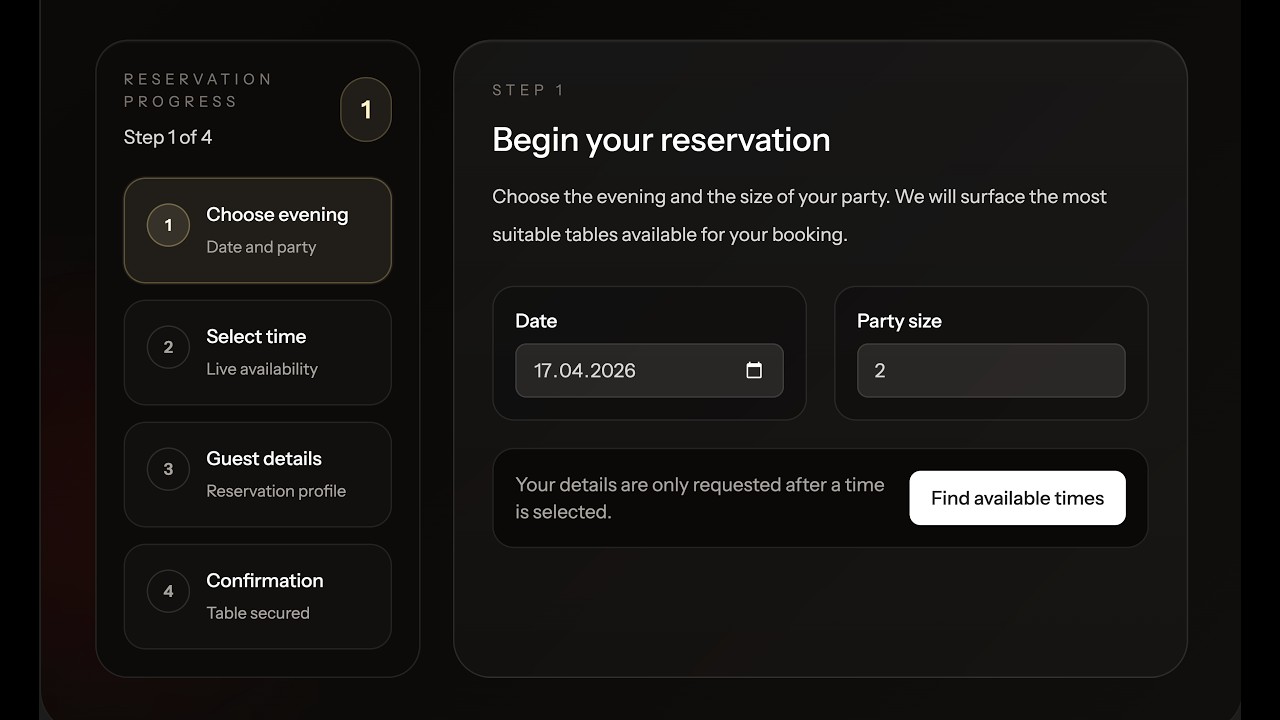
We can go to book a table and we can book a table. So we can select the day two people find available and yeah we need to select another date. Okay, we have the list here with with tables available. 11 is 26 tables. So, let's for example, let's select for 100 p.m. phone number. And I'm going to say confirm reservation. And now we have the date, the time, guest is true. And also we have the confirmation code which is this one. We can return to dashboard or view my reservations. So here are the reservation. We are in this section.
My reservation is pending right now. So table alpha one past all is only this one. And yeah we can cancel if we want. We can go back and book another table. We can so for example for 18 find a table. Let's choose again one confirm the reservation and let's go to dashboard. We can see the my reservation here pending table alpha 1 alpha 1 here and we have also the confirmation code. This is done with the local model. Now let's see the cloud code what has done. Come here. Go and register. Create the account. And this one is created with cloud code.
We are on the dashboard. We have the day confirmed pending. So the same we have here the day confirmed pending. But I think the design is better on the local model. We can go to book table also here. I think the local model is better than the cloud code. Anyway, here we can select the date. Find a variable. Let's select 1 p.m. And yeah, we can add or confirm here. And the same we have your confirmation code and make another booking. So, let's select 18. Find 1 p.m. Okay. Okay. Now let we can go to my reservation.
And here is my reservation also. Also design here is better than the cloud code which is more minimal. We can cancel and we can cancel also here. Just cancel not edit and delete because we are not admin. Now let's go and login because if I open the plan on the verification we can see that if we login as a test this and visit book this is quest reservation also visit admin reservation using this login as admin at restaurant.com and this is the prompt so I'm going to show you just a little bit this is a fresh Okay.
Database migration. Create restaurant tables. Create reservations table. Then models are restaurant table and reservation methods is available is table available and available tables for slot. available slots for date factories and cedars live full page components uh book.blade.php reservations for the my reservations and for the admin list then we have a table management dashboard routes sidebar navigation test implementation of the order and verification. So let's go and log out and we're going to login with that user which is sorry login with this one which is the admin and I'm going to say just password here and we are on the dashboard but we need to go to /admin/reservations copy that and paste it here and where we have forbidden we are as admin admin.
Anyway, let's come here and let's do the same thing. Log out. Let's log in with that user. Here we are on the cloud- rs. So, create by cloud and not with the admin. We need to copy this email. Paste it here and add the password. login and now cloud code has make something better has have if has checked if the user is admin has added the section for the admin and we have all the reservations and yeah we can search filter by status and also by date. Very good. Also we can this is confirmed we can say complete or cancel.
All of them are completed. Pending. Confirm. And so let's say confirm this. And we are this is confirmed also this. Confirm. Confirm. Yes. Okay. So also here we have very good. Let's go to tables. Table B1 for example. Bar edit. And we can create a new table. Capacity. Yeah. Okay, we can also edit here. Now, why this works and this doesn't work. So, admin tables. If I got the tables also here forbidden, we have to forbid. Let's open the restaurant. I think this is the restaurant. Yeah, this is the restaurant. And let's open the web routes if we have the pages admin reservation.
Okay, let's see here. on the mount abort unless the out user is admin. Let's open the user model. If we scroll down is admin is going to return that this is admin to be true. But we can say not like this return boolean this is admin. If it's true in the database it's going to return true or false. And now yeah as you can see also here the problem was on this one. So we have now all the reservations the design here is yeah but okay. So we can filter by status. We can also filter by date and sort by date.
We have pending pending and here we have icons. So for example we can make confirm confirm completed completed completed and so on. We can go to tables. We can add a table. We can see also here we have the section and this is bar and also this is indoor and outdoor. Very good. I think this is more is better than this one because the table is just simple one and also here you can see we have a section for bar indoor and outdoor but this is looking more good. Now if I want to edit here we have table name capacity section and active and notes if we want.
Okay, the same thing if I go here edit for example this one. Okay, capacity table number section active and status. The design is better in the resound which is created by the local model but I think is very good the same project. That's it. What I wanted to show you in this video an example of a restaurant reservation built with Laravel and one project was built using the local model which is the quen 3.5 and another one using the cloud. Yeah, when I worked with cloud, I think about 7 minutes was finished the project with the local model with quen 3.5.
I think took about an hour to build this project. That's it what I wanted to show you. Now, if you like such a videos, don't forget to subscribe to my channel, like the video, share with your friends, and I'm going to see you in another one. All the best. Thank you very much.
More from Tony Xhepa






Get daily recaps from
Tony Xhepa
AI-powered summaries delivered to your inbox. Save hours every week while staying fully informed.