How I Design a Brand Identity in Affinity (Full Workflow)

Chapters8
Creating a mood board from brain dumps and client input to establish the brand mood and direction.
Will Paterson shows how Affinity can handle the entire brand-identity workflow—from mood boards to brand guidelines—without leaving the app.
Summary
Will Paterson walks through a full brand identity workflow using Affinity, emphasizing that branding is a system of decisions, not just a logo. He starts with client workshops to define success and gather core ideas, then uses Canva whiteboards during calls to capture inspiration and notes. The Moo board phase aligns visuals and language with the client, aided by keywords found from conversations and AI notes. Paterson then builds a modular grid in Affinity’s Layout Studio, arching moods onto a presentation-ready master page while attaching mood-board words to imagery. He introduces personality sliders during brand sprints to clarify tone. Ideation happens on paper, iPad, or directly in Affinity, with logo-type work first prototyped in Glyphs before being vectorized and pasted into Affinity’s Vector Studio. Mockups live in Affinity too, letting logos live in context and enabling symbol-driven updates across multiple mockups. Presentations are streamlined since everything lives in one file, and updates to mocks auto-reflect in the final presentation. After client approval, Paterson finalizes the lockup by defining clear space and exporting suitable assets, then compiles brand guidelines—a toolkit covering logo usage, color specifications, typography, imagery, and even video guidelines. The goal is a cohesive, scalable identity that teams can apply consistently, with Affinity handling the entire process for a smooth, unified workflow.
Key Takeaways
- Use a structured client discovery process (questions on identity, offerings, differentiation, five-year goals) to align the visual direction before any design work begins.
- Leverage mood boards (images, keywords, inspiration sources like Cosmos and Unsplash) and even AI note-taking to extract recurring themes that define the brand vibe.
- Work in a single Affinity file with master pages and a modular grid in Layout Studio to keep layouts consistent and easily updatable across presentations and assets.
- Create and reuse a logo as a symbol so updates to the logo automatically propagate across all mockups and presentation artboards, saving hours of rework in client-facing decks and deliverables.
Who Is This For?
Essential viewing for branding professionals and designers who want a tight, end-to-end workflow in Affinity, including logo development, mockups, and brand guidelines.
Notable Quotes
"Creating a brand identity isn't just designing a logo with colors and a font. It's creating a full system."
—Will Paterson frames branding as a system, not just a logo.
"The worst thing you can do at this point in time is to leave an idea inside your head for you just forget it a few days later."
—Emphasizes capturing ideas in collaborative, shareable formats.
"Never show a logo on a black or white background. Always show it in context."
—A core guideline for presenting logos through mockups.
"What I do is I archetype the different moods that I'm trying to convey."
—Describes translating mood boards into visual direction in Affinity.
"Affinity is really powerful and this is something that has sped up my workflow so much."
—Highlights the efficiency gain from using Affinity for end-to-end branding.
Questions This Video Answers
- how to build a brand identity workflow in Affinity
- can I use Affinity for mockups and brand guidelines in one file
- what is a brand sprint and how is it used in branding
- how to create brand guidelines that cover typography, color, and logos
- what are the benefits of using symbols for logo updates across mockups
Affinity DesignerAffinity PhotoAffinity Vector StudioBrand IdentityBrand Mood BoardsBrand SprintLayout StudioMaster PagesLogo SymbolsMockups in Affinity","Brand Guidelines"],
Full Transcript
Creating a brand identity isn't just designing a logo with colors and a font. It's creating a full system. Every decision within the design process should be intentional. And designing a brand identity can involve a lot of different apps like photo manipulation software, vector editing software, layout software. We're always command tabbing out. Well, over the past 9 or so months, I've been using Affinity. It's a free professional creative design tool and it can do all the things you need it to do to create a full brand identity system. So this is how I use Affinity to design a brand identity.
Through a series of calls and workshops with the client, we work out what success for their brand looks like. We walk through a series of questions like who they are, what they do, what they provide, why they are different to other competitors, what they aspire to be in 5 years time, and how they want their audience or their target market to see them as. With this information, we understand what their needs and differences are. Now, during the client calls, we always have a Canva whiteboard open so we can just be messy with it. We can just add whatever information we need.
We can bring in inspiration that they found and we can use sticky notes to just have all our ideas from our brains out somewhere. The worst thing you can do at this point in time is to leave an idea inside your head for you just forget it a few days later. Now, these images and ideas, sticky notes, form the basis of our next step, which is mooboarding. A moo board is essentially a board that just vibes out. It gives off a specific feeling to what the brand should be. The best places to find inspiration are from Cosmos, this amazing website.
I love to use Unsplash as well with connecting words. And a lot of the time what I do is in these client calls where I have my whiteboard. I will find key words that they keep repeating or I use my AI notetaker tool and I'll ask it to find key words from that conversation and I'll add that into the mood board. It's a really easy method of coming up with patterns of thinking, imagery, and a general vibe for the brand. So, we've got our mood boarding images, and now it's time to align it with the client.
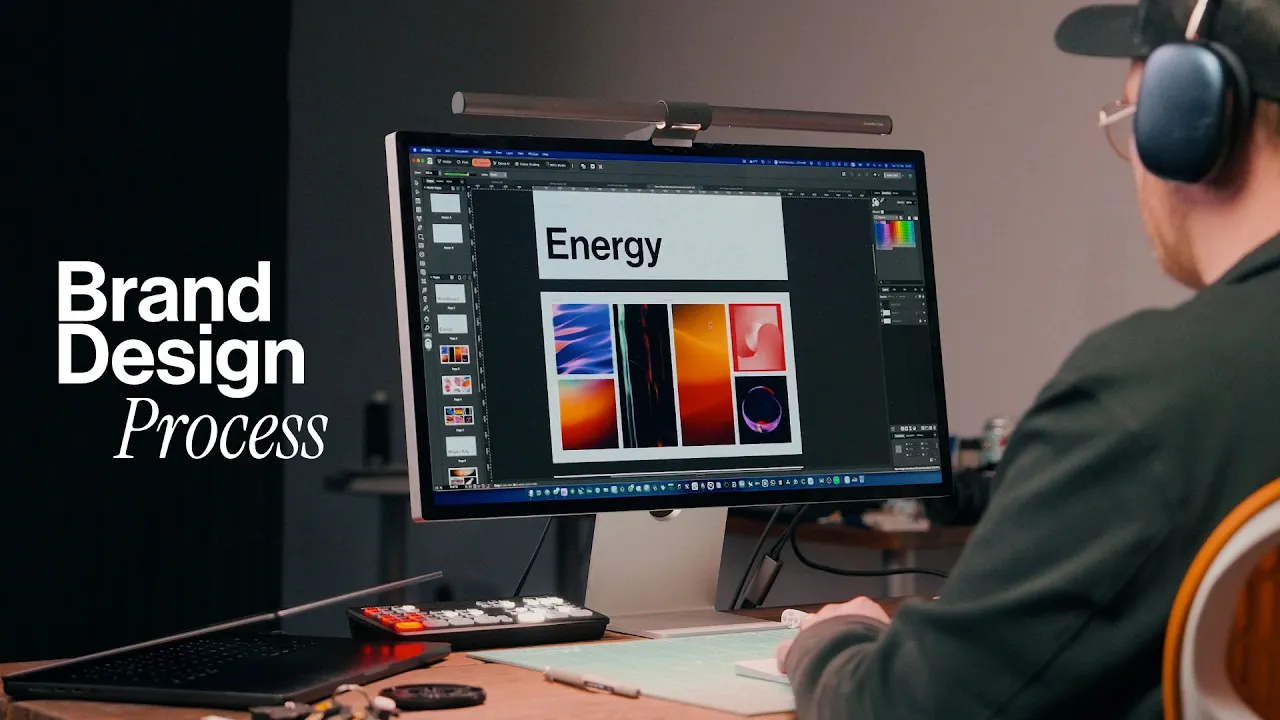
The most important thing to do before you start drawing or creating anything for a brand is to properly align the visual direction, the vibe with the client. they need to say yes to it. And if they don't, you're going to end up working on too many things and they're going to say no in the end. So in taking our mood board images for how the overall brand will look, I bring them into Affinity. In Affinity, you can go to the layout studio in the top left. This is for creating layouts, presentations, magazines, anything you can think of that requires a grid.
And I simply create this easy modular grid. go up to view grids and it's just there. And I'll normally do that on the master page as well. The master page will just duplicate all the way down for every page. So I have a PDF at the end with the same grid system. And what I do is I archetype the different moods that I'm trying to convey. I try to attach words from the mood board and all the images. And I just use the picture frame tool in Affinity to do that. A pro tip, if you are researching with a client and doing what we call a brand sprint or a brand workshop, it's great to put personality sliders on there that you can see here.
These personality sliders allow the client to see whether they are more elite or more mass appeal, whether they're more strict or more casual. It's not scientific, but it gives you an understanding of their sort of tone for the brand and what they think. And don't be discouraged. You can always disagree with them when you're speaking with them. Clients aren't hiring you to be a yes person. They're hiring you to help create a brand identity. The next stage is the ideation stage. Sometimes I'll use Affinity on my computer just to ideulate. This works for concepts like this one for enter Shakari.
I just did it straight within the computer because it required a font that I already liked. However, most of the time I ideate on pencil and paper or using my iPad. You can use Affinity on the iPad, but a lot of the time I'm using Procreate as well. In this ideation phase, I'm trying to generate as many ideas as possible and sort of brain dump all the visual in my head onto the paper. Even if it's a bad idea, I draw it. But the client doesn't have to see any of this. This is all for your benefit to get all of these ideas out.
All the best ideas will stick out to me and I will just continue reiterating them and refining them, making them better, and mending them on paper until I feel the natural inclination to get into my computer. If I'm designing a logo type, I'll first use an app called Glyphs. Glyphs is an app for designing fonts, and it's got a few features that I love for logo type design specifically. And once I've vectorized Inglyphs, I will always copy and paste it directly into my Affinity file. And I use the Vector Studio for this. The cool thing about using Affinity is that you can just click and duplicate artboards.
Everything feels very airy, fast, and smooth. And I'm able to iterate really quickly on one idea inside of Affinity, knowing I can always go back to that idea if I screw up somewhere in the process. And the great thing about using Affinity for this process is that I don't have to switch out now into other apps to make any sort of presentations, guidelines, or social media graphics, which I'll get to in a minute. So, at this stage, I've normally got a concept that I really like, but I need to prove the concept. This is what I call the mockup and testing stage.
Mock-ups are images that bridge the gap between fantasy and reality. Before I started designing in Affinity, I would normally have to design my logo in a vector app and then move to a photo manipulation app to create mock-ups. But Affinity is really powerful and this is something that has sped up my workflow so much. I can actually just make mockups in Affinity and I can bring my logos, logo types into the mockup in the same file or even just a different file, but I'm not having to command and tab out. The purpose of a mockup is to bridge the gap between fantasy and reality.
There's one rule that we have, and you guys should 100% follow this. Never show a logo on a black or white background. Always show it in context. If the logo is for this car manufacturer, Krez, I'm not going to show them the logo by itself at first. I'm always going to show it in context. So, either on an A-frame on the product they're using, like a car. For this instance, I used AI to generate a car model. And in doing that, it bridges the gap between what is not real and what's real. It provides context for them and it brings the brand alive.
And in Affinity, I'm able to just quickly create many different mockups on one page if I want to and change the logos entirely, very quickly. There's a few features I love about Affinity, but this has got to be the best one for my workflow. If I have a finalized logo that I think that's 99% there, that logo, I can create a symbol out of it and apply that symbol to all the mockups that I'm using. So whether it's a business card, a lanyard, or an iPhone, and let's say I need to change that logo, but I don't want to go in and change all the logos that I put into the mock-ups.
Well, if I edit that symbol, it will actually bring that edit all to the different mock-ups that I've done. So the logo is just updating on those mockups. That's saving me hours of time when I'm creating presentations. Which brings me on to the next stage, presentations. I always say presenting artwork is the most important aspect of being a good designer. You can have an amazing logo, but if you present it terribly, then it's awful for the client. They're not going to understand it. And that goes for brand identities as well. Without telling a compelling, honest story about the process of the design and the reasons why you created the design the way it is and the decisions you've made, it's going to be hard for your client to understand what the brand's about.
Remember, a brand is just an emotional connection between the customer and the entity itself. It's that gap in the middle. And during the presentation stage, we have to tell stories of how it happened, why we did it, and get them excited about it, too. Now, because all of my work is in one app, creating a presentation is super easy. I'll normally have one file full of mock-ups that I love to use, and I just create different artboards, and I duplicate them for different logos, and I'll use that logo symbol as well as I'm going. And then I'll create a new file for my actual presentation using the layout studio.
Instead of exporting all of my images from my mockup file, you can actually just drag your mockup file or any file from Affinity into the one that you're working on and select an artboard that you would like to use to show and it will show you the image or artboard you want to show. This is really powerful because if I go ahead and edit that mockup because there's an error, it will update on the presentation page as well. Now, the next stage is the alignment and lockup stage. So, my client likes the work that we've done.
It's time to lock up the work. That means to present the final files, the logo should be all ready to go. What do we do next? What I always do is in my main logo file, I'll go ahead and create clear space for the logo itself. And I do this in a few different methods. You can balance it in the rule of three. So, you divide the logo by three. Then, you use a third of the space on the outside of the logo surrounding it. And that seems to work pretty well for a lot of abstract marks.
Another way is to use a component from the logo itself, duplicating it twice and centering it around the logo as well. That creates clear space. What I then do is I create the artboard to be that size of the clear space and I export it. That way when they drag the SVG or the PNG file into a document that they're using, they can see the bounding box and that bounding box is the clear space. Once I've locked up the logo files, we normally have a lot of other things that we need to create in brand identity.
It's not normally just a logo. Maybe there's a brochure. Maybe there's messaging. Maybe there's assets that we've created like patterns and colors as well, which I haven't talked too much about. Colors are a huge part of the branding process. Well, this is the time where we bring it all together and make sure the client is happy with where the design is. At this point, they've already signed off on the brand itself. It's just refining it. So, in creating the clear space, we're finalizing the assets to be sent, but we might also be creating letter headers.
We might be designing a website for them. We might also be honing in on the exact messaging used on social media, creating banners, profile images, all the brand assets that they need. Once we have all this signed off by the client, the next logical step is the finalization, which is brand guidelines. And brand guidelines are a toolkit. It's essentially like a book that the company can use not just to see the visual styles of the brand. That's called a visual style guide or a style guide. Brand guidelines shows the messaging behind the brand, not just the visuals.
And within there, we put the logos, how they're supposed to be used, how the typography should be laid out, the imagery that should be used, maybe even lots for videos that they're going to be using. Now, generally speaking, I always say a brand guideline document or a style guide document should have these few things. Number one, the logo lockup. Number two, it should have color information such as hex code, CMYK, panone equivalents, so that when they're using their brand colors on separate entities like billboards, other agencies know exactly what colors should be used, ones that work well in print, that go well on digital, so it's all cohesive.
Tight face choices, that's something that has to be there. A brand should have a tight face. I believe typography speaks louder than imagery nowadays. You can see an advert from another company and identify that company from the typography alone. If you look at Apple, you can look at any ads that they do and just by the color, the black and white, and the typography and the way they're speaking, you can tell it's Apple. Now, these brand guidelines shouldn't be seen as a restriction. It's more of a toolkit and it allows other designers and social media managers, in-house designers of the company to be able to use assets that you've created for their brand.
It should feel freeing and a way of just testing whether what they're creating, any statements they're making, any packaging they're creating with other designers goes along with the brand itself. So, that's how I go around creating a brand identity in Affinity. I've tried to concise it down a bit because there's a lot that goes into it. Sometimes it's months of work. And if you haven't already, go and download Affinity for completely free. You've got nothing to lose and you have the ability to design amazing identities in this one app. If you enjoyed, subscribe and I'll catch you in the next video.
More from Will Paterson


Get daily recaps from
Will Paterson
AI-powered summaries delivered to your inbox. Save hours every week while staying fully informed.