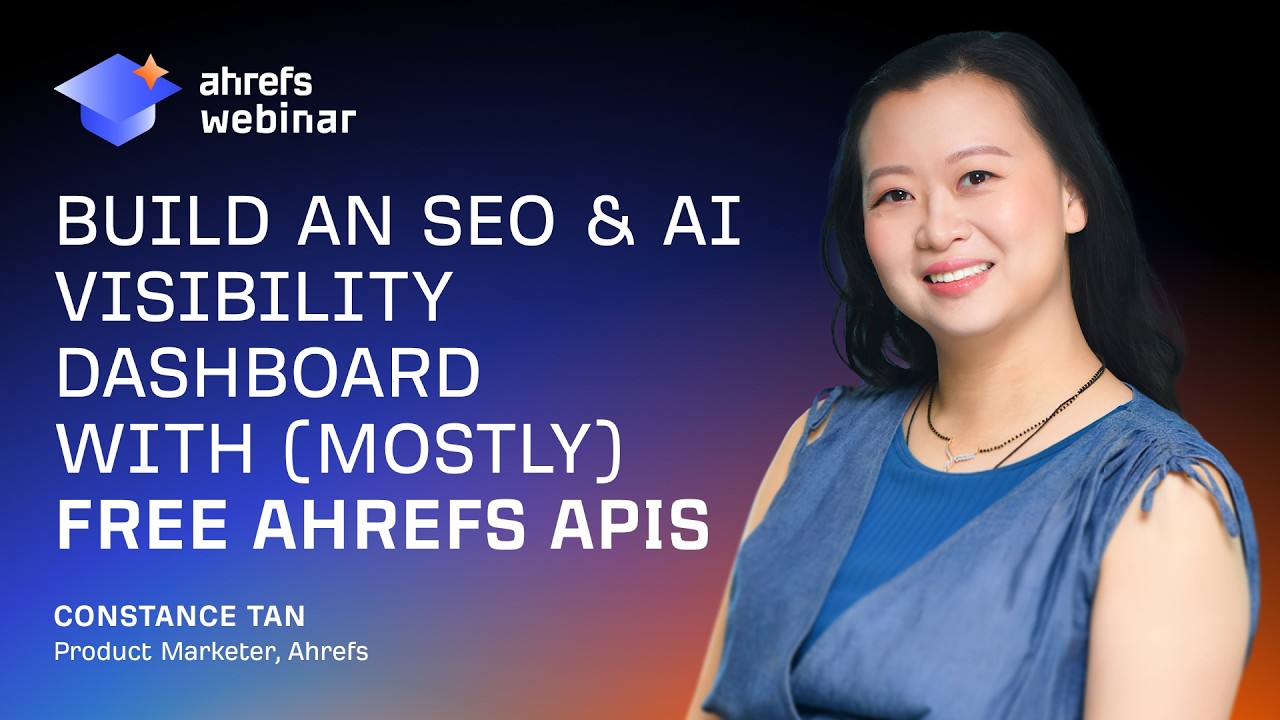
Build an SEO & AI Visibility dashboard with (mostly) Free Ahrefs APIs

Chapters7
Host introduces the live workshop, audience setup, and the goal of delivering actionable content in about 30 minutes.
Constance walks through building an SEO and AI visibility dashboard using free Ahrefs API endpoints and MCP, showing practical widget-by-widget setup and real-world tips.
Summary
Constance from Ahrefs Tutorials walks through building a zero-cost API-driven dashboard that combines Web Analytics, Google Search Console data, Rank Tracker, and Brand Radar prompts. She demonstrates how to pull AI-overview and organic-SEO data, filter by country and brand, and visualize share of voice, impressions, and clicks over time. The workshop emphasizes starting small—build one widget at a time—and validating API calls against the live API URLs shown in the UI. She highlights tips for working with Ahrefs MCP, handling errors gracefully, and using free endpoints (no API units) for Brand Radar prompts. The dashboard is divided into two pages: performance/AI & search metrics, and an opportunities page that surfaces questions, discussions, and third-party pages around your brand. Constance also dives into practical data sources like top pages in AI overviews, cited domains, and video topics to guide content and PR strategy. She closes with reminders to set up projects, connect web analytics, and configure rank-tracker keywords, plus a teaser about upcoming in-person conferences and the Agent A vibe-coding platform. Overall, the session is a hands-on blueprint for marketing teams to build an actionable dashboard without extra spend, while showing where to expand with more advanced prompts and data sources later on.
Key Takeaways
- Zero-unit endpoints: Brand Radar prompts and certain API calls are free, so you can build a dashboard without consuming API units if you filter for the right prompts.
- Two-page layout: Page 1 covers performance and AI/search metrics (share of voice, impressions, clicks); Page 2 focuses on opportunities (discussions, third-party pages, videos) to guide content and outreach.
- Connectors you’ll need: Web analytics snippet on your site, Google Search Console (GSC) integration, and Rank Tracker keywords configured for meaningful, ongoing data inflow.
- Practical widget approach: Showcasing AI-overviews vs. organic impressions side-by-side helps you understand AI-cited visibility alongside traditional SEO performance.
Who Is This For?
Essential viewing for marketers and analysts who want to build an Ahrefs-powered SEO & AI visibility dashboard without extra cost, especially those comfortable with APIs and basic dashboarding. Great for teams curious about AI-assisted data workflows and MCP-driven automation.
Notable Quotes
"Our brand is usually recommended as one of the pricier ones and I don't think that is untrue at all."
—Constance acknowledging Ahrefs' positioning vs. competitors to frame the cost-benefit conversation.
"The answer is yes. And I'm going to show you guys exactly how to do that."
—Statement signaling the core promise of the session: building a zero-cost-endpoint dashboard.
"If you've already started doing that, you know that you're going to watch your API unit spends and your token spends."
—Context about API costs and why free endpoints matter.
"Start with one widget at a time, then expand."
—Practical development advice to avoid overwhelm and debugging overload.
"I reverse engineered after I’ve made everything working and set things up like this."
—Behind-the-scenes note on how the prompts were crafted for the dashboard.
Questions This Video Answers
- How do I build an Ahrefs AI dashboard with zero API units?
- Which Ahrefs endpoints are free and how do I use them in Brand Radar prompts?
- What data sources should I connect first when building an SEO dashboard with Ahrefs MCP?
- How can I pull AI overviews and third-party citations in one dashboard?
- What are the best practices for testing dashboard widgets before full deployment?
Ahrefs APIBrand RadarMCP (Marketing Cloud Platform)Vibe CodingDashboardingGSC InsightsRank TrackerAI OverviewsCited domainsVideo topics
Full Transcript
Okay. Hello. Hello everyone. Hello everyone who is just joining in. Can share where you guys are dialing in from. Happy to see you guys join. Most likely everyone is coming from the US time zone but sometimes we get some surprises. Just going to go ahead and make sure that we have everything set up correctly here. Everyone should be able to see the screen, right? Let me know if you can't. And everyone should know where your Q&A section is to ask questions along the side while we present here. Uh but just know that uh for today's live session, live workshop, I'm not going to uh answer questions while we go along.
mainly because we want to make sure everyone gets through what we've prepared today within 30 minutes. And then after 30 minutes when we're done with the main content, if everyone has seen uh the dashboard, it's being built, they know how it's being built, uh then whoever needs to drop off can drop off and uh people who have asked questions can stay behind and we can discuss them. Yeah. Welcome everyone. Hello. Hello. Yeah. Okay. So, we are going to ahead and go get ahead and get started here. So, welcome everyone. I'm Constance, your product marketer here at HFS.
I help to do these uh weekly live sessions. sometimes by myself, sometimes with a colleague, sometimes uh with a partner that we collab with uh to bring you guys the best ways to use our platform, but also to give some insights about digital marketing and and SEO and AI um optimization as much as possible. So for today, for this um session, I it all started with like a discovery I made when I was researching our own brand visibility in Hrefs. So, I was looking at what we ranked for and what people were asking questions about and how our brand was showing up in AI answers in general.
And one thing kept coming up a lot. a lot of the uh like topics that are being discussed online or even just the AI generated examples when people ask questions like um how do you compare HS with another platform or what's a good um SEO tool or AI visibility tool for a small business or like enterprise and stuff like that. Our brand is usually recommended as one of the pricier ones and I don't think that is like necessarily um untrue at all. I mean we are definitely not the cheapest tools that you can pro uh that you can get in this uh industry but we do have a lot of things that I find are quite affordable that many people probably don't know about and that's something we are I like challenged look to challenge myself today to see if I can build uh a dashboard using all the API endpoints that we support that actually cost zero units and we have quite a number of them and there are available on not just the enterprise plans anymore.
And right now, most of us marketers and like more technical people uh are building using AI to vive code their dashboards and automate workflows. So if you've already started doing that and I know like based on the survey quite a number of people have started doing that you know that you're going to watch your API API unit spends and your token spends. So today is really a challenge that I set for myself that hopefully you guys can reap the benefits for about can I build a genuinely useful SEO and AI visibility dashboard using only the API endpoints that cost zero units to call.
So, the answer is yes. And I'm going to show you guys exactly how to do that. But of course, before we get started, one thing I want to um showcase is yes, uh light and higher plans have recently gotten uh direct API access. It's also what makes this uh today's uh dashboard possible. Not just with the direct APIs, but also um access to the uh MCP as well. So you can see uh in the slides there, but also on the pricing page um the difference in uh rows per response that you can get on each of your uh plan tiers as well as the max number of units that uh you can spend on each of your subscription plans.
And the only way to uh get more units, if you need more units, is to upgrade, of course. uh but because today's dashboard is not spending any units so at least you don't have to worry about the units per month issue for just building today's dashboard just just for I mean this uh today's dashboard actually uh as as for the concern about if having only a limited number of rows per uh request limit especially in a light plan you only get 10 I'll share some tips on working around that uh later Okay, so let's move on.
Uh, so this dashboard is built on the endpoints of four different tools and all of them cost you uh zero units to call. Web analytics uh takes in data from your own site's traffic and uh that includes uh clicks from AI platforms, referrals, internals, direct etc. like uh I will show how um these numbers work in the dashboard later on. GSC insights uh it's data from your Google search console uh pulled through hrfs and when you do that it's we make it easy for you to pull out the data directly as well as pull out data more than the 16month limit that currently exists within uh GSC itself.
rank tracker. And this is data being pulled out from your track keywords as well as your uh regular uh weekly uh rankings that you see as well as the SER uh SERs themselves for the keywords that you specify to rank for uh to track the rankings for uh brand radar custom prompts. So these are your area AI generated answers and citations for the prompts that you've set up to track. And this is also um if you're not already aware available uh on light and higher plans you each plan comes with some number of uh custom prompts that you can already use without you know any additional spend on your subscription.
So before you go ahead and build um with this data you have to make sure that things are set up on your account. For example, you need to add your website as a project first and foremost. And then you need to install web analytics snippet on your site. You need to connect your Google account that has the GSSE set up for your website. And you need to set up your target keywords in rank tracker because that's what's uh like feeding the data that goes into the dashboard. And you can configure the custom prompts uh by setting up a brand radar report as well.
So these are all things that uh do need to be set up ahead of time. But yeah, you don't need to purchase anything additional than the plan you already have. So that's like the bonus part about today. And um how to spot the free endpoints in our API documentation. So if you go through like um our documentation here, I'll quickly like go to it. uh you'll see that there's this notice for requests to endpoints are free and do not consume any API units uh from brand radar uh because the endpoints are specific to um custom prompts.
So you have to make sure that for example you set a prompts parameter to custom and then it's free. So like the documentation gives information about uh what exactly are the endpoints that you you can use um that do not consume API units. So as you go through documentation that's something you should look for. Okay. Uh so let's go through like give a overview of what the dashboard that I've built um contains so that you have some idea of where we are when when I go through each of the widgets one by one to show you how I build them.
It's split into two pages. The first is in uh it's about performance in AI and search specifically uh for like the metrics here that uh that I've set up that already exist in the HS platform. The first one is share of voice. It shows how often your brand uh appears compared to your competitors as a percentage and uh you can get that number for both um like AI generated responses as well as share of voice in organic search results. Uh impressions. So this is important because in a day of an age of zero clicks, you want an idea of where you're most like um for what queries you are showing up more often for or like in proportion to how much they typically get searched uh online.
So you could rank or like show up for um different keywords or get mention the AI answers um for for ones that are very important but maybe they don't get searched as searched as often. So you have to um impressions help you get a better idea about the overall uh perception that you get uh on on both AI and search. And we also have um you know this this number already exists in our platform as well. So uh across the different tools clicks tell you I mean this one you guys know already um it's still like relevant but as you can see it becomes not like the main thing that like lots of marketers tend to focus on but one of the like uh factors that they to keep into account when it comes to understanding how much people have interest like clicking onto your website or going deeper uh rather than it being like the main performance metric that uh people usually follow when they when they optimize for SEO in the past.
Uh and I I should mention that with web analytics, we make it super easy for you to filter clicks coming from AI platform referrals specifically. Uh and that's when people uh click to your website after seeing it cited in like a chat GBT or perplexity answer. Um then you also get to see not only which platform like AI platform they come from but also which pages that they eventually click on. Uh even though you won't see like the prompts that people used to uh arrive at your website from these platforms it gives you a good idea like what pages actually get cited in in AI answers right as opposed to just seeing the answers uh generated from like custom prompts that you're tracking.
And of course, you get to see like top pages just rounds it out to see which pages are driving the most traffic organically and being cited the most in AI overviews. Okay. Uh second page is where it gets more interesting. I've I've put this as like the opportunities page. Uh like I'm pulling out data that gives you a broader like understanding of the conversation happening around your brand and your industry. It's a good starting point to figure out like the questions that people are asking, the topic formats or even like the mediums like for example uh discussion uh like links to discussion uh pages like Reddit and Kora as well as like videos.
So, this is like places where you should uh understand uh where your brand could potentially be talked about or at least are relevant to the keywords that you're you're tracking or the prompts that you're tracking. You got to make sure that you are helping to understand uh uh whether you are answering those questions uh on your uh in your content or on your website. Okay. So yeah, these are questions that people ask and discussion form threads that you get cited in. Uh as well as most cited thirdparty pages. So this is like things like uh the top referral like uh could be PR um websites that are like specific to your niche as well as like domains that are like how often Wikipedia gets cited or something like that.
So this is just more on the generic side and and videos that get ranked and cited. So why do we care? Not all mansions or all brand mansions are equal. So in our studies, we see that some are pop up more often than others and they they get cited more often than others in AI systems. So you should really know which ones which websites do do that for your industry. Okay. So um how I built this dashboard as a very like quick overview. I'm not going to go through like too detailed. step by step but I will show you the endpoints that I used to to fetch that data.
Um but how I went uh the general approach to how I built this dashboard is first I gave an overview of what I wanted to build or what I wanted the uh dashboard to show and I as much as possible if I could give the explicit uh API uh URL that returns the data that I was looking for and in order to get this like pull this report API v3 I'm going to give you example uh very quickly here. So a lot of the um reports that you see around hrefs will have this API button here if you guys can see and if you guys don't know you should know uh that give you an idea of how to pull exactly the data that you see uh present and you you'll notice that like um if I add in filters for example like let's say set for United States uh the API URL actually like updates or it should update D.
Yeah. A HFS uh target HFS.com. It should be custom uh and then it puts all the uh brands and stuff like that. So everything is already if you just copy this whole thing it's already filtered out based on what you have filtered here which is super useful because you can double a you can double check that uh the answer yourself by just calling the API directly and b you give um like explicit um instructions for the AI to double check against when they're building the dashboard when it encounters issues and stuff like that. Um, are there any limits to the number of brand names you can use brand radar?
Technically, there's zero limits. Uh, but the longer the more brands you put up here, like you can put in tons of different uh brands here, the slower your report gets. So, I would recommend that you you like put them like like consolidate to the ones that you that matter most for you. Okay, sorry. Let's spoiler. Let's go back to this page really quick. Um, all right. So, I will cover some general tips on vibe coding uh with HFS MCP as well as the HFS API. uh first if you're starting from scratch doing this yourself or just building with our API in general.
I think from my from my experience it is it's most like you'll get the best results and reduce the most headaches by starting one widget at a time or like one like small part of what you're trying to build at a time rather than trying to build the entire thing um from scratch especially if you're not too familiar of our API. And that's because like you may end up with a bunch of things that don't work at the very beginning and you have no idea like what's working or not working um just uh looking at a blank screen.
So sometimes uh AI does do that especially if you don't give or you've not built many times with our uh API endpoints. So you will not be familiar with the general issues that can happen even if you're not using AI um to to get the dashboards or numbers or charts to work the way you want. So I say recommend that you start first with one and then once you get that first widget working then you use your like learnings from that to build the next one and the next one. Um you can ask um your AI platform of choice.
In this case I use claude uh to crossverify crossverify the API endpoints you need to build using HFS MCP. So like if you have your MCP connector set up, it has a schema that tells you or it gives information about what exactly is possible to um pull through uh the supported API endpoints and like if whenever I tell like AI to like do this at the very beginning, it is more likely to get the make the right API calls and and if I don't explicitly say that I sometimes get have to debug and find it.
Yeah, they're just hallucinating parameters that you can call in the APIs like like just hallucinating things that our API can do. So this is a good thing to tell like ahead of time. Uh and yeah, reference the API document page as much as possible so you know like what can be pulled via API. Not everything can be pulled um via API even though you may see like our charts or our tables for it. Um, so and it's okay if you don't get everything when you start out. You can start with like one use case at a time and then eventually build your knowledge.
Um, oh, and specifically we have this widget here on the side where you can actually pull out like you can put in uh the parameters up front and then test it within the space to see whether or not you get exactly the responses that you're looking for. Or you can uh make sure that you filter out only the columns that you're looking for right from the website. So this is like just a easier way to work things uh and and build things correctly. Uh and tell AI to handle errors and exceptions in the front end and store error logs.
Uh I've like when I've built these platforms uh on different AI platforms, not just Claude, I've also tried lovable. I've tried we have our own internal uh AI platform called agent uh A that we that you can use to build dashboards. Now I if I tell it to handle errors and exceptions ahead of time and I don't see things working or like the numbers don't seem to or I see like charts with with lines that go straight across the board or they just don't make sense. uh it it becomes really helpful to to let them know that if there are any issues um to to handle these errors and exceptions.
So otherwise you just be stuck with like things that don't look right and and like AI goes, "Yeah, your dashboard's ready. You have no idea what went wrong." Uh David, I'm sorry I have to like breeze through the stuff and then I answer your questions about that as well as the others later on. So just hang on uh to that uh question until I get through everything. But yeah, speaking of getting through everything, let's get started and have a look at what uh um the dashboard looks like here. Okay, so this is page number one.
So how I'm going to go through this is that I've built it uh these widgets in such a way where you can see uh if I if I click on this here it it shows you what endpoints were being used. So this is like for example brand radar so share voice history as well as the parameters that were put in and how it was calculated. So um some of the widgets what they do is that they they first pull the data and then they do processing on top of that. I think in this case it's just a matter of uh presenting the data as a series response.
So in this case it's looking at the share of voice over time uh for brands uh for specifically um AI answers all combined together. So I was tracking my our brand against like our competitors and I can see this um going daybyday uh charting over time. Very simple. This already exists uh on in your brand reader overview. So, I'm just pulling it back here. Uh, you can also pull, of course, the share of voice for organic search. And you can do more fancy stuff on top of what I did here to actually plot this over time as a chart like you you you have above.
But here, I'm just pulling it to show you that you can pull share of voice from rank tracker uh in the competitive stats. So, because in my rank tracker, I've also set up competitors um uh to track against, I can see for the keywords that I'm uh tracking, what percentage of my website is getting clicks um versus the entire SER compared to my competitors. Yeah, you can see um this is rank tracker competitor stats. uh and the parameters is the project of course my rack tracker project as well as dashboard and uh yeah volume modes and things like that it currently compares two dates but as I mentioned earlier you can set it up so you can plot a whole series across a graph um but that's like post-processing so uh like you use AI to tell please chart you know collect call the data multiple times for different dates and then plot it on a graph uh impressions questions over time for AI answers.
So what is impressions here? Um if you don't know in brand radar, so we're now in brand radar, um we show you data uh about um four four AI uh responses for your tracked prompts for mentions, citations, and impressions as well as share voice, which here you can see is calculated by summing up the search volumes based on Google of the queries where your brand appears. you're being you might ask like okay but why are we doing how can we do that for uh questions that are being prompted like how are you sourcing the questions that get prompted based on uh the track prompts here and that's because uh these keywords that you enter in or like the people also ask uh questions that are used to power our d um our our prompt library they are sourced from real keywords that have search volume like month on month and we use that as a proxy to have a rough idea of how much gets uh searched for a people also ask questions.
So uh for example if we if we see here uh AI responses you can see all these questions they get okay but I want to see for like chat GPT or something right so this prompt comes from like a keyword like this this is a people also ask question for for original keyword that we sourced that showed up in the search uh results. So this is what you can see. This is how the the impression number comes from. Okay. Uh impression over time uh for organic. So this is uh like this is just straight up search volume uh for the keywords that you're ranking for.
Again like this comes from Oh no no no sorry. Uh this is for from GSE. So, GSE gives you impressions um based on the number of times your website shows up for uh keywords that uh that Google tells you that your website's ranking for. That just pulls it straight um straight into you can pull this straight into uh your vibe coded uh dashboard here through if you have it connected via hrefs. Okay. And like I would highlight the additional benefit to pulling it through hrefs to to pro to create this chart is that you can save history longer than 16 months.
So you can like for example I've set up our uh help center uh Google search console and I'm looking at data like uh here it's only I think a month. Yeah. But like we have data for like multiple years. So I can use like do more like an analytics on top of that through hrefs here. um clicks over time. Uh this is this is just I just wanted to look at like um how or like organic clicks are not only um changing over time but also um split to different subfolders. Uh I you can also set it up so that you like certain pages are grouped together but that's like pro post post-processing uh on like that you can do within your vibecoded application.
Uh but here I have it split via language. So this helps me see like which sections of my websites that could cater to different strategies uh content strategies and how they perform over time. All right. Uh yeah it comes from GSC mainly here. Uh next one is clicks over time for AI traffic. So I mentioned earlier that uh you can pull out very easily um like traffic coming from AI sources as a graph um and then you can split that by different platforms and yeah we don't get many clicks for the source of additin.in This is a help center.
It doesn't really get many clicks uh in the answers, but you can provide this uh traffic uh data and hopefully your website will have more than ours uh or at least more than our help center. And then I filtered it where each each uh platform is its own line here. This should be a straightforward thing that doesn't require a lot of pro uh post calculation processing. Um will this recording or deck be shared following this webinar? Yes, it will be especially because you guys have attended it live. So thank you for attending our today's session live.
Uh next one is top pages in AI overviews. So let's So here what I am pulling is rank tracker and then I looked I filtered for um SER features where my pages show up as a citation uh in AI overviews and then I I then look to see how many keywords I I my pages uh show up for. So in this case the the ones that show up more often are at the top right. So um the there are a single call that is being made but the grouping by URL is done like within the vibe coded application itself.
Yeah. Uh is this dashboard available or do we build it ourselves? you. So I'll give you um at the end of this the right now what I'm going through is what are the endpoints I use to to to create this and how I built it. And some of these are very straightforward. You just call the API and then you tell um AI um to say this is what I want to see and this is the endpoint that gives you the data for it. And like a lot of times AI just figures it out itself. It's pretty good.
Um, I would also say our own agent a platform is particularly good at this because it has a lot of like built-in skills that help you like get what you need uh in the get-go. Um, so it can understand like more vague instructions to build uh charts like this very easily. Uh, but I also will give the prompts that I use to to create this. I I I I reverse engineered after like I've made everything working and and set things up like this. I then asked AI to provide the prompts um or that would uh create a dashboard like this and then I then ran the prompts again to see if it built um this and you will get something very close.
I've also set up the prompts in such a way that you're uh that it will not be platform specific like you want to use SQL like whatever SQL like database or something that's your choice. Okay. Uh top organic pages. So I have it split here. This is citations in AI overviews top pages and then top organic pages based on clicks. Yeah, this your clicks and impressions and clickthrough rates positions. This again this comes from Google search console here. So you can have these pages side by side to see what is performing in search and what's performing well in AI overviews.
Right? It's pretty cool what data you can already pull out without like uh calling site explorer and all these other uh reports that usually cost quite a bit of units. So that's page one. Uh let's quickly go through we're we're at the like almost at a 30 minute mark here. So let's quickly go through uh page number two. Uh the this this one is third party uh domains. This was a matter of taking brand radar and looking at cited domains and then I just filtered out my own uh like website. In this case, my website is technically help.hatfs.com.
So even though I have hrefs down here, my own domain was already filtered out. And so I want to see like what are the typical places that um that get cited in EI responses. and quite a number of them are like Reddit uh our own website but also like uh websites PR websites like search engine journal and and uh I think YouTube yeah YouTube and search atlas so this gives me places an idea of like what are the typical places that um it's important to get um brand visibility on that I have to for example these are PR places I should contact and see if they do what kind of arrangements they have to get mentioned or uh cited more often uh as a solution provider in my industry.
Um third party URLs in AI overview. So like this is the same thing that I filtered out but uh again as you saw earlier you can filter uh for example in rank tracker uh overview and then for for uh SERs that where your where the keywords show AI overviews as a widget and then see the cited um responses in there and then filter out only these third-party websites and see what sort of third party websites get uh like uh mentioned the Uh fortunately here we see that our website our own website's at the top but again you can see um that our competitor gets cited as well as well as Reddit gets cited multiple times across like different um questions uh and and and stuff like that.
Okay. So yeah it's this calls two endpoints. Yeah. The first is to filter for uh rank tracker keywords that where AI overview shows up and then pull the SERs for those keywords. Uh here we have question keywords. So it's the end points is the Google search console keywords that and then I filtered for keywords that have who, what, where, why, how. the typical question keywords here. uh and I want to see what are the these are relatively longtail keywords where people are asking questions and so this gives me an idea of what sort of questions people are asking and I can go through them to make sure that I answer these questions uh for my website right so then they and by the way these also become like if you don't have prompt ideas to track uh questions in AI these can also be starting points to create your like your custom prompts to track what AI responds in in whatever ever tracking software they use.
Of course, we'll suggest our own platform uh to start tracking these questions uh in AI responses. But yeah, this is a good starting place. Uh longtail keywords. So sometimes things that uh I've here I've done the same thing where I have looked at Google search console but I filtered for keywords that have five or more words in them and because sometimes they're not questions but they refer to like some error. So for example, this is a very common uh site audit um issue that gets flagged for lots of people. So uh I have to make sure that this gets a article based on for for this gets uh answers very well on on our website or like some of these like how-tos.
Again these are kind of like questions but for example this is another thing that happens another issue in site audit that gets like uh asked questions a lot both in our like support but also um that gets searched a lot. So these are like typical topics that I need to keep in mind when when I'm optimizing the content on my website and you can do the same thing for you guys. all right people also ask top questions. So this is my favorite uh thing to to showcase here. And remember how I earlier fetched the like cited sources from AI overview.
So you can basically repeat the same thing where in rank tracker for the keywords that I'm tracking uh fetch all the keywords where people also ask show up first step and then you fetch the SERs for those keywords and then you pull out the questions themselves uh for the keywords that you're tracking. So now you have again another place to find questions um that you can either answer directly in your in your website but also enter into your like AI platforms to see what kind of answers get generated that people typically see. These are the the exact same questions that we use to um power our prompt library at Hrefs.
So you're getting like these questions directly even though you may not have bought uh the brand radar add-on for example. So now you can add these directly and and know what uh questions people uh that show up for the keywords that you're ranking for. Right? So yeah and and then here we have popular discussions and forums. So what I've done is I have filtered I believe this should be sorry one second rank tracker. Okay. So yeah, I've just um filtered for the discussions and forums SER feature again with the same method. First I pull all the keywords where the discussions and forums uh SER feature shows up and then I pull out these uh links that show up in the SER uh results for that uh for that widget itself.
And that gives me an idea of the uh platforms like I mean here we're also seeing like Facebook groups that um where people are having discussions around um how to do certain things in Href. So these are all places which like um not only search uh is um pulling as sources to answer questions but potentially these are also points that I should be answering in case AI also is searching for uh answers around these topics and these are all ways to like find topics to make sure that you're you're covering them well if you more than just the general like what your what your industry is and the the general questions.
And here we have um I believe it should be brand radar. Yeah. So uh filtered for the custom prompts that you're tracking for. I filtered for specifically the the Quedit and Quora pages uh Reddit and Quora uh pages uh that get cited across all four of the AI platforms that we allow tracking for. Um this um times up because specifically for this endpoint it takes a bit of while to return. So I have to increase the timeout later. Uh yeah, so so apologies for that. Um but you can set this up for your website as well and I will fix this by the time the prompts and the GitHub comes out for you guys.
Uh so it's just a matter of pulling out the sited pages across all four uh platform filter for all four AI platforms and then filtering out for a specific domain. And like I think in this case I have filtered it on on the app side. But if you want to make sure that all your responses come in uh within your your row limit for your plan, make sure you can also make this filter on the on the like through the API as well. It's just a matter of choice. does the data update live? In in my case it does so it should but I'll I'll I'll I'll we'll talk about it later after I finish the main presentation.
So video topics in this case uh I have pulled rank tracker overview and then looked for the videos and video preview uh SER features to pull out all the videos uh that get sourced in the answers uh for uh not answers the SER results for the keywords that I track for. So they're about pricing and and like like plan reviews and these are most of these are from like other creators. So, a it gives me an idea of what kind of videos people are making where uh where uh the keywords I'm tracking for, they show up and and two, they they tell they tell me the kind of like who are these people that are creating these video formats and if there's and it like if I go through these uh YouTube um video links, I can then see if any of these uh people show up like these uh creators show up more often than not and see if I can partner with them, for example, to improve improve uh like to to create like additional promos later and increase my video mentions.
So, so yeah. So, like it's it's not just like comparing plans, it's also like people covering certain use cases uh with uh with our platform. So, these are just ways in which you can get content ideas as well. Uh and then you can do the same thing for AI answers. So um I have I pull from brand radar and then I filter it for YouTube. Uh you can also do it for Tik Tok as well as uh yeah I think mainly YouTube and Tik Tok for now. Currently I've only like we we don't do any Tik Tok content.
So I'm only showing you guys YouTube links Okay. So yeah. So this is how we like pull out all these information into a dashboard and like the endpoints that help to build the data available uh here and for for use. Let's quickly go back to the slides. Um that's that's mainly it. I just want to do a quick promo that like we have um two uh conferences coming up uh next month as well as in October. one is in Singapore and I think the other one is more relevant for you guys. It's being held in San Diego uh from October 12th and 13th.
And so if you guys would like to see us in person and connect with fellow uh marketers uh that are either on the platform or fans of us, uh please do consider um signing up and uh getting a ticket to our conferences. We'd like to meet you guys there. Okay. And so that's a wrap. Um I if you have any questions now is the time to enter them both in the chat in the Q&A and the uh one second the if you like I will be sharing the prompt examples and GitHub repo and the slides themselves um via a follow-up email but before this email comes I think I recommend that you guys start um to try build something yourselves with the um API endpoints as well as make sure that you've have you've gotten all the stuff that powers the data um shown today set up.
So for example, set up your web analytics and make sure Google search console is connected uh that your rank tracker is connected. I mean that you've set up keywords to track and rank tracker and you set up your custom prompts. Right? So for those that have to drop off um I'll see you guys in a little bit and please fill out the survey uh that we have once you close out the webinar. It helps us uh know what is working, what you liked about today, and as well as things you'd like to see improve. For those that have asked questions, now is the time I'll go through your questions.
So, I will go ahead and first start with the Q&A, and then I'll I'll um answer the questions people have asked in chat because the Q&A only has three. Okay. So, the first question is, can we see an example dashboard? So, I think we've just covered the example dashboard here. if you were um if this is not exactly what you're looking for, maybe you can share what you example dashboard you were expecting and and uh but hopefully I think for most of us I' I've covered the dashboard I wanted to present today um uh or do you have any templates that you can use where we plug in our API key?
So the one that I have uh showcased is uh the one that you can put in your API key directly to power the data for um all of it like I think all all of it here uses my API key directly uh and when I build the um application I have a separate environmental um environment variable like file where I put an API key so it's not stored directly in the dashboard itself. This is really important for security. So like people if you um are working on different applications or you host this like uh on the internet and you want your colleagues to access it they don't like pull your API directly they don't have access to it.
Um so I hope that helps. Um can you show the API endpoints on the widget above for AI? Uh I think what I'll do so here I can tell you specific. So, for example, with with the ones for uh let's say it's the one for uh rank tracker where I'm pulling out the AI overviews. I can quickly walk through how I did that. So, let's go to rank tracker here. Rank tracker. Okay, I will show you the API endpoints uh that I that I used. So, So if I what I do is here's the first step right the first step is I filter for certain features where I show up in AI overview.
So this is include target in right. So that's the first step. So um one second I have bunch of things open. No results found but that's okay. I'm just showing an example here today. Uh then I use this API. So this is rank tracker overview. This is the API endpoint. Uh the for the documentation is this one. Uh overview. This is the endpoint, right? So that filters out the keywords. So let's like increase the duration so you actually see something. Let's do like six months ago. Something suspicious. All right, let's do include then. I just want to show some data today.
Uh yeah, so this is the keywords that show up where AI overview shows up. So if I check the SER, I can see that um that AI overview does show up and these are the URLs right that that get sourced and then in the documentation you'll see that there is a SER overview here. So that you put in the so now you have the keywords. So in this case it is way back machine and competitor monitoring tools. These become the parameters you enter into rank tracker SER overview to say I want to pull the full search results uh for for these two keywords since they rank for AI overviews.
So that's a separate API call and then you get and then you get the response where uh you get the keywords themselves as well as like line by line the different uh like here you basically get this you get like position one has a overviews and then all the URLs in it and then position two you have Reddit and position three so and then the site links right and so and and it will tell you that like these in in the response it will show like the the results is from an AI overview. Uh, and then because it's it has that in the line, I can pull that out via API and then put it uh in in a in a in a widget here.
So, that's basically how these endpoints work. And then I repeat the same thing for a lot of this where I filter for um like videos. Uh I can if I'm in e-commerce, I can do filter for shopping ads. I can filter for uh discussions and and forums. So that's basically what I did. Yeah. Okay. Hope that answers the question. Vicki asked, "Why are track prompts only limited to four to six LLM?" So like some background knowledge about why we only support chat, GBT, Perplexity, uh, Copilot and Gemini is because these are the platforms that like allow you to track or like enter in prompts and get answers for without a login page.
So we were not able to set up that for Claude and some others that require you to log in first before like you can interact the AI. Um, but hopefully we can support more in the future. We're we're always looking to support more. It's just that restriction. Yeah. What is the most awesome wild thing that you've seen a user tap the MCP for? Overall, uh, I I want to do a shout out to our like one of our most recent hires that we're super excited for, which is Glenn Elop. I mean, the the the owner of and and leader for the detail that has joined us recently.
Uh he always pushes out really cool stuff. You should check out like what he posts either on LinkedIn or on his blog or now on our blog. Uh like he always has really cool ideas and how he's pulling out the API and like making um doing all these like batch uh reports and and um doing competitor analysis at scale and stuff like that. He's he's he's basically one of our like top gurus on this at the moment. So he has done so many of them. I can't just list one. Like there's one that he did with batch analysis to basically pull out the performance of uh like a whole list of competitors at scale and then use that to to find like um identify ones that are are trending and and get opportunities um like find opportunities from them at scale.
Uh so yeah, I think basically the the opportunities are endless like the the use cases are endless really once you have um access to MCP and API. Uh the anonymous person said this webinar is too technical for me. However, I'm interested more on how to use the dashboard. Uh do you have any training about how the that explains the dashboard how to use my business? I'm not sure if you're here still the person that have um that stayed that asked this question, but I we don't really have I think this is more a question about like how to use the data that has whether or not it's in the dashboard or like that I vibe coded or uh whether it's on our main platform itself.
I would recommend that you check out our academy. We have one course that goes through like step by step the different uh metrics as well as the different reports that are available on our platform. So I think this by coding this and getting the result out does rely a bit of some like existing knowledge that you have on the ATS platform. So um if it could be ah yeah Shireen. So um hi hi. So if you um want you should maybe get familiar with our platform first before uh if if a lot of things that we presented today confuse you.
We have an academy academy how to use how to use hrefs. So yeah so we have a course here. I'm just going to go ahead and link it. Uh especially for maybe things that are are new to you that you saw today. um you can go through the video and just like like an overall understanding is really is going to be really useful to you to know what exactly you can do uh with the data that HS has. So yeah. Uh okay, there's other questions. This I think was similar to the one above. Irene asked question for are there more plans for these types of videos?
Yeah, I mean we have more like we have so much demand for um AI like powered stuff and like we're going to showcase more coming for like going forward. Um, we also uh I think are planning to have more content on our blog dedicated to use cases that can be done like with our with our uh with our data that now is possible that you can build because AI exists. Um yeah, there'll be more live sessions that will feature this kind of stuff like vibe coded stuff um or built with our AI uh API. So look forward to that like check out like look forward to our future um webinars.
Yeah. I think yeah, this was the same question twice. Hopefully Irene is still here. If not, Irene, if you're watching the recording, I've answered your question. I hope or Ricardo, I've answered your question. I hope it was useful. Uh Jackie asks, you may have answered this already, but will you be sharing a link to this recording? Yes. Um I did mention at the very beginning, but uh of course I will be sharing and because you have attended today, you will get not only the recording but also the slides as well as the prompt examples to create what you see today as well as um the dashboard itself that I have hosted onto GitHub.
Yeah. Uh David asks, "With AI overviews in AI mode not requiring a login, what is the issue of tracking prompts there or is that covered by rank tracker?" Um I'm not too sure of the reason. I remember our team tried to do this and it did not work. Uh but I can get back to you David. Um I'll get back to you about that why we don't support it. But there was a reason why we couldn't do it. Um, yeah. Uh, I think people will want to see it though for a custom prompt. So, maybe I'll check and get back.
Yes. Uh, let's quickly go back to the questions are being asked in chat here. Just do a quick scroll. Are there limits? So, David, this is again your question. Are there limits to number of off-branded names you can use brand? Okay, I've answered this already. So yeah, technically no, but the more brands you put in brand radar, the more uh the more it it like the the report starts to get slow. Okay. Uh Jason says, "Brander is expensive. How can I present a tool to my leadership team to prove that it's valuable to use? Historically, I was unable to show an ROI, so it's removed for cost savings." Um, there's a few ways.
So, since you're already a paid subscriber, I mean, I'm not sure if Jason's still here, but this is like applied all of you guys since um almost everyone here should be a subscriber to one of our plans at HFS. the first is that we have these example filters that you can use like these like demo like these demos here at the bottom. So I'm like if you're seeing my screen here we have these demos that you can click on. Uh with these demos you can use everything. You can see everything. You can see all the air responses topics cited pages for every platform.
you'll be able to see it for like I don't know perplexity or something. And this is just to give you an idea of like what exactly what what exactly you can see if you buy the whole add-on. Um the other thing you can do is actually as a paid subscriber if you've not already requested this to our support team you can ask if you can get a free trial for specifically Brand Radar. We offer this only for paid subscribers that have been with us for a while. So, uh you can reach out to a support team here at the bottom uh and ask if you can have like a short period of time just to try it for for your brand and see if it it works out and then like use that experience to to um share with your leadership team to see if there's some ROI.
And like it's not necessary that you have to buy the entire add-on like for all the sources. Sometimes people just say I'm just going to buy like specifically air overviews and mode and chat GBT and I'm done. So that's also an option to you. Uh and so yeah, so that's to answer questions about the entire like uh database of prompts that we provide answers for. The benefit to buying the add-ons is that we because we have this massive product library of like hundreds of millions of uh questions that get asked across like different countries across different brands and stuff and we source them from people also ask questions.
This is very useful for for you to know where your brand is showing up in questions you probably did not think would show up uh in in the first place. Like if you only use custom prompts, it's limited to like ideas you or like AI can spin up um about like what people could be searching in in in AI platforms. But here like they're sourced they're they're sourced from like real questions that show up in uh search results. So this typically uh relates to some level of search intent and it can be related to to things that like you may not know people are actually asking about your brand or in your industry.
So that's the benefits of having um buying the uh brand raider add-on to get access to like these millions of prompts. Uh David has additional question about have other HS clients successfully use Versa on cursor to MCP. where is our this is our documentation again. I think we have some documentation for D Give me one second, guys. Oh, NCP's here. Sorry. We have a number of setup guides for typical platforms that we think people need to uh use our NCP with. At worst case, you can manually uh set up a man uh MCP token. So, uh the way to do that, so you see that a lot of our installation guides, we have two ways.
The first is the like the built-in like OOTH authentication where it will open up a browser and you log into your account and then make the connection or you can create so there's method number two which is to use uh an MCP token. This should work for uh uh most platforms that support MCP uh where you create a token on your workspace. So over here it'll say generate MCP key and then you can set you can put in the server URL for HF's MCP as well as the key and that should get you set up.
If that still doesn't work um please get in touch with our support team. Okay. So and this is not just for Versel or Cursor as David uh asked like this can be any platform like AI platform that you're using separate that is not being mentioned here in the setup guides. can we also look at things like growth acceleration deceleration also for things like so like growth like I guess month-on-month growth per or like the difference between uh search uh um share of voice and this sounds like it's a question for organic share of voice and the answer is yes you just have to configure a the the app the code and you need to tell it to make multiple multiple calls to the same API so that and and keep changing the date every time and because like you these endpoints don't spend any units so you can just keep calling really you can just call like for for like a whole month or multiple months and get the share of voice number every time and then use all the data points and put it in like a table and chart it.
So you but you you can see that this takes a bit of like uh additional post uh calculations but they are quite straightforward for most uh applications that request this. It's uh so you should be able to build it. If you're not able to build it uh you can get in touch with our support team or I think most likely email me in this case. Uh, okay. Just checking to see if there are certain questions answered. Oh, yeah. He asked about if changing the date will change the data. It should March. Okay, it's reloading. I have not uh done extensive testing to make sure that the dashboard works for like um yeah it always takes a long time to load this particular page but these should be okay maybe not I pulled it for the first time so it's doing all the API calls for the first time it's going to take a long time uh but yeah you can uh I will do a bit of testing to make sure.
Hey, it's only doing it for a day. One second. Then I want to compare it to maybe this. Okay. But yeah, like um it the whole thing kind of pulls a lot of API endpoint. So like it does take some time. But uh there could be edge cases where like maybe beyond a certain date range the data doesn't come back. It also depends on like how long you have been tracking your keywords in rank tracker and stuff like that. So you you have to keep that in mind. So I I I've not like really tested this application extensively.
You may encounter problems, but I think the tips that I shared in the presentation earlier will give you like ideas on how to fix. Yeah, I think something I have to check but it should work. Why the data is not but some of these are working. Yeah. So the pages are coming out uh based on the date range I've entered in. But uh it it should work. So like if you encounter issues like this that where like the data is zero and like it should not show zero and then um I put that into AI and and I try to investigate what has happened.
So I'll fix that before sending it out to you guys if I just put I think this was a bit too far but yeah. Okay. Um, thank you. Thank you. Thank you. Thank you. Thank you. Thank you. Thank you. Uh, yep. Uh, Jason is still here. Hi, Jason. Uh, does HS offer account um reps for agencies or is it all chat support? Uh, we offer account uh like account reps for enterprise subscribers. So we have dedicated enterprise reps for enterprise um people on the enterprise plan although you can ask anyone on our support team as well because we offer live chat and if you have I think our live our support team has pretty good reputation.
We do a really good job in answering people's questions by and large. Um, but if you do encounter issues with uh like that like you've tried to work through with our support team and you didn't really get the answers that you wanted or you struggle with them for any reason, you can let me know and then I'll help to check in with them to see how things happen because um even like it depends. You get both like access to our like customer success team as well as a dedicated account rep. Um but yeah, I mean I I I personally think our support team is fantastic.
So um if if there are any issues that you find that like you're not getting the help you thought uh please get in touch with me. Yeah. And I think we are basically done with questions uh as well as the webinar as a whole. Thank you for everyone who stayed behind for the questions. I think you found today's content useful. Uh, and um, happy to share you guys even more interesting ways that you can use HFS that you probably did not know were even possible today. And I think that's the whole goal with our webinar as well as hopefully you guys get inspired to create stuff with uh, whatever AI platform that you're looking at.
Uh I will do a quick plug to the one we have uh that we have launched very recently which is agent A. So I'm going to post this in the chat. Okay. Uh do check it out. It is a paid platform though I will say it is not something that has a free trial and currently um but it is um our um basically we found that there's better ways to build things or vibe code things for marketers and we've put a lot of like pre-built skills as well as like direct um endpoints being supported through our platform so you can do even more things that our API doesn't support uh all in one um AI vibe coding platform.
So if you don't you you want to explore like new ones that are more focused for the needs of marketers, please do check it out. And yeah, um let this be your sign to start building stuff more than before. Okay, I'll go ahead and end today's session. Thank you everyone that have joined us today. um happy to um create um share with you guys uh the wonderful things that you can do now with API AI and MCP and I hope to see you guys in the next one future there will be more content about this you guys don't worry about it uh we would definitely we know it's a very hot space so uh thank you and um we'll see you guys in the next one take care everyone bye-bye
More from Ahrefs Tutorials









Get daily recaps from
Ahrefs Tutorials
AI-powered summaries delivered to your inbox. Save hours every week while staying fully informed.