Claude Design Masterclass: Websites, Videos & More (2 Hours)

Chapters13
An introduction to Claude Design as a dedicated design tool within the Claude ecosystem, focusing on how to plan, ideate, and build branding assets, pitches, websites, and demos with step-by-step guidance while managing usage limits.
Claude Design Masterclass shows how to build a cohesive brand from scratch and ship a live site, deck, and app prototype using one design system and AI-driven workflows.
Summary
Nate Herk dives into Claude Design (Cloud Design) to demonstrate a complete brand-to-product workflow. He starts by explaining design foundations, then builds a tally brand concept, a design system, and a pitch deck, all within Claude Design. The session highlights how to manage and extend brand assets, import assets, and export designs to Cloud Code, Canva, HTML, or ZIPs. He walks through creating a design system, iterating on logos, typography, and color palettes, and shows how to deploy a landing page and pitch deck using tally as the running example. The masterclass emphasizes token management, model selection (Opus 4.7 vs. Sonnet/Haiku), and practical tips to avoid burning the session limit. Throughout, Nate demonstrates practical prompts, feedback loops, and iterative tweaks (via the tweaks panel) to keep outputs on-brand. He also explores bridge-work: using Claude for research in one chat, design in another, and then exporting or pushing to Cloud Code and Versell for live hosting. The video culminates with a live end-to-end build: a brand-guided website, a mobile prototype, and a launch video, all generated from natural-language prompts and a single design-system foundation.
Key Takeaways
- Start with a single, well-defined design system (logo, typography, color palette, components) to ensure all future assets (website, pitch deck, video) stay visually consistent.
- Claude Design uses Opus 4.7 for vision-aware design surfaces, while enabling strategic model switching (Opus 4.7, 4.6, Haiku, Sonnet) to optimize cost and iterations.
- Export options are versatile: you can push design systems to Cloud Code, export HTML/ZIP, or hand assets to Canva, enabling flexible workflow integration.
- Iterate outputs with the tweaks panel and precise edits (e.g., changing a button color or a headline) to reduce token usage and speed up refinement.
- Use the ‘design system first’ approach and avoid brainstorming directly in Claude Design; brainstorm in Claude Chat to save design-token budget for production assets.
- Separate planning from production: draft the brand and pitch in Claude Chat, then implement in Claude Design to generate a branded landing page and deck.
- When aiming for live deployment, leverage Cloud Code + Versell to push to GitHub and host on Versell, with local-host testing before live deployment.
Who Is This For?
Essential viewing for designers and product builders who want to move fast from brand concept to live assets using Claude Design. It’s especially valuable for teams adopting a design-system-first workflow and looking to integrate design with Cloud Code and hosting pipelines.
Notable Quotes
"Cloud design is one of the most powerful design tools that I've ever used because it makes everything insanely consistent, branded, and professional."
—Intro framing of the tool’s value and what the masterclass aims to teach.
"You can export designs from cloud design into cloud code or to Canva or as zips or as HTML."
—Shows the ecosystem and export paths across tools.
"We have to really be careful because we don't want to just blow through this if we're not using it efficiently."
—Token management and usage discipline explained.
"The design system is the first thing I want you to do when you get into Claude Design."
—Emphasizes starting point for consistency.
"Iterate in chunks. Do one main big change per prompt to save tokens and keep context."
—Prompting best practices for efficient use.
Questions This Video Answers
- How do I set up a brand design system in Claude Design from scratch?
- Can Claude Design generate a full pitch deck and landing page using Opus 4.7?
- How do I manage tokens and limits when building a website and a launch video in Claude Design?
- What are best practices for exporting Claude Design assets to Cloud Code and Versell for live deployment?
- Is it better to plan in Claude Chat and implement in Claude Design for consistent branding?
Claude DesignCloud DesignClaude Opus 4.7Design SystemBrand GuidelinesPitch DeckLanding PagePrototypeMobile App DesignHyperframes integration with Claude Design
Full Transcript
Cloud design is one of the most powerful design tools that I've ever used because it makes everything insanely consistent, branded, and professional. And all you have to do is use your natural language. So, in this master class, I'm going to take you from a complete beginner, maybe you've never even opened up Cloud Design before, all the way to an expert who can ship websites, videos, app demos, prototypes, whatever you want to do with Cloud Design. I'm going to show you guys the full process of me actually coming up with a company, building the branding, building the logo, building the guidelines, and then creating a pitch deck, a website, mobile app prototype, and a launch video.
And we're going to do all of this step by step in claw design, and it is super simple and it's a lot of fun. I'm also going to be throughout the video talking about how do you actually get your money's worth, and how do you make sure that you're not going through your cloud design session limit really quick. I've been playing around with this tool every day since it came out and I'm just going to be showing you guys everything that I know about how to get the most out of it. There's timestamps down below.
Make sure you save this one so you can come back and jump around whenever you need. And let's not waste any time and just get straight into this video. Well, let's just go ahead and jump right in. So, Cloud Design, this is going to be super fun. What is it? It is basically a separate product. So, it's almost like you've got your Cloud Chat, you've got co-work, you've got Cloud Code. This is a different app within sort of the anthropic ecosystem called Claw Design. And it's specifically made for people to work on designing things, whether that is websites or slide decks or, you know, prototypes.
A lot of people when this was released was calling it the Figma killer. You can share design systems across your team. You can export designs from cloud design into cloud code or to Canva or as zips or as HTML. So we're going to be diving into all of that today. So we're going to be looking at sort of three different acts. Different stuff going to be going on. We're going to be starting with foundations. So looking at what's actually going on inside of Cloud Design getting set up. We're going to do some builds. So I'm going to go through some real scenarios.
We're basically going to set up a brand together. So, I'm going to show you guys how I ideated on a new brand, a new business, and then I used a combination of claw design and some other tools in order to really bring that brand to life. We're also going to be going over some really important habits and the ways that you can get the most out of claw design without burning through your session limit. Because the important thing about cloud design to note is that it is a separate limit than your regular claude or claude code usage.
You can see we've got our current session, we've got all models, we've got sonnet only, and then we have a claw design specific limit. So, we have to really be careful because we don't want to just blow through this if we're not using it efficiently. So, I'm going to talk a lot about that in this master class as well. And then we'll talk about what comes next. But this is going to be really cool. I'm going to take you guys on a full journey, like I said, of building a brand. So, anyways, just to get started off here, what is Cloud Design and what is Opus 4.7?
So, here was the release blog from Enthropic about Claude Design on April 17th, 2026. Today we're launching Claude Design, a new Anthropic Labs product that lets you collaborate with Claude to create polished visual work like designs, prototypes, slides, onepagers, and more. And you can even use it to create like animations and videos, which I'm going to show you of course today. But it is just really powerful. It's also being powered by their most capable vision model, which is their most recent model, Claude Opus 4.7. And once again, you're not starting from scratch because you can import your current brand assets, your current websites, your current apps, and you can create design systems around those so that every single thing you build in the future feels branded with the colors, the font, everything.
Collaborate with Claude to create polished visual work, a vision modelbacked design surface. And it's really interesting because this thing is pretty much powered by Opus 4.7. You have the ability inside of Claude Design to switch which model you use, which I'll talk about as well because you do want to be a little bit strategic. But obus 4.7 has the best vision and cloud design does something really cool where it basically validates and it looks and uses its eyes to see what's going on on the page to make sure that it didn't mess anything up. Cloud design was released pretty much the day after Opus 4.7 was released which was pretty cool.
And obviously if you're using Opus 4.7 it goes through tokens quicker. It's more expensive than using a model like Sonnet or Haiku. So you have to be strategic there. And something else that's pretty interesting is Creger left Figma pretty much right before the announcement of Claw Design. and Kger was on Figma's board and is now Enthropic's CPO. So, that's also kind of interesting to think about like where are these tools headed. But anyways, let's go ahead and get set up and figure out what actually is going on. But first, let's just talk about how to get set up.
So, you have to be on a paid plan for this. This is available for pro users, max users, and team and enterprise users as well. So, if you're on the free plan, you will have to upgrade in order to test out Cloud Design. You're also going to be getting more usage as your plan increases, obviously. So, if you're paying more per month, you're going to get more of that claw design usage as you can see right here. And I'm pretty sure that this is a weekly reset. So, if you hit the limit, you have to either wait until it resets, or you could go ahead and purchase some extra usage, which would just be, you know, coming out of your actual balance.
And as you can see, I've been using a ton of this extra usage because if you're not careful, you hit the limit pretty quick. But that has helped me learn what helps me, you know, manage that limit better. So, I'm going to be sharing all that with you guys today. Okay. So, let's actually go ahead open up Claude Design and let's start, you know, building a brand and I'll show you guys what I've been up to. So, if you're in your regular chat in Claude on the web, you'll see over here on this lefth hand side, we've got this little button that says design.
So, that's what you're going to want to click on or you could just Google Cloud Design and that's going to pull up an actual separate app which looks like this. And this is kind of the interface that we're going to be working out of for cloud design. Now, a few things you're going to notice. There's kind of this thing on the lefth hand side, which is how you launch a new project. You can see that we have prototype. We can choose between wireframe and high fidelity. We have slide decks that we can create. We have different templates or other.
On the right hand side, we have all of my previous designs or design systems that I've built. We also have a bunch of examples to look through. So, organic loaders, we can take some inspiration from. We can look at text streaming. We can look at things like a globe and some shaders. So, there's ways right here to basically just use this prompt and inject that into a project that you want to work on. And then of course you can look at your design systems which we will talk about as well because this is the first thing that I want you guys to do when you get into cloud design.
Now building a design system is kind of token inensive but it is in the long run going to save you because then everything you build for example my AI automation society design system. Everything that I build will have this branding the logos the typography the colors. But you don't want to go crazy building like five different design systems. You just want to start with one and then iterate from there. So, if I open up this design system real quick to show you guys what's in here is, like I said, everything about my UI, my um brand.
So, it's got my website. It can look through, you know, the different fonts, the colors, the way that our buttons are, the way that our little banners are. And it knows everything about this website. And it used this to basically create typography. So, it knows our brand. It knows like, you know, when to use primary, when to use secondary. It also knows colors, so accents and gradients, our neutrals, also our primary colors. It understands spacing. So we have these little glows behind buttons. We also like to have like you know different sizing and different types of shapes.
And similarly with components which I think is awesome. Look it has all of these badges. It has all these tags. It understands what our buttons should look like, what our cards should look like. It understands all of this. And this is all translated into our websites, our videos, our slide decks, our you know landing pages, whatever we want to build. Now we don't have to repeat this. And that is why this is so awesome because this can be shared across your team. If you have, you know, if you're on a team plan, everyone in your organization will be able to access this design system, which means consistent visuals, whether that's internally or externally, LinkedIn post, whatever it is, it will always be consistent, which is really important.
You can also go ahead and download this as a zip, as a PDF, as an HTML, and you can put that into Cloud Code, or you can bring that into Canva, or you can even give it to ChatGBT's new image model. whatever you want to do with it, you can take this and bring it somewhere else. So, that is why this is the first thing that I want you to do when you get into Claude Design. So, let me show you guys how we're going to set this up. What I did here is for my AI automation society design system, it was easy because I already had a brand.
I was able to give it my logo. I was able to give it the GitHub repository of my website and my website URL and it was able to scrape through all the stuff that we already had existing and turn that into a brand design system. Now, if you're not in that boat and you're starting from scratch, then it's a little bit different because you have to figure out, okay, what is my design system? What are our colors? What are our typography? And what's the feel? So, that's kind of the scenario that we're going through today.
So, what I did is I came into Claude and I said, "Hey, I need to create a brand. I'm working on a project where I'm going to create a new brand, and we're going to create, you know, like a pitch deck, a logo, brand guidelines, website, all this kind of stuff. So, help me figure out a good brand concept that I can use so it feels consistent." So, this is basically just me brainstorming with Claude. And the reason I'm doing this in chat is once again because we don't want to eat through our claw design limit.
We only want to use cloud design when we're actually ready, when we have an idea and we're ready to move forward with that plan. So don't ever brainstorm in claw design. There's just no point. You get way more usage over here. So anyways, it starts to sketch out. It asks me some questions and it starts to give me a few concepts of like, you know, what the type will look like and what the logo could look like and, you know, the vibe and the colors. So it gave me a couple and I liked this one.
So I I said, "Okay, cool. let's kind of move forward with Tally and let's let's build out some more of this brand. So I said, "Okay, let's run with Tally. I want you to build a brand around this. What's the product we're selling? Who does it appeal to? What's the mission? What's the offer?" And I just said, "Figure all of that out for me." Now, obviously, you're going to weigh in a little bit more if you're building a real business or if you've already got something in the works, but this is just me showing you guys how we can ideulate with Claude.
And what it did is it created this whole brand concept. So it created you know the product, the audience, it created some avatars as well, the mission, positioning, brand pillars, voice and tone. So a lot of like conceptual stuff about the brand and the promise. But then it also got into some important stuff down here like the visual identity. So we've got a color palette with four main colors and that's really important to give to our design system. Obviously it also went into some typography. So our primary font as well as our secondary font and some other logic with like you know the way that we do our hierarchy in our hero section and different things like that.
So if I was to give this concept to claw design it would build a really really nice website for us in one shot just because it already has so much info right here. And then after I created that I said yep let's ideulate on the logo as well. So how can it fit the overall vibe? And it gave me a few different options. It gave me this cross with the three or sorry, four tallies and then the fifth and the text. And it gave me a few other variations. I ultimately ended up saying that I like this logo, but I like having the green um dot, the green period at the end of the word.
So, I basically went with a hybrid of this and this. And then I basically asked for like a full typography, almost like a mini brand guidelines thing. So, it gave us this logo, it gave us this typography, and it just showed us what this could look like. So, the brand is really starting to come to life a little bit now, and we're probably in a much better spot to be able to actually create a design system out of this at this point. So, back in Cloud Design, I'm going to click on design systems up here, and I'm going to go ahead and click on create a new design system.
Now, real quick, just for context, let's take a look at where we're at as far as our usage. So, in Claw Design, we are at 4% of our usage, and I'm on the 20x max plan, so 200 bucks a month. Let's see how much this design system creation eats up out of our design. Now, it won't be as much as, you know, if you were importing a bunch of code bases because you can link in folders and files and GitHub repos. So, the more that you import right now, the more usage it's going to take up, obviously, but still, let's just see what this does.
So, company name and blurb. Well, the name of the company is Tally. And let's just take a look at what our blurb is going to be. I'm probably just going to go ahead and grab the mission of our company. So, I'm just going to grab this. Okay. Um, we don't have a GitHub repo at the moment. We don't have any code. We do have some assets to import. So, I'm going to go ahead and add the tally logo. And I also want to add this file. So, I'm actually just going to download this as um hopefully markdown.
Yeah. So, we've got our brand concept. And you can also see if you already had a Figma project that you wanted to bring over, you could import that right here. So, any other notes? For now, we're just going to leave it like this. I think the one thing that we might want to call out is we haven't built a website yet. So, we don't know what our buttons and what our feel is going to look like. So, if you wanted to add any notes about that, you could. So, I'm just going to add a real quick sentence.
I'm going to say, "When we're building out assets, like, you know, a website or things like that, I want the buttons to feel very modern. I want them to have sort of like a slight glow behind them, and I just want it to feel very polished." Now, that's not really a very good prompt. Like, that's pretty vague, but just adding a little bit more context there. And let's go ahead and click continue to generation. This will take about 5 minutes. So, I'm going to hit generate and I will check back in with you guys once we get this wrapped up.
Actually, I lied. While this is loading, I did want to show you guys something else that you could look at doing. So, Chad GBT's new image model, image 2, is really solid. You know, you could have taken some of the um, you know, information from here and some of the colors and stuff that we had built and you could also idiate with ChachiBT a little bit to see what those images or the logos and stuff could look like. So, I basically said, "Hey, I need a professional and minimalistic logo for this brand." I said what the brand is.
I talked about the audience a little bit and sort of the palette and it gave me this as the first version, which is pretty cool. You know, we've got the little green mark right there. And then I also asked for more of an icon based one, and it gave me this. So, I didn't love this one. I really just like the actual tally marks that um Claude initially came up with. But that is another thing to think about is that GPT image 2 is pretty solid at helping you build some of this stuff. And I'll show you something else as well which we will come back to later after we've sort of built out our website with this brand.
But I actually just built my brand guidelines for AI Automation Society with GPT image 2. So I gave it the logo and I said, "Hey, this is basically like what our brand is. Here's some variations. Here's our color palette. Here's our typography." And it created this for me. Um, and it's really good. This is the actual official one that we're using internally. However, you can see it messed up some of the font. Now, it is pretty good with text in general. Oh, you can see you can see all the other font is fine, but because it was trying to pull in robboto mono and was trying to pull in Monzerat, it messed it up a little bit.
So, even when I said, "Hey, you know, that didn't work. Oops, I can't get out of this." Even when I said, "Hey, that didn't work." And I tried to have it do it again, it just didn't work. And honestly, I was like, "You know what? That's fine. I'm just going to throw this into Canva and I'm just going to go ahead and grab the fonts and just put it in myself." So, not a huge deal. It might have trouble with certain fonts, but as far as like the spacing and everything that did here, this looks really good.
So, like I said, we're going to do one of these with Tally, with the brand that we're building right now, a little bit later on in this video. So, don't panic if you're like, "How do you do this? I want to do this." It's going to be simple, and I'll show you. Okay. But looking back at our design system, we've got some stuff to look at here. So, Claude is still working, but you can start giving feedback. It's missing the brand fonts, which is totally fine. You could upload them if you want, but it's also going to be able to pull them out.
As you can see down here, it's got type, but we see the brand mark. So, we have the mark, the word, and the tagline. You can see this got a little bit messed up. The tally should be going across all four. Cloud design has been historically bad with logos. For some reason, it sort of re like it tries to change them a little bit, which is not great, obviously. So, I'm going to say no, that needs work. The logo is not appearing as it should. I dropped in a PNG of a logo and you should just keep it exactly as is.
There's no reason to change that. So, that's a little feedback I'm going to do. Um, I'm also going to say everything else though looks good. the colors and the font is fine, but the icon logo is not correct. So, we'll submit that. Um, same thing here. I mean, these all like from a color scheme perspective, I don't mind it, but it just doesn't look right. And this is something that, like I said, Cloud Design has been doing historically bad. Same feedback here. The logo has been changed. The colors look good, but the logo cannot be changed from the original PNG that I gave you.
So, I'm going to shoot off that feedback as well. See, this one looks good. This is the actual logo that I believe we uploaded. So, I'm going to go ahead and say this one does look good. These also look good. That's great. And I like the way that this looks as well. So, you're basically just going to keep going through this design system to make sure that all of these look great and the way that you actually want your brand to look. And definitely spend some time here because like I said, this is going to be your design.
MD, your spec for everything that you build in the future, videos, promos, landing pages, everything. So, this is looking much better. I'm starting to become more confident in what we're building with this design system. So, I'm just going to keep approving stuff or giving feedback and I'll check in with you guys once we have our finished design system. All right, so we're getting all of this pretty much finished up. And what you'll notice here is on the lefth hand side, we can see that Claude is verifying and this is it actually looking at what it built to make sure that everything looks all right.
As you can see, it's kind of going down through the different elements. Now, this is for us to review. So, here it's even mocked up what a landing page could look like. And you can see that all of this feels very on brand. And we've got the textbased logo in the top left. And we can scroll down and see the way that it uses our different colors with these little little cards and stuff like that. I think that this feels really nice. I love the way that this is looking. I'm going to say looks good.
And I like this mobile app sort of preview. That looks good, too. And what it did is it created a bunch of these different things. So obviously our marketing for our like UI kit, right? But it came through and it also thought about the buttons, which I thought was cool. We've got these different buttons that it can use and the way that they highlight when they're, you know, when you put your mouse over it or when you click, it's got a bit of a drop shadow with a glow. We've also got these um input fields.
We've got um icons. Where' the icons go? Down here. We've got these that it's going to use. So, now we have just some really cool elements that we can always have consistent with our brand. So, all of this looks good. And I'm going to go ahead and say that we're good to move on. So, I've published this. I could make this my default if I want to. I'm not going to do that right now, but we could go ahead and now use this design system to build whatever we want. We can also click on design files up here at the top.
And this is where we can see different assets like the things that we've uploaded, different previews that it's generated and different documents. And this is what we could go ahead and export. If we wanted to bring in a design system and actually give it to a cloud code project, we could give it to Claude Code and then it would also be able to use the same design system. So that is where this is super powerful. Okay. So now if we go back to the home screen, you'll notice if we wanted to create a new project, we could click on our tally design system instead of our AI automation society design system.
We could also go ahead and not use one if we want, but that's why we just built the tally one. But real quick, let's go ahead and go to my usage. We are at 10%. So on a $200 a month plan for Max, that design system took about 6% of my session limit already. Now, that's really not too bad. Um, if you're on a pro, it's obviously going to eat more, but keep in mind, we didn't give it a ton. If you were giving it a whole codebase or GitHub repo to search through and scrape through, it would have eaten more.
So, be selective about what you give your cloud design, you you saw how well it did with just markdown and a pretty vague idea. So, it really just needs, you know, key elements like the colors, the logo, the typography, and if you already have some buttons and things like that, you don't actually need to give it an entire GitHub repo unless there's really important info in there. So, think about that when you're building your design system. Okay, so we kind of started to build our brand, right? We took a concept from Claude. We were brainstorming.
We ideated a little bit. We created our logo. We created all that. And now we essentially have a design system. We have a a design MD that we could export anywhere and a design MD that we can use for any of our future projects. So, let's actually get started here. What do we want to build first? Well, we're going to go through the full journey. So, we're basically going to start with a pitch deck and then we're going to move into like a product landing page and then we're going to build a mobile app prototype and then we're going to go live with a launch video at the end.
It's all going to feel on brand and throughout the course of this video, we're going to really bring this brand to life by building all of these elements all in claw design. Real quick, guys, I know we're going over a ton of information in this video. So, what I wanted to do is break all of this down into a very simple PDF resource guide that you guys can use. And that way, you can reference that later if you ever need to look at some stuff I said about, you know, token management or prompting, things like that, rather than having to scrub through the video every time.
So, if you want to access that completely free resource guide, then head to my free school community. The link for that is down in the description. I'll see you guys over there and let's get back to the video. So, let's go ahead and get started with our pitch deck. I'm going to go ahead and open up this cloud design and I'm going to go to slide deck. I'm going to make sure to use the tally design system and I'm going to call this tally oops tally pitch deck. And we're going to go ahead and click create.
Now, right here, what do we have? We have basically kind of a lovable like interface. On the right hand side, we have our preview. We also can see our files. We can do sketches and the left hand side is where we will chat with the AI or we will leave comments and things like that. We will drop files in that sort of stuff. So it's really interesting for this use case. All I'm going to do is I'm going to drop in the brand concept markdown file which if you guys remember was basically just this markdown doc that we were looking at earlier that Claude generated and it has all the information about the business and sort of like the mission and the avatar.
And all of this information is really all that I need in order to make this actual pitch deck. And if it has any questions, that's the thing is cloud design will also iterate with you and it will ask you things to make sure that it understands your end goal. Now, one thing that I might recommend doing is if you're not very clear on what you want to be communicated in your pitch deck is don't waste time, like I said, brainstorming here. Go over to Claude and brainstorm in this environment. Say, "Hey, I want to build a pitch deck.
Here's a little bit about, you know, information about my business. Help me lay out this pitch deck. help me understand the structure of it and then take that file or you know copy and paste whatever it gives you there and then bring that back into cloud design and move forward with the actual creation. So you can see the little inputs here are to make a deck we have the tally design system and we also have the tally brand concept markdown file. Now I did realize though before I actually give this to cla design I maybe do want to do a little bit more market research.
So I'm going to open up Claude again. I'm going to come into this chat where we already have all this context and I'm just going to ask it to help me structure that. So what I want to do now with tally is I want to create a pitch deck for an investor presentation you know and I want to basically explain what tally is and why I believe in it and also look at the market and see why it is a good investment and why people might want to you know come on the tally team and the vision that we're pushing for you know we want to get them to be bought in.
So with the brand concept spec that you already have for me, build on top of that with a pitch deck sort of structure and also do any research about the market and the strategy for actually getting tally to a place where it's starting to adopt a lot of users. So it started doing some research for me which is great but then it actually said that it wanted to actually build the deck. So I had to stop it and I said you don't need to build the deck just give me markdown outline so that I can put this research into cloud design and then it can do it.
So, I want you guys to be thinking about AI as a specialized tool. And even if you're using AI, meaning like Claude, how can you have a separate chat for each individual type of request? How can you make each session as specialized and specific as possible to give you better outputs? Because in this case, we're using Claude right now for the research and to create us like the markdown outline, but then we're going to bring that into design to actually do the design. And I think even outside of the scope of this master class today, that's just a really important mindset when you're using AI tools.
Okay, so now we have our pitch deck outline. This is pretty comprehensive. There's a ton of slides here and I'm just going to go ahead and copy this. And now what's cool is that was basically the heavy lifting. So the idea is hopefully that is going to make it so that cloud design doesn't actually eat as much of our session limit than it would have if we just dropped in, hey, build me a pitch deck. So, I have dropped you in a tally-brand-concept markdown file and that just has some overall information about our business tally and you know like the mission and the positioning.
And I'm also going to paste in some information about how we want to structure this pitch deck. You don't have to follow it to a tea, but there's a lot of important research and information in there that I want you to use in this pitch deck as if we're trying to convince investors to invest into our business. So, and when I just pasted in that stuff, it came through as the text right here. So, I'm just going to clarify the 372 lines of pasted text that you see is the information about the pitch deck structure.
So, I'm going to shoot this off and we're going to go ahead and see what we get. Um, if you guys are curious about how I'm able to just talk and the text appears, then check out the tool in the description. I'm using a tool called GLO and I'm actually a part of the GLO team now because it is significantly faster and more private than Whisper and I think that there's a lot more agentic stuff that we're going to be doing with it which I'm very excited about. So definitely go check out Glido. Windows support is coming very very soon.
So while this is running I also wanted to just bring your attention real quick to this stuff down here. So this is where you could change the model. You can see by default you're going to be on Opus 4.7. You could switch back to Opus 4.6. You could even use Opus 3. I don't think I I will. But you could also go to ha ha haiku and sonnet. And so for the most part when we're doing sort of like the initial planning and we're starting out I'm pretty much always going to be using opus 4.7 here when I'm maybe doing some tweaks and feedback later.
That's where I would, you know, reduce the model to sonnet or haiku for the little iterations and things. But especially once you've really nailed the way that you have your design system and the way that you like your landing pages or decks to be built, you could very likely get to a spot where you're just using sonnet all the time. Once you feel comfortable with the flow and with the outputs that you're getting, especially if you're using claude on the front to actually do the help with like strategy because you can use opus here and you can figure out the outline of what you want and then just say, "Hey, sonnet inside of claw design, take this information and just throw it on a deck for me." And that's how you're going to be able to stretch your limit a lot farther.
Okay, so this is done. I did do one round of feedback, but I want to show you guys why and I want to show you guys some other important things. So this was our prompt. It started to read everything and dig into it, right? It planned out the structure and then what happened is it started building it out and it was able to verify and look at stuff. So you can see here it says the verify agent check completed. Now what that means is it was looking at each slide visually to see what happened and it said okay let me fix slide six because there was this wrong and let me fix slide 10 because this was wrong.
So then it fixed them and you can see that it was able to run the verifier agent. Now I did have a little bit of feedback to give. So I said hey the logo is wrong here blah blah blah and once again it's able to view the stuff. So it took a screenshot it looked at it and then it was able to fix it. So that's super super cool. But now let's take a look at what we got. So we have tally money on the level. We've got the nice navy background with the regular font here and the logo.
So, let's continue on. I'm going to use the arrow keys here. Most finance apps want to change you. Tally shows. Tally just shows you what's happening. Okay. And you can see in the bottom left, we've got the logo, both the icon and the text, which is pretty nice. The category lectures, people don't want to lecture, they want a clear picture. 20 million mint active users at peak. More the replacements compete on more more AI, more features, more coaching. And about 50% of fintech app users churn within their first year. So then it goes over some converging trends.
It goes over three things. Connect your bank, get your Sunday digest, run an affordability check. The weekly is the product. So there is some sort of mobile app here. Once a week, Sunday morning, you get this sort of report. Interesting. Um, and as you can see, it's sort of going through the pitch. Now, obviously, we don't want this to be super wordy because this is a pitch deck. There's going to be someone speaking over all this stuff. So, we don't want it to be too distracting, but it's feeling very on brand. everything is consistent with our font, our colors, our logo, stuff like that.
And then we get into some of this other stuff that Claude design wouldn't have probably done by itself. This is some of the research that regular Claude was able to pull in for us. So things about like the market and the gap. And basically, this is where you start to convince the investors to invest. I thought this slide was really nice, a really nice visual interpretation of where Tally solves a gap that the current other tools don't solve. And I'm not saying that this is the best launch strategy for a SAS product. I'm not saying that this is even 100% accurate because I didn't, you know, I didn't validate this yet.
I just built up this brand in like the past 10 minutes. But this is what it can start to do. It can start to tell a story for you. $8 a month, one plan, no tiers. How we get there. So phase one, phase two, and phase three over the course of three years, it looks like. And from beta to $3 million ARR right here. So, as you can see, this is where you would also put in some information about the founder. We got the logo here changed. We got some other hires that are being planned.
And yeah, for a first pass, I think that this is really, really good. Obviously, what you do here now is you would start to iterate a little bit. So, there's lots of ways that we can iterate. We can click on edit, and that would let us actually edit things ourselves. So, I could maybe I don't want to call this a founding designer. Maybe we want to just call this the founding graphic designer. And I could go ahead and do that. And what's important here is when you make these changes, Claude applies them. But what this does is it helps you actually be more specific on your changes and it will save you session.
It will save you tokens in the long run because if you wanted to prompt all this by natural language, you could, which is awesome, but there's more room for error there. Whereas here, we can actually click on the exact specific element that we want. We could change the sizing. We we could change the color and we can be more specific by doing the actual edits. What else we can do is we can use the draw. So, let's say we don't want um I don't know, maybe we want this logo to be bigger. So, I would draw a circle around this.
And then I could just type and say, I want this to be larger. And then I could send that off. And what that does is it injects that drawing. Oh, wait. It said it couldn't capture it. What happened? Okay, let me try that again. I could circle the logo down here. You can't see it because this thing covered it up. And then I could just say I want this to be larger. And when I send that off, it basically injects that screenshot into the chat right here. And so it knows what I just circled and it sees the the comment that I left.
It's a little bit buggy down here, unfortunately. And now we'll go ahead and actually implement that change. So it says the user circled the small tally mark inside the interesting. Okay, so that actually didn't work. It seems like Yeah, that didn't work here. The draw might be a little bit buggy right now. Keep in mind this is in research preview, so you might see a bug like that. I in the past have been using draw and it's been working fine. But that's just another example of like maybe you don't even need to draw because if it's a specific element, just highlight it.
You know, if I wanted this to be bigger, why don't I just grab this and make it bigger myself? You know, draw is probably more useful for something that doesn't actually have an actual like div tag or an actual element. So, let's say, you know, maybe we want to go to like the last slide and let's say this background was like a gradient or something. Maybe there's a really weird the the gradient's too dark right here. And I would circle this and say, "Hey, can you make this section a little lighter?" That's probably a better use case of the draw compared to drawing around something that actually exists as an actual element.
And what's what's cool here, kind of interesting, each one of these tally marks is its own individual component that we could change, which is kind of interesting. I could change the color of just this one if I wanted to. So, that is pretty nice. I'm not going to do that. I want to um make sure I don't do that change. But that's pretty cool. Now, that's a little bit annoying. There's not like a reset button, unfortunately. So, or like an undo. So, if I wanted to change this back, I would have to grab the actual color from there and come into here and then change that.
And now I could edit that and it would fix. But that was a little bit like I think that there should definitely be like an undo button. Or maybe I'm just missing that. And then we have the ability to add tweaks, which is pretty cool. Um, this basically just means that we could change the way that the slides actually look and we could do this rather than prompting. We could just do it in an interface. So, let me show you. This looks really nice. Um, there are some slides that might feel just a little bit bland though.
So, I might want to be able to add some more color or just a bit more of our brand feel on top. So, could you give me a couple different tweaks that I could play around with for this whole slide deck? And what I like about this is there are some moments where if you're not super creative, you might just feel kind of stuck. But what you can do is you can let Claw Design be the creative one. You can say, "Hey, give me a bunch of tweaks. Let me play around with things." And that will let you actually figure out what you like or what you don't like.
Okay, so now we have our tweaks available. Meaning I can click on this toggle and we see some different things that we can change. So the first one that we'll take a look at is the cover. We could go ahead and change it from default to bold mark, which means that this would be bigger and that would be bigger. We could also do word mark only, which would give us this. And I mean, I honestly like the bold mark. So, this was the default. I like how it's a little bit bigger like that. Now, let's take a look at what else we have.
We have texture of the background. So, we could do a dot grid, which honestly, I'm not really seeing. I think the dots are just like they're very, very light. We could also do a hairline, which is kind of just like a graph paper background. I don't know if you guys can see. We've got like that sort of grid, which adds a little bit of texture, which is nice. But my favorite honestly is this warm haze where we kind of got the green up here, a little bit of orange. And this I think just looks very very nice.
It gives it some more depth. And I don't know if I would have thought to prompt Cloud Design to do this. So this is one of those scenarios where especially behind this app, I think that this warm haze looks really really nice. We've also got an accent. So we could do vivid green, which it looks like it just changes. All I saw was this thing. If I go default, that goes away. Vivid green adds that little hash mark or uh whatever that's called. M dash. I don't know. Warm. I'm not really seeing what that's doing.
Um maybe we have to go to like a different page to see what the warm would do. So, you definitely have to kind of click through to see what's actually going on. Or you could ask claw design as well, but um I I like the vivid green. So, we'll stick with that. And then we have the slide chrome. It can be default, it could be minimal, or it could be emphasized. And I'm really only seeing the difference here. So, um the slide number in the top left. Minimal takes that away. And emphasized makes it a bit of a darker color.
And I think that for this sake, we want to just leave this on default. I like it as default. So there's other tweaks we could add, of course, but right now, this is where we're sitting. And I like how we were able to just play around with a few different things and see what we like. So at this point, let's say we're good with the copy. We're good with the way this looks. We would go ahead and we could either present it right from here, or we could go ahead and, you know, invite our teammates to it.
We could duplicate it. We could create a template. We could export it. We could give it to Claude Code. Whatever we want to do now with this pitch deck, we can do. Okay, so that was our first project that we did together. That was the startup pitch deck. Let's say now what do we need is a product landing page. We are going to build out just a real simple onepage landing page for this product. But real quick before we do that, I want to do a quick usage check. Let's see where we are with our cloud design usage after setting up our design and building this pitch deck.
We are now at 32% used. So just keep that in mind. But what we're going to do now is we're going to build a landing page. And the good news once again is we already have what we need for the most part because we have this whole brand concept guide. And this is basically going to be a lot of the copy that goes into our website. So let's go back into cloud design. We're going to go we're going to start a new prototype. And what I want to show you guys is how the wireframing works.
So I'm going to click on wireframe. I'm going to change this to our tally design system. And I'm going to call this our um landing page mockups because what we're going to do here is before we start designing and actually building our website, we're going to do a wireframe to see um kind of a canopy of different approaches, different styles that we could take. So I'm going to click create and we're going to start to prompt this thing on what we want. So I'm going to do the same thing once again where I drop in the brand concept and I am going to just start to ideate here.
I'm going to say, so we have a product called Tally, and that's the design system that you're looking at. I also just dropped in our brand concept markdown file, which is attached right there. And the point of this project is a wireframe project. I want you to give me a bunch of different concepts, a bunch of different mock-ups of how our landing page could be set up. We will probably have a hero section. We will have um some specs. We will have our pricing. We will have some testimonials. You can fill all of this in with mock data.
The point of this right now is to help me figure out the theme, the the style, how should the website feel, how should it look, you know, who are we appealing to, what is the journey of the website, what are the different colors, you know, dark mode or light mode, or how do we make it feel modern? How do we make it feel on brand? So, what I want is just a few different concepts so that we can actually take this wireframe into a different project to build us our landing page. So, this step isn't absolutely crucial.
If we dropped all of this into a regular highfidelity project and said, "Hey, build me a website." I'm very confident that it would look amazing. And I'm very confident that we could take the tweaks and change it the way we want. But sometimes it's nice to be able to look at a ton of different concepts. Maybe also when we're doing something like building a mobile app, we would want to do something like this as well. And what's nice here is it's going to ask us a lot of questions. So, how many distinct concepts should I sketch?
Let's just go ahead and do three. Wireframe fidelity. These are pre-esigned. How rough do you want them to be? Sketchy, handdrawn vibe, clean wireframe, midfi, or mix. I'm going to go ahead and do midfi. I think that's going to give us a better feel. What vibe, which vibes and directions should I explore? Um, I'll cover at least three. I'm just going to go ahead and say decide for me. I don't want to give the input there. I want it to be creative. Then it's also asking light or dark. We're going to go ahead and do mostly light with one dark concept.
What stands in for imagery app screenshots? Uh, I'm just going to go ahead and say decide for me once again. And beyond all of these, what else do we want? Probably FAQ, probably. Yeah, sure. A founder note, a comparison table would be great. Um, and a sample of the weekly privacy data. Yeah, sure. All of this stuff is good. So, you can see this is helping us get more refined on our goal. Now, of course, you could do this mockup section in a regular cloud chat. There's nothing wrong with that. It would do something very similar to what we did earlier, right?
where it was giving me these different mockups and giving us different visualizations of what we could do. And honestly, from a token perspective, that's your better call. But I definitely just wanted to show you guys what this wireframe can look like. And for the rest of these, I'm honestly just going to say decide for me for all of them so we can see what we're going to get with minimal input. So I'm going to shoot this off and let's see what we get. All right, so this has finished up. We've got three different styles. We've got the honest mirror, we've got the receipt ledger, and we've got quiet night.
So, this basically gives us like a board, you know, kind of like a Figma or, you know, even like a Google Stitch that we're able to like zoom in, pan around, and comment on things, edit things. So, let's just take a look at this first one. We've got kind of the light bone background. We've got a big hero section. Honestly, this interface is just a little bit like wonky. You see, if I open it up full screen, I'm able to like get in there a little bit because now I could actually scroll down and see the full journey of what's going on in the site.
So, that's actually a lot better to be able to look at it like that. So here's that first one. We can see the hero section, the weekly. We can see the scope and like a comparison table versus others, which is pretty cool. And then looks like a note from the the team, all that kind of stuff. And then if we go over to that last one, this was more of the dark mode. So this looks very similar to that first version, except for I think the only difference really is the dark mode. I mean, I think there's a few other changes, but this is basically something that we could now take into the next section to build our landing page.
Let's see what's down here, though. We have what you're choosing between. We're choosing between the mode being light bone, light bone, or dark navy. We have a different type of voice, whether that's, you know, editorial documentation or modern fintech. We've got imagery. We've got page length. And we've got different audiences that we're going towards. If you guys remember in our original spec over here, we had two different types of audiences. We had Sam and then we also had freelance Frankie. So, it's pretty cool that it was able to take that into account and it shows us which website is kind of appealing to which of our avatars.
This one could feel preachy. This could feel cold. This could feel generic. So, we could continue to iterate on here and take one of these that we like into the next section of actually building us a landing page. Now, to be honest, for this specific use case, I think that was probably a waste of my session limit. I think maybe this would have been better to do a wireframe for planning out like a full funnel, you know, maybe where you've got page one, page two, page three, and you know, like you're you're actually visualizing out the journey.
I think that could have been more useful. I think also if you're designing like an actual desktop app or a mobile app, then doing a wireframe could have been better as well. We've used it actually for helping figure out like some of the branding for different logos and different packaging. So, that was pretty helpful. But when it comes to just designing a landing page, I think you're probably better off to actually just do that in high fidelity right away. But I just wanted to show you guys that concept. So, what I did is I just exported this as HTML.
So, if I just open this up, let's see what that looks like in HTML. So, it basically just gives us that exact thing that we could scroll through and look at. I wonder if it lets us still open that up. So, yeah, we basically just have this project now as HTML. But anyways, what I'm going to do now is we are going to just basically start fresh. So, I'm going to switch over to a new one. We're going to do tally. We're going to do high fidelity. And this is going to be the tally landing page.
So, that was a waste of time. That was a waste of my session. Let's see how much we actually used here. That used 41. I think we're at 34 before. So, it used about 7%. So, definitely a waste of 7% of my session, but I'm glad that I still showed you guys that. Okay, so let's go ahead and create this landing page. Now, what I want to do here, and what I'm going to show you guys is something pretty cool. I want to add a little bit of an animated element to the background. So, what I went ahead and did is I took our logo and I went to cling and I went to make a video.
I gave it a start frame as the bone background blank, the end frame as our logo, and then I basically said that I wanted to animate this. So, I said, you know, I'm not going to read this prompt, but if you guys want to read it, I will just kind of slowly scroll right here so you can see. But basically, what we get is this output where it looks like the actual logo is being kind of like handdrawn in and then the tally mark goes across. So, I thought this would be cool to have sort of like on the right hand side of the hero section just kind of playing on an endless loop in the background.
So, I've downloaded this and we're going to make sure that that is implemented into this part of the website. So, what I'm going to do is I'm going to go to my downloads. I'm going to grab that animation and I'm going to put that in right here. You can see it's being attached as tally animation.mpp4. It should already have access to our logos and everything else that we need. I'm also going to give it that brand concept doc because that has some important stuff about the positioning and the pricing. But before we actually build this, I do want to do one thing.
I want to do a sketch. So, I'm going to click on new sketch. I'm going to grab a square and I'm just going to give an overall kind of 16x9 landing page. So, this is the overall um site. So, this is our landing page. And the reason I'm doing this is because I want to align with Claude on the way that this is going to work before it actually starts trying to build. Because what I want to do is you guys saw this video, right? It is kind of a I think it's a square aspect ratio like one by one.
So, I want this to appear on the hero section, but I don't want it to be covered by text. So, what I'm going to do is try to do my best like 1x one ratio thing. And inside of that, I'm going to mark this as the tally animation.mpp4, which is what this shows up as on the left hand side right there. And then what we'll do is we'll grab another square and we can just make this one green. And this will actually be like the hero text section. So, I can just label this as the hero text.
And maybe like if I do one more hero subtext. And then um what I can also do is we probably want to have some sort of nav bar up top. So I'll just grab orange. And I'll just do this. And I'll go ahead and grab one more text. And I'll just say like the logo can go in the top left corner. And then maybe we have like a um nav sections. And then maybe on the right hand side we have like a um call to action over here. So now I'm able to s sort of give it just a better rough outline of what we want.
And the sketch is being referenced down here right there. Sketch, you know, April 29, 2026, napkin, whatever. So at this point, I feel more comfortable about giving it a plan that it's able to kind of more of one shot. So I'm going to start talking here. Okay. So we want to design a landing page for Tally, which is our product. I've given you a sketch attached in this chat and that's kind of the way I'm imagining this hero section at least looking for our website. I'm imagining a navbar up the top. I'm imagining hero text and hero subtext on the left side of the screen and I'm imagining the tally animation.mpp4 on the right side of the hero section.
But what's important is that the tally animation the color is the bone color. So, I want the whole background of the site to be bone, at least for the hero section, so it looks like it naturally and seamlessly fits in to the rest of the hero section. So, we'll also have hero text, we'll have hero subtext. And then, as we scroll down, I want you to design the other sections of this site using our tally design system and using the tally brand concept markdown file that I gave you. You can fill all of this in with mock data at the moment.
Um, and if you have any questions, feel free to ask. So, that is what I'm going to do for the initial prompt. We're going to shoot that off. We're using Opus 4.7 and I'll check in with you guys when we get any questions or if we have some sort of PC. All right. So, here's what we got. I think it looks pretty nice. I can sort of tell that the color of the background doesn't perfectly match the color of, you know, the video background. You know, it's a little bit off, but for the most part, it's not bad.
What we could do is we could actually make sure we get the exact hex codes and match them if we wanted to really be seamless. But as a first pass, the concept, I like the idea of having this animated and it got it right based on my sketch. You know, the hero text, the subtext, we've got the video over here, we've got the nav bar with the logo, the nav, and the CTAs over here. So, that looks all very nice. As we scroll down, we start to get some elements now that cloud design built in itself without me having to ask.
So, we've got like connects via plaid, 256-bit encryption, readon access, no data resold, iOS and Android. Some nice things that we want on a sliding banner. We have four steps. None of them are homework. So, we can see connect to bank. I like how it shows the average setup time. So, how easy it is to actually get this stuff plugged in and set up. I really like with the sample weekly, we can see that it says like Sunday 27th, but as we scroll, this stays locked, but this keeps moving. And that gives it sort of like a dynamic feel, which I really like.
You can also see that it's throwing in our green accent, which is really nice. And as we continue to scroll down, we get more green accents. We get more copy here. I do think it would be nice to maybe switch up the color. Like if this one was navy and then this one was bone and then this one was navy again just to give a bit more of like, you know, structured sections, but I like the way that this navy one looks. Sort of like that, right? Like I like the the difference there. And I like this call to action with the actual logo and this button sticks out really nice.
So as a first pass, I think that this looks really really good. Now, same thing I'm going to do here is say, "Hey, I like this. Give me a bunch of tweaks. Let's play around with some stuff." Okay, so we got these tweaks back. Now, I would zoom this in a bit more. Um, I guess I'll do this much. But the reason I didn't was cuz earlier I was this zoomed in and the video was going down there. So, let's do 125%. But anyways, we can do some tone things. So, right now the background is warm to match the video.
We could also switch this to dark. And obviously, that would change the video. So, that's why I don't want to do that. So, we'll go back to warm. Um, for texture, we can do subtle noise. I don't really see too much of a change there. It's a bit too subtle. We could do a dot grid. Once again, I'm not sure how much of a change I'm seeing there. We could do ledger lines. I'm definitely seeing those ledger lines. And it's interesting because if you can tell, it doesn't look like those are fixed to a section.
They kind of are like an absolute ledger line, which kind of adds a lot of like 3D depth, which I think is kind of cool. We can also do graph paper or we could do paper fiber. I kind of like the paper fiber. And that really shows the depth. Okay. Yeah. Let's say I like the paper fiber. Texture strength. Okay. Here's where we could make that stronger or weaker. So, if I go back to like the dot grid now, we can definitely see the dot. Actually, you know what? I might like the dot more. I like the strong dot background.
So, we'll stick with that. We could add a vignet. Uh, I don't really think we need that. Okay. So, for the hero layout, we could do split. We could do stacked. We could do video left. I don't like that. We're going to stick with split. The headline font, we could go nope. I like the sands. Headline size, we could change. We could change the text right here. So, money on the level or it could just be money. Yay. Um, we could change the video frame. So, none hairline border corner ticks card plate. I'm just going to leave this as flush.
I think that that looks the best. An ornament dot. What is an ornament dot? Let's turn that off. Okay. So, ornament dot. It's basically just like a a caption of what we're seeing. I'm going to leave that there. We can also get into what the accent should be. So, for like these colors up here, if I changed this to a different color, it would change that. However, I did like the default. So, I'm not sure if I'm going to be able to get that perfect where it was. It was right about there. We could change the intensity.
The tally mark watermark. Where is that? I assume that's going to be somewhere down here, right? Like, where is there going to be currently a watermark? Ah, I found it right here. That's pretty cool. You see how as you as you scroll down, you see this in the background. I mean, I think that's awesome. I'm gonna leave that ledger numerals. So, I'm assuming each section has some sort of number. Right here you can see three and that gets turned off. I'm going to keep that on. And then we can do, you know, we can change the sections.
So the sample weekly, if I turn that off, it just completely removes that section. But all of these I like. So those are the tweaks that we were able to make. And if we wanted even more, we could go ahead and ask for more. But I think that this looks really solid as just a first pass. I'll go ahead and click on present. And I'll do it in this tab so we can get the full screen experience. Now, there is a bit of a gap here, and I think that it should probably be more flush like this.
But that'd be a really easy fix. We would be able to do the edits, or we'd be able to do the draw, and we'd be able to iterate in order to make this better. But yeah, I like the feel of it. You know, for basically a oneshot prompt, maybe, you know, two or three iterations, we're already at a spot where this is really good. It feels on brand. It matches our pitch deck. It matches our brand guidelines. And anytime we wanted to make another subpage or, you know, a certain promotion or a different landing page, we would be able to keep this style.
And I really like this watermark, how it only stays on that background. If we go into navy, we don't get it, but it comes right back. I think that adds a lot of depth and a lot of texture that I really actually enjoy on this site. So, at this point, if we wanted to be able to take this and push that onto our live domain, we would basically take this, we would export it to Cloud Code. So we would just copy this command into cloud code and then we'd push it onto our GitHub and then push that into Verscell or we could just export it as HTML or we could download this product as a zip and get that onto a Verscell or you know wherever we want to host that however we want.
And I'm not going to show you guys that right now. Um later in this video there's going to be a section where we do another full build and we actually get it into cloud code and we push it. So if you want to see that how that works right now just kind of scrub over to that section and then you can hop back. But there's so many different things you can do here with this sort of website. So the video that you're going to watch later, I actually do a live build of this website which is kind of similar, right?
We have an animated video on this right hand side. You can see with that and then we scroll down and we get the different elements that fit our brand. And then I also built this website kind of the same feel, right? And we've got this was built once again in claw design. And then we also did this one which I've iterated upon a little bit, but I was able to use um cloud design to put a video in the background. And this one is more of a parallax scrolling effect rather than having it be an endless loop.
And it's just as simple as saying, "Hey, I want to have this video be on the background. I want it to be parallax scrolling. I want it to be smooth. As the user scrolls down or scrolls up, the video should play in that order." And we have these 3D dynamic sort of glass morphism cards as well. And I was able to pull some inspiration for all of this kind of stuff from a few different sites that I wanted to show you guys real quick. So the first one is motion sites. This one has a lot of cool backgrounds and elements that are animated.
And this is actually the exact one I pulled inspiration from for my AI automation society website. And you can actually just copy the prompt and give that prompt to claude design and it will recreate it for you. So I could have copied this prompt and I could have said, "Hey, build me this website but use our tally design spec." and it would have just done it. It would have been super cool. We would have obviously had to give it a background video to play, but it could have just done that. Um, and then there's also tons of other ones as you see which you can use for inspiration.
There's also other sites like godly website which has basically an endless scroll of more inspiration. There's also something like awards with three W's. There are tons of different sites you can use for inspiration. And then when you really want to get more granular, you can use something like 21st.dev which has a bunch of components. So if I go to the components, we can see that we have like announcements and you could pull an individual element by copying the prompt and put that into your website. You could also get some animated backgrounds like these pills or like you know that background path or these different like animations and things.
You could also grab borders and buttons and you know different things that you want to put. So once again all of this kind of stuff is going to be good for you to go get some inspiration from. And the coolest part about all of this, you know, agentic coding and AI website building is that these are all basically just prompts. You can copy them and put them straight into your own site. So definitely look at some of these sites and play around with how they work. Okay, so real quick before we move on to the next section, which is going to be building a mobile app prototype.
Let's just build a quick brand guidelines for this for this brand. So this project is super trained on our website and our guidelines. So, what I'm going to say is, can you please output just a textbased version of these brand guidelines? I want you to include things like the logo and the spacing and the font and the colors and the typography and just be as specific as you can about the way that the buttons are, about the way that the accents work. Give me a full text breakdown of everything that's important to know about the guidelines for design when it comes to this specific brand.
And so the reason that I'm doing this is because I want to be able to take this guidelines in text and give that to OpenAI GBT image 2 and have it create us one of those brand guideline docs that you saw earlier like when we did this for AI automation society. Now, what you could do if you don't want to do this in your design session limit, which is probably wise, would be to export this as, you know, a zip or HTML or export this in some way where you can see all of the individual elements because, as you know, in the files, this is what everything is.
This is what we need in order to make the actual uh brand guidelines. So, if you exported this as a zip and then you had Claude analyze it or you had OpenAI analyze it and then turn that into a design guidelines um you know PDF, then that would work just as well. But for the sake of the demo, I'm just going to do this in complete natural language just because right now it's a bit quicker. And let's go ahead and do a quick cloud design usage update. We are at 51% used so far after the first demos that we've been working on today in this video.
All right. So, it came back with a pretty large breakdown here. Let me just go ahead and go all the way to the top and copy this. You can see this is very, very holistic. It really didn't skip anything. I'm going to go ahead and copy all of this. I'm going to bring this over to ChatBT. I'm going to click on create image and I'm going to paste this in. And then I'm also going to grab the tally logo, the text or sorry, the icon one which is right there. And I'm grabbing the textbased version of the logo.
And yeah, I think we should be good. I'm just going to say I've attached two logos, the icon version and the text version, and then I've attached the brand guidelines um in text. And what I want you to do is create me um basically a one pager for the tally brand guidelines. So, I'm going to shoot that off and hopefully we get something back on the first pass that we don't have to fix. But if we do have to fix some font stuff, it's not a huge deal. All right, so here's what we got for tally.
You can see that it decided to make it vertical instead of or yeah, vertical instead of horizontal, which is completely fine if we wanted to change it to landscape. We could. I don't necessarily need to right now, but let's go ahead and take a look at this. So, we have the logo up top. We've got um the icon. We've got the word mark, the name, we have the logo here with spacing, which all looks good. So far, as I'm looking through all of the text, nothing seems to be off. I like how it has the don't, you know, don't has it says don't recolor, don't remove the period, don't do this, don't rotate, don't do that.
We've got all of our color scheme stuff. So, bone, we've got navy, we've got the the green signals. It's also giving us some different mapping things here. We've got the typography, which all looks good, I think. Berkeley Mono, um, free substitute. There's maybe a little thing off right there, but it's not too bad. And we also have this secondary font which all looks good. We've got spacing and layout and we've got UI and icons right there. So, um you may not like this, you may not. You may want to iterate on it a little bit.
But I think that this is pretty incredible that you can just generate this that quickly. If you needed to make some custom tweaks, you could take this into Canva and change a few things. Or of course, right here, you could say, "Hey, I want this to be, you know, less wordy or make it landscape or whatever you want to do here." But this image model is really good at building stuff like this. And you might be asking, okay, well, why would I even do that if I already have like my design system in cloud design?
And it's a good question because you can, you know, export the design system and you can give it to cloud code or even codeex or whatever you want. But maybe, you know, sometimes it's just nice to have an internal one-page document that you can just look at and kind of get some inspiration from or even maybe you need to send it to an external vendor or a designer or something like that. So, it's nice to have and it also takes like 2 minutes, so why not? But let's go ahead and move on to this next um section.
So, what we're going to do now is we've done a pitch deck. We have created our landing page and now we want to build a prototype of the mobile app. So, this is another scenario where I'm going to be doing the brainstorming inside of actual cloud rather than in cloud design. So, I said literally just this. Give me a full spec for a mobile app. I want this to be a requirement doc and I want to turn this textbased request into a live highfidelity breakdown of how the app should look and feel. So it gives us all of this information.
You can see this is a massive massive doc. I mean this is pretty large. It's pretty comprehensive. So I'm assuming that this is going to have a lot of data. Now this is going to use a bit more input tokens on the way in in order to you know have cloud design process it. But I think that it's worth it because those input tokens are not as as expensive as Claude outputting tokens and going down the wrong path. So we're going to go ahead and just skip the wireframe. In this case, we're going to go high fidelity.
We're going to call this tally app layout. Actually, we're just going to go tally app design. And I'm also going to make sure I say that this is for a mobile app, not for a desktop app. We're going to make sure that we switch our design system to tally design system. And let's go ahead and get started. So, I'm going to first of all just paste in that whole spec, which was 804 lines. And I think that's basically it. I mean, I think I'm just going to say I just dropped you in 804 lines of a mobile app spec and you already have access to our tally design system.
Go ahead and build this out. If there's any questions that you have about this, then feel free to shoot. Otherwise, I will check in with you when you're done. So, that is my amazing prompt engineering that you guys just witnessed or heard. And now I'll check in with you guys when something interesting happens. All right. So Claude does have some questions for us. How much of the spec should I build? I want to do all screens, I think. Yeah, let's just go all screens. Presentation format design canvas. All screens laid out side by side in iOS frames.
I like that. How interactive should this be? Yeah, I want this to be interactive. Variations and tweaks. Light and dark mode toggle. Two to three layout takes of this. variations of everything. Uh, yeah, let's just go for a lot of those. Should the ask sheet actually think wire to claude natural language in real answer out? I can wire it to call Claude with context about a fake user or just hardcode clever answers to the suggestion chips. We're going to just go ahead and hardcode stuff for now, but it's nice because this is kind of giving you a nice idea of what could happen once you actually build out the back end of this app.
How real should the fake data feel? We're just going to go with, yeah, reasonable is fine. How many insights on the weekly? Three is good. Flowchart, visual treatment. So, I think you guys understand the points of how this works. It's going to help get very clear on the vision before it starts building. Okay, so this just came back. You can see the agent is still going through and verifying to make sure that everything is looking all right, but we've got all of these tasks have been done. So, let me just kind of go over here and zoom out a little bit and we can take a look at what we have on this board.
You can see that this is a full mockup of all of the different kind of like scenes and sections that we'd be having in this app. And what else is cool is you can see that the verifier agent apparently found something and it's fixing what it found. So, let's just still continue to go and look through this. So, each of these individual components, we could go ahead and move around. It looks like we could also open them up full screen if we wanted to scroll down. And you can see that they're interactive. So, I know this might be a little tough.
Let's actually just open this up full screen in this tab. So, what's really cool is as we open them up, we're not just being able to look at them, but we can actually click on the buttons. You can see that we could come in here and type. We could use this button, which asks about like what we can afford, which is pretty cool. We can open up one of these expenses, and we can see the different elements of design throughout the app and how this would actually function. We could mark this as cash. We could hide from totals.
This is pretty nice. We can also switch between the different sections. So, here's home. Here's flow. We can see how these aren't actually functional right now, but that's what the way the buttons would work. But we can expand all this stuff, which is just really awesome. We also have a dark mode, and then we also have one that's already open on the weekly. Let's see what else we got down here. We have the onboarding flow. So, I don't know if there's too much to scroll through here, but basically, you get started with an honest look at your money and then you connect your bank account and then there's three quick questions to answer.
As you can see right here, one notification a week. You can allow notifications. That looks really nice with a little drop shadow. And then it basically starts organizing everything and setting up your app. It's also giving me some variations for the actual hero. Now, what you'll notice here is that the app is pretty bland. Like, it's basically the um the bone color all the way throughout, which I don't really love. I mean, it has a nice polished feel and the elements look decent, but I don't love how bland and how dry the whole site feels.
But this is super cool. All of the different elements that it's able to show us on this app, especially considering we basically just gave it one prompt. It's even showing us what the notifications would look like on their iOS device. And we can see…
Transcript truncated. Watch the full video for the complete content.
More from Nate Herk | AI Automation
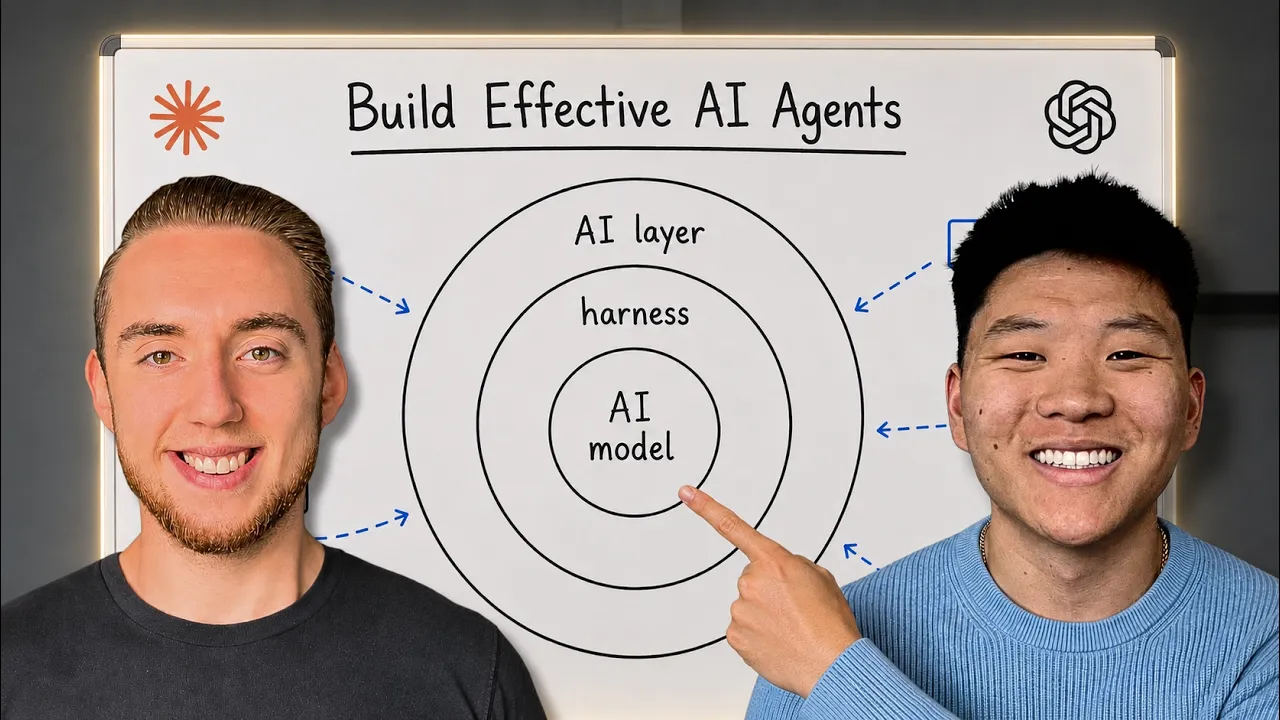




Get daily recaps from
Nate Herk | AI Automation
AI-powered summaries delivered to your inbox. Save hours every week while staying fully informed.