Massive Office Upgrades for 2026 - LiberNovo Omni Chair

Chapters3
The creator describes making massive changes to his office and studio setup since Christmas and hints at upcoming improvements and reveals.
Massive 2026 office upgrades with the Liber Novo Omni Chair, Gridfinity organization, and a new dual-desk setup to boost productivity and posture.
Summary
Christopher Lawley walks viewers through his latest office and studio upgrades, highlighting a new dual-desk layout designed for both 3D printing and video work. He shows how he now keeps a compact network stack—router, switch, NAS, and a charging hub—under one of the desks, plus a dedicated area for a PS5 as a teaser. The entryway pin board and organized cable management—cable desk clamps, Gridfinity storage, and bespoke Beespoke holders—help bring a clean, photo-ready backdrop to his shoots. A major focus is the Liber Novo Omni Chair, which Lawley praises for its dynamic ergonomics, motorized lumbar support, and a four-mode reclining system that adapts to different tasks. He emphasizes posture improvement, noting his long-term back issues and the shift to an external monitor and keyboard to avoid the dreaded hunched-over setup. Lawley discusses the chair’s Synchro Link mechanism, eight flexible backrest panels, 16 pivot points, and a 60+ interconnected joint system that keeps the body aligned as it moves. The video also covers practical details like the chair’s 30-day battery life per charge, USB-C battery swap, optional footrest, and the two-year warranty on electronics, reinforcing why he considers upgrading his chair essential. Throughout, he contrasts cheaper, stressful chairs with the investment in a solid ergonomic setup and invites viewers to share their own setup changes in the comments.
Key Takeaways
- adding a second desk created a dedicated space for 3D printing and messy, project-based work while keeping the rest of the office neat.
- the network stack is organized under a desk with a charging hub, improving desk cleanliness and workflow.
- Gridfinity and Beespoke holders were used to containerize and visually organize tools and gear, freeing up workspace.
- the Liber Novo Omni Chair includes motorized lumbar support, Synchro Link with over 60 joints, and eight flexible backrest panels for dynamic support.
- chair modes include 105-degree upright, 120-degree solo work, 135-degree soft recline, and 160-degree spine flow with a five-minute stretch feature.
- the chair’s armrests slide up to 100 mm and should be level with the desk to improve typing posture.
- a 30-day battery life and USB-C battery swap make the chair cordless, reducing cable clutter and improving flexibility.
Who Is This For?
Essential viewing for YouTubers, remote workers, and ergonomic enthusiasts who want real-world insights into organizing a studio and choosing a chair that supports long hours of desk work.
Notable Quotes
""This is the most over-engineered chair I have ever used.""
—Lawley's strong first impression of the Omni Chair’s design and engineering quality.
""Synchro Link mechanism... over 60 interconnected joints that link the headrest, back rest, armrest, and seat together.""
—Explains the chair's core ergonomic technology and why it maintains alignment as you move.
""The armrests slide back up to 100 millimeters, which helps you keep your arms in a comfortable ergonomic position.""
—Highlights a key adjustability feature that improves typing posture.
""There is a 160-degree spine flow mode... and a five-minute stretch function.""
—Describes the chair’s extreme recline and built-in stretch capability.
""Invest in a good office chair... having a really good ergonomic chair will make a huge difference in your life.""
—Lawley offers practical rationale for prioritizing chair quality over cheaper options.
Questions This Video Answers
- How does the Liber Novo Omni Chair's Synchro Link mechanism work in practice?
- What storage systems like Gridfinity can help organize a home studio efficiently?
- What are the ergonomic benefits of a chair with motorized lumbar support and multiple recline modes?
- How to set up a clutter-free, camera-ready home office in 2026?
- Is a cordless office chair with a long-lasting battery a practical upgrade for daily use?
Liber Novo Omni ChairGridfinity3D printingErgonomicsworkspace organizationCable managementHome studio setupOffice chair technology
Full Transcript
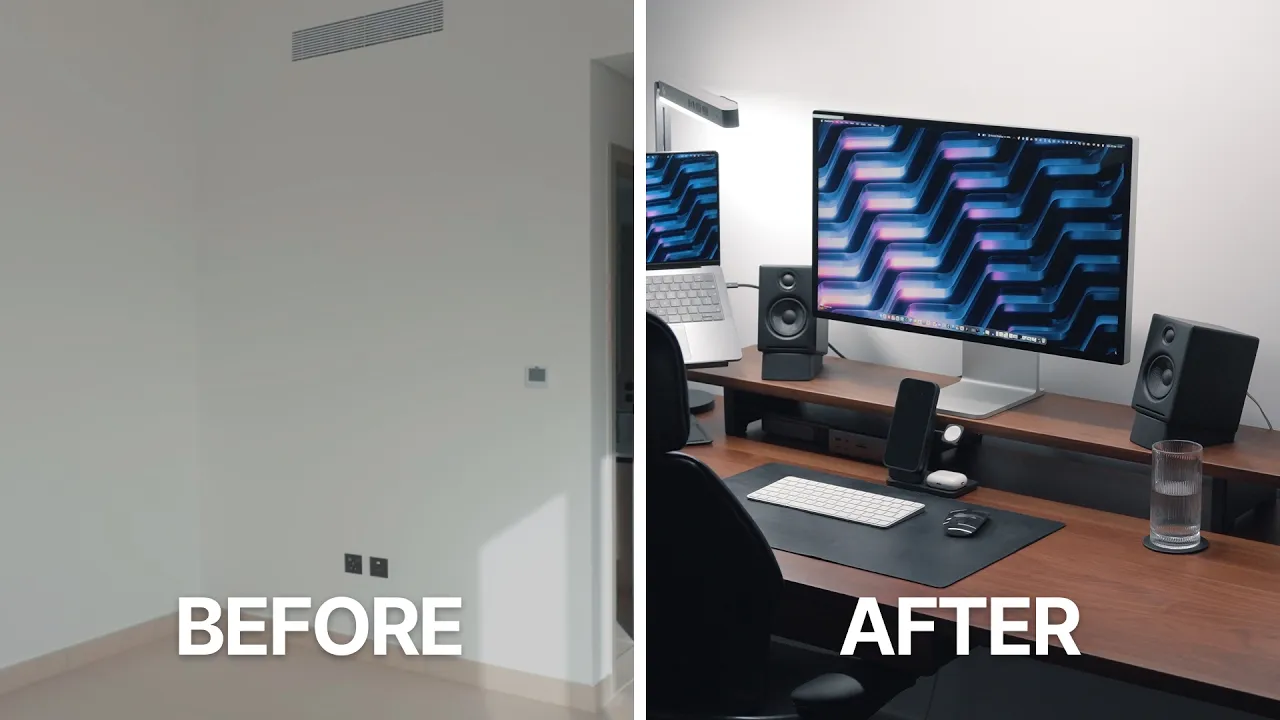
Ever since Christmas, I've been making massive changes to my office and studio setup, and I thought I 'd share them all with you. This video is sponsored by Liber Novo. Added another desk to my office. This is where I've been doing all my 3D printing and 3D printing work at where I've been assembling st uff. This is where I'm allowed to be messy in my office. If I have boxes from stuff I ordered or stuff I'm working on and I just I need a corner of the office to be messy. This is where I'm allowed to be messy.
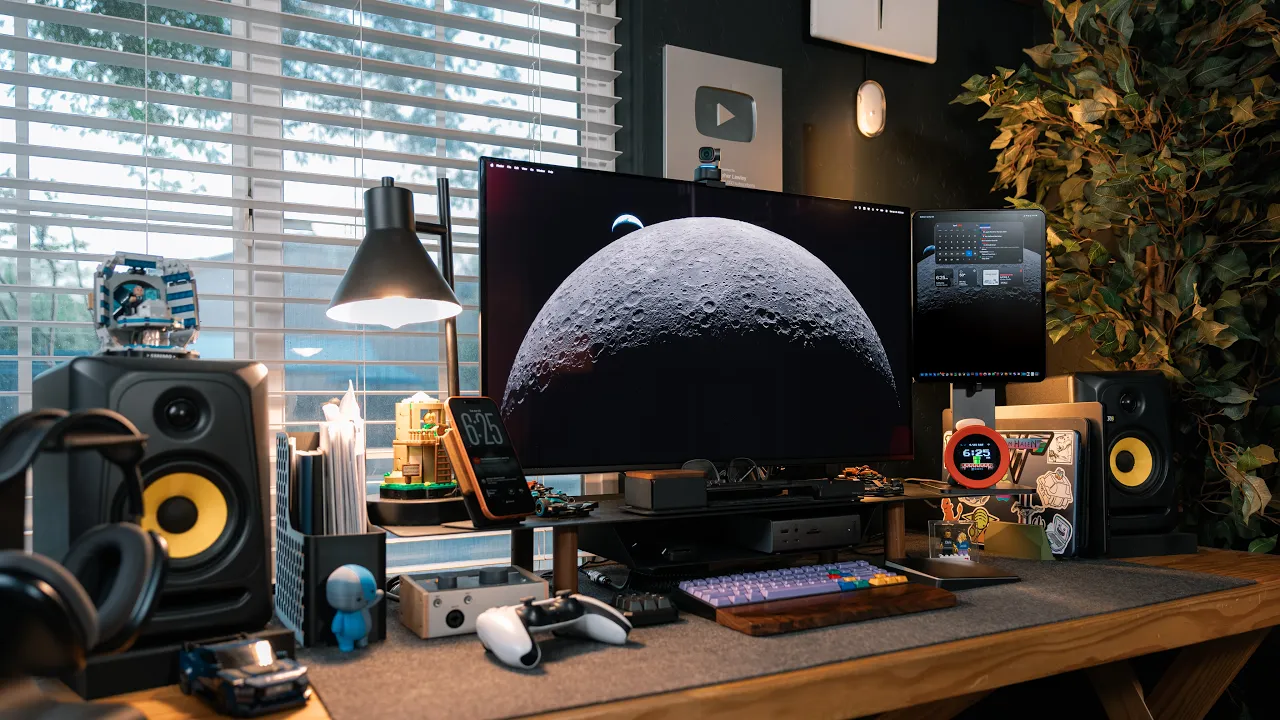
Nowhere else, just here. It's a workspace. I don't leave a bunch of stuff out on purpose, but when I'm working on something, it can be left out here for me to work on. I also put a small table underneath this desk. This has become kind of my network stack almost. Uh I have my router, my switch, and my NAS live here. I also put a charger down here so I can charge things on top of that desk there so I can plug in things like uh an iPad or MacBook or you know anything I need to charge up I can plug in here.
I also put my PS5 down here for reasons I will get to in another video. In the biz, that's what they call a teaser. In the entryway, I hung up my pin board, so every time I walk in here, I see photos of me and my girl friend and pins I've collected at various events and that I've been given over the years. I've also been 3D printing nonst-op. I've mostly been focused on Gridfinity, but I've done some other stuff as well. Backpack hangers for the closet that I have in here for the spare backpacks that I use, cable desk clam ps, so I can organize the cables that are at this desk that I'm sitting at, because I have a bunch of different cables for different kinds of work I do, like whether I'm recording a podcast or recording a video here, doing the top-down stuff, all sorts of different things here.
So I have a place to organize all those cables now. I've even been printing things like coasters here. This was really honestly kind of cool. It was a two-part thing, and I super glued them together, and then there's a coaster tray. So I like having drinks in my office. I don't like ruining wood. I respect wood. I don't want to ruin the wood, so I use a coaster. But overall, I've just been focusing on getting this studio cleaned up. Ever since I moved in here, I don't really ever feel like this place has been organized or clean.
I kind of had to move in a hurry because I also needed to get up and going and film videos at like I had a bunch of stuff happening around the time that we moved in here. So I finally feel like I have this room nicely organized and I can point a camera in any direction and it'll look good. I got both of my tool chest organized with gridfinity. All my gear has a proper place to live, and some live in beespoke holders, others just live in empty bo xes. The tool chest on my right holds all of my tech and camera gear, and the one on the left holds all my tools.
The tops of my tool chest are now proper workbenches so I can assemble camera rigs or any other like film ing gear I might need. All of this organization has given me extra space because things aren't just thrown around in here. If you're somebody with a bunch of small problems and you like organization, check out a 3D printer. That's been really helpful. I've been fixing all sorts of small problems with 3D printing and just organizing my studio. Next up is our kitchen. That's gonna be a pain. Another thing I've added to this office setup is another desk chair.
In the past, I've just had one and I was moving it between the desk all the time. It was kind of annoying and frustrating. So now I have a second chair in here. This is the Liber Novo Omni chair. I mean this in the best possible way. This is the most over-engineered chair I have ever used. Librid Novo has had people working on this chair from companies like DJI and Narwhal, so they know how to engineer a good product. This is a dynamic ergonomic office chair, meaning it adapts to you. Assembling this chair was incredibly easy.
I did it in about 20 minutes while listening to a podcast. The instructions were very clear. But what I love about this chair is the ergonomic experience. I'm somebody that has really bad posture. Years of working at an iPad and laptops have just caused me to have that hunchover position. So something I have been working on is fixing my posture. I've talked in the past about how I have a bad back. I was in a car accident when I was 21 and I just never quite recovered from that. So something I've been doing is I've been working at my main desk with an external monitor with a key board and mouse and not an iPad and the magic keyboard or a laptop all hunched over.
I'll do that from time to time, but I try and spend a majority of my working day at that desk. And the Omnichair has been a big part of helping me fix my posture. You can lock it down so it doesn't recline and it kind of forces you to sit up straight. Just like a quick side note, I didn't realize how bad my posture and setup was with my old officer un til I saw their instructions for like a good ergonomic sitting position. With the omni chair, you have motorized lumbar support that you can adjust with these buttons on the arm rest.
It adjusts smoothly until you feel it's in a good position. The electronic adjustment is really nice because you don't have to lean over and fiddle with a knob. You just hit the button, and then when you feel it's in the right position, you stop. Another interesting feature of this chair is called the synchro link mechanism. Inside the chair, there are over 60 intercconneted joints that link the headrest, back rest, armrest, and seat together. So instead of each part of the chair moving independently, everything is mechanically connected and mov es together. As you shift positions, leaning forward, sitting upright, or reclining, the chair adjusts with you to keep your body properly supported.
When you recline, the headrest and the back rest tilt at slightly different angles so your gaze natur ally stays aligned with your screen. At the same time, the armrest can slide back up to 100 millimeters, which helps you keep your arms in a comfortable ergonomic position, whether you're working, gaming, or just relaxing. So instead of constantly adjusting your posture to fit the chair, the chair actually is adjusting its elf to match how you're sitting. The armrest height obviously adjusts, and something I learned from this process that I I genuinely did n't know this before using this chair is that your armrest should be level with your desk so that way you can have basically your elbows on the armrest while you're typing on your keyboard.
I never actually understood the purpose of armrest before because I would have like this weird typing angle. It wasn't good, but it makes so much more sense that armrest should be level with your desk and you're just typing away. Like I mentioned, the armrests slide back as well. So if you're like me and you like sitting really close to your desk, you can push them all the way back . Then there's the neck rest. There is a button on the back so you can adjust this. This is the first neck rest. I haven't immediately taken off.
Maybe because I didn't know how to properly adjust them in the past, but this one's also pretty comfy . Sitting all the way back with my head against the neck rest is something that has taken some getting us ed to. I still find myself trying to hunch forward sometimes, but with the neck rest there, it is a good rem inder of how I should be sitting. And obviously I feel better sitting at a proper ergonomic position, especially when I sit in this chair for hours every single day. Now, a lot of chairs don't support your back properly, especially if you slouch.
With the omni chair, it kind of forces you to sit back and thus always supports your back. It has this bionic flex fit backrest that forms to your body. The backrest is not rigid though, it has eight flexible panels which are linked by 14 dual connection points to form a dynamic support surface and a dual-layer spherical backrest with 16 pivot points. What this means is it ensures flexibility continuously and adapts to your body's movements, and it del ivers personalized spinal alignment with a resilient support. Basically, what this means is it ensures flexibility, continuously adapts to your body's movements, and delivers a personalized spinal alignment with a resilient support.
Whether you're making small adjustments or completely shifting your body, this chair will support you . When I wiggle in the chair, I can feel the support adjust to the right position. The seat itself is very comfortable. The other office chair I use has this mesh seat that is fine, but it's not exactly the most comfortable thing to sit in for hours. The Omni seat is a multi-density cushion, and I found it to be very comfortable to sit in for hours. It's designed to evenly distribute pressure for lasting comfort. With the omnichair, there are different recline modes.
There is a lock 105-degree deep focus mode. This is your typical upright, no-leaning mode. It's my personal favorite to work at. It just keeps me sitting up straight and focused on the content and work in front of me. This is perfect for writing, editing, or any work where you're locked in. Then there is the 120-degree solo work mode. This lets you lean back in the chair just a little bit and will adjust to support you. This is good if you like to move around a lot when you're working at your desk, reading a document, or even playing a game.
When you start to lean back, you can see how the back support adjusts, but also the headrests, meaning your neck is still supported, but you can still see your screen. And unlike other chairs, I don't feel like I'm slouching. My back is still properly supported. Then there is the 135-degree soft recline flow mode. This lets you lean way back, but the chair still supports you fully, just like the other modes. This is a perfect mode for watching videos. Again, the back and the headrests adjust to give you a proper viewing angle while still supporting you .
Like I mentioned, I have a bad back, and no matter what mode I put this chair in, I do feel it's const antly supporting my back. I don't ever get up after sitting at this chair for hours and feel that backache that I felt with other office chairs. So I talked about the three modes of this chair, but there's actually a fourth mode as well. There is a 160-degree spine flow mode. This has you laid all the way back, and if you hit this third button on the armrest, it starts with a five-minute stretch function.
To be honest, this was the feature I was the most unsure about and thought it was gonna be kind of a g immick. But what I ended up finding was this was a great feature after I'd been sitting for hours and kind of a good way of stretching my back. Now, with this chair, there is an optional footrest that I quite like. If you're on the shorter side, it can help with your ergonomic posture. Or if you want to recline more, you can kick your feet up. The electric motor in the back is powered by a single battery.
What I like about this is there's no power cords going to this chair. You don't need to worry about rolling over a cord or making sure it's not getting tangled up in the w heels or anything like that. The battery for this chair is said to last about 30 days on a single charge. But I've had this chair for a little over a month now and I still haven't needed to charge it. But when you do need to charge it, you can pop it out. There's a USB-C port on it, so you can plug any USB-C cable into it.
One of the best pieces of advice I got when I was going out on my own and I was leaving my IT career was invest in a good office chair. Sure, there is a ton of 60 to 200 office chairs that you can find on Amazon. And yes, they will technically do the trick. They are a chair that you can sit in while you work, but those will jack up your back. And trust me, I've used those. They jacked up my back. Having a really good, proper ergonomic chair that you can sit in for hours every single day will make a huge difference in your life.
I'm a lot closer to 40 than I am 30 now, and I do really believe that. And I know what you're thinking. This is a sponsorship. You said it at the beginning of the video. Yes, you are correct, but this is something I take very seriously. Like you do not want to have a bad back. Having a cheap chair that you sit in for hours every day will give you a bad back. Invest in a good chair. Now, there is a couple of things to consider when it comes to this chair. The omni chair includes an electronic function.
Liber Novo includes a two-year warranty for all the electronic components. The other thing is the fabric and the cushions are really comfortable to sit in for hours every single day. I'm gonna put some links in the description to all the stuff that I mentioned in this video, but and espe cially the Liber Novo Omni Chair. Be sure to go check it out. So, those are the changes that I have made to my office this year. I wanna hear from you all. Are you making any changes to your setup? Let me know in the comments below.
My thanks to Libra Novo for sponsoring this video. If you like the video, hit the thumbs up button, subscribe if you haven't already, and have a great da y.
More from Christopher Lawley



Get daily recaps from
Christopher Lawley
AI-powered summaries delivered to your inbox. Save hours every week while staying fully informed.