Samsung Galaxy S26 Ultra - The Magic Screen

Chapters9
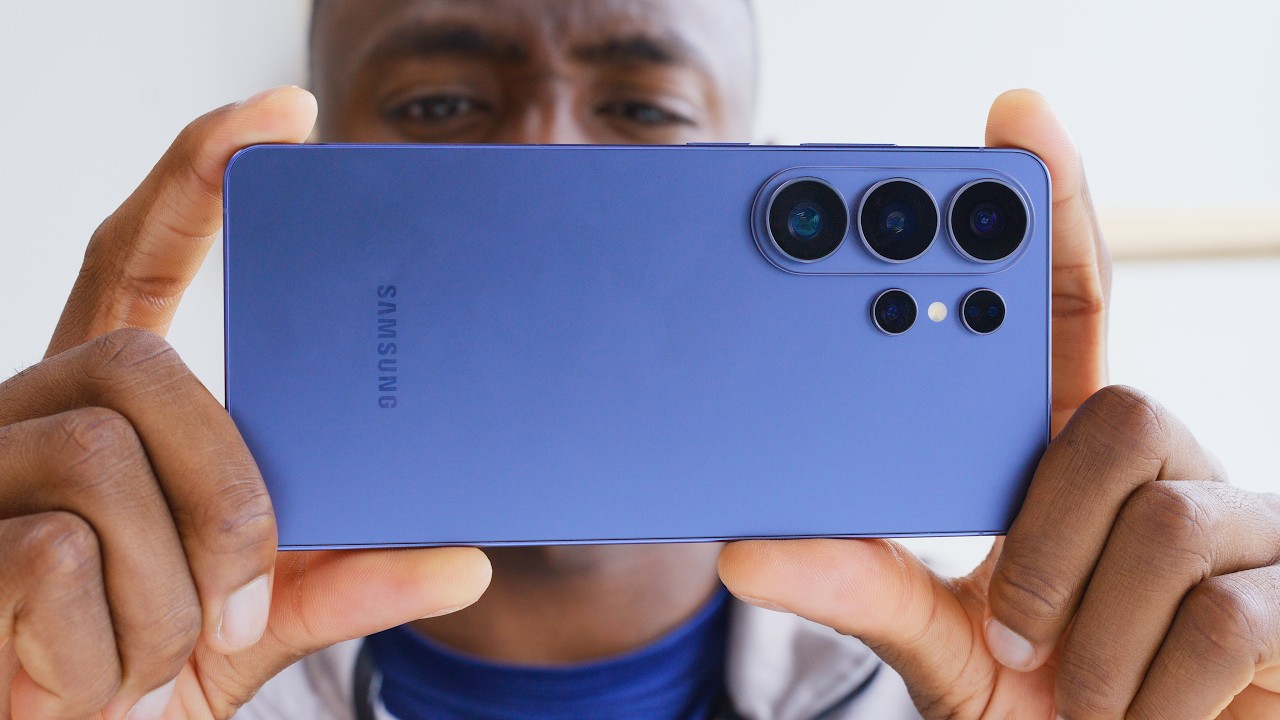
The three device families (S26, S26 Plus, S26 Ultra) come in classic black, sky blue, and cobalt violet.
Samsung’s S26 Ultra with Flex Magic Pixel privacy display offers app-specific privacy modes and head-on readability, redefining on-device security on a flagship screen.
Summary
Dave2D dives into Samsung’s S26 lineup, highlighting the Ultra’s standout Flex Magic Pixel display tech. He demonstrates a privacy filter that darkens the screen when tilted, making it hard to read from the side, and customizable options that apply per-app or per-notification. The privacy mode is not just a gimmick: it dims the panel and relies on a mix of narrow-angled pixels to preserve legibility head-on while blurring views at oblique angles. He also compares this tech to physical privacy screens, noting the broader angle coverage and on-demand control of the S26 Ultra. Beyond privacy, he notes the phone’s thinner, lighter build, aluminum frame, and a revised S26 camera system with wider aperture lenses. He touches on the S26 base and Plus models—larger screens, bigger batteries, and faster charging. The Buds 4 Pro stand out with bigger drivers and a natural ambient pass-through, while the standard Buds 4 offer strong sound without silicone seal. Price increases across the base S26 models are acknowledged as a reaction to RAM inflation, yet the overall feature mix remains compelling. In short, the magic screen is the headline, but the broader package—design tweaks, camera tweaks, and audio—rounds out Samsung’s ambitious push for 2024/25’s “flagship everything.”
Key Takeaways
- Flex Magic Pixel privacy display can be toggled for all content or limited to specific apps, with side-angle privacy kicking in around 45-50°.
- Per-app privacy and notification privacy modes are configurable, providing options from fully private to selectively private content.
- The feature subtly dims the screen when privacy is on, with dimming most noticeable at high brightness; measured dimming aligns with the observed viewing angle behavior.
- The pixel architecture uses a mix of wide- and narrow-angled pixels to preserve head-on visibility while reducing off-axis readability.
- The S26 Ultra is thinner and lighter than its predecessor, uses an aluminum frame, and ships with a redesigned S26 pen insertion mechanism.
- Galaxy Buds 4 Pro deliver strong sound with five-level ambient pass-through and ANC, reportedly outperforming AirPods Pro 3 in blind tests, though only briefly tested.
- Base price for the S26 and S26 Plus has risen by $100, driven in part by higher RAM costs, while charging speeds improve on the higher-end models.
Who Is This For?
Essential viewing for Android enthusiasts and Samsung fans weighing a privacy-centric flagship upgrade. This is especially relevant for power users who want per-app privacy, better pens, and updated audio accessories in one package.
Notable Quotes
""privacy display is on for everything, whether you're watching shows or in your email, it's on for every single thing.""
—Privacy mode can be global, affecting all content on the device.
""the moment you tilt it, it becomes very difficult to read… once you get to like the 60° it's basically impossible to read.""
—Illustrates the effectiveness of the privacy effect at oblique angles.
""I would use this. Like if you're just in like your banking app or your emails… it's just so useful.""
—Personal endorsement of app-specific privacy for sensitive content.
""Samsung's technology... is a lot more customizable and works on every angle, left, right, as well as the top down tilt.""
—Highlights the broader angle coverage compared to traditional privacy protectors.
""The Buds 4 Pro sound very good. They sound better than Apple's AirPods Pro 3.""
—Initial subjective assessment of the new earbuds’ sound quality.
Questions This Video Answers
- How does Samsung's Flex Magic Pixel privacy display work across different apps?
- Can I customize privacy mode per app on the S26 Ultra?
- What are the differences between Galaxy Buds 4 Pro and Buds 4 in sound quality and features?
- Does the S26 Ultra’s privacy mode affect battery life noticeably?
- Is the S26 Ultra worth upgrading for privacy display alone?
Samsung Galaxy S26 UltraFlex Magic Pixelprivacy displayprivacy modeper-app privacyprivacy notificationsS26 baseS26 PlusS26 Ultra cameraGalaxy Buds 4 Pro
Full Transcript
So, the Samsung Galaxy S26 devices just launched. We have the regular S26. We have the S26 Plus and the S26 Ultra, as well as new earbuds from Samsung. We have the Galaxy Buds 4 and the Galaxy Buds 4 Pro. All new devices with some very cool tech. But first, some colors. So, the uh all three sets of devices come with three main colors. This is the classic black colorway, and they also have their sky blue. This is definitely my favorite color this year. And then they have their cobalt violet, which is like a deep bluish purple.
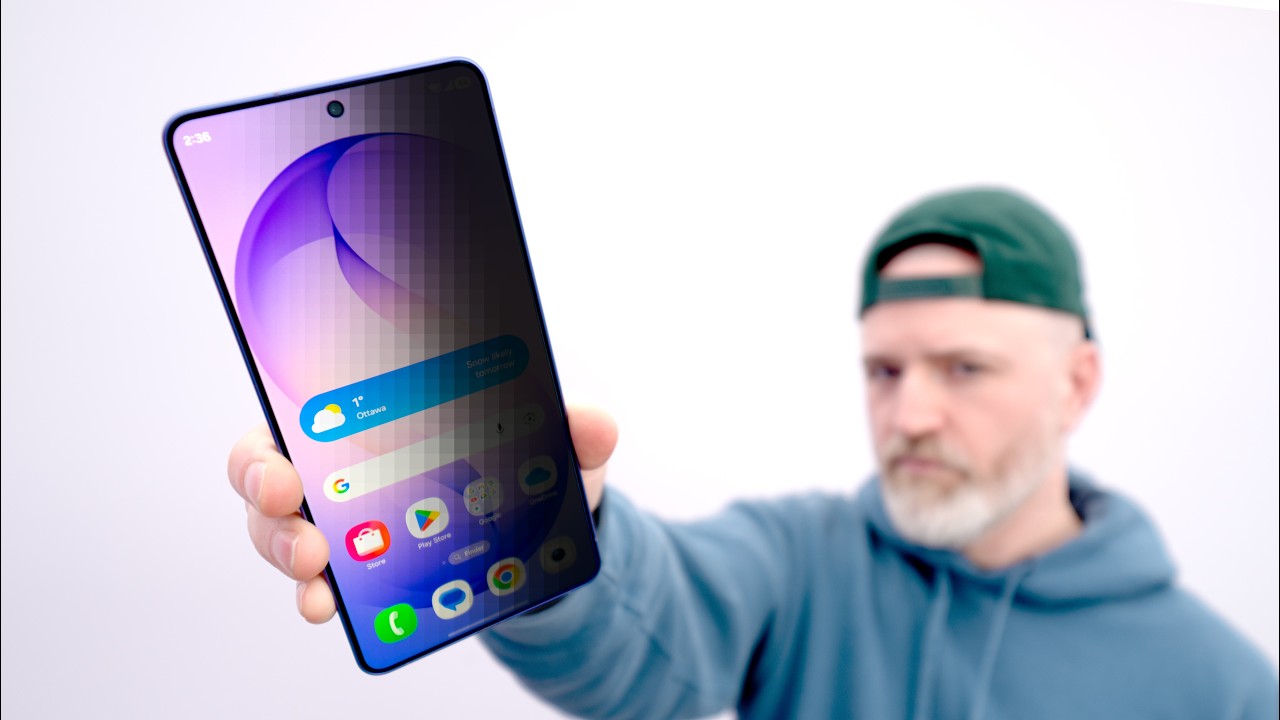
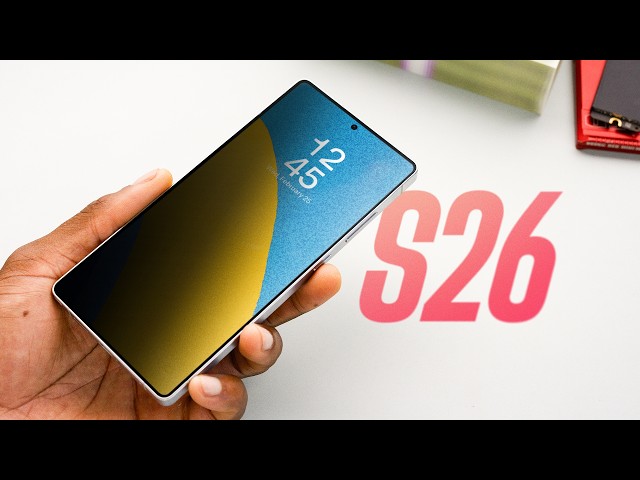
So, I spent some time with these phones and I'm going to jump into what I think is the coolest feature of the devices this year. It's their display tech called Flex Magic Pixel. It's an OLED screen tech that allows this device, the S26 Ultra, to have something called privacy filter. So, uh it's enabled right now. And if you look at this screen, it's on. Uh, but when you tilt it, you can see that the screen kind of just fades into nothingness. And the purpose of this is to prevent other people who are peering over your shoulder or just like sitting beside you from seeing what you're doing on your phone.
Now, right now, this is enabled. I'm going to disable it so you can kind of get a sense of what's happening here. So this is a typical screen and when you tilt it there's an offaxis viewing kind of shift like the color shift but the screen is pretty much visible even when it's tilted at a pretty steep angle right but if you enable this now uh it looks perfectly fine straight on but the moment you tilt it I'd say once you get to like the 45 maybe 50° angle it becomes very difficult to read and once you're like 60° it's basically impossible to read it and there's various ways you can implement this so this is the, you know, that's with everything.
Uh, so when you have it like that first met showing you, privacy display is on for everything, whether you're watching shows or in your email, it's on for every single thing. And this is, I guess, arguably the most secure way you could use this. The other variation of this is to enable it for certain apps. So you can have it so it's just on in particular apps. So this is the messaging app. I've have it enabled here. And when it's here, so I'll just go to like the regular content, like you're just viewing your screen regularly.
But the moment you go into the messaging app, it is now blacked out. If you're viewing it from my angle straight on, you can see it. But if you'll notice, it became something very difficult to read for people who are appearing just for the messages app. And you can also set it so it's notifications specific. When you have a notification bubble pop up, that bubble is darkened. And I'll demonstrate real quickly. I'm using my phone. Pops up. It looks like a black bar. It's actually a text message, but to the person sitting beside me, it's illeible.
There are a couple things I noticed about this tech though. First, it does have to be on a fairly steep angle for this to kick in. It's like I said, it's like I want to say like 45° angle from where like straight viewing is. And that could be a good thing or a bad thing depending on what you're trying to get out of this, but it's not like you know, a little bit of tilt and then it goes black fully. Uh and the other thing is that it's not completely illeible. It just makes it very difficult to read until you get to a steeper angle.
Then it becomes like basically impossible to read. Uh the other thing is though that when you have this enabled, the screen is a little bit dimmer. It's not substantial, but it is noticeable. And it depends on the brightness that you have the screen set up as. So I'll just demonstrate real quickly. Uh this is with the screen uh this is with privacy filter off. But the moment I turn it on, it's ever so slightly dimmer. When I measured it with the Spider, the dimming is most aggressive when you have very high brightness settings, at least in the early unit I tested.
In terms of how it actually works, I asked Samsung and they said that this display has both wide angle and narrow angled pixels. And when it's in privacy mode, it's mainly the narrow angled ones that are in use. So, a typical modern phone display has a lens array. And these lenses focus the light that comes off the OLED panel in a wide angle so that you get a good mix of brightness and good viewing angles. But on this panel, the lens array is engineered in a way to allow for both regular wide-angle pixels that can be viewed like a normal phone and narrow angled pixels that can be seen best when viewed headon.
And when I look at the S26 Ultra display under a microscope with privacy mode off, the pixel array looks totally normal. But with the privacy feature on, it seems, at least to my eye, that half of the pixels get very dim. And I would assume that these are the wide-angle ones. And the pixels that remain active are the narrow angled ones, which require, like I said before, headon viewing for proper visibility. Now, Samsung's been pretty opaque about the exact mechanism, but that's what I'm seeing. Now, when I first heard rumors of this technology, I was like, it's kind of neat.
But I don't feel like I would ever use it because I've never been someone who's bought one of those like privacy screen protectors to put on their phone. It's just never been appealing to me. But having tried this, 100% I would use this. Like if you're just in like your banking app or your emails or just anything that's got sensitive data or sensitive content, to be able to just turn it on for those specific apps, it's just is so useful. There are times when like for sure when I've been on airplanes and just stuff people beside me I just feel like they're peering over my shoulder looking at what I'm doing.
This just gives you that peace of mind. Now there are physical screen protectors like I mentioned that are very inexpensive. They're like 10 bucks that do something very similar to this. Well kind of. So this is an S25 Edge and this is one of those privacy screen protectors. And when you place it on you can see that for one, it's already cutting down some of the brightness of the screen just by having this type of protector on. But the bigger issue is that when you have these types of privacy screen protectors on, they are on for everything.
Whether you're watching shows or like showing something to your friends or showing something with anything, it's like it's always there. You can never remove that effect unless you physically remove the whole screen protector. But you can see in the overhead camera here, like when you tilt it on an angle, it is fairly effective. But the other thing is that this only works on the side angles. From all the ones I've seen of this type of protector, it only works like this. If you tilt it up and down, like let's say you're seated on a bus and there's someone who's standing in front of you just looking at what you're doing.
This has no impact. They can see your screen as if there was no screen protector or privacy protector on it. And the Samsung technology, not on this phone, but the S26 Ultra is a lot more customizable and works on every angle, like the left, right, as well as the top down tilt. And this is if you even want it at all. You can obviously remove this feature completely and just have a normal screen. There are some other changes on the S26 Ultra. It's thinner and lighter than the previous generation. And as expected, it's running a faster chip.
When you compare them side by side, last year's S25 Ultra had sharper corners on the phone. This year's S26 Ultra has slightly more rounded corners, but it doesn't feel all that different in hand, though. It does use aluminum as the frame material instead of the titanium from last generation. Another thing I noticed is that the pen on the S26 Ultra has to be put in a very particular way. So on the S25 Ultra, you could just take the pen and insert it any which way because it was a symmetrical tail end to that pen. But on the S26 Ultra, because of that new curvature, it is more rounded uh frame.
Like I mentioned, if you flip it and you insert it kind of backwards, it now has this protrusion uh just because it doesn't line up with that frame curve. There's only one way now to put it in properly. The regular S26 and S26 Plus have a couple notable changes from last year. The base S26 screen is a little bit bigger, so the device is a little larger and heavier. It's kind of a shame because that base Galaxy phone was one of the last small phones out there. It also has a correspondingly bigger battery than the S25.
The bigger models, like the S26 Plus and the S26 Ultra, have the same size batteries before, but they do have faster charging this year. The camera system on the Ultra has been updated. It uses wider aperture lenses this year to let in more light, but I'll wait for a review unit to do some proper testing. So, there's also new earbuds from Samsung. The flagship product is this one here, the Galaxy Buds 4 Pro. These have a new design language and bigger drivers. Comes in black and white. So, I tested these briefly and these sound very good.
I think they sound better than Apple's AirPods Pro 3. And I measured them on a tube. I think most people would prefer the sound of the Galaxy Buds 4 Pro in like a blind listening test. They're quite good and they were very comfortable in my ear, but I did only have them for like 20 minutes. In the software, there are five levels of ambient pass through and the fifth level sounds very natural. Like when I have it all the way up, the sound that's being captured by the mic and then being piped into my ear, it sounds like I don't have even anything in my ear.
It just sounds like the natural sounds of things. Uh, and there's also five levels of A and C. Uh, when you have it on max, like, yeah, it's so strong that I'm having a tough time gauging the volume of my voice here. But it's nice to have that kind of control. There's also the regular Galaxy Buds 4, so like the nonpro earbuds without the silicone seal. These also sound really good, but I don't have the tools to measure this kind of earbud. So, pricing. The S26 base model and the S26 Plus model have gone up in price by $100 US, but with RAM pricing having quadrupled over the past year, I feel like this was somewhat unavoidable.
All right, so there you have it. That's the new Samsung Galaxy S26 lineup, including the new Buds 4 and Buds 4 Pro. The tech behind that screen is super cool. I feel like that's one of the most interesting things I've seen from Samsung in a while.
More from Dave2D




Get daily recaps from
Dave2D
AI-powered summaries delivered to your inbox. Save hours every week while staying fully informed.