Was I Wrong About the Macbook Neo?

Chapters12
The video opens with a comparison between the MacBook Neo and three competing laptops around $600, highlighting strengths like build quality but also foreshadowing edge cases and a tease about sponsor Dbrand.
Linus Tech Tips proves the MacBook Neo isn’t the flawless disruptor some claim it is, ranking it against three budget contenders in build, display, ports, and real-world usability.
Summary
Linus Tech Tips founder Linus compares the MacBook Neo to three budget PCs to test the hype around Apple’s $600 laptop. He pits the Neo against the Lenovo Ideapad Flex 5i Chromebook, the Acer Aspire (Core i3/5 range with big discounts), and the Dell 16, evaluating aesthetics, keyboard and trackpad, screen quality, ports, and upgradeability. Linus emphasizes practical usability over on-paper specs, noting the Neo’s premium feel and silent operation as standout positives, while flagging the Chromebook’s Chrome OS limitations and the Dell’s awkward performance for a current-gen machine. He also jokes about the various price swings and the realities of MSRP versus sale pricing in PC land. Throughout, he assigns gold, silver, and vomit-green stars to illustrate winners, contenders, and underperformers across each category. The breakpoints include a one-finger hinge for usability, port selections, and a 16:10 screen ratio on the Dell, with the Neo clearly winning most categories for him. He also tests general usability with Photoshop and a basic gaming scenario, noting the Neo’s superior single-thread performance but acknowledging the Dell’s mixed gains and the Chromebook’s limited software ecosystem. The verdict is that the Neo wins overall, followed by the Dell and then Acer or Chromebook in various orders depending on the metric. Rounding out the segment, Linus references Dbrand for skins to help readers customize their devices and closes with a reminder to consider core buying factors beyond chassis shine. The video blends humor with blunt, data-driven comparisons that challenge the “Neo inevitability” narrative and provide a practical lens for buyers on a tight budget.
Key Takeaways
- The MacBook Neo earns a gold star for build quality and premium feel, despite a 256GB SSD in a $600 package, while the Dell 16 earns a silver star for its superior port selection and chassis rigidity but still lags behind on overall performance.
Who Is This For?
Essential viewing for students and budget-conscious buyers evaluating whether the MacBook Neo truly justifies its premium feel at a $600 price, versus capable Windows alternatives.
Notable Quotes
"absolutely gold star to the Neo."
—Linus gives the Neo the top award in the aesthetics/construction sweep.
"Apple absolutely nailed this."
—Opening remark acknowledging Apple’s strengths before comparisons.
"This is a spongy piece of junk."
—Critique of the Lenovo Ideapad Flex 5i Chromebook keyboard/feel.
"Great way to be sure that any issues are not the cable is to use an LT Truepec cable. And that look at that. Charging supported."
—Discussion of Dell 16 charging via USB-C vs barrel jack (practical test).
"I begrudgingly give a silver star to the Dell and absolutely gold star to the Neo."
—Star system declared for the main contenders.
Questions This Video Answers
- is the MacBook Neo worth it at 600 dollars compared to Windows laptops
- how does the Neo's single-thread performance compare to older Ryzen/Intel laptops
- which budget laptop offers the best keyboard and trackpad under 600 dollars
- can Chrome OS devices handle Photoshop or Steam games today
- what should I upgrade first in a budget laptop (RAM, storage, or CPU) on a tight budget with these models
MacBook NeoLenovo Ideapad Flex 5i ChromebookAcer Aspire PremiumDell 16budget laptopsbuild qualitykeyboard and trackpaddisplay qualityports and expandabilitysoftware ecosystems (Chrome OS vs. macOS vs. Windows)
Full Transcript
Everyone agrees that Apple destroyed the $600 laptop market with their new MacBook Neo. But is everyone right? To answer that question, we bought not one, not two, but three other laptops around the same price. Because let's be real here, guys, Apple has clearly done a lot right. Like the build quality, display, keyboard, trackpad. You guys are in for a rough ride here. But I mean, hey, there's some consolation. Y'all all got more than 8 gigs of RAM, don't you? And come on, it couldn't be that hard to outsprint a last gen mobile processor, could it?
I mean, I bet you guys could even do a better segue to our sponsor Dbrand, who scribbled all over my MacBook Neo. What is up with that? Okay, not literally. Their Sketch 2D skins just launched for a wide range of MacBooks alongside major smartphones like the iPhone and gaming devices like the Switch 2. Check them out over at shortlinus.com. Let's kick this off with a short introduction to each of our non-Apple contenders. At 599 on the dot, we've got the Lenovo Ideopad Flex 5i Chromebook, which okay, yes, I know it's a Chromebook. Uh, but given the way that the MacBook Neo is so clearly targeting educational users, we felt that it was appropriate for those to be represented.
Next up, we have the Acer Aspire laptop that goes for $689, but we got on promo for $599 and has since dropped as low as $479. It's uh not really special, but in a way that's exactly why we picked it. And before you get upy about the sale price, we didn't feel that this was a disqualifier because unlike Apple, PC manufacturers tend to treat MSRP as more of a hopeful price and they'll use excuses as flimsy as Valentine's Day to discount their machines. A fact that is maybe even better illustrated by our final contender, the Dell 16.
Its retail price has actually risen from $750 to over 900 due to the Ram aocalypse. But in spite of that, we were still able to pick this thing up on sale for $5.99. Now, let's see how they all stack up against the one as we go through each category. The idea here is we're going to give a gold star to our standout winner and a silver star to one that we think merits an honorable mention. Then at the end, we're going to see who's got the most stars. Starting with aesthetics, construction, and materials, with one of the big ones for me for usability being a one-finger hinge.
Apple absolutely nailed this. You can deploy your MacBook Neo just like that. How about the idea pad? I mean, there are cool things about its hinge, but that was not one of them. As far as overall construction, that's got to be another big L. Get it? It's an L. and aesthetics. There's nothing to dislike about it, but also nothing that I would say particularly blows my socks off. Moving on to the Acer Aspire Premium, it seems like Acer didn't get the memo because right on it, it says Aspire Light, even though they advertise it as premium on some of their online listings.
To its credit, even though this is the largest display we've seen yet at 15.6 in, its flex isn't any worse than the Lenovo. And I always love to see a 180° hinge. But overall, the build quality is nothing to write home about. And this one piece of metal here does not make up for the fact that every touch surface on this device is instead made of plastic. Maybe Dell is going to fare better here. Nope. We're barely into this. And already I'm noticing multiple things that other publications who have talked about the MacBook Neo versus $600 PCs just can't capture when they're comparing on paper specs alone.
To Dell's credit, the overall build quality of this is clearly superior to the other PCs thanks to its metal top and bottom. But this also is not a unibody design, injection molded or not, and it doesn't have the same rigidity as the Neo. I begrudgingly give a silver star to the Dell and absolutely gold star to the Neo. I mean, just it just feels so good to touch. Every surface of it feels premium and quality like what you would expect from actually nothing like what you would expect from when you're spending just $600. Moving on to keyboard and trackpad.
I've actually got to say I can already feel some aspects of the Windows tax on the Windows machine that are not reflected on the 5i Chromebook. This is just a better keyboard than what I'm about to touch. There's a little bit of deck flex up near the top. There's a lot of deck flex, but nothing that's going to be a gamebreaker for day-to-day usability. And the trackpad is fine. My camera up behind me asked if I could turn the brightness on the screen up, which I can do, but what I can't do is make it not look like dog water.
We'll get to that in a minute. First, the keyboard. This is a spongy piece of junk. It's not so bad that you won't be able to type on it, but I can pretty much promise you that it won't appeal to just about anyone's taste. While there isn't actually any more deck flex than I just saw, what stands out about it is that it's more easily activated. So you feel not just the travel of the key, but also the sponginess of the deck surface. And the trackpad is fine for a plastic trackpad. Fair bit of friction actually.
As for the Dell being in theoretically a completely different class of product at quote unquote $900, it also has a pretty decent keyboard. However, I've got to take points away from the interface just for how loose and cheap and rattly the chassis feels whenever you're using the touchpad. Can you hear that? Yikes. There's your comparison. So, with that in mind, MacBook Neo Gold Star, IdeaPad Flex gets the silver. If though you were hoping that Apple would just sweep the awards, IO is going to be an uncomfortable conversation. The Flex 8i Chromebook has a type-C on the right, volume rocker, a type-C on the left, a USB type A, a micro SD reader, and that's all to go along with its 3 and 1/2 mm jack, and the webcam is nothing to write home about.
That's unfortunate. Over here, we've got two types, micro SD. Is that a SIM slot? Wow, it is. Too bad it's a big fat lie of a SIM slot. But the gigabit Ethernet port is not a lie, and neither is the HDMI port, additional type A and type-C port over on the other side. I'm not excited to see a DC barrel jack for charging. I'm also not excited to see the quality of this webcam. Yikes. Would it be better without the light behind me? No. No, it isn't. Do I look that old? Fortunately for PC fans, the Dell 16 manages a much better showing on the webcam side of things, even if the IO is not as much better as I might have liked.
We do get a full-size SD card reader. Do love that. USB type A, another A, a C, and an HDMI, but the barrel jack makes a return. Can it at least charge over USB type-C? I want to check that. Great way to be sure that any issues are not the cable is to use an LT Truepec cable. And that look at that. Charging supported. I don't mind a barrel input as long as I don't have to use it. As for the MacBook Neo, unfortunately, I forgot to record anything on set. So, here I am a few days later.
It's obviously better. Meanwhile, the MacBook Neo is a big fat for IO with a 3 and 12 mm jack. Okay, love to see it. And the two USBC ports have cute little color matched inards, but only one of them supports USB 3 thanks to Apple's use of an iPhone SOC to power this thing. So with that in mind, I got to give my gold star to the Acer and my silver has got to go to the Dell thanks to its inclusion of an HDMI port. Moving on, we've got the element of your machine that you will interact with more than anything else, the screen, where the Idea Pad once again flexes its I didn't have to pay for Windows muscles.
It's pretty decent. Not the brightest thing in the world, maxing out at around 300 nits, but the glossy finish gives it a little bit better looking contrast. And it's got reasonably poppy colors, unlike Oh, good gravy. Seriously, even on a camera, on a potato monitor at home through YouTube's compression, surely you must be looking at this going, "That can't be right." And yet, it is. I don't care what your specs say. Acer backlit IPS. What are you talking about? That is the most TN looking IPS that I've ever seen in my life. Are we sure we have the right specs?
Because this is clearly TN. Nope. All we've got is what was on the product page and how much we paid for it. Do better, Acer. Like absolutely garbage. At least the Dell is decent. It's not the brightest, but it's large and has a 16x10 aspect ratio, which I always find better for productivity. What it doesn't have though is a touchcreen which makes it kind of a toss up between the Idea Pad and the Dell. Let's maybe have the speakers as our tiebreaker. Yeah, they both suck. I'm giving it to the Idea Pad for having a touchcreen.
Like, I'm not trying to be mean, but this is what we're up against here, guys. It's just plain better. So much brighter, too. Like, you can really see it, you know, which doesn't matter indoors, but outdoors, it'll make a big difference. Or even sitting near a window. What else might make a difference depending on what you're doing is the fact that both of these machines have twice as many ecores as the MacBook Neo. That could be a problem. Shall we drag race them? Let's shall time for some supreme. The excitement is palpable. And I can already tell just looking at it that the outstanding single thread performance of the MacBook Neo is going to make this quite a bit more competitive than you might initially think.
Also, we glossed over earlier the specs of the Dell. Everything that it gained in its build quality and screen decentness, it's going to lose some performance. Look at this thing. It's still running. It's still running. The MacBook Neo is like 75% faster than these two. The Dell ain't even done yet. Why do you even make this CPU, AMD? This is a current gen product. It has Zen 5 cores. It just doesn't have enough of them. Good gravy. Embarrassing, man. They wasted 16 gigs of DDR5 on this piece of it. It makes this Moto inspired long sleeve from LTStore.com feel completely inappropriate.
Maybe it'll feel better using these guys, though. While both of these machines are using last generation memory and the Chromebook only has 8 gigs of it, they have so many more cores than both of our other machines that our Photoshop test should go their way. That is if they can even run it. Let's start on the Windows machine. I'm trying to move the picture and it's not moving at all. I was going to ask which of these machines would you rather use? I Okay, definitely not this. Okay, try this one. Let's see. 1 2 3 4 4 seconds.
Now I'm going to come here. 1 2 3 Okay, a bit faster. Well, faster is faster. And this is a pretty heavy file from my understanding. Oh, yeah. One of the heaviest ones. Yeah, this one was crazy. Meanwhile, if I wanted to compare to the Chromebook, I have a completely separate problem. And that is that Chrome OS doesn't support a lot of your favorite applications. Kind of makes sense why manufacturers don't bother to build high performance Chromebooks. What would you do with them? Meanwhile, I'm trying to close Photoshop over on the MacBook Neo. And yeah, it's it's really slow.
Yikes. And on the subject of slowly saving files, our MacBook Neo is on the low end for storage as well with just 256 gigs, the same as our Aspire Premium or Light or whatever it was. That was over $100 less expensive. The other two machines both have 512 gigs of storage. In conclusion, o for what I would do with a machine like this, I think I got to give the gold star to the Neo and runner up to the Aspire Premium. Not because its performance is better than the Chromebook, but because I can actually do anything with it.
As for the Dell, in an unusual move, I'm going to award a third star, a vomit green colored one. Embarrassing. You're an embarrassment. Oh, I didn't mention that earlier. Cooling. The MacBook Neo might not have the world's best cooling. In fact, you know for a fact it doesn't. It doesn't even have a fan, but relative to these other machines, it also barely needs one and operates completely silently. I don't think I'll be awarding any kind of stars for that, but it's definitely something to keep in mind as you're shopping. I'm very curious to see how gaming goes.
At 1080pish low, this is functionally unplayable. How much does the soldered memory help here? The Chromebook just can't have an award here because Chrome OS is going to be losing support for Steam imminently. Meanwhile, over on the MacBook Neo, this is the closest I've seen to playable. Wa! I just teleported. Maybe I take back what I just said. And the Dell AMD pulling out the W here with Radeon graphics. It's not much of a W. You won't be playing Cyberpunk at super high frame rates, but this is the best most even performance that I've seen yet.
So, you'll be playing something. Gold Star Dell Silver to the Neo. I'd rather game on this even if I had to stream it over a game streaming service. But for how long would I be able to do that? Our clear winner is the Dell. That's an obvious gold star. Then we've got what is pretty much a tie between the MacBook and our Chromebook. And in dead last is our Aspire Premium Light. I'd still be inclined to give the edge to the MacBook though, just because, man, I've been dailying this thing for about the last week, and the way it manages idle power consumption is it's my favorite thing about Mac OS.
It's just outstanding. Ah, screw it. Throw the Chromebook a silver star, too. Extra silver star. Silver star for every No, not you. Now, I just want to poke and prod and see if there's anything else that stands out to me. For instance, my Chromebook and my Dell both have privacy shields over the webcam. Apple includes no such thing. Neither does Acer. All four machines have easily accessible screws on the bottom. You love to see it. And both the Dell and Acer use socketed memory and storage, while the Lenovo uses soldered memory, albeit replaceable storage, and Apple solders everything.
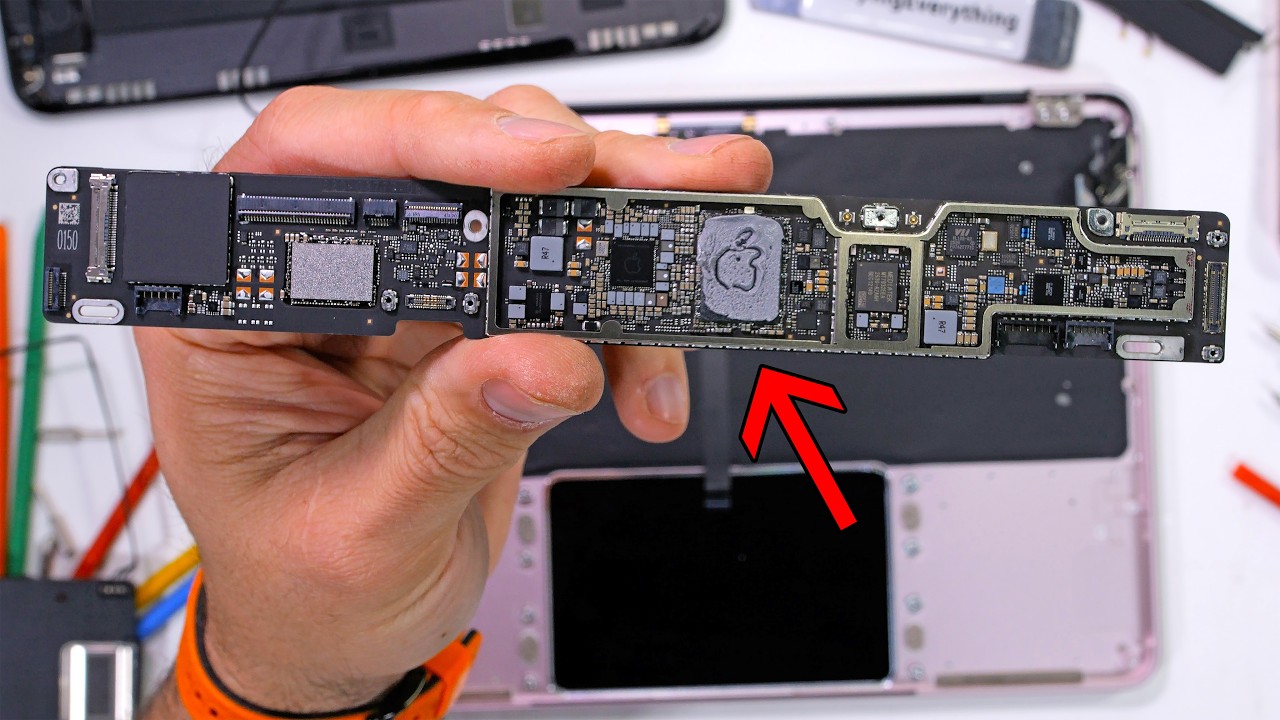
So, while iFixit did give the MacBook Neo one of their best repairability scores ever, there's still pretty much nothing you can do in terms of upgrades. I shouldn't say pretty much nothing. There is nothing you can do. With that said, the accessory ecosystem around Apple's products does tend to be quite a bit more vibrant than PC just because of their narrow focus on fewer models. With that all out of the way, what is our conclusion? In fourth place, the Lenovo IdeaPad Flex 5i Chromebook. I don't love this result for it. It's a pretty cool device and frankly, I'd feel more comfortable using it day-to-day as long as all I needed was a browser compared to the Acer Aspire Light Premium.
But Chrome OS just has hard limitations that are tough to overcome. Meaning that in third place, we have the Acer Aspire Premium. It's a laptop. It didn't win a lot, just slightly more than the Lenovo. In second place with two gold stars, two silver stars, and one vomit green star, the Dell 16. This one I also have really mixed feelings about. It's an okay overall chassis and an okay overall user experience, but the performance is shockingly bad for the year 2026. Which is why the cold hard conclusion is that our winner has to be the MacBook Neo with three gold stars, two silver stars, and only a vomit green chassis.
But the good news is you can cover that up with a skin from our sponsor, Dbrand. Dbrand Sketch 2D skins are designed to answer the question once and for all. What if your hardware came straight out of a comic book? Debrand insists that each design is painstakingly handdrawn by a real human artist, which means they probably have them chained up in a basement somewhere. Actually, I know for a fact it's not a basement. They're chained up in a warehouse. Um, but that's not important. What's important is that no generative AI was used. So, don't go blaming Dbrand for current RAM prices.
If you're looking to increase the ruggedness of your devices in addition to their appearance, they've also got their grip cases. This is one for the iPhone 17 Pro right here. It's uh yeah, I mean it's a it's a Dbrand grip case. There's really not a whole lot that can go wrong while you've got it on your phone and they have screen protectors that go with them perfectly. And of course, they're all Dbrand skin compatible. They've even got them for Switch 2, Steam Deck, as well as consoles. In fact, they even sent one over for my Fold 7.
Do Do they even Do they even carry this one on their site? I have no idea. It doesn't matter. The point is, if you want your device to look like a doodle in the margins of a notebook, head over to shortlininus.com. Thanks for watching. If you guys like this video, check out our guide for how to buy a laptop. It didn't include the MacBook Neo, but it did have a lot of really great tips for what to look out for so you don't end up bamboozled by a device that just plain doesn't have enough cores.
Whoops. That'd be a whoops.
More from Linus Tech Tips










Get daily recaps from
Linus Tech Tips
AI-powered summaries delivered to your inbox. Save hours every week while staying fully informed.