I Replaced My iPad With a MacBook Neo for a Week

Chapters9
Introduces the MacBook Neo as an affordable Mac OS laptop that competes with iPad in price and capability.
A week with the $600 MacBook Neo proves you can replace an iPad for many tasks, deliver solid battery life, and enjoy full macOS—though not every pro workload fits.
Summary
Christopher Lawley tests the MacBook Neo as a week-long iPad Pro replacement. He highlights the surprising value: a full macOS machine at $600 with no bloatware, capable of running apps like Final Cut, Pixelmator, and Raycast while remaining portable. He weighs the Neo against his iPad Pro, noting the Neo’s upgrade in expandability, RAM considerations, and the ability to install background utilities. Lawley experiments with videography and photo editing, color grading on the Neo, and even some development work with Claude Code, concluding the device works well for couch or travel use and as a secondary work machine. He praises battery life, claims a full workday is doable on a charged Neo, and points out practical quirks like a non-backlit keyboard and a glossy display. The video also covers ports, display output to a Studio Display (4K at 60 Hz), and where the Neo shines as a casual, inexpensive Mac that doesn’t carry the risk of a pricier machine. He repeatedly mentions Surfshark, both as a sponsor and as a useful travel VPN, and ends by outlining who should consider the Neo: students, short-form creators, second machines for frequent travelers, or iPad users ready to go macOS. The overall takeaway is that the Neo offers a premium-feeling, affordable entry into Mac OS with caveats for power users and certain workloads.
Key Takeaways
- MacBook Neo provides full macOS capability for $600, with apps like Final Cut and Pixelmator available out of the box.
- Eight gigabytes of RAM on the Neo is deliberate (A18 Pro bin chip with a missing GPU core) and generally sufficient for light to moderate multitasking.
- The Neo’s battery life sustains a typical 8–10 hour workday when charged in the morning, making it a strong travel or couch computer.
- The hardware feels premium for the price, with a mechanical trackpad, solid build, and a compact 13-inch form factor similar to the MacBook Air.
- Two USB ports (one USB 3.0, one USB 2.0) are thoughtfully managed by macOS, which suggests using the faster port for data and reserving the other for charging or peripherals.
- The display is glossy and 100% usable on the desk, but reflections can be a nuisance; Lawley wishes for a nanotextured option.
- The Neo can drive a Studio Display at 4K/60Hz, though it cannot push 5K, so 4K output is the practical ceiling when paired with a high-end monitor.
Who Is This For?
Essential viewing for iPad users considering a move to macOS, students needing a cheap portable Mac, or creators seeking a lightweight secondary machine for travel and couch sessions.
Notable Quotes
"The MacBook Neo is becoming my couch computer."
—He emphasizes casual, portable use as a core strength of the Neo.
"This is the cheapest laptop Apple has ever made, and the second cheapest Mac Apple has ever made."
—Lawley highlights value and price positioning early in the video.
"The screen is srgb and not p3 like the rest of Apple's displays."
—Notes a potential downside on color gamut, with practical impact described during editing.
"If I can get through a full workday on the Neo, I consider that a win."
—Gives a concrete battery-life benchmark contrasting with iPad expectations.
"Surfshark is a VPN service that keeps you and your data safe."
—Sponsor integration and a quick tech motivation for VPN usage.
Questions This Video Answers
- Can the MacBook Neo replace my iPad Pro for a full workweek?
- Is 8GB RAM on the MacBook Neo enough for video editing and development work?
- How well does the MacBook Neo run Final Cut Pro and Pixelmator Pro on macOS?
- Can I connect the MacBook Neo to a Studio Display and still get 4K 60Hz output?
- What are the trade-offs of buying the MacBook Neo instead of an iPad Air or MacBook Air for travel?
MacBook NeoA18 Pro chipRaycastClaude CodePixelmator ProFinal CutNotionSlack 2 ElectronStudio DisplaySurfshark sponsorships
Full Transcript
The MacBook New is one of the most interesting products Apple has released in years. For $600, anyone could get a very capable computer with full-blown Mac OS. Nothing stripped out of it. You can run any app you want, and you can even compile code if you want to. I've been working from the iPad for a decade now, and this MacBook Neo put some question marks on the future of the iPad for me. Now I'm somebody that uses an iPad Pro for just about every task. I edit videos on it, edit photos, write, manage my business, all of that stuff I handle on my iPad.
So I put my iPad Pro away for the week and everything that I would do on an iPad I did on the MacBook Neo. This video is sponsored by Surfshark. When I ordered the MacBook Neo, I just thought it would be something fun to review on the channel. But the price point is really interesting, especially when you start comparing it to the iPad. If you were to get a 13-inch iPad AirSo the same screen size as the MacBook Neo, at 256 gigs and a ke yboard, it's over $1,200. You could buy two MacBook Neos for that price.
Now, there's an argument there that the iPad Air has a faster processor and a few other things that the MacBook Neo doesn't, but the MacBook Neo has Mac OS, which is more capable than iPad OS. You can do more in Mac OS than you could do in iPad OS. As an iPad person, I'm admitting that. So the way I set this up is I took my entire workflow, everything that I would do on the iPad, and I inst alled it on the MacBook Neo, from obsidian to email to spreadsheets to, Final Cut, to PixelMater, ever ything got put on here.
But because it's Mac OS, I can also install utilities that are constantly running in the background, like Raycast, Supercharge, Claude Code, things like that that do eat up RAM because they're constantly run ning in the background, I just went ahead and installed them as well. So like I was saying, I spent the week using this as my iPad replacement. That means I ran Final Cut to edit some short form videos that were shot on the iPhone 17 Pro Max in log . I used PixelMater Pro to edit photos. I ran Notion and Slack 2 Electron, very unfriendly RAM heavy apps that are my collaboration tools with the Mac Stories team and my my podcast co-hosts.
I ran audio tracks through Hush and I even did some development work with Claude Code on my new website . It all worked great. The MacBook Neo is becoming my couch computer. So a lot of times I either want to get out of this office because I'm I'm sitting in here for hours and hours every single day and you know I just want to ch change the scenery. So I'll go sit on the couch or I'll go to a coffee shop or something like that. And this is what I'm using the MacBook Neo for because it's this ultra-portable, thin, and light device , and outside of the testing, this is what the MacBook Neo is going to be used for for me.
When I want to travel, when I want to go to a a coffee shop or something like that to get out of the off ice, or if I just want to go into the other room and work on the couch. This is the portable computer for that because one, it's cheap. If it was to get stolen, I would care a lot less about this getting stolen or broken it compared to my iPad Pro or MacBook Pro. It also has full Mac OS, so that means I have access to everything I could need. And unlike the iPad, I can do development work on it, which is something I've been doing a lot of lat ely because I'm building a whole new website.
This video is sponsored by Surfshark. Like I've been talking about, I've been trying to work more outside of the house, and the MacBook Neo has been helping me with that. But something I have installed on my MacBook Neo is Surfshark VPN. I use this whenever I'm going out of the house to work at a coffee shop or if I'm traveling and conne cting to hotel Wi-Fi, anything like that. If I'm out of the house, I use Surfshark. Surfshark is a VPN service that keeps you and your data safe. Now, this isn't a well, I have nothing to hide so I have nothing to lose kind of thing.
At places like coffee shops and hotels, they have these open Wi-Fi networks, they do get breached. People get into them, bad people get into them, and they can get access to your data through the logs . Now this isn't just a marketing line. I used to work in IT and this was something that we kind of tested in a lab scenario. We built an open coffee shop network and yeah, we were able to see other people's traffic. With Surfshark's VPN, your traffic is routed to secure servers. And my favorite part about Surfshark is they don't keep logs.
They use RAM only servers. So what this means is as your traffic hits their servers and more traffic comes in, your traffic gets kicked out. They don't keep logs. Nobody knows what's been going on. I love that. Your privacy is secure. But having a VPN service isn't just about security. It's a handy tool for navigating the web. You can see what different streaming services have to offer in their library in different countries, or you can see price discriminations based on regions. Now, Surfshark is a sponsor, but I've actually been paying for it myself. They don't give it to me for free.
Go to Surfshark. com forward slash lolly or use code LOLLY at checkout to get an extra four months of Surfshark. My thanks to Surfshark for sponsoring this video. But my absolute favorite thing about this computer, this whole week of using it, something that just ke pt sticking out to me is the feel of it. It doesn't feel cheap, it doesn't feel like a cheap book. It's a $600 laptop. This is the cheapest laptop Apple has ever made, and the second cheapest Mac Apple has ever made. They made a 499 Mac mini, but you still had to get your own mouse, keyboard, and monitor for that.
So it was still gonna be a little bit more than that. And like I keep harping on because I think that's what makes this device so special is it's not stripp ed down. Apple didn't just go, oh, we made a special version of Mac OS that gives you Safari and mail and maybe like messages or something like that. No, all the apps that are on my MacBook Pro are on the MacBook Neo as well. And yes, it can't run them nearly as fast. I 1000% it can't run them nearly as fast. But the price difference between the Neo and the MacBook Pro, yeah, of course it's not gonna run as fast .
It's it's it's that's not what this thing is aimed at. And because it's an Apple device, it doesn't come with any bloatware at all. I challenge you to find a $600 Windows laptop that has the same build quality and doesn't come with any bloatware. The only thing that I really found that the Neo really couldn't handle was a Finalut C Pro project with footage from my cinema camera. The camera I'm using right now to film me. It's the Canon C50. Now, the Canon C50 has an extremely high bitrate that I film at. I wasn't surprised at all that the MacBook Neo couldn't handle this.
My iPad Pro with the M5 chip is struggling to handle this footage. So that doesn't surprise me whatsoever. But guess what? The people that the MacBook Neo is for aren't using a Canon Cinema camera. That's not what this is for. It's totally okay that in my week of testing, this was not able to handle that. That's not even what I want to use it for. It was just a test just to see what would happen. I was kind of curious to see if it would play back fine. It didn't, and that's okay. Now, something I was kind of surprised about is the Neo is right around the same size as the MacBook A ir.
In some accesses, it's a smidge bigger, but not really enough for most people to notice. Like if you weren't plugged into Apple News or tech news in general, and somebody handed you this and said it was the MacBook Air, you'd probably go, okay, because it's it's the same weight as the MacBook Air. It's 2. 7 pounds. It's the same. To me, this computer is a miracle in a 13-inch package. Over this week, I took some notes about some specifics I really want to get into. The first thing I want to talk about is the trackpad.
The trackpad is not a haptic trackpad, which is something I've gotten used to. And for those that aren't aware, on m most of Apple's devices, the haptic trackpad uh doesn't actually move. You don't actually click it. It's it's motors that kind of give a haptic feeling of you clicking in and does a really good job. Like Apple is very good at haptics. So MacBook Pro, the newer magic keyboard, not the one for like the iPad Air, but the one for the curr ent iPad Pros. Um and like the standalone magic trackpad, those are hactic trackpads.
Oh, in the MacBook Air as well. This one is a standard mechanical trackpad, meaning if the MacBook Neo is turned off, you can still cli ck it. There is a mechan mechism. Now, a lot of times with mechanical track pads like this, with mechanisms, is they put the hinge at the top, which means you need to click at the bottom of the trackpad, but not on the MacBook Neo. The MacBook Neo, you can click anywhere. And I love this feeling because it doesn't make it feel like a downgrade going from one of the hactic trackpads to the MacBook Neo.
Yes, it does feel different, but I got over that pretty quickly. And actually, I quite like the clickiness. I'm somebody that likes mechanical keyboards, so I like the clicky clackiness of keyboards. So that probably plays into this a bit. But what I really appreciate is the fact that I can click the top of the trackpad with just as much for ce as I click the bottom of the trackpad. I don't need to apply more force. It doesn't feel any different. The mechanism is in the center so the trackpad acts the same no matter where you click.
After the MacBook Neo was announced and we were all going through the tech spec page and things like that , the thing that jumped out to me was the screen. The screen is srgb and not p3 like the rest of every single one of Apple's displays. I thought that would be a big downgrade. And for the most part, it's not when you're looking straight on at the display. Once you start looking at it kind of off-axis, kind of at the side, or something like that, that's when you really notice the screen quality difference. Color and quality-wise, it's fine.
Like I said, when you're looking straight on, it's it's totally fine, it's totally usable. Like I said, I edited shorts that were filmed in log footage, so that means I had to color grade that footage. And I edited raw photos, so I needed to do proper color grading to those photos as well. And I was doing it just fine on the MacBook Neo. I edited here and then sent them over to my MacBook Pro and was able to compare the colors on the two , and yeah, it was fine. I did try using the more space mode in display settings uh to give me a little bit more real estate on the screen, but my aging eyes, because I'm closer to 40 than I am 30 now.
M my aging eyes just couldn't couldn't handle that. If you've got younger eyes, if you have better eyes, you might be able to to use them more space feat ure to kind of get you a little bit more real estate on the screen. You can you can put more on there. Basically it just runs it at a higher resolution so it's not technically the pure retina that it norm ally is, but you can put more on the display. What I don't like about the display though is how glossy it is. Uh what I was finding, like when I was sitting specifically at this desk or on our couch with the uh glas s door behind me, is I would get a massive reflection off the display to the point where I needed to s hift so the reflection was off the display.
The screen is very, very glossy. So if you're gonna be working outside or if you're gonna have a big window or something behind you, just keep that in mind. That's the thing I bugged me the most. If Apple made a nanotextured version of the MacBook Neo screen, I would be returning this MacBook Neo and getting that one in an instant. Battery life on the Neo throughout this week has been great. Something I have harped on about the iPad for a long time now is how the battery life really needs imp rovements. Every iPad ever, going back to the original one, has had the same quote unquote 10 hour all-day batter y life that Apple says.
I've never found my iPad to get 10 hours. Usually I get through about a half to maybe two-thirds of my working day, and then I need to charge. The MacBook Neo, if I had it all topped up ready to go first thing in the morning, I would get through my whole working day no problem on the MacBook Neo. Very impressed with the battery life in this thing. I don't know why the iPad can't get the same battery life treatment, but the MacBook Neo really did get me through my whole working day. And for the record, that's usually about like eight to ten hours every single day.
If you are somebody that travels a lot or you're not going to be near outlets or anything like that, an external battery is going to do you wonders and it works great with this device? I have a bunch of them lying around here. Uh, one day I didn't charge the MacBook Neo overnight, so I just grabbed that. I was working at the couch, just plugged it into the side because we don't really have any outlets aro und our couch, so I just plugged it into the side of the MacBook Neo and no big deal. I did find that the external charger, because it has a display on there and tells you how much wattage is it will charge up to 30 watts to the MacBook Neo.
The MacBook Neo in the box only comes with a 20-watt power adapter. So if you want to charge a little bit faster, you can get a 30-watt power adapter and it should charge it a little bit faster. The USB ports are kind of an interesting situation on the MacBook Neo. This back one is USB 3. 0 and this front one is USB 2. 0. Now, if you plug something like an external drive or something into the 2. 0 port, it actually tells you in Mac OS, it tells you on the screen, hey, maybe use this other port, the other port would be faster.
So that's a really nice touch. I noticed a lot of people complaining that the ports aren't labeled, but I think I'd rather have it in Mac OS than have like some big symbol on the side. Like that just looks way cleaner. Especially once you realize if you look in the USB ports, Apple color match the inside of the USB port to the color of your MacBook. Personally, what I've been doing is I've been treating the 2. 0 port as the charging port and the 3. 0 port for data stuff. So uh I took a few photos with my camera, had to plug an SD card reader in here, so that's what I to use that port for, and then the other port has been my charging port.
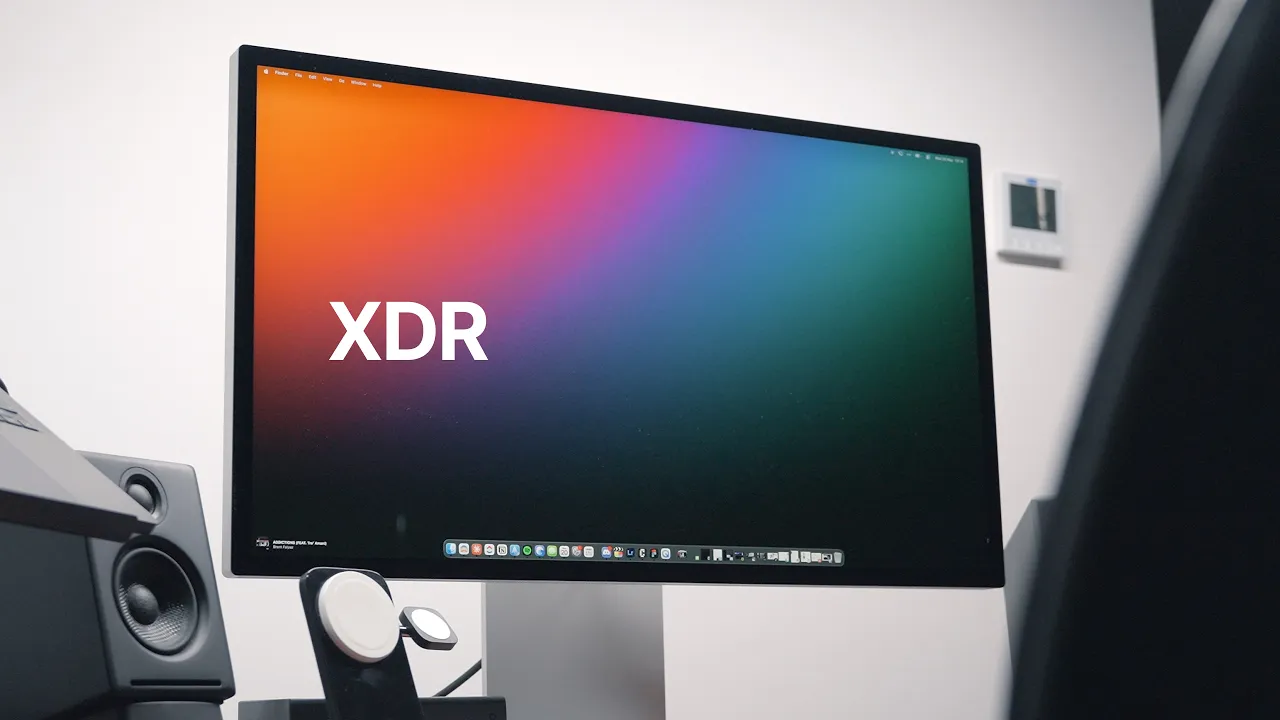
And for the three people that that are watching are curious yes the MacBook Neo can be plugged into the studio display i have the original studio display here but it runs it at 4k and not 5k because that's what the MacBook Neo can output is just 4K at 60 Hertz. So it can do that if you're interested, but if you're buying a $1,500 monitor to use with a $600 comp uter, that math ain't mathing. One thing about the MacBook Neo is it doesn't have a backlit keyboard. And I didn't think that would bother me. I don't really need to look at the keyboard when I'm typing.
I I kind of think it's fine. But what I didn't realize is the backlighting of the Apple keyboards is pretty much always on. And they do a really good job of just subtly illuminating the keyboard. It's not like some bright monstrosity. And I guess I just never realized it's actually a really nice feature and it does make a difference to the way I type. So next version of the MacBook Neo, if there was a backlight keyboard, I could see that being a real n ice improvement. In the meantime, you're gonna need a desk lamp. The speakers on the MacBook Neo could use some improvement.
They are fine for laptop speakers, but they're not the typical, wow, these are Apple speakers, like from like really nice Apple products. Again, this is a $600 laptop, so it's easily can be forgiven. You're gonna want headphones to use with this device, especially if you're creating stuff, if you're do ing any video, audio, podcast production stuff, anything with audio, you're gonna want headphones, and it does have a headphone jack, and it's in an interesting spot, it's right up here at the front. Uh, which to me does make sense. It's interesting because it's I I don't think Apple's ever put a headphone jack here on a laptop, but it's interesting because it makes the cable go doesn't it doesn't have to go as far back, like it's just right up here at the front, so I like that.
And then the thing half the internet was upset about the A18 Pro chip has eight gigs of RAM, it had e ight gigs of RAM in the iPhone 16 Pro, it's gonna have 8 gigs of RAM in this. Apple is not going to make a brand new custom chip for this. The whole point of this device is to keep the price point down. And the reason why they're using the A18 Pro chip is because the version of it that's in here is the bin chip. That means it's missing a GPU core that wasn't in the iPhone 16 Pro.
So it's probably rejected chips that one of the GPU cores didn't work, so they just put them in these devices. So they had a bunch laying around. But as we know, the iPhone 17 Pro has 12 gigs of RAM. So I wouldn't be surprised if the next version of the Neo, you know, comes around and you get the A19 Pro in there, and that one's gonna ship with 12 gigs. So eight gigs of RAM hasn't been that big of a deal breaker. Throughout the week, I've just had activity monitor open, been tabbing over, and I get to swap quite a bit, but it's not a lot of swap.
It's it's usually like maybe two or three gigs at the absolute most, if I'm getting to swap. But sometimes if I'm just doing a couple of things in like two, three, four apps. I I don't even get to swap. I don't even do that. It's when I start using heavier apps, or when I start using like five or six or seven apps, that's when I start to get to swap. So at the end of the week, I have a few thoughts on who the MacBook Neo could be for. Yeah, yeah, yeah. Students. We all know that.
Every YouTuber said students. Every YouTuber has also said short form creators that edit everything on their iPhones can graduate to this. They they've all said that, that's great. But who else could the MacBook Neo be for? People that want a second machine, especially people with like big beefy desktop machines that want a really portable light machine, this is it. If you're somebody that travels a lot and you need a computer that you wouldn't be upset, breaks, gets stolen, something happens to it, MacBook Neo. Again, this is half the price of a MacBook Air. If this was to get stolen or broke, it would suck.
Like $600 isn't nothing, but I'd be a lot less upset about this breaking than my MacBook Pro or my iP ad Pro. Then there's people that have been working from the iPad for the past few years, like myself, and may be are finally at the point where, okay, I want something a little bit more than what iPad OS can offer , especially in this age of tools like clawed code and stuff like that. MacBook Neo again. So at the end of my week, just working from the MacBook Neo, this has been a very eye-opening experien ce.
I love this computer. I I I I absolutely love it. And then the price tag and the feel of it being a premium device is the key to that. I'm enjoying using this computer and I'm not gonna do the typical reviewer thing where I just use it for a couple weeks then return it. I'm covering this thing in stickers. This is going to easily be my couch computer, my travel computer, my throw around if something happens to it, sucks, but not the end of the world computer. I'm also going to be keeping this computer around because I want to start making more Mac OS videos and I want to test Mac apps on this computer.
Yeah, it's really easy for me to go, yeah, this app runs fine on a you know M4 Macs MacBook Pro, but what about the other spectrum, the other side of that? You know, what about the lowest end Mac? So I'm gonna keep this Mac for testing stuff and making sure you know the stuff I'm talking about on the channel not only runs at the high end but also runs at the low end as well. So that's been my experience working from the MacBook Neo for a week. I want to hear your all thoughts. Did you get a MacBook Neo?
Are you interested in a MacBook Neo? Let me know in the comments below. If you like the video, hit the thumbs up button, subscribe if you haven't already, and have a great da y.
More from Christopher Lawley









Get daily recaps from
Christopher Lawley
AI-powered summaries delivered to your inbox. Save hours every week while staying fully informed.