Studio Display XDR review - 2 months later - Professional perspective

Chapters11
Examines the 3299 price and explains the monitor is aimed at filmmakers, photographers, and designers rather than average consumers.
Studio Display XDR delivers unmatched brightness and color accuracy for pros, justifying its premium price for photographers, designers, and editors using Mac pro workflows.
Summary
Oliur from UltraLinx reviews the Studio Display XDR after two months of real-world use. He notes the price tag of $3,299 and argues Apple targets professionals with this monitor, not casual users. The stand’s height and tilt adjustability stands out, and the front is clean and familiar, even as the back packs four USB-C ports with two Thunderbolt 5, enabling daisy-chaining and full 140 W power delivery for a MacBook Pro. Apple’s color accuracy is praised, with Greg Benz’s tests cited showing HDR performance at up to 2,000 nits—far brighter than any consumer OLED. He highlights the 12 GB RAM and 128 GB SSD inside the display as dedicated to the monitor’s own webcam, mic array, speakers, and OS, not usable by connected devices. The webcam’s smart tracking follows the user, which Oliur finds especially impressive for meetings, though he calls the built-in mics and speakers adequate but not extraordinary. He notes the 120 Hz refresh is nice but not game-changing for desktop usage, and he misses a 32-inch option to maximize real estate. For editing workflows he uses Final Cut Pro, Lightroom, and design tools like Figma and Framer, and calls the Studio Display XDR the best option currently for Mac-centric professionals. He also discusses the naming strategy Apple uses post-Pro Display XDR, expressing confusion over the two visually identical offerings. In closing, Oliur asserts that, for those in design, photography, and video, the Studio Display XDR represents a compelling business investment that’s hard to beat, even as LG and ASUS push competitive 5K monitors with high refresh rates.
Key Takeaways
- The Studio Display XDR’s 2,000-nit HDR brightness and full 2,000-nit HDR accuracy are highlighted as industry-leading, with Greg Benz’s tests cited as evidence.
- The display’s back panel includes four USB-C ports with two Thunderbolt 5 ports and can deliver up to 140 W to a MacBook Pro, enabling single-cable power and data.
- Internal RAM and storage (12 GB RAM and 128 GB SSD) are dedicated to the monitor’s webcam, speakers, and OS, not usable by a connected computer.
- The 120 Hz refresh rate is appreciated but not transformative for most desktop work; the editor notes OS and typical workflows are largely static, so benefits are subtle.
- The built-in webcam with auto-tracking is a standout feature, improving meeting quality and ease of use despite the mics being adequate at best.
- A 32-inch version would be preferable for more screen real estate, as the 27-inch size feels small for professionals who previously used 32-inch 6K displays.
- Apple’s lineup naming between Studio Display and Studio Display XDR creates some confusion among users, suggesting a naming strategy misalignment with audience clarity.
Who Is This For?
Essential viewing for Mac-centric professionals—photographers, video editors, and designers—who rely on high-brightness HDR, color accuracy, and integrated peripherals; it explains why the Studio Display XDR is a business investment rather than a consumer product.
Notable Quotes
""$ 3299. That's how much this monitor costs. And when looking at other monitors… there really isn't much else like it right now.""
—Opening assessment of price and unique value proposition.
""The stand itself though, phenomenal. I love how easy and smooth it is to adjust the height and the angle of it.""
—Praise for the adjustable stand as a standout hardware feature.
""2,000 nits of brightness is also just unreal. It's hard for me to illustrate on camera; it is something that needs to be experienced in real life.""
—Emphasizes HDR brightness advantage and experiential quality.
""The webcam… it will actually follow me around, which is pretty wild.""
—Highlights the tracking webcam feature as a notable capability.
""If you're just working in a professional environment, this is most likely just going to be a business expense for you.""
—Summarizes the monitor as a credible investment for professionals.
Questions This Video Answers
- How does Studio Display XDR's brightness compare to OLED monitors in HDR work?
- Is the 120 Hz refresh rate worth it for professional Mac workflows?
- What are the differences between Studio Display XDR and LG's upcoming 5K monitor with 165 Hz?
- Can the Studio Display XDR power a 16-inch MacBook Pro with Max chip over a single cable?
- Why did Apple split the Studio Display and Pro Display XDR naming, and what should I buy for my workflow?
Studio Display XDRStudio DisplayThunderbolt 5MacBook Pro power deliveryHDR 2000 nitsCalibrated color accuracy120 Hz refresh rateWebcam trackingFinal Cut ProLightroom/Photoshop workflows
Full Transcript
$ 3299. That's how much this monitor costs. And when looking at other monitors in the market, I feel like it looks expensive. But when we look closer at the features, there really isn't much else like it right now. Does it justify that price? Yes or no. There's a few amazing things about this monitor and a few not so amazing things. I've been using it since release, so over two months now, and I have quite a few things to say about it. When looking at Apple's own website for the monitor, they are clearly targeting at professionals.
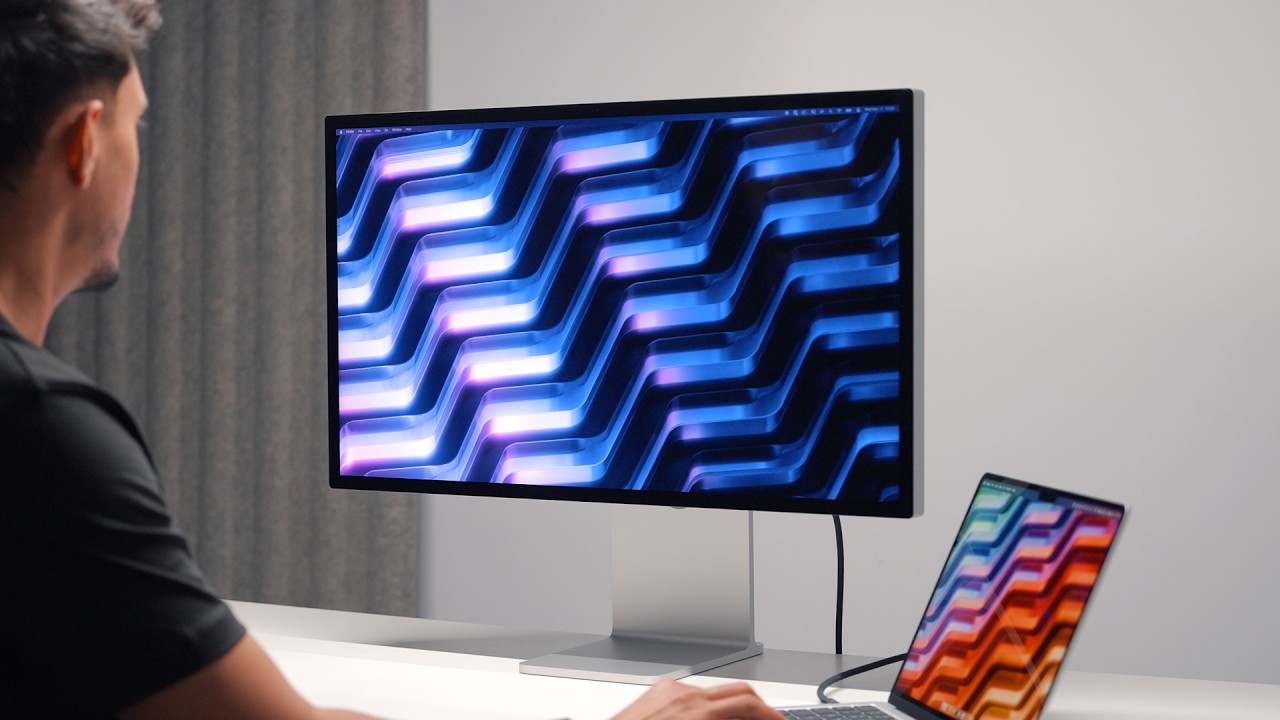
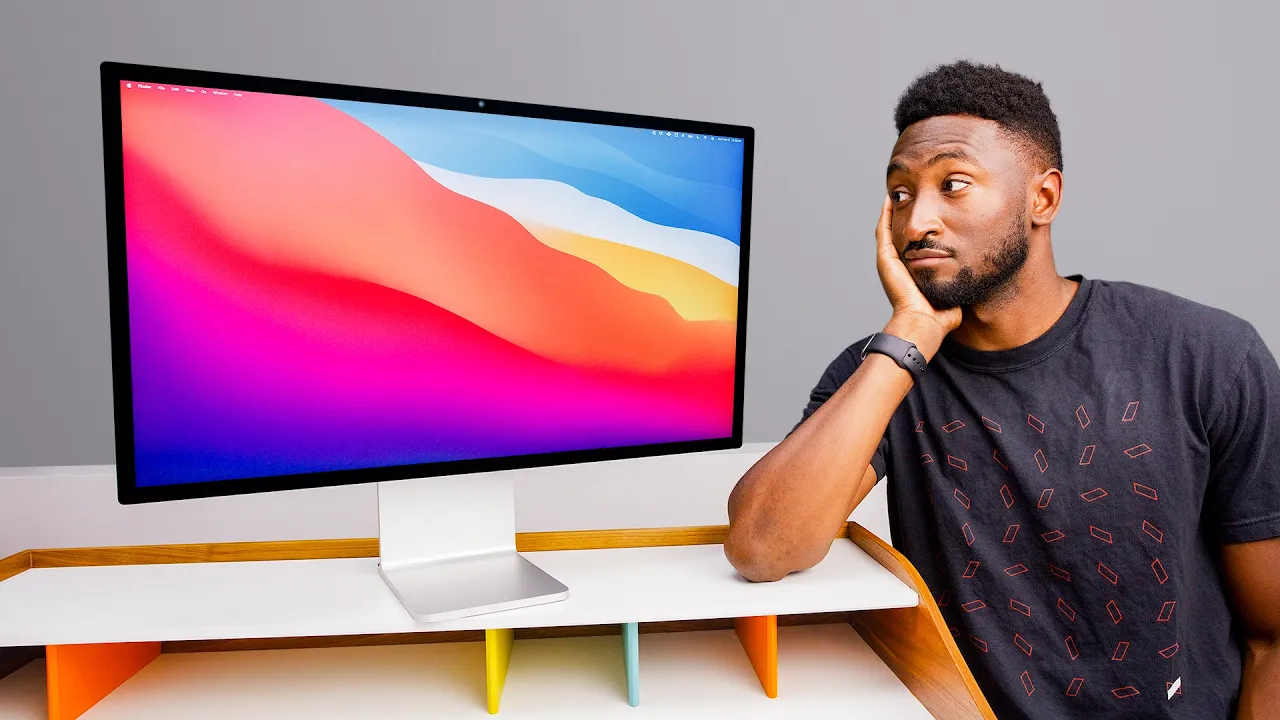
It's not designed for the average consumer, which also explains the price tag. Most people would probably spend a maximum of around $1,000 for a monitor. This is for filmmakers, photographers, designers, and other similar people, which perfectly aligns with my own work because it's what I'm doing every single day. When it comes to the design of this thing, it looks pretty much identical to the standard studio display. Clean aluminum frame. There isn't really any easy way to tell the difference other than the fact that you get the tilt and height adjustable stand as standard. However, you can actually get this stand with the standard to display as well if you're willing to spend a bit more money.
The stand itself though, phenomenal. I love how easy and smooth it is to adjust the height and the angle of it. I know most of the time you're looking at the front of a monitor, but there's no doubt that Apple makes some of the best looking monitors and well-built monitors compared to anyone else. I personally want my tech to look good in my space instead of it being made from oddly plastic. On the back, there's only four USB type-C ports with two of them supporting Thunderbolt 5, which means you can daisy chain more monitors. You can connect a MacBook and it can do both power and data over one cable, which is included and is also super convenient.
It can actually provide up to 140 W of power, which is ideal if you have something like a beefy 16-inch MacBook Pro with one of those Max chips inside it. However, there are no HDMI or display ports, which isn't anything new from Apple. They've been doing this for a while now. So, this monitor isn't designed to connect to something like a PC or a PS5. It's solely designed for Mac. When it comes to color accuracy, Apple are known for excellent color accuracy from the factory. So, you get it pretty much calibrated straight out of the box.
No need to mess around with anything. Greg Benz did a few tests and documented them on his website and found that this is actually the best HDR monitor that you can buy on the market right now. What's most impressive about it, though, is how accurate it is, even when the monitor is at a full 2,000 nits. No consumer available OLED monitor can even come close to this. And that 2,000 nits of brightness is also just unreal. It's hard for me to illustrate on camera. is something that needs to be experienced in real life. But when I am editing HDR or watching HDR content, it genuinely is incredible.
It has 2,34 individual LED dimming zones, which of course results in much deeper blacks and incredible contrast. From day-to-day usage, I personally haven't noticed any blooming. I think it looks amazing. And if you work in a well-lit environment or room, this is probably one of the only monitors out there that can actually get bright enough to be properly usable. By the way, if you're interested in this wallpaper, I'll leave a link to it down in the description below. I've been using this for editing photos in Lightroom, SDR and HDR photos. Honestly, incredible. Same with video editing.
I'm editing in Final Cut Pro. That's my editing app of choice. All the videos that you see on the channel are edited on this monitor. And of course, I'm designing as well. I'm designing in apps like Figma, Framer, and then I'm using Clawude Code and stuff to design. Honestly, there isn't really anything else that I'd want to use. Like, it really is that good for that type of work. Apple have now upped the refresh rate to 120 Hz, but I'll be honest, other than making the animations and scrolling smoother. For me personally, it doesn't actually add too much to my experience.
It's definitely nice to have, don't get me wrong, but Mac OS isn't like iOS or iPad OS. Most of what you do in a desktop environment is actually quite static. Animations don't happen all the time or anywhere near as much as they do on something like a phone or a tablet where you're having to swipe between apps and stuff and sort of go between screens and stuff. desktop usage. You know, you'd be surprised. I think if you actually looked at properly what you're using your desktop for, most of it is just going to be static screens.
And considering I won't be gaming on this monitor, honestly, the 120 Hz refresh rate doesn't actually matter too much to me. But like I said, don't get me wrong, it is definitely nice to have. The one thing I do wish though with this monitor is that I wish it was bigger. I switched from the Pro Display XDR, which is 6K at 32 in, going down to now 5K at 27 in. There is definitely a noticeable difference, but to be fair, I got used to it in a couple of days. But there's no doubt I feel like for the stuff that I do, a bigger screen does make more sense.
You just get a ton more screen real estate at 32 in. And of course, you get more resolution. And I feel like bigger monitors are becoming more of an expectation now. People want bigger monitors. I think 27 in already feels quite small to some people. Yeah, honestly, it would just be nice if we had a 32-in version. One very interesting thing about this monitor though is that inside it, it actually has 12 GB of RAM and it has 128 GB SSD. Now, I can only assume that they're used for like the webcam, the speakers, and the way the monitor works and of course the OS because you can't actually use that RAM or that SSD when it's connected to your Mac or anything like that.
It's just for the monitor itself. But yeah, just an interesting thing. I feel like it has more RAM and well, it has as much RAM and storage as an iPhone does, which is crazy. One thing I do want to share is the webcam on this. So, this only I think works in FaceTime as far as I can tell, but it will actually follow me around, which is pretty wild. Hopefully, you can also see what the quality is like, but yeah, it will follow me around. And then when I go to sit down at my desk, it will obviously, you know, align to my face, which is just crazy.
Like, it's so smart. Um, yeah. Hopefully, this also does a good job of me showing you what the mics are like on this thing. I use it for uh sort of uh Google Meet and uh sort of Zoom calls and stuff like that, FaceTime all the time. And it's nice having the webcam and the mics and everything all in there so that I don't have to use anything externally. Are they amazing quality? Eh, I think they're okay. Like, it does the job and I think that's all that matters. If it does the job enough, it's good enough for me.
That's the main thing. But yeah, this this webcam thing with the zooming in and tracking is pretty wild. Um, I like it. I think it's actually really smart. Yeah, I do think the um internal speakers are okay, but they're never going to be as good as a proper set of external speakers. When it comes to naming and how Apple have done the lineup of their monitors, the Pro Display XDR has now gone. They don't sell that anymore. And I actually think it made more sense to leave the Studio Display as it is at the price that it is.
And instead of having the Studio Display XDR, we have the Pro Display XDR upgraded to the 120 Hz refresh rate, the more dimming designs, the brightness, and everything else. Now, we have both the Studio Display and the Studio Display XDR. And I found that so many people are actually getting confused between the two. They don't really know the differences. They don't not understand why there's two different monitors that look exactly the same. I just think it made more sense to have two different monitors with two different names. I'm sure Apple has their own reasoning though.
I'm sure they've thought all of this through, but they haven't shared that. So, I actually don't know why they've done this. If you're a Mac user, though, who does professional work, there literally is nothing else as good as this right now. This is the best monitor you could buy right now that is ideal for designers, photographers, video editors, and anything else similar. I personally think it's actually worth every penny. That $3,299 price tag. I actually wouldn't hesitate to buy another one. I really do think it's that good of a monitor. I think if you're just working in a professional environment, this is most likely just going to be a business expense for you.
This is going to be part of your business. That's who it's for. That's why the price tag is where it's at. It's definitely not targeted to the sort of average consumer. It's definitely a proumer business sort of product. So, I do think the pricing is actually somewhat justified because there is nothing else like it. I know LG do have something coming out very soon. They have a 5K monitor that can do 165 Hz. And ASUS also have a 5K monitor as well that can do 165 Hz. But the LG1 has the multiple dimming zones and stuff.
However, none of those monitors still get as bright as Apple's display. I think if you're just going to be using it for work and that's what you want to use it for and you have a Mac and stuff, honestly, it makes the most sense. I think one of those monitors, the LG or the Asus monitor actually make more sense if you want a sort of uh one monitor that can do everything. So you have your Mac and you have your games console or your PC that those monitors make more sense for that. But for video editing, photo editing, the brightness, the HDR, everything that this monitor can do, it is actually crazy how capable this monitor is.
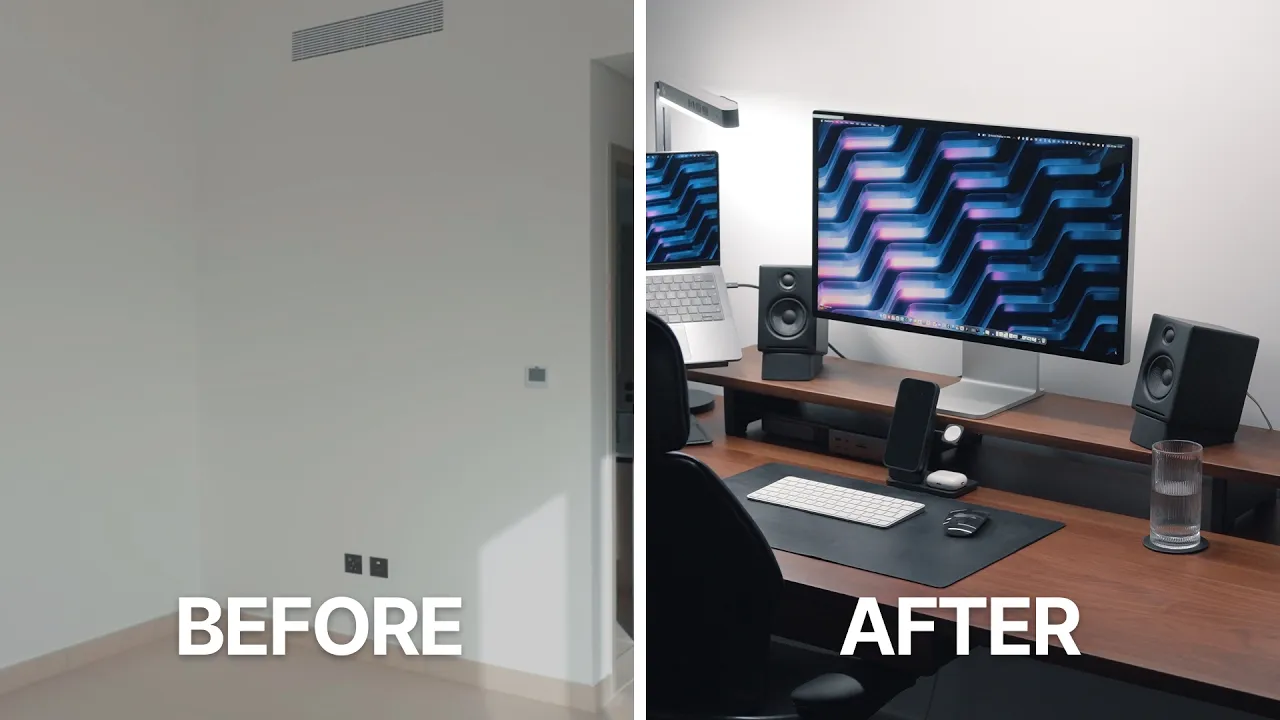
Make sure to check out the other video I've done on my desk setup and my studio setup, how I've got everything set up. Yeah, I just share everything in there. Hopefully you guys enjoyed it. Follow me on Instagram and Twitter and subscribe for more.
More from Oliur / UltraLinx







Get daily recaps from
Oliur / UltraLinx
AI-powered summaries delivered to your inbox. Save hours every week while staying fully informed.