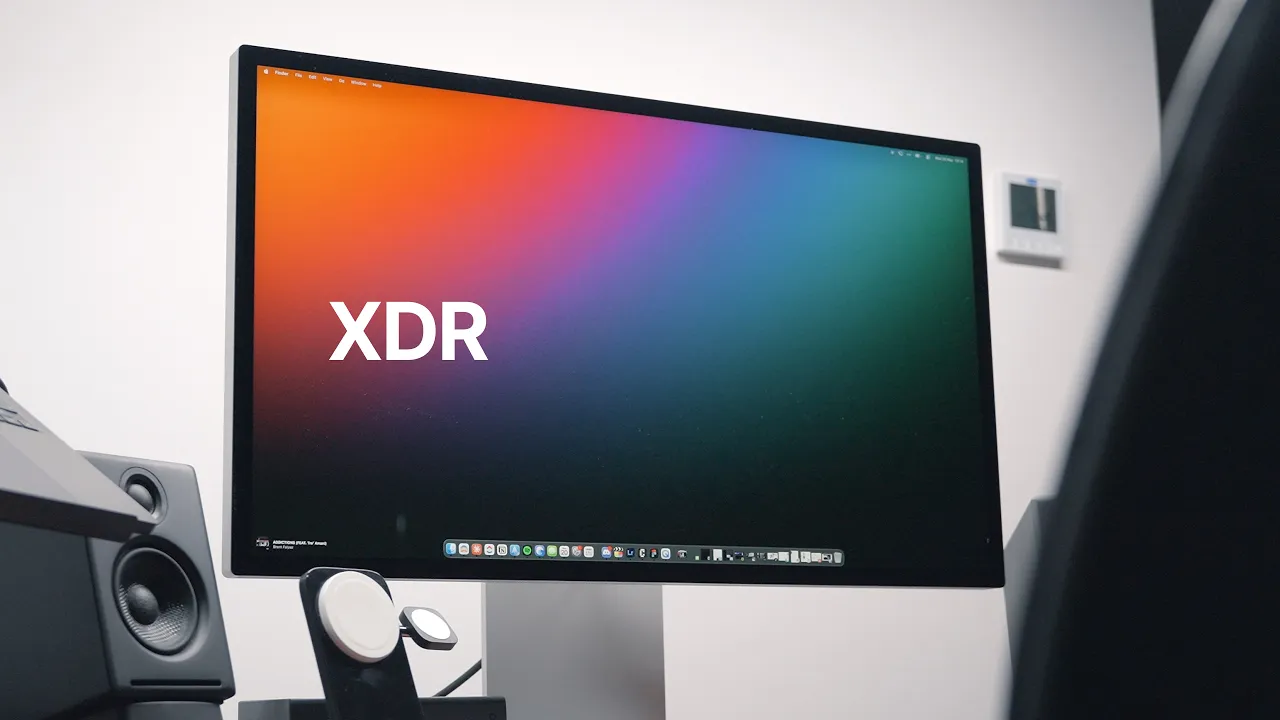
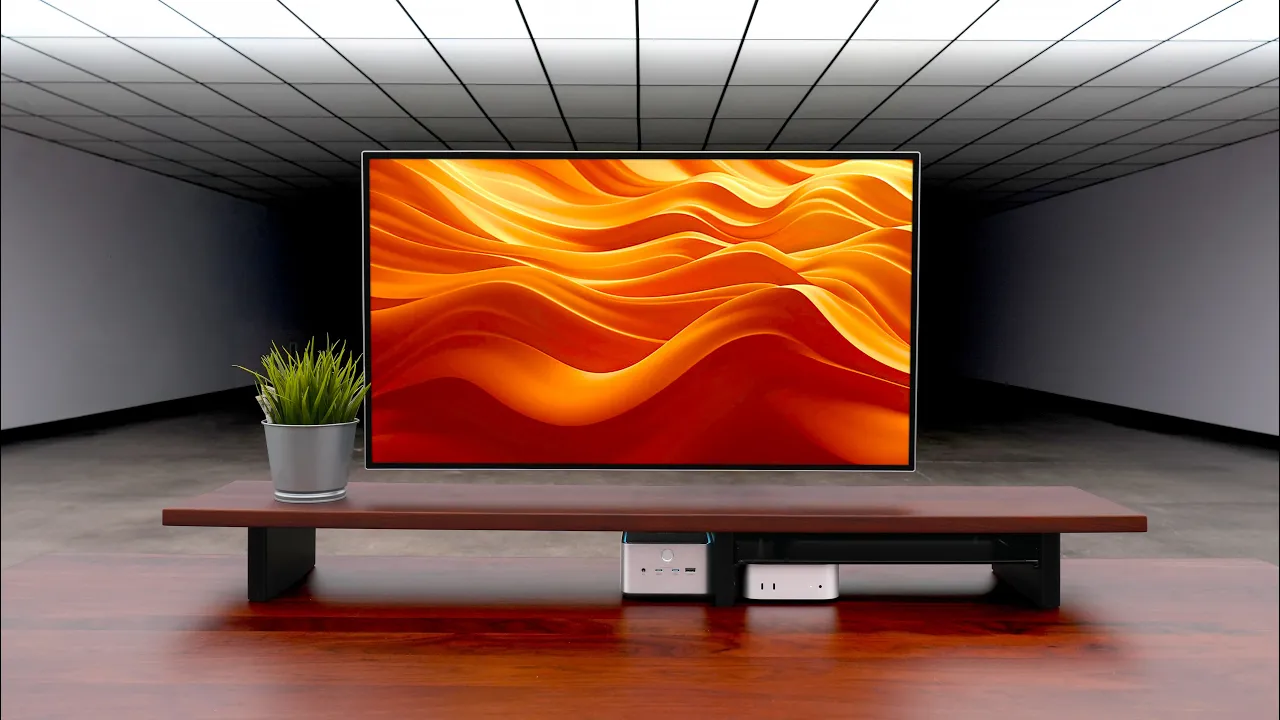
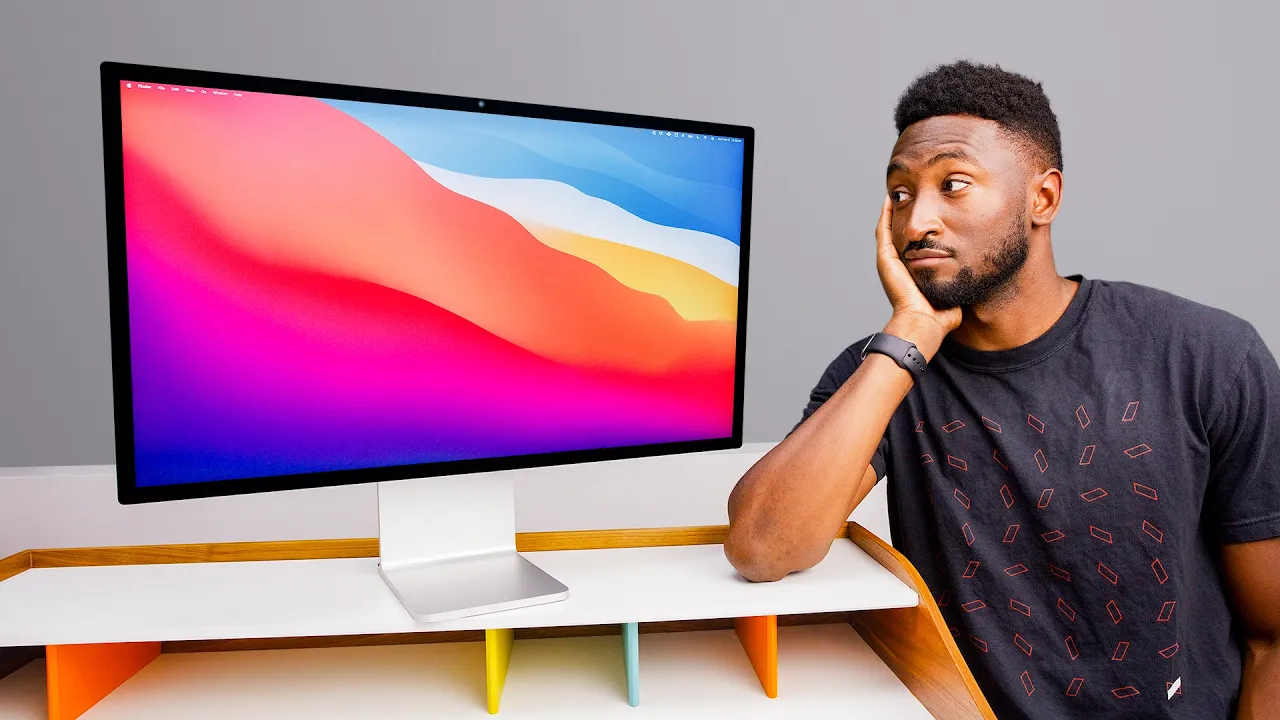
Apple fixed it. Studio Display XDR.

Chapters9
The reviewer expresses long anticipation for the Studio Display XDR and shares initial impressions, noting the refresh rate and overall design.
Apple's Studio Display XDR finally brings 120 Hz, mini-LED brightness, and a sophisticated built-in stand, but at a premium for pros.
Summary
Oliur from UltraLinx eagerly dives into the Studio Display XDR, highlighting Apple’s shift to a mini-LED panel over OLED for desktop reliability. He notes the built-in stand’s engineering as a standout feature, arguing it’s included now where the Pro Display XDR charged extra. The reviewer walks through the ports: two Thunderbolt 5, two 10 Gb USB-C, and a capable 140 W MacBook charging option, stressing Thunderbolt 5 requires a compatible Mac. He demonstrates the 5K resolution with MacOS scaling (2560x440 in HiDPI terms) and confirms the 120 Hz variable refresh rate with HDR enabled, praising 2,000 nits of brightness and the display’s true HDR with localized dimming across 2,340 zones. Olliu r then compares size and design to the Pro Display XDR, noting the Studio Display XDR is thinner, cleaner at the back, and available in glossy glass. He emphasizes the built-in webcam, mic, and speakers as a strong all-in-one package for calls and media, albeit advising dedicated speakers for serious audio work. The reviewer shares real-world impressions of color profiles, the 27-inch form factor, and how UI designers, photographers, and videographers may treat this monitor as a business expense. He closes with a candid take on market competition, the glossy panel preference, and whether this will become his primary display or coexist with the Pro Display XDR. Overall, he asserts the Studio Display XDR nails the feature set for creators, even at a steep $3,299 price point.
Key Takeaways
- Studio Display XDR uses a mini-LED panel (not OLED) to balance brightness and longevity for desktop use.
- HDR delivers up to 2,000 nits with true localized dimming across 2,340 zones for convincing blacks and highlights.
- Two Thunderbolt 5 ports (one for Mac connection) plus two 10 Gb USB-C ports enable fast data, docking, and 140 W MacBook charging.
- MacOS scales 5K-like resolution as 2560x440 (HiDPI) while delivering a crisp 5K visual density with perfect integer scaling.
- Built-in stand is a standout engineering feat, now included for Studio Display XDR, with smooth height/tilt adjustment and no tilt drift.
- Glossy finish is preferred by Oliur for its perceived clarity and contrast, a notable stance given common matte trends.
- At $3,299, this monitor is aimed at creators—UI designers, photographers, and video pros—who value size, brightness, and an all-in-one package over mainstream price points.
Who Is This For?
Designed for designers, photographers, videographers, and developers who need a high-end 27-inch 5K/120 Hz display with integrated webcam, mic, speakers, and a strong color/brightness workflow. A premium purchase that doubles as a business tool for professionals and studios.
Notable Quotes
"“The stand now is included in the studio display. before you would have had to pay for it with the Pro Display XDR.”"
—Highlights the cost-saving inclusion of the stand with Studio Display XDR versus Pro Display XDR.
"“This stand is crazy that I can move this, but the monitor stays at the angle that I left it.”"
—Emphasizes the engineering prowess of the stand’s tilt/height retention.
"“There are 2,340 individual dimming zones which means the LEDs on the monitor can actually turn off depending on where there is content.”"
—Explains the advanced local dimming capability and its impact on true HDR.
"“If you are someone who does a lot of media consumption, dedicated speakers are not that expensive and you’ll get a significantly better experience.”"
—Gives practical audio advice, balancing built-in speakers with external options.
"“There is literally nothing else like it until we see other miniLED monitors come along with multiple dimming zones and this sort of resolution.”"
—Frames the Studio Display XDR as a unique, leading option in the market.
Questions This Video Answers
- How does the Studio Display XDR's 2,340 dimming zones impact HDR performance in practice?
- Is the Studio Display XDR worth upgrading from a Studio Display or Pro Display XDR for creators?
- What are the real benefits of Thunderbolt 5 on the Studio Display XDR for a MacBook Pro setup?
- How does the glossy Studio Display XDR compare to the nano-texture finish in daily use?
- Can the Studio Display XDR truly replace a dedicated high-end monitor setup for designers?
Apple Studio Display XDRmini-LEDThunderbolt 5HD R (true HDR)2,340 dimming zones5K 120 Hz displayglossy vs nano-texture finishbuilt-in stand engineeringMacOS display scalingPro Display XDR comparison
Full Transcript
Boy, have I been looking forward to this. Feel like it's taken years, but we finally have the Studio Display XDR. Boom. Oh, actually, it's not too bad. I feel like I've waited so long for this because the biggest issue obviously with the Studio Display and the Pro Display XDR is the refresh rate. And I feel like this has been a long time coming considering how the monitor industry has moved so quickly. Like we're seeing OLED monitors and stuff. We're seeing very high refresh rates up to like I think I saw like a 720 Hz monitor the other day and I was just thinking like this is crazy.
But I think what's interesting about this is that Apple have gone with a mini LED panel. They have not gone with OLED. So they clearly feel like OLED still isn't good enough for desktop usage. And it's probably because OLED is still prone to burning. Nice. Oh, it's upside down. Hm. Okay. Uh, and we can now take it out. So, looks like we take away the two sides like so. We remove this and the monitor's right there. Okay, cool. Um, that makes it nice and easy. So, let's pull this out like so. So, in here we just have the Thunderbolt cable.
No, no stickers. It's just some manuals, some basic stuff. Cool. What isn't ideal is the power cable is not detachable. This is why the package is like this. It would have been nice to have the a detachable power cable, but it is what it is, I guess. There we go. And we have the power cable in there. Before we go any further, I want to highlight how incredible the stand is on this thing because I don't think people realize the engineering behind this stand. So, this stand now is included in the studio display. before you would have had to pay for it with the Proisplay XDR.
It's $1,000 with the Pro Display XDR. But what makes this sound so unique is, you know, the aluminum and stuff, the look of it is incredible. It's this mechanism. I don't understand how they've designed this mechanism to be like this. Because if I'm moving the monitor here, why isn't this coming up at an angle? It stays flat. Do you know how crazy that is? Like, I don't understand how they've done it. And it's so smooth as well. Like literally, it just takes a little bit of pressure to move it up and down. And you get some height adjustment.
Of course, you get tilt adjustment as well. Or actually, you get quite good tilt adjustment there. That's pretty good like that. But it's it's this part. It's crazy that I can move this, but the monitor stays at the angle that I left it at, at the tilt angle. I don't know if anyone else appreciates it as much as I do, but I really do think that is some incredible engineering there. Oh, I don't care what anyone says. I think Apple makes some of the best looking monitors. Probably the best looking monitors. Not even some of the best looking monitors.
I'm proper Apple fanboying right now. But I don't care cuz man, these things are incredible. Let's do the old peel. Okay, front of the monitor I guess is quite boring because it's just black glass. So, I'm going to turn it around again so that you guys can see the back. Right. So, it is a solid aluminum backing on this. It doesn't have the sort of holes like the Pro Display XDR has, which is interesting because this can obviously get brighter than the Pro Display XDR, which I would have thought would get hotter, but clearly Apple have figured out the cooling system in this.
And also, there's a lot more in this monitor because this monitor is thinner than the Pro Display XDR. Uh, but it has obviously speakers. It has a webcam and all sorts of other stuff. So, like, you know, having a monitor that has all of this built in and still be obviously it's not super thin. It's not thin like an OLED, but relatively thin. I think it's impressive. I like how clean it looks on the back. We have four ports on the bottom with these two ports being Thunderbolt 5. And you can see the one with the dot is the one that you'll be connecting to the Mac.
And yeah, thankfully you have an extra Thunderbolt 5 port, which is so nice to see because that means I'll be able to connect either another monitor or an external SSD and get the full speeds. And then these two ports are also 10 GB USBC ports. So you can still connect up an external hard drive and get really good speeds. Oh, and also I completely forgot to mention this port here. If you connect up a MacBook, it will charge the MacBook at up to 140 W. So if you have a 16-inch MacBook Pro or 14-inch MacBook Pro with like one of the Max chips, this should be powerful enough to keep it sustained at full speed, full power, which is nice to see.
So yeah, having one cable that can power your Mac and do all the data transfer and stuff is really nice to see. However, another thing you have to remember this is Thunderbolt 5. So if you want to get the full Thunderbolt 5 speeds, you have to have a Mac that has a Thunderbolt 5 port. Okay, now it's time to connect up my Mac. That's interesting. Actually, I've just noticed it shows a little animation showing you to connect your Mac. Oh, this Thunderbolt cable is thick. Wow. I've just realized how thick it is. Oh, there we go.
Perfect. By the way, if you are interested in this wallpaper, I'll leave a link to it down in the description. But because we're using a MacBook Air, we are limited to 60 Hz. So, I'm going to need to get my MacBook Pro. Okay, here we have my M4 Max MacBook Pro 14in. So, I'm in the settings. We're looking at a studio display XDR. We're using the default resolution 2560x440, which means perfect integer scaling. I think a lot of people get confused when they see this because they're like, "Wait, this is a 5K monitor. Why are you not using the 5K resolution?" I am using the 5K resolution.
This is just Mac OS's way of doing scaling. So, technically, we're looking at a display that would be 2560x440, but everything is scaled perfectly. So, that is t sharp. So, we're getting double the amount of pixels. Hopefully, that makes sense. We can see we have the color profiles. I have so many color profiles here. We're just going to be using the standard Studio Display XDR, but we do have a ton of other ones available to us, so we can switch between them if we need to. Uh, and of course, we have the refresh rate of 120 Hz.
We do also have variable. I'm actually going to be using the variable refresh rate because then it can change the refresh rate depending on what you're looking at. And of course, we want to enable HDR. HDR. The way Apple do it is fantastic because this display is a proper HDR display. We have 2,000 nits of brightness when we're watching HDR content. And the way Apple does HDR content on Mac OS is, I think, the right way to do it. Because when you're looking at stuff normally like this, it's just SDR. But when I pull up a video, let me get a YouTube video that has HDR so I can show you guys the difference.
So, this is a HDR video. And I'm hoping you guys can see the difference because the way it works is that whatever HDR content you're watching, only that part of the screen is HDR. It uses the full brightness of the display. The rest of the display is actually just that standard brightness. And I think this is a better way to show HDR content, to watch HDR content. And HDR content, it's hard to illustrate on camera because obviously my videos aren't HDR. And unless you're watching it on a on a monitor or a TV that can support HDR, it's also going to be difficult to see.
This is one of these things where you have to see in person to really understand, to really experience what HDR looks like, what true HDR looks like because there are very, very few monitors out there that can do 2,000 nits of brightness. Something else which is important to highlight is that there are 2,34 individual dimming zones which means the LEDs on the monitor can actually turn off depending on where there is content on the screen. So when you are watching a movie and you have it full screen and you have black bars, those parts are actually off unlike a standard IPS monitor with one dimming zone where you can still see the blacks.
This is true HDR with 2,300 dimming zone which is just insane. As far as I can tell, there is no consumer monitor available right now that has that many dimming zones. So, it's impressive to see Apple fit that many dimming zones in a 27in size. Okay, let's listen to some music with the built-in speakers because there are built-in speakers. I think there's six built-in speakers in here. I mean, it it sounds good. Don't get me wrong. It sounds good for speakers in a monitor. Easily some of the best. However, a dedicated pair of speakers is always going to sound better.
And I would always recommend dedicated speakers. If you're someone who does a lot of media consumption, listening to music and stuff, dedicated speakers are not that expensive. You can buy them for a couple hundred bucks and you're going to get a significantly better experience, sound experience. And with a monitor like this, man, like with it being HDR and stuff, if you're sitting at a desk watching movies and TV shows, like with dedicated speakers, you're going to have an amazing experience. Okay, let's look at the webcam. It looks good. It looks okay. Is it going to look camera quality like this camera that I'm using here?
No. Like, if you want high quality webcam, I probably better off getting like a dedicated camera or something. But I'm going to be using this for calls, no problem. I would happily use this for calls. And I think a monitor that can do all of that, webcam, mic, speakers, everything allin-one, that's going to be so useful for so many people. It's not something that you get in other monitors. So, I feel like it's quite a good package having everything all in one. Okay, so I want to show you guys the size difference between a studio display and a pro display.
It's going to be quite hard actually getting them lined up perfectly, but let's try and get it as lined up as best as we can. And I feel like the desk as well is bowing because of the weight. the Pro Display and the Studio Display. 32 in is compared to 27 in. Like that's actually quite a big size difference. I've been using this Pro Display XDR as my main monitor for my Mac since 2021, 2022, something like that. I have also had a Studio Display, so I've been using both. Uh, now that obviously we've got the XDR, which is a much more upgraded version of the Studio Display, I just wish Apple had done a prootion version of the Pro Display XDR.
This size, 6K resolution, it just looks so so good. It looks fantastic. Having all of this screen estate, it is a big monitor, but I have a big desk, so having this big monitor on a big desk is fine. But I'm not going to lie, the 27 in size probably makes more sense for most people. So, smaller monitor is going to fit on more desks. It is also thinner compared to the Pro Display XDR. But yeah, you can see the size difference. I think quite a bit of a size difference between the two. Oh, and I completely forgot to say I got the glossy version of the Studio Display XDR.
Of course, always getting the glossy version. I always prefer glossy monitors over the matte texture, the nano texture. I also want to show you guys the back so you can see the back of the monitors. See how different they are. That Pro Display XDR, that design there. It does look really good. The Studio Display is a lot cleaner looking though, for sure. A lot cleaner, a lot more minimal. You can see the size difference between even the stands. Look how small the Studio Display XDR stand is compared to the Pro Display XDR stand. They are just crazy difference there.
You can't see it right now, but the bezels on the Pro Display XDR are much thinner than the bezels on the Studio Display XDR. I feel like no one else does it like Apple when it comes to build quality of monitors. These are very premium feeling, very high-end looking monitors. They know how to make a good looking monitor. Going forward, this is going to be my main monitor now. 27 in, 5K, 120 Hz promotion, the 2000 is everything, just all of the features, all the functionality. It just makes sense for me. But I don't know what I'm going to do with my Pro Display XDR.
I don't know whether to have a two monitor setup, have them both set up together, but then they're odd sizes, so I'm not really sure. Yeah, this is a very odd problem to have. I've even been considering selling my Pro Display XDR and then using the money from that to get another Studio Display XDR so that I have two of these together because I do have the space. My desk is wide enough to have both. Yeah, a tough decision to make, but I think Apple have absolutely nailed it here. This monitor is pretty much what I've been looking forward to.
It's not exactly what I was hoping for, but it's as close as it gets because what I was exactly hoping for was an updated version of the Proisplay XDR, 120 Hz, brighter, thinner maybe as well, but the same size. 6K 32 in 6K at 32 in just glorious. It's one of those things you have to try it to and use it to really see how useful it is having that large of a screen and that much resolution. This is only obviously a bit smaller. The resolution is a bit smaller at 5K. I'll be fine. I'm sure I'll be fine.
It's a very odd problem to have. If you are someone that works in photography, video, media, design, anything like that, especially if you're a designer, actually, especially if you're a UI designer like me, you know, I do a lot of UI design, I I really can't recommend anything else other than this. Like, it's that good. And I think for a lot of those people, it's going to be a business expense. And I think that's what it should be seen as. This isn't really meant to be for the average Joe. It's meant to be for creators.
It's meant to be for designers, developers, uh, photographers, videographers, that sort of thing. Apple have clearly marketed this monitor at that segment because of the price. It's $3299. So, it's not cheap, but I think you've got to look at it relatively because the way I see it is that there is no other monitor out there that matches in terms of specs and features to this monitor. There is literally nothing else like it until we see other miniLEDD monitors come along with multiple dimming zones and this sort of resolution and size. Yeah, there is literally nothing else like it.
I'm hoping that we see some competition. It would be really nice to, but over the years we've seen it's been very hard for competition to come along and beat Apple when it comes to 5K 6K monitors um with the glossy panel as well. I don't understand why more manufacturers don't do glossy panels. It just doesn't make sense to me. Glossy monitors are so much better. They always have looked so much better than anything else. Yeah, until we see some good competition, I honestly don't think I can recommend anything else other than this monitor.
More from Oliur / UltraLinx





Get daily recaps from
Oliur / UltraLinx
AI-powered summaries delivered to your inbox. Save hours every week while staying fully informed.