Macbook Neo Impressions: Reincarnated!

Chapters9
Introduction to the MacBook Neo as the new cheapest entry in the MacBook lineup.
Marques Brownlee reviews the MacBook Neo, a $599 13-inch Apple laptop with an A18 Pro chip, USB-C only, and a chic all-metal build aimed at students and budget buyers.
Summary
Marques Brownlee introduces the MacBook Neo as Apple’s new entry-level Mac laptop. Priced at $599, it packs an A18 Pro chip, 8GB of RAM, and 256GB of storage, all inside a slim, all-metal 13-inch chassis. Brownlee notes two USB-C ports (not Thunderbolt) and a 1080p webcam, plus four color options with keyboards tinted to match. The device sticks with a key Apple design ethos: solid build quality and a light, portable feel, though some corners like the non-Touch ID base model may push buyers toward the 512GB/Touch ID variant. Battery life is teased at around 16 hours, with a nod to MacBook Air’s 18-hour claim. Brownlee compares the Neo to an educational Chromebook alternative and highlights the value proposition for students, educators, and budget-conscious buyers, especially given the current price alignment with the Mac Mini. He also visits the historical angle, likening the Neo to a reincarnated 12-inch MacBook and speculates on how Apple silicon finally makes this concept viable. The video closes with a quick overview of other Apple announcements and a sponsor plug for Ridge.
Key Takeaways
- The MacBook Neo starts at $599, featuring 13-inch display, A18 Pro chip, 8GB RAM, and 256GB storage.
- It uses USB-C ports (no Thunderbolt) and lacks Touch ID on the base model, selling a 512GB/Touch ID variant for $699.
- Battery life is billed around 16 hours, aiming to be in the same ballpark as the MacBook Air’s 18-hour claim.
- The Neo is positioned as a budget, build-quality-focused option that can appeal to students, potentially filling a gap left by Chromebooks in education.
Who Is This For?
Essential viewing for students, parents, and educators weighing budget Mac options against Chromebooks, plus anyone curious about Apple’s low-cost strategy and how the A18 Pro performs in a laptop.
Notable Quotes
"All right, so Apple is doing a week of new release stuff and it's all headlined by what I saw today, which is the newest, cheapest entry to the MacBook lineup, the MacBook Neo."
—Intro framing of Neo as Apple’s new budget entry point.
"The basics are this. It is a 13-inch laptop powered by the A18 Pro chip, 8 gigs of RAM, 256 gigs of starting storage, and it is a super thin and decently light all aluminum laptop."
—Core specs and build description.
"So why do they do this? Why do they make this thing? Well, I think the obvious answer is just to have something much more attainable available."
—Budget positioning and market rationale.
"Chromebooks have been cheaper and have been just dominating in education. And I think Apple wanted a piece of that pie."
—Educational market motivation and competition with Chromebooks.
"Think of it like a Chromebook, but the Apple one. It's like it's a super basic computer."
—Simple comparison to low-cost computers.
Questions This Video Answers
- How does the MacBook Neo compare to the MacBook Air in terms of price and performance?
- What are the trade-offs of the A18 Pro chip in a budget MacBook?
- Does the MacBook Neo have Touch ID on all configurations?
- Is USB-C enough for future-proofing if you skip Thunderbolt on the Neo?
- Could the MacBook Neo truly replace Chromebooks in education?
MacBook NeoApple SiliconA18 ProUSB-C vs ThunderboltTouch ID variantsMacBook Air comparisonEducation tech pricingChromebooks vs Macs13-inch laptopsRidge sponsorship
Full Transcript
All right, so Apple is doing a week of new release stuff and it's all headlined by what I saw today, which is the newest, cheapest entry to the MacBook lineup, the MacBook Neo. First of all, interesting name. We've never heard that word from Apple before. I thought when it was leaked, it was maybe just a code name. I would have bet it's just called the MacBook, but no, it's actually MacBook Neo. And the basics are this. It is a 13-inch laptop powered by the A18 Pro chip, 8 gigs of RAM, 256 gigs of starting storage, and it is a super thin and decently light all aluminum laptop.
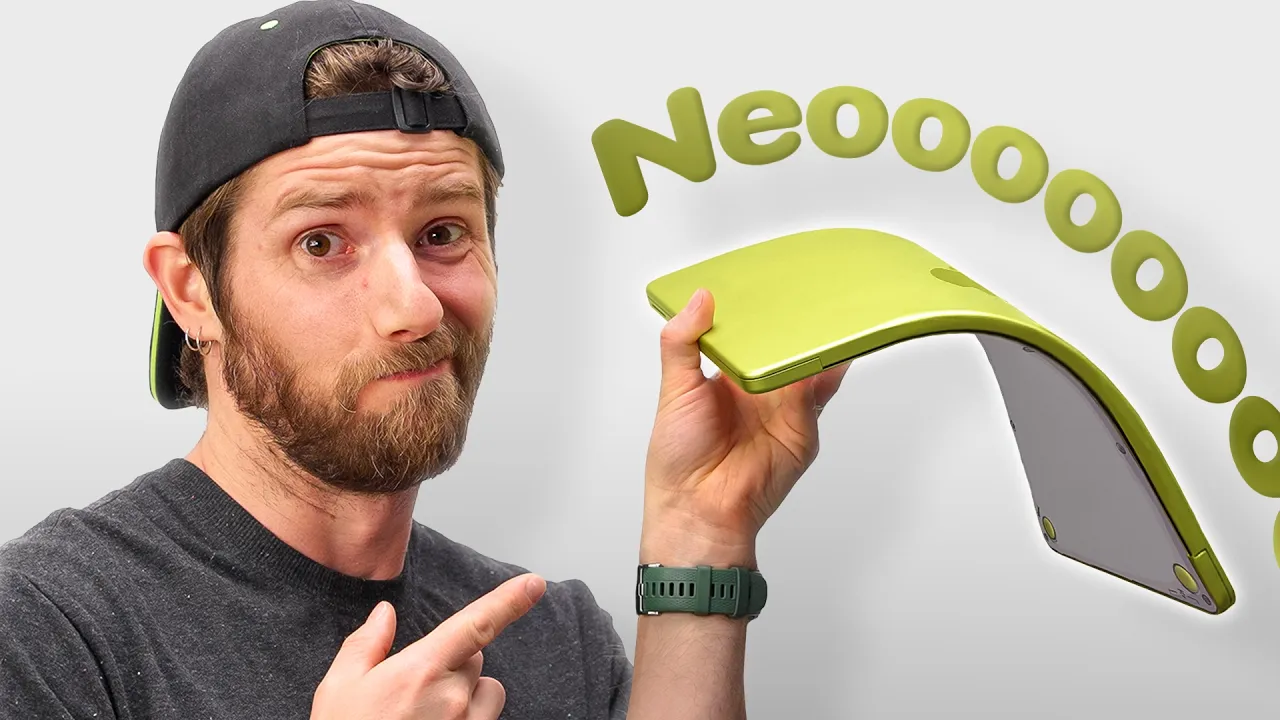
Two USB type-C ports on the lefth hand side, not Thunderbolt. There's a headphone jack on the left as well, and then there's some sidefiring stereo speakers. And it comes in four colors, indigo, blush, citrus, and silver. They all have this sort of a whitish keyboard that is kind of tinted to match the color of the laptop. In person, maybe the lighting is terrible in here, but it was kind of hard to tell when looking at a single laptop. But you can, when there's some next to each other, see that the keyboards are tinted. And there's a 1080p webcam up at the top hidden in that bezel.
No notch. And most importantly, the starting price, $599. And this is really interesting. They actually hit the price. This is now, you know, the cheapest entry-level Mac laptop. It's the same price as a Mac Mini, which has actually been one of the best deals in tech for a little bit now. And I think this one's also shaping up to be pretty good value. Now, the X factor is how will the A18 Pro chip perform inside a computer? Now, in case you don't remember, the A18 Pro is the same chip that was in the iPhone 16 Pros last year, but actually this is a bin version.
This is a five core GPU version instead of six core. But I think in general there's a lot of tasks that regular people do on regular computers that clearly don't require a ton of power. Web browsing, emailing, shopping, spreadsheet type of stuff, right? And before I've done any testing, just messing around on this thing for a few minutes, it seems like it would be totally fine for that. I would not expect to edit videos or do anything really intensive on this thing. That would be kind of crazy. But I also wouldn't be surprised if it could handle some light photo editing, some multitasking, and just, you know, generally be a solid computer.
Think of it like a Chromebook, but the Apple one. It's like a the Safari book, basically. This is like it's a super basic computer. If you're looking at this and and thinking, I wonder if this has enough RAM for what I'm trying to do. This probably already isn't for you. This isn't the computer you should be looking at. If you're thinking, I wonder why they're, you know, USB type-C ports and not Thunderbolt, it's probably not for you. You're you're watching an MKBHD video on the day that it was uploaded cuz you're subscribed to a tech channel on YouTube.
This probably isn't the computer for you. Now, I'm thinking the battery life could be interesting. Obviously, it's the same chip as an iPhone, but with a chassis and the battery size of a laptop. So, it seems like a good combo. And I think they're quoting 16 hours right now, which doesn't mean much to me except that they also quote MacBook Air at 18 hours, so it should be in the same ballpark. So why do they do this? Why do they make this thing? Well, I think the obvious answer is just to have something much more attainable available.
Up until now, the cheapest laptop available was the MacBook Air, and that just got a price bump up with the M5. That's an $1,100 laptop. So, this is the cheaper one, but in my limited hands-on time, it doesn't feel cheap, right? Matter of fact, one of the advantages here is it's going to probably be the best built laptop at this price with this all metal body, this nice hinge weight. Everything still feels very much like the other more premium MacBooks. There's also a couple smaller things I noticed, too. Like the base version with 256 gigs doesn't have Touch ID.
It's just a lock button on the keyboard. So, you spend another hundred bucks and you get the 512 gigs of storage and Touch ID. The trackpad also is actually not a haptic trackpad like the rest of the MacBooks. It's a real moving, clicking old school trackpad, I guess, but it also feels totally fine. And then the display, it's okay. It's not amazing. It's 13 in corner to corner. Pretty normal looking bezels. The rooms we're in are not very bright, but this maxes out at 500 nits, and it's a little higher than 1440p resolution at 60 Hz.
And I also actually found myself thinking maybe it would be a little bit lighter since it's on the small side, but it's still all metal. And spec for spec, it looks like it's the same weight as a slightly bigger MacBook Air. 2.7 pounds. You know who this will really kill for students education like and not just college students. I think high school and even younger, especially where Chromebooks have been killing it for years. Chromebooks have been cheaper and have been just dominating in education. And I think Apple wanted a piece of that pie. Now, this isn't Chromebook cheap, but it is a lot closer than the $1,100 MacBook Air is.
And with the student discount, if you look on their site, this is also now a $499 laptop. So, it's a little more appealing, and it just plays into the classic Apple thing, like, oh, we offer something in the same category. Would you rather get the thin and light laptop from Acer or the one from Apple? Well, the one from Apple works well with the iPhone you have. And you know, up until now, a lot of students I've seen were trying to undercut a MacBook Air with either going cheaper, refurbished, or with an iPad. Thing about the iPad is it's actually not that much cheaper.
Now, if you go with the cheapest base iPad, that's $329. But then the keyboard accessory that they make for it costs $250 more. So, before you even get a pencil, you're already at just about 600 bucks. And that's only 128 gigs and an A16. So, now this looks like a much better value to actually get a Mac. Now, I have to bring this up. Do you remember the original 12-in MacBook? This, you know, some of you are younger. You might actually not remember this from about 10 years ago, but Apple tried to make before Apple silicon a 12-in MacBook.
And that was supposed to be an even thinner and lighter and smaller laptop than the MacBook Air. And it was, but it also wasn't a very good laptop at all. It was running a 1.1 GHz dualcore Intel processor that throttled if you looked at it for too long. And it cost $1,300 still, but it was a smaller, thinner machine, ultra portable, a 12-in display, 8 gigs of RAM, 256 gigs of storage, and it was their first laptop with only USB type-C ports. Sound familiar? This was basically their first attempt at making a netbook. So that has obviously since been retired, but my theory is that once they spun up Apple silicon and their chips got much more efficient and much better integrated, they finally had the ability to make that machine but actually good.
There was no way they were going to do that well with Intel chips. And so now here we are in 2026 and this is basically that old 12-in MacBook reincarnated. Now, I also happen to think that the old Intel powered trash can Mac Pro had the same problem and that the new Mac Studio is everything that they wanted that machine to be, which is why they're going to kill the Mac Pro. But that's a story for another video. Now, there's a couple other announcements this week, of course, too, from Apple. There's a new Studio Display and Studio Display XDR to replace the Pro Display.
There's also an iPhone 17e with MagSafe and double the starting storage and a new pink color and a Spec Bump M5 Pro and M5 Max MacBook Pro with slightly less text on the keyboard and a spec bumped M4 iPad Air. So, let me know in the comments which of that stuff you're most interested in seeing a review of. And make sure you get subscribed to be among the first to see those reviews when they do come out. And shout out to Ridge for sponsoring this video. Ridge was started 13 years ago by Paul and Daniel Kaine with one pretty simple goal, gear built better.
And that mission lines up pretty perfectly with why I've been working and building with them and why I've been the chief creative partner for the past couple years. So to celebrate after selling over 5 million wallets and tech and travel gear and more, Ridge is offering up to 40% off almost everything on their website. So a few things I always suggest to everyone because it's good stuff. uh the tracker card which works with Apple find my and it has a really loud chime to help you find it when you're nearby. Check it out. There's also the extremely popular 5 in1 power bank which I basically always have on me.
And it's Mag Safe compatible, too. So, it just pops on the back of your phone easy. And of course, the redesigned Ridge Wallet 2.0, which is now available in two new colors. These are iridescent and Forgefetti. So, don't wait or you miss out on up to 40% off. Check it out at the link below, ridge.com/mkbhd. Thanks for watching and I'll catch you guys in the next one. Peace.
More from Marques Brownlee








Get daily recaps from
Marques Brownlee
AI-powered summaries delivered to your inbox. Save hours every week while staying fully informed.